The “General” parameter page includes three configuration screens (see Figure 5.1.1) for setting basic device parameters such as startup delay, heartbeat configuration, function selection, and function enable/disable options. Detailed parameter descriptions are provided below.
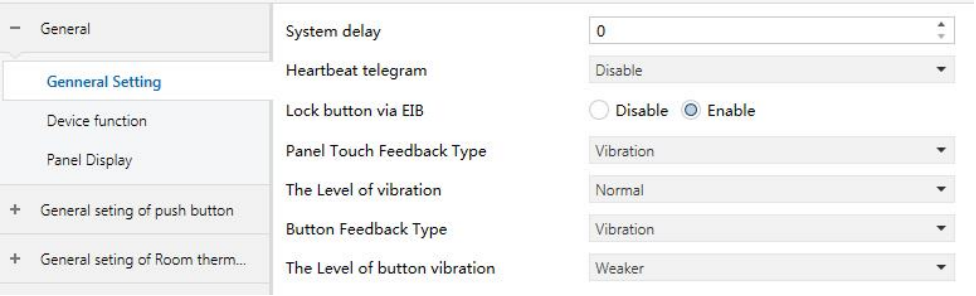
Figure 5.1.1 "General Setting" Interface
System delay
Defines the system startup delay of the panel. Telegrams can be sent or received only after the specified delay has elapsed.
Options: 0-255 seconds
Heartbeat telegram
Sets the panel’s heartbeat configuration to indicate normal operation. The panel sends heartbeat telegrams to the bus cyclically based on the set interval.
Options:
Disable
Send value ‘1’ cyclically
Send value ‘0’ cyclically
Send value ‘1/0’ inverted cyclically
The following parameter is visible only when Heartbeat telegram is enabled.
❖ Telegram is sent time interval (1–64s)
Defines the interval at which heartbeat telegrams are sent.
Options: 1...64 s
Push button type
Defines the number of buttons supported by the panel. The selected rocker type must match the physical panel. LED configuration follows the same layout.
Options:
1 Rocker (2 buttons)
2 Rocker (4 buttons)
3 Rocker (6 buttons)
4 Rocker (8 buttons)
5 Rocker(10 buttons)
TIP:
Regardless of the option chosen, the parameters for each rocker are the same. Each rocker can be configured as independent buttons or as a linked button pair:
- Independent: Left and right buttons operate separately.
- Linked: Left and right buttons operate together.
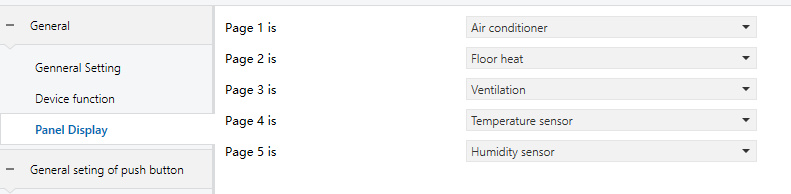
Figure 5.1.3 “Panel Display” Interface
Page X is (x = 1, 2, 3…5)
Configures the content and order of the panel display pages. Up to five function pages can be displayed and freely configured.
Options:
Air conditioner
Floor heating
Ventilation
Temperature sensor
Humidity sensor
No display