Open Supervised Device Protocol(OSDP) is a communication protocol designed for security and access control systems. Akuvox door phones or access control terminals can be connected to OSDP-based card readers for door opening.
Note
The following device models with specific firmware versions or higher support OSDP output:
S539: 539.30.10.219
X915 V2.0: 2915.30.10.219
X916: 916.30.10.207
X912: 912.30.11.7
R29: 29.30.10.227
R20 V5.0: 320.30.10.206
A08: 108.30.10.120
A05 V2: 205.30.10.111
This article takes X912 as an OSDP input device and A08 as an OSDP card reader.
Connection
Connect the X912 and A08 via the RS485 A and B ports.
Set the RS485 on X912
Enter the X912’s IP in a browser and enter the username and password. The default are both admin.
Go to the Device > RS485 interface.
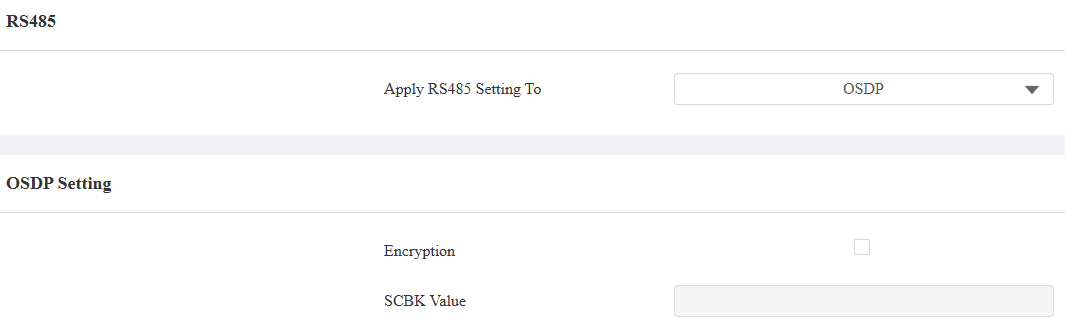
Select OSDP as the Apply RS485 Setting To option. Its default RS485 mode is Input.
Set the Encryption.
When the Akuvox intercom device serves as the card reader such as A08, you can:
Check the encryption box and customize the SCBK(Secure Channel Key Block) value. Make sure the value is consistent between the X912 and A08.
Check the encryption box and leave the SCBK field blank on both X912 and A08. The devices will adopt the default encryption key set by Akuvox.
Uncheck the encryption box. The data transmission is not encrypted.
If it is an encrypted third-party card reader, please check the Encryption box and confirm the SCBK value with the third-party service provider.
Set up Users on X912
Go to X912’s Directory > User interface.
Click Add to add a new user or click the Edit icon to modify an existing user.
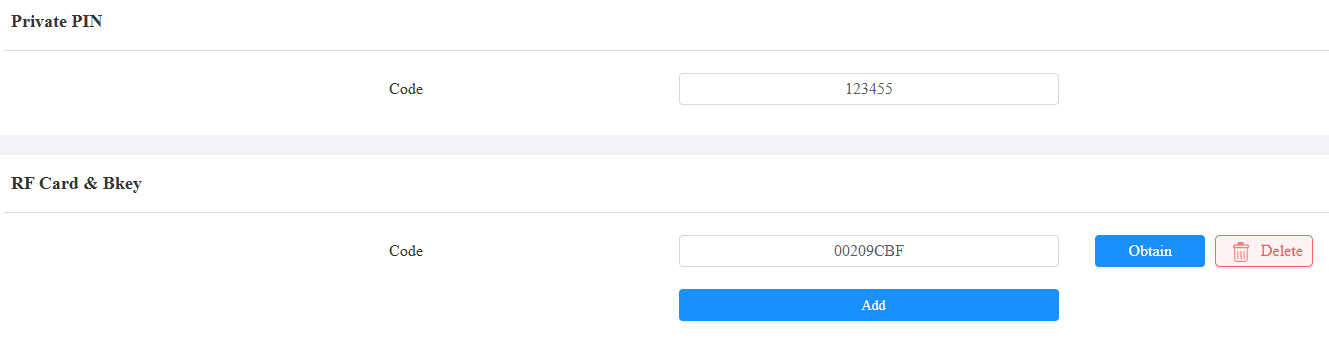
Set the Private PIN code and/or the RF Card code.
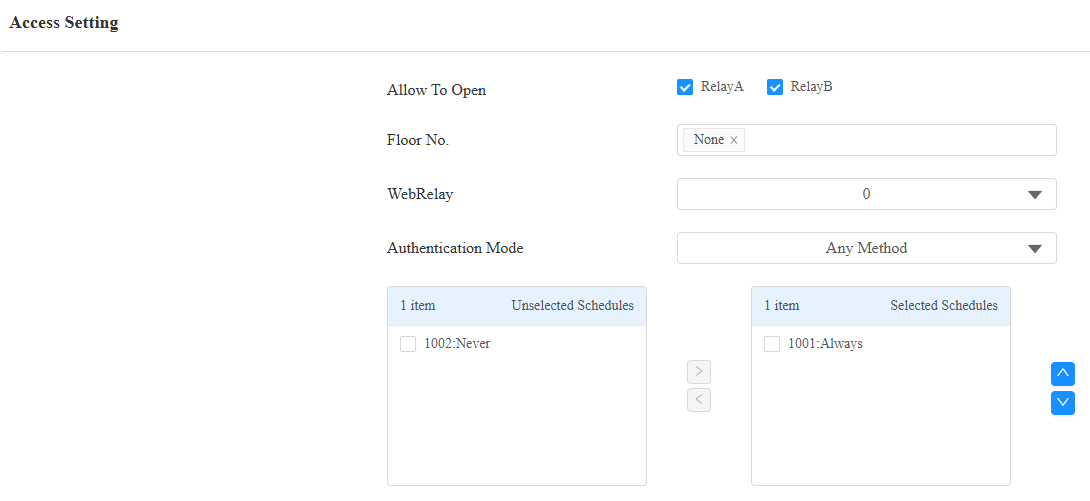
Check the relay to be triggered and apply the schedule.
Click Submit.
Set the RS485 on A08
Enter A08’s IP address in a browser. You can search its IP with IP scanner software.
Enter the username and password. The default are both admin.
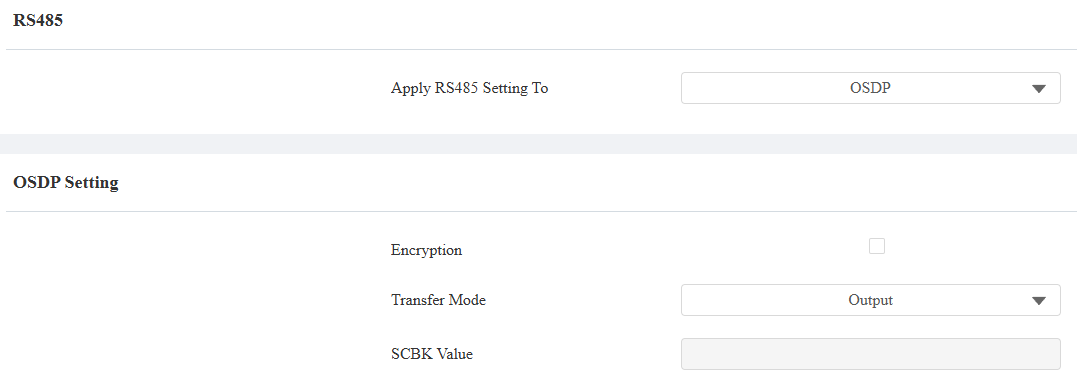
Go to Device > RS485 interface and select OSDP as the Apply RS485 Setting To option.
Set the Transfer Mode to Output.
Set the Encryption. When checked, make sure the SCBK value is the same as that set in the X912.
[Optional]Set up the Local Relay Verification.
When enabled, the card reader will verify the credentials first before transmitting the data. You need to set up the credentials in the card reader as well for successful door opening.
When disabled, the card reader will directly output the data without verification.
Click Submit to save the settings.
When users swipe cards or enter PINs on A08, the door will be opened.