The SmartPlus Cloud supports displaying the registration QR code for end users to download and register SmartPlus App accounts.
Both installers and property managers can print and batch export QR code images.
Note
This feature is only available for community projects.
It applies only to the family master account.
For Installers
Log in to the cloud platform with your account.
Navigate to the target community by clicking
 .
.Click the target building. The QR code will appear if the account is not yet registered.
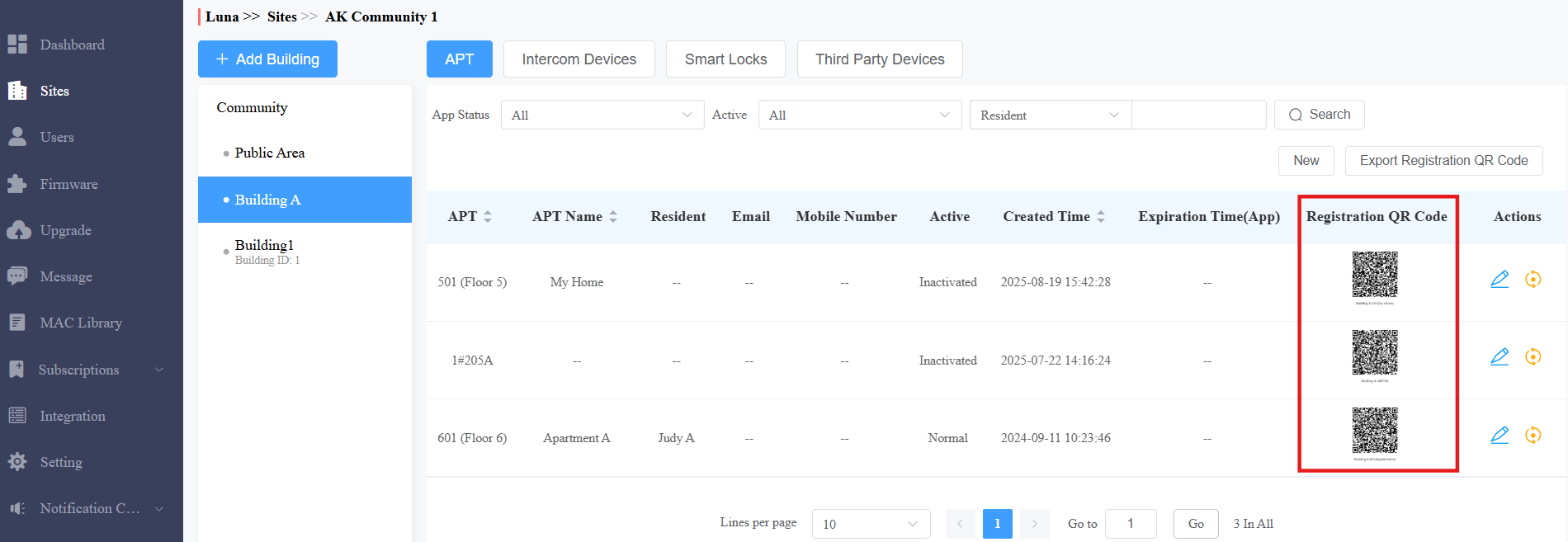
Click the QR code image to enlarge it.
Click
 to print it.
Click
 to refresh the QR code. Note that once a new QR code is generated, the previous one becomes invalid for registration.
Click Export Registration QR Code to batch export QR code images. The exported ZIP file will be named after the community.
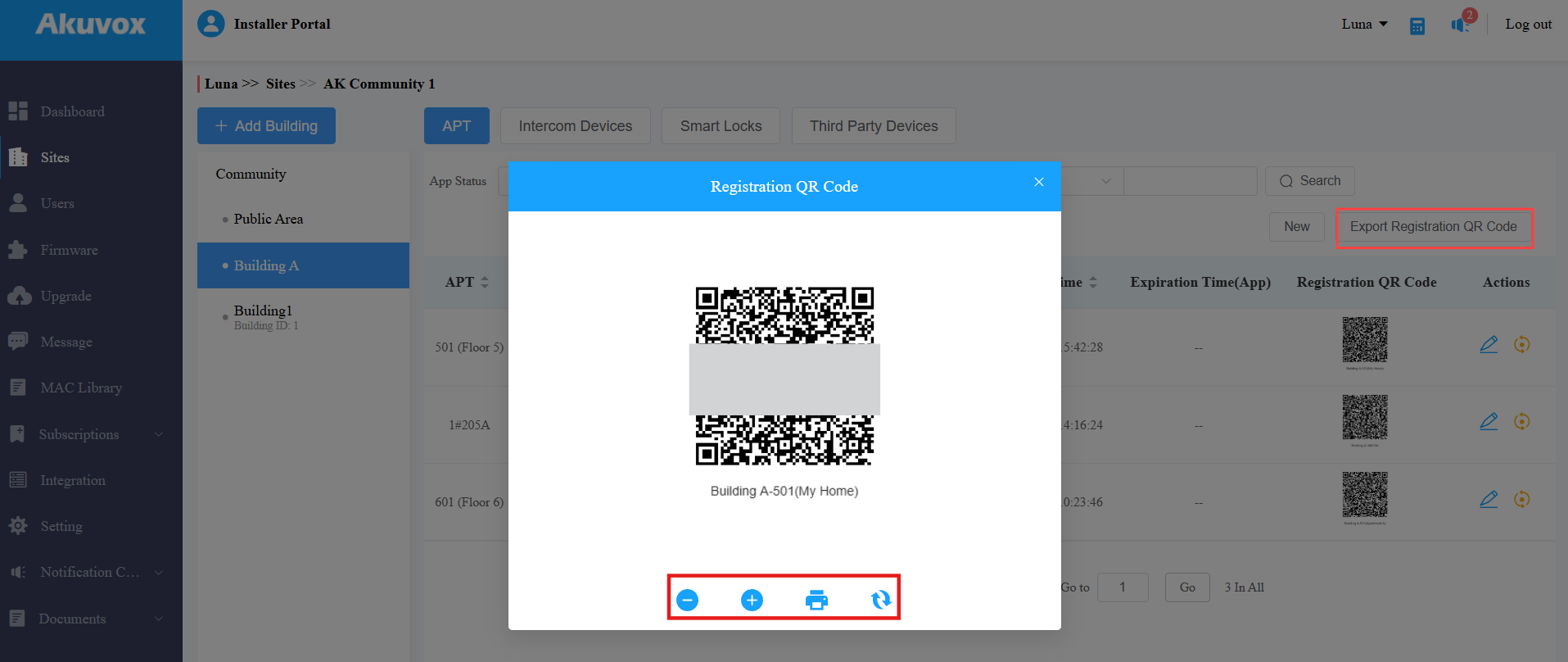
Once the account is registered, the Registration QR Code status will change to  .
.
For Property Managers
Log in to the cloud platform with your account.
Click Apartments. The QR code will appear if the account is not yet registered.
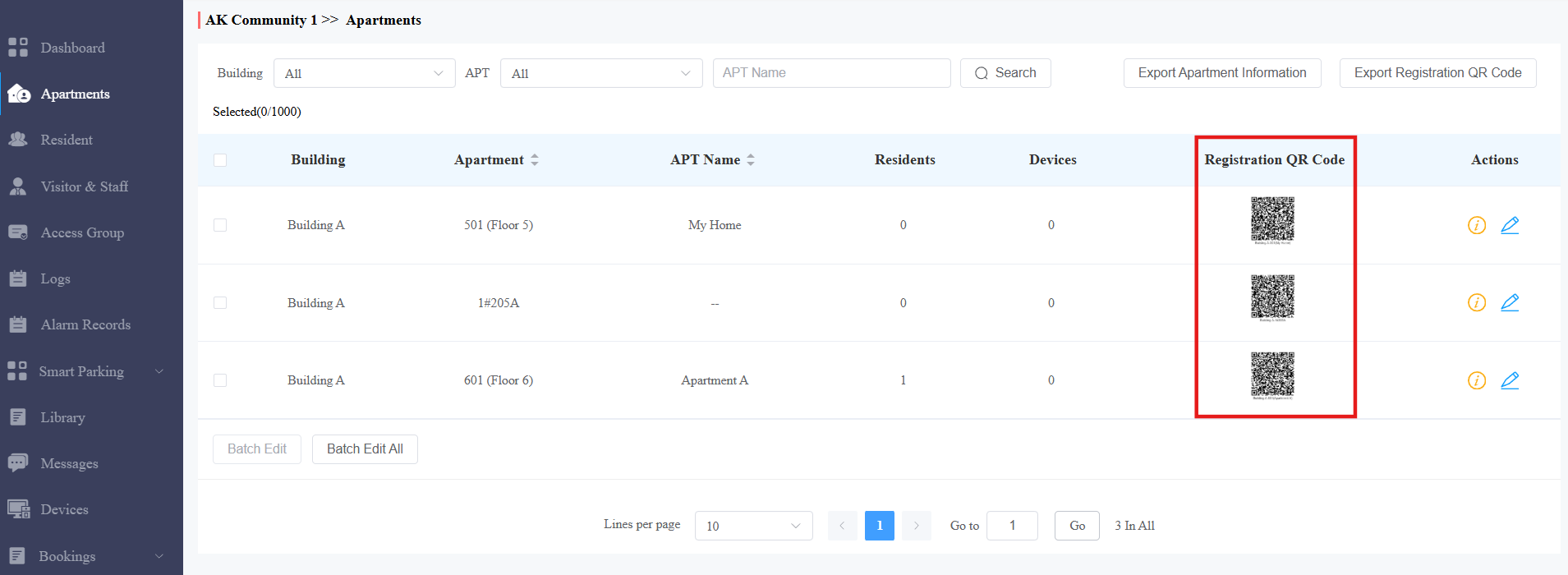
Click the QR code image to enlarge it.
Click
to print it.Click
to refresh the QR code. Note that once a new QR code is generated, the previous one becomes invalid for registration.Click Export Registration QR Code to batch export QR code images. The exported ZIP file will be named after the community.
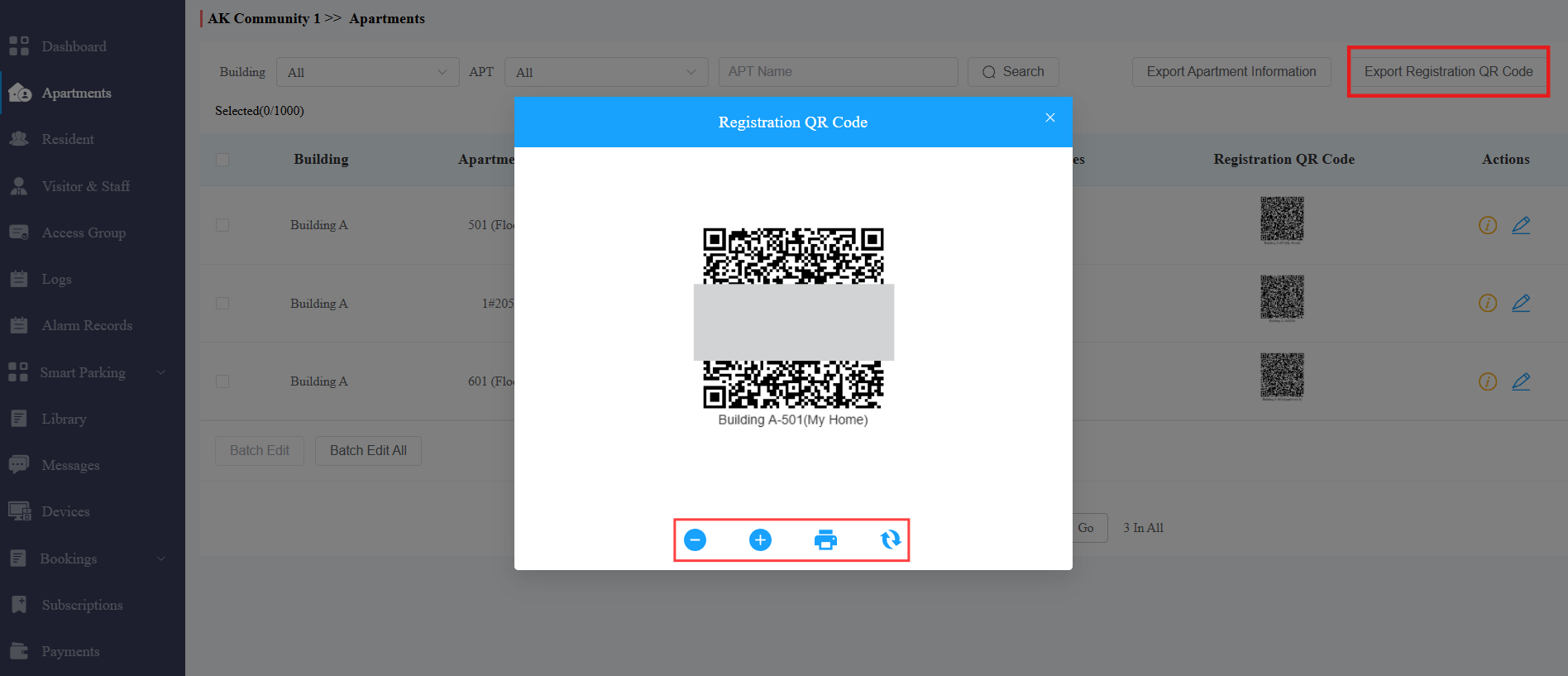
Once the account is registered, the Registration QR Code status will change to .