Audio Codec Configuration
The door phone supports three types of codecs (PCMU, PCMA, and G722) for encoding and decoding the audio data during the call session. Each codec varies in terms of sound quality. PCMU and PCMA are well-suited for traditional telephony and bandwidth-constrained environments, while G722 delivers better audio quality for more modern communication needs.
You can select the specific codec according to the actual network environment.
Set it up on the web Account > Advanced interface.
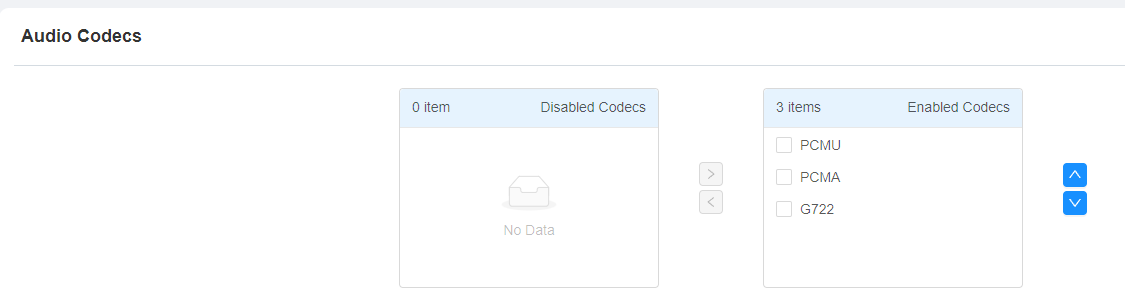
Please refer to the bandwidth consumption and sample rate for the three codec types below:
Codec Type | Bandwidth Consumption | Sample Rate |
|---|---|---|
PCMA | 64 kbit/s | 8kHZ |
PCMU | 64 kbit/s | 8kHZ |
G722 | 64 kbit/s | 16kHZ |
Video Codec Configuration
The door phone supports the H264 codec that provides better video quality at a much lower bit rate with different video quality and payload.
To configure the video codec, navigate to the web Account > Advanced interface.
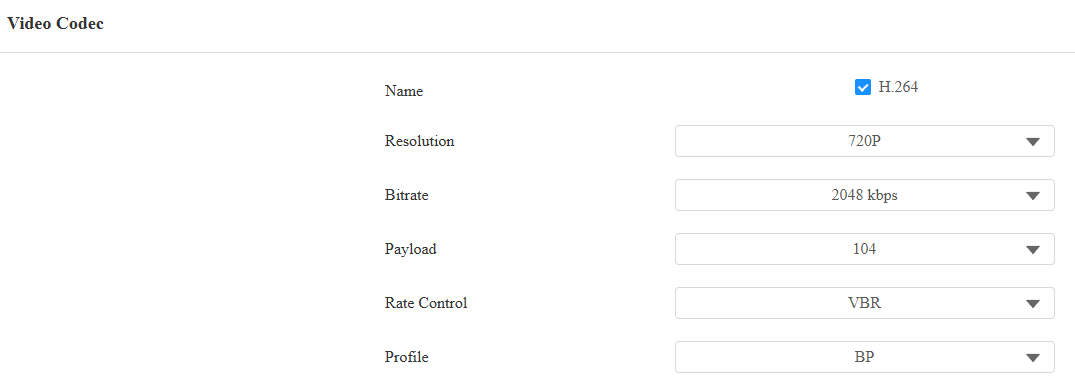
Name: Check to enable the H264 video codec format for the door phone video stream.
Resolution: Select the code resolution for the video quality from available options. The default resolution is 720P(720 × 480 pixels).
Bitrate: The video stream bitrate ranges from 128 to 2048 kbps. The greater the bitrate, the data transmitted every second the greater in amount, therefore, the clearer the video will be. The default code bitrate is 2048.
Payload: The payload ranges from 90 to 119 for configuring audio/video configuration files. The default is 104.
Rate Control: Set the account’s call bitrate. The default is VBR.
VBR: Variable Bit Rate, adjusts the bit rate dynamically based on content complexity.
CBR: Constant Bit Rate, maintains a fixed bit rate throughout the transmission.
Profile: The attributes of locally encoded video, such as resolution, bitrate, and frame rate.
BP: Baseline Profile, designed for low complexity and real-time applications, such as video conferencing and mobile devices.
MP: Main Profile, provides higher compression efficiency and video quality than Baseline.
HP: High Profile, offers the highest video quality and compression efficiency, supporting advanced encoding features.
Video Codec for IP Direct Calls
You can select the IP call video quality by selecting the proper codec resolution according to the network condition.
Set it up on the Intercom > Call Feature > Direct IP interface.
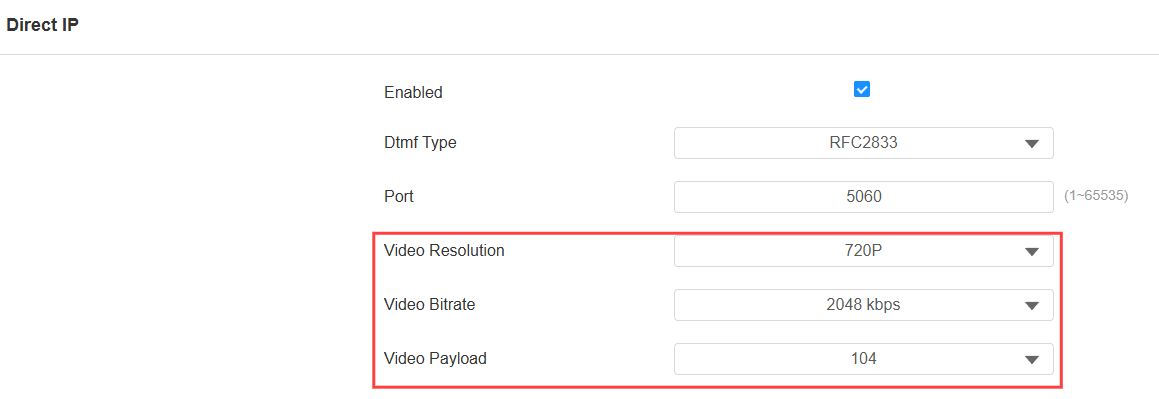
Video Resolution: Select the code resolution for the video quality from the available options. The default is 720P(720 × 480 pixels).
Video Bitrate: The video stream bitrate ranges from 128 to 2048 kbps. The default code bitrate is 2048.
Video Payload: The payload ranges from 90 to 119 for configuring audio/video configuration files. The default is 104.