You can configure and upgrade the device through the web interface using one-time or scheduled auto-provisioning with configuration files. This eliminates the need to set up configurations manually, saving you time and effort.
Provisioning Principle
Auto-provisioning is a feature used to configure or upgrade devices in batch via third-party servers. DHCP, PNP, TFTP, FTP, and HTTPS are the protocols used by the Akuvox devices to access the URL of the address of the third-party server which stores configuration files and firmware, which will then be used to update the firmware and the corresponding parameters on the device.
Please see the flow chart below:
.png)
Configuration Files for Auto-provisioning
Configuration files for auto-provisioning come in two formats: general configuration files and MAC-based configuration files.
Differences:
General Configuration Provisioning:
A general configuration file is stored on a server, allowing all related devices to download the same file to update parameters.
MAC-Based Configuration Provisioning:
MAC-based configuration files are specific to individual devices, identified by their unique MAC addresses. Files named with the device's MAC address will be matched automatically before downloading for provisioning.
Note
Configuration files must be in CFG format.
The name of the general configuration file for batch provisioning varies by model.
The MAC-based configuration file is named after its MAC address.
Devices will first access general configuration files before the MAC-based ones if both types are available.
You may click here to see the detailed format and steps.
Autop Schedule
Akuvox provides you with different AutoP methods that enable the device to perform provisioning for itself according to the schedule.
To set it up, go to System > Auto Provisioning > Automatic Autop interface.
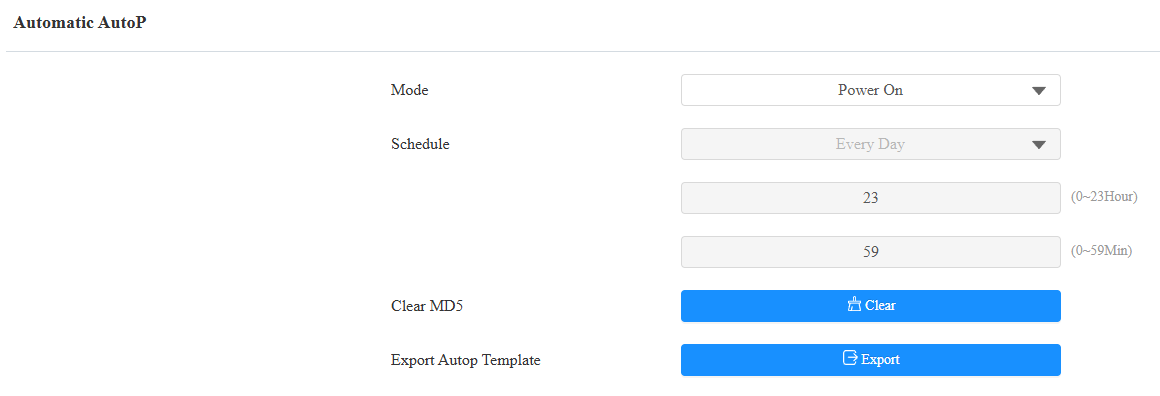
Mode:
Power On: The device will perform Autop every time it boots up.
Repeatedly: The device will perform Autop according to the schedule you set up.
Power On + Repeatedly: Combine Power On mode and Repeatedly mode, which will enable the device to perform Autop every time it boots up or according to the schedule you set up.
Hourly Repeat: The device will perform Autop every hour.
Static Provisioning
You can manually set up a specific server URL for downloading the firmware or configuration file. If an auto-provision schedule is set up, the device will perform the auto-provisioning at a specific time according to the auto provision schedule you set up. In addition, TFTP, FTP, HTTP, and HTTPS are the protocols that can be used for upgrading the device firmware and configuration.
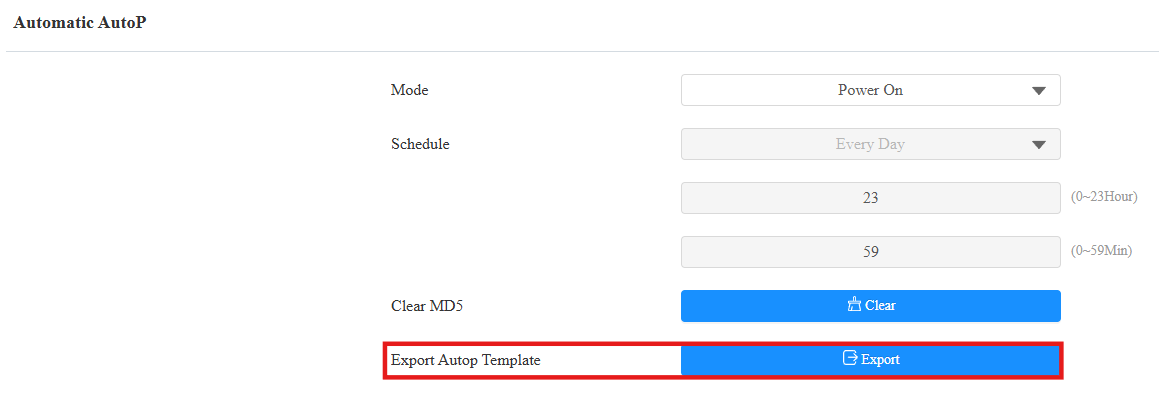
To set it up, download the template on System > Auto Provisioning > Automatic Autop first.
Set up the Autop server on System > Auto Provisioning > Manual Autop interface.
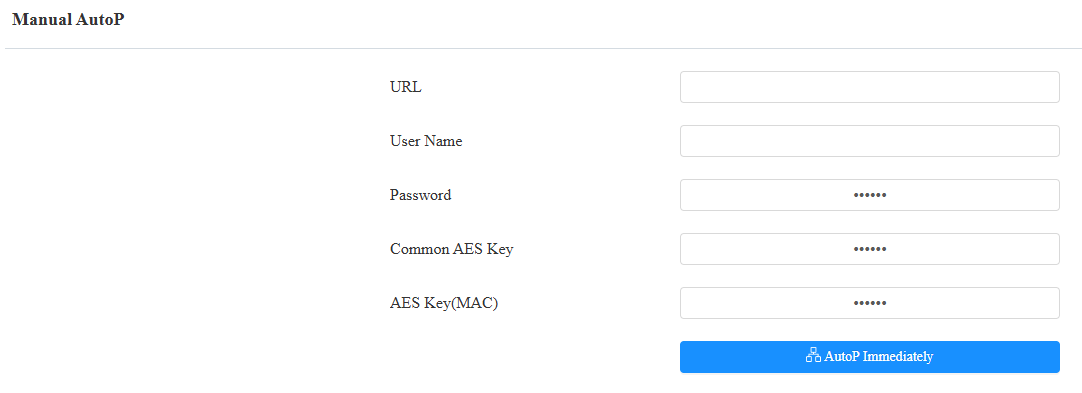
URL: Specify the TFTP, HTTP, HTTPS, or FTP server address for the provisioning.
Username: Enter the username if the server requires a username to be accessed.
Password: Enter the password if the server requires a password to be accessed.
Common AES Key: It is used for the intercom to decipher general Autop configuration files.
AES Key (MAC): It is used for the intercom to decipher the MAC-based Autop configuration file.
Note
AES as one type of encryption should be configured only when the config file is encrypted with AES.
Server Address Format:
TFTP: tftp://192.168.0.19/
FTP: ftp://192.168.0.19/(allows anonymous login) ftp://username:password@192.168.0.19/(requires a user name and password)
HTTP: http://192.168.0.19/(use the default port 80) http://192.168.0.19:8080/(use other ports, such as 8080)
HTTPS: https://192.168.0.19/(use the default port 443)
Tip
Akuvox do not provide user specified server. Please prepare TFTP/FTP/HTTP/HTTPS server by yourself.