Motion detection identifies changes in the position of an object relative to its surroundings. This feature can monitor environmental changes around users’ homes or buildings, sending alerts such as screenshots, calls, or preset messages when needed.
Types of Motion Detection in Akuvox Devices:
Infrared (IR) Detection: Triggered by changes in temperature, IR detection is effective but may trigger false alarms in high-temperature conditions.
Video Detection: This method analyzes camera footage to identify suspicious movement with high accuracy. Administrators can define specific areas for monitoring, which helps protect privacy.
Radar Detection: Utilizing radio waves, radar detection can effectively monitor larger areas and detect motion through obstacles like walls. It is useful for outdoor security and is not affected by light or weather conditions.
Pedestrian Detection: This specialized form of video detection focuses on detecting the upper body of passersby. It is particularly useful in urban settings or near entrances, reducing false alarms by distinguishing between people and other objects.
Supported Detection Types by Model | ||||
|---|---|---|---|---|
Model/Detection Type | IR Detection | Video Detection | Radar Detection | Pedestrian Detection |
S539 | ✔ | ✔ | ||
S538 | ✔ | ✔ | ||
S535 | ✔ | ✔ | ||
S532 | ✔ | ✔ | ||
X916 | ✔ | ✔ | ||
X915V2 | ✔ | ✔ | ✔ | |
X912 | ✔ | |||
X910 | ✔ | ✔ | ✔ | |
R29 | ✔ | ✔ | ✔ | |
R28V2 | ✔ | ✔ | ||
R25 | ✔ | ✔ | ✔ | |
R20 | ✔ | ✔ | ||
E18 | ✔ | |||
E16V2/V3 | ✔ | |||
E12 | ✔ | |||
E13 | ✔ | |||
E21 | ✔ | |||
A15 | ✔ | ✔ | ||
Configuration
This article takes X915V2 as an example.
Use the device’s IP(scanned by IP Scanner) to log in to its web interface. The initial username and password are admin.
Go to Surveillance > Motion interface.
Select the desired motion detection type.
Set up the Timing Interval. This determines how long the door phone should wait before triggering actions after detecting motion, establishing a delay before reacting.
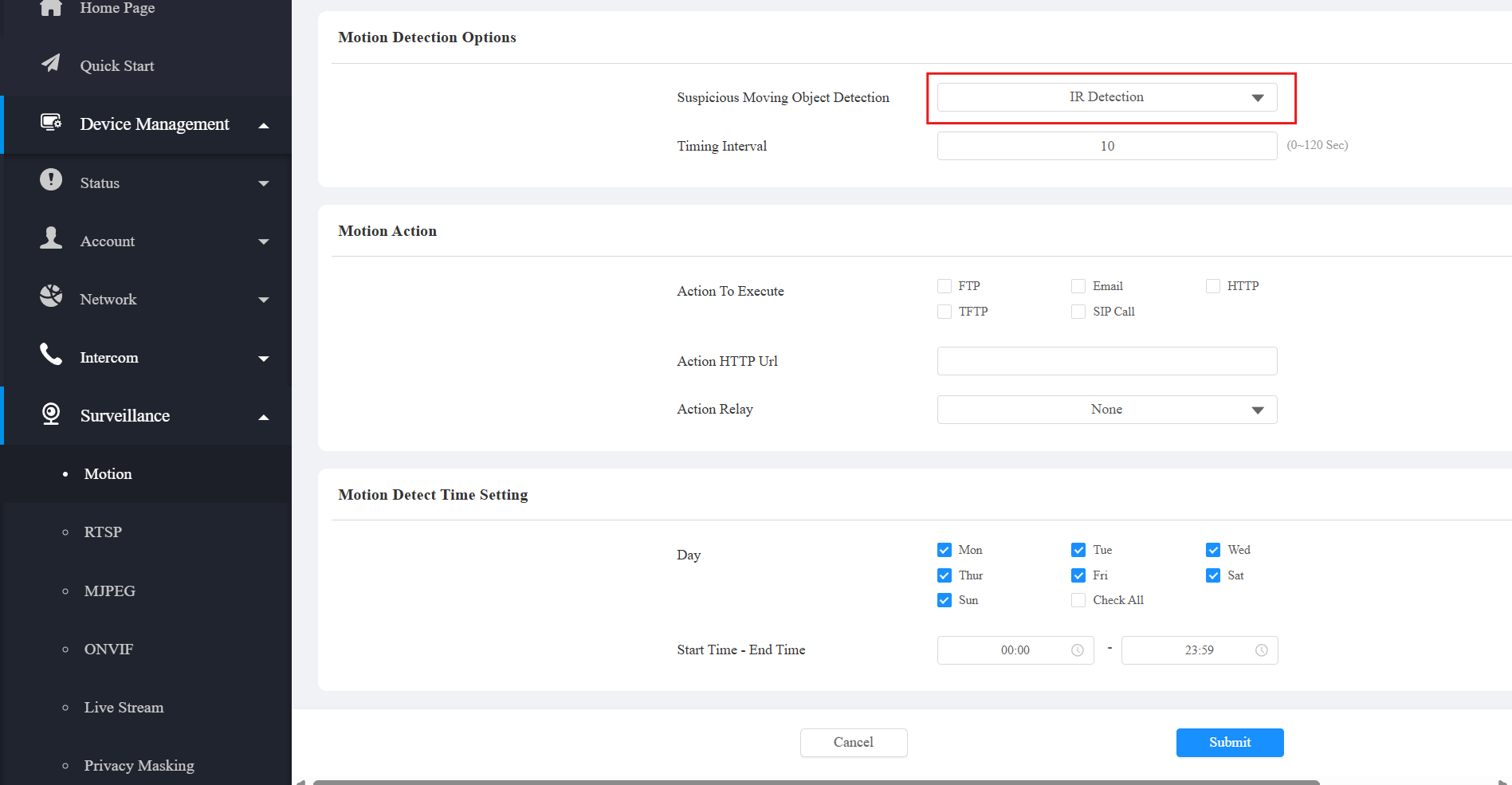
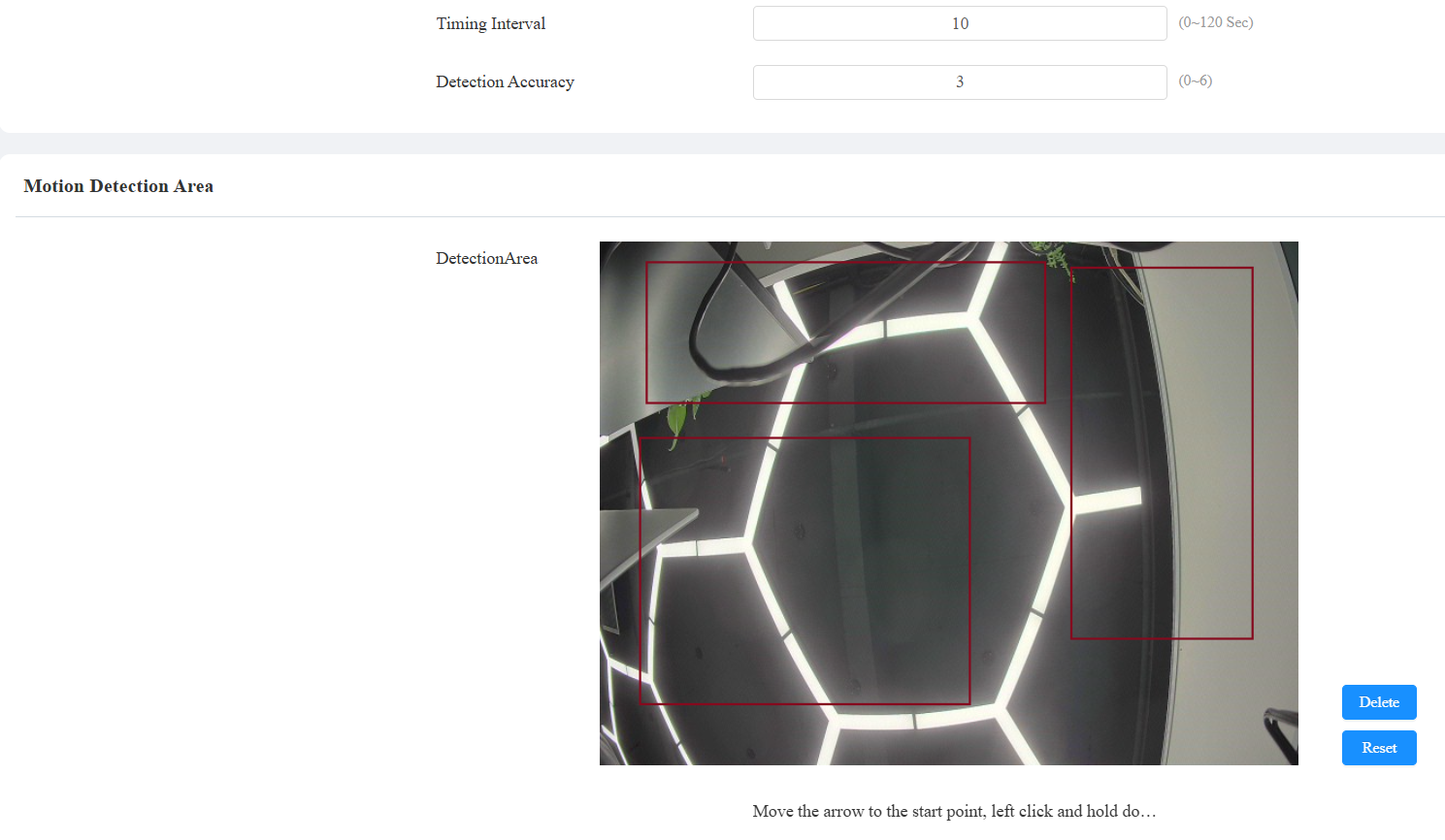
If you select Video Detection or Pedestrian Detection.
You can click and hold the mouse button to select up to three detection areas.
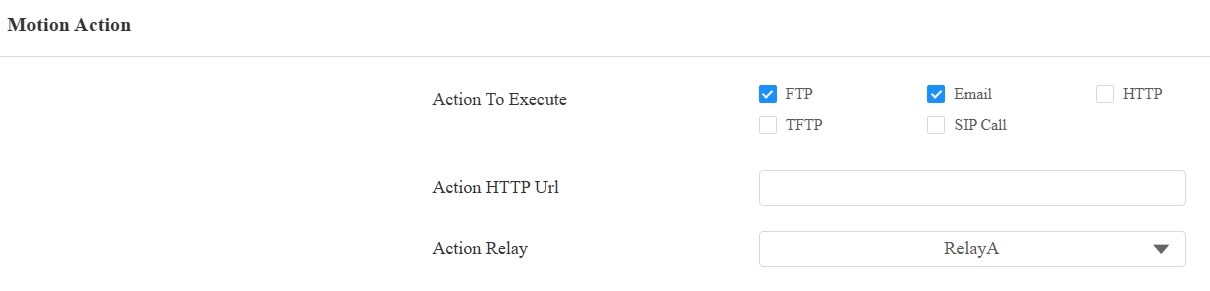
Set up the desired motion detection action.
FTP: The notification will be sent to the designated FTP server.
Email: The email will be sent to the pre-configured email address.
SIP Call: A call will be made to the pre-configured number.
TFTP: The notification will be sent to the designated TFTP server.
HTTP: The notification will be sent to the designated server.
HTTP URL: Enter the HTTP URL if selecting HTTP as the action to execute. The example format is http://HTTP server’s IP/Message content.
Action Relay: The chosen relay will be triggered when motion detection occurs.
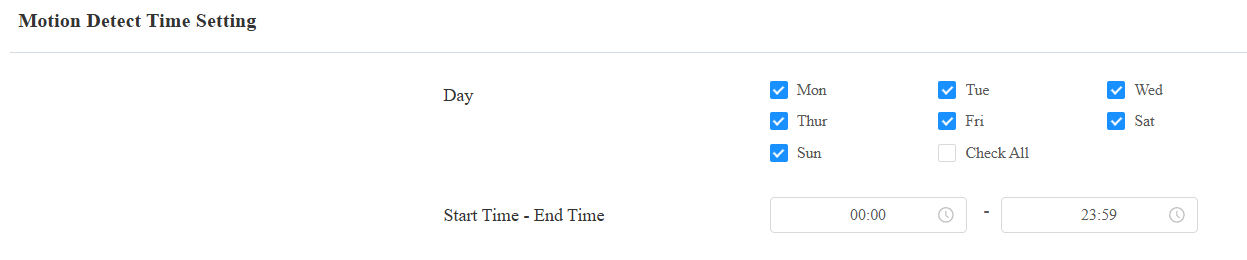
Optionally, you can set the schedule for the motion detection to be activated.
Submit the setting.
After configuration, actions will be carried out when motion detection happens.