The Akuvox MR01 radar sensor supports fall detection and bed-exit detection. When it is deployed on the SmartPlus Cloud, it can report alarms to the cloud and trigger call alerts.
This allows caregivers or administrators to receive alerts and respond quickly.
For a Single-Family House Project
Enable the Feature
Log in to the cloud platform with your installer account.
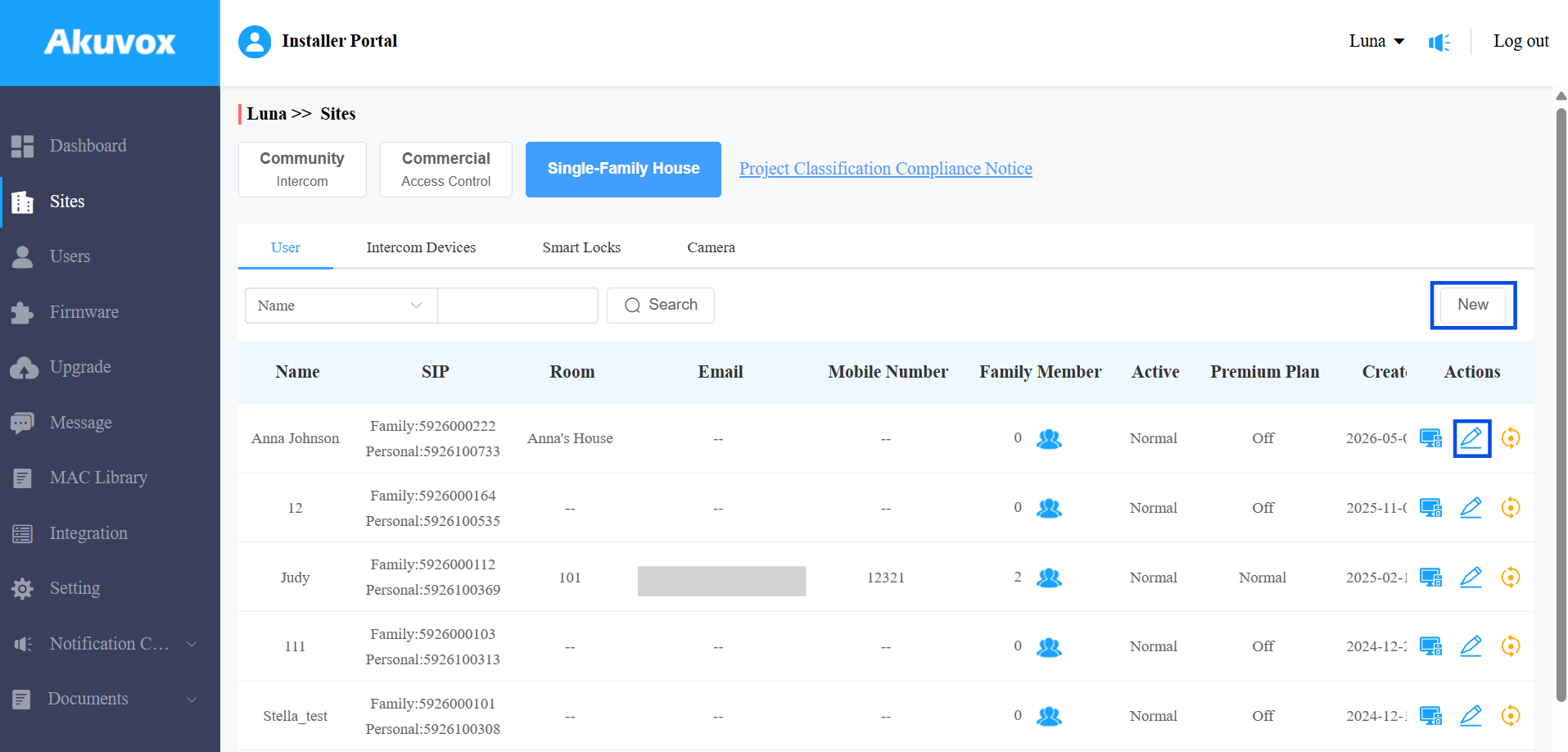
Navigate to the Single-Family House sites.
Click New to create a new project or click
 to modify a current one.
Enable the Health Care feature.
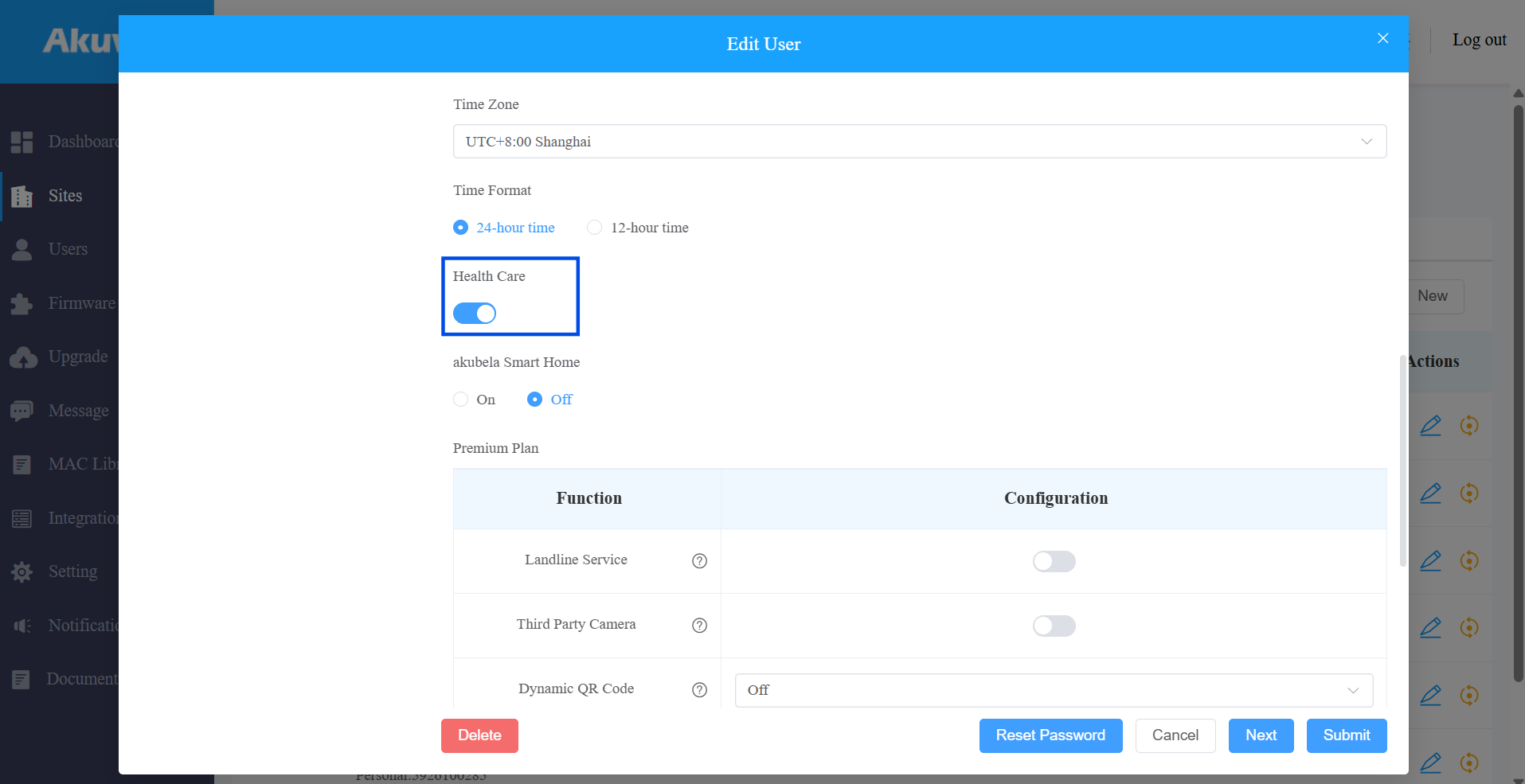
Submit the settings.
Add the MR01
Click
 of the target project.
 Select Sensor.
Click New on the right.
Enter the device’s MAC address.
Set the device name.
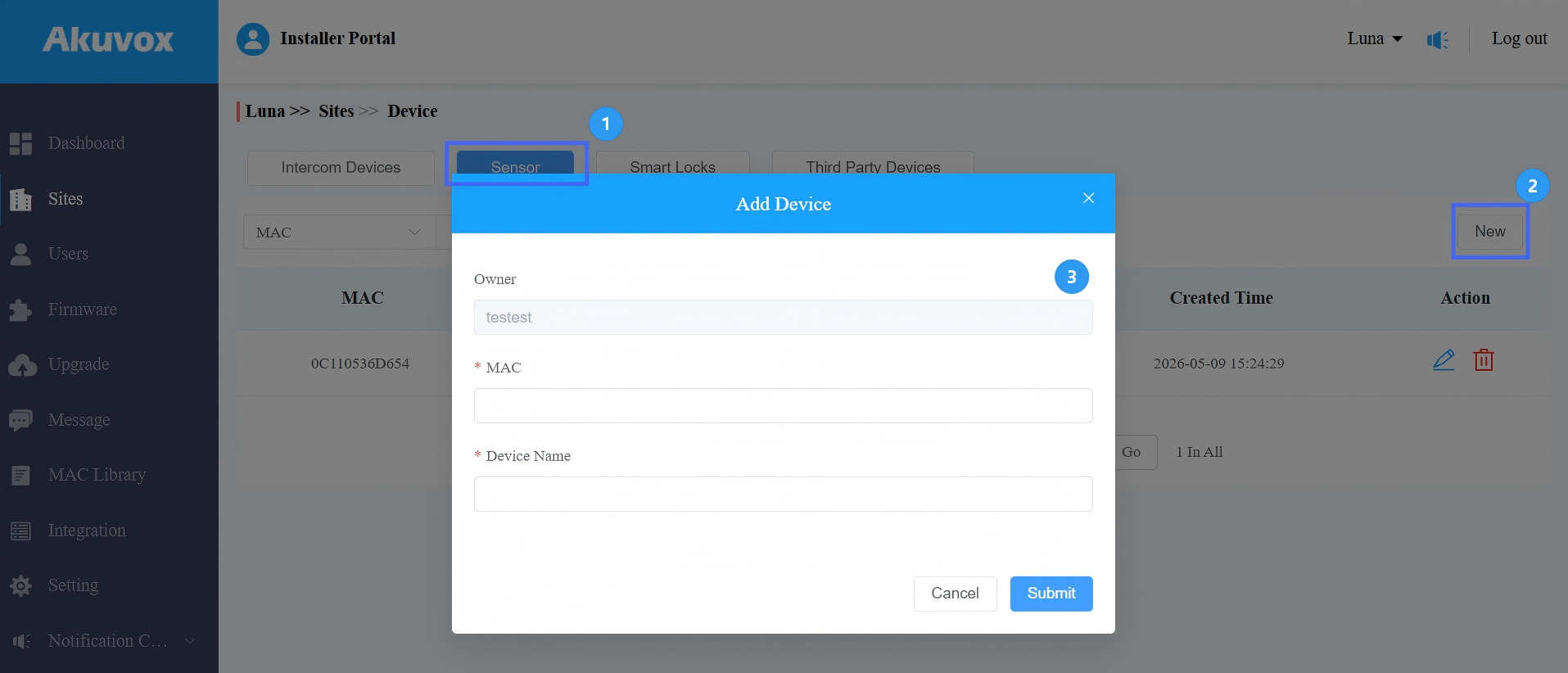
Submit the settings.
Configure Sensor Detection Call Alert
Once the MR01 is added to the project, you can configure the Sensor Detection Call Alert. This feature allows configured numbers to receive a call alert when a fall or bed-exit event occurs.
Note
This is a premium feature that requires payment.
Click
of the target project. Enable the feature.
Enable the desired Alarm Type.
Select the correct Country/Region. This determines the phone number country code.
Enter up to 3 phone numbers that will receive the call simultaneously.
SMS notifications will be sent to these numbers when the alarm is triggered.
The call alert provides details, including the alarm type and master account name.
If no one answers, the call will be repeated for 3 rounds.
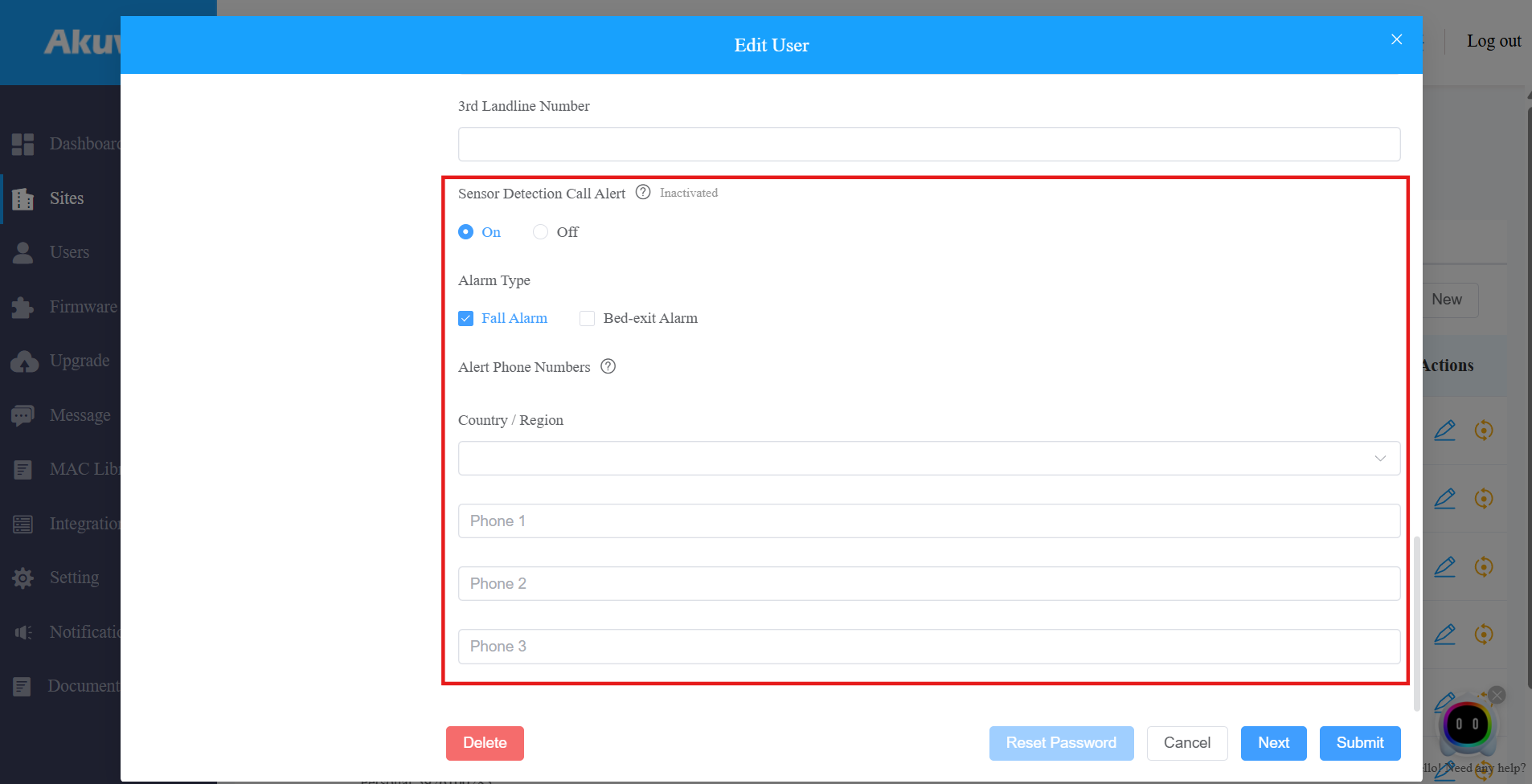
Submit the settings.
For a Community Project
Enable the Feature
Log in to the cloud platform with your installer account.
Navigate to the Communities.
Click +New to create a new project or click
to modify a current one.Enable the Health Care feature.
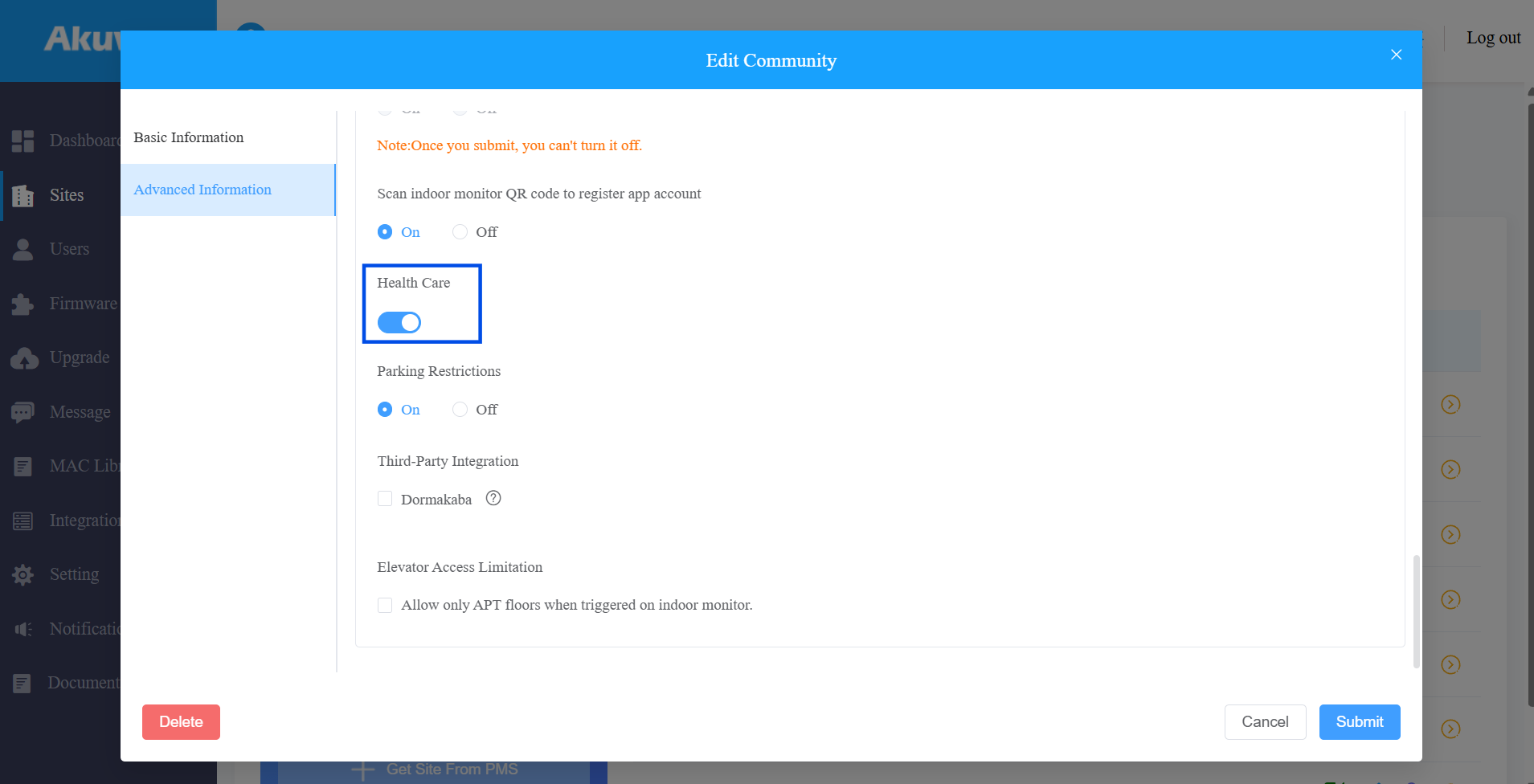
Submit the settings.
Add the MR01
Click
 of the target community project.
 Click
of the target apartment. Scroll down to the Sensors section.
Click New on the right.
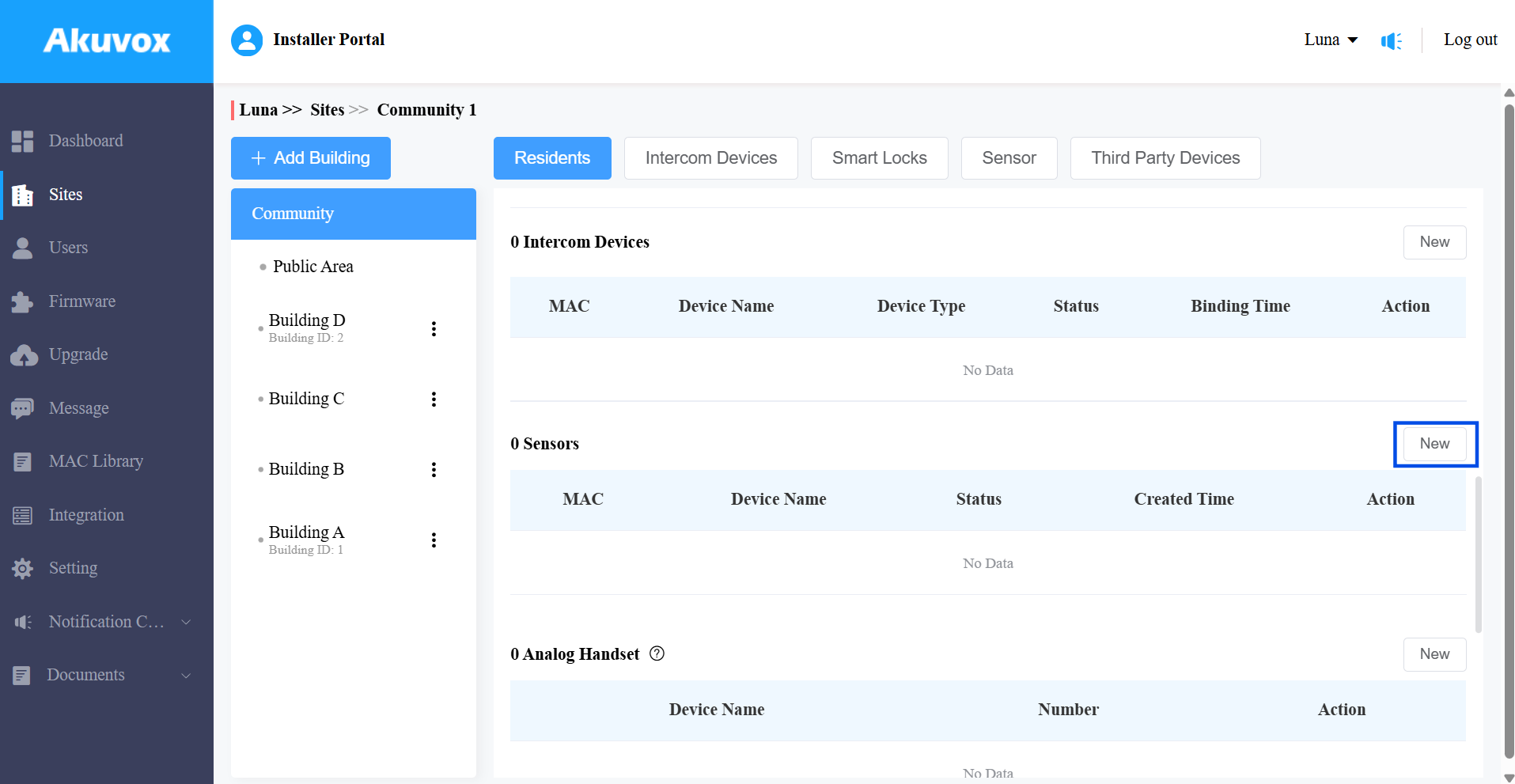
Enter the device MAC address and name.
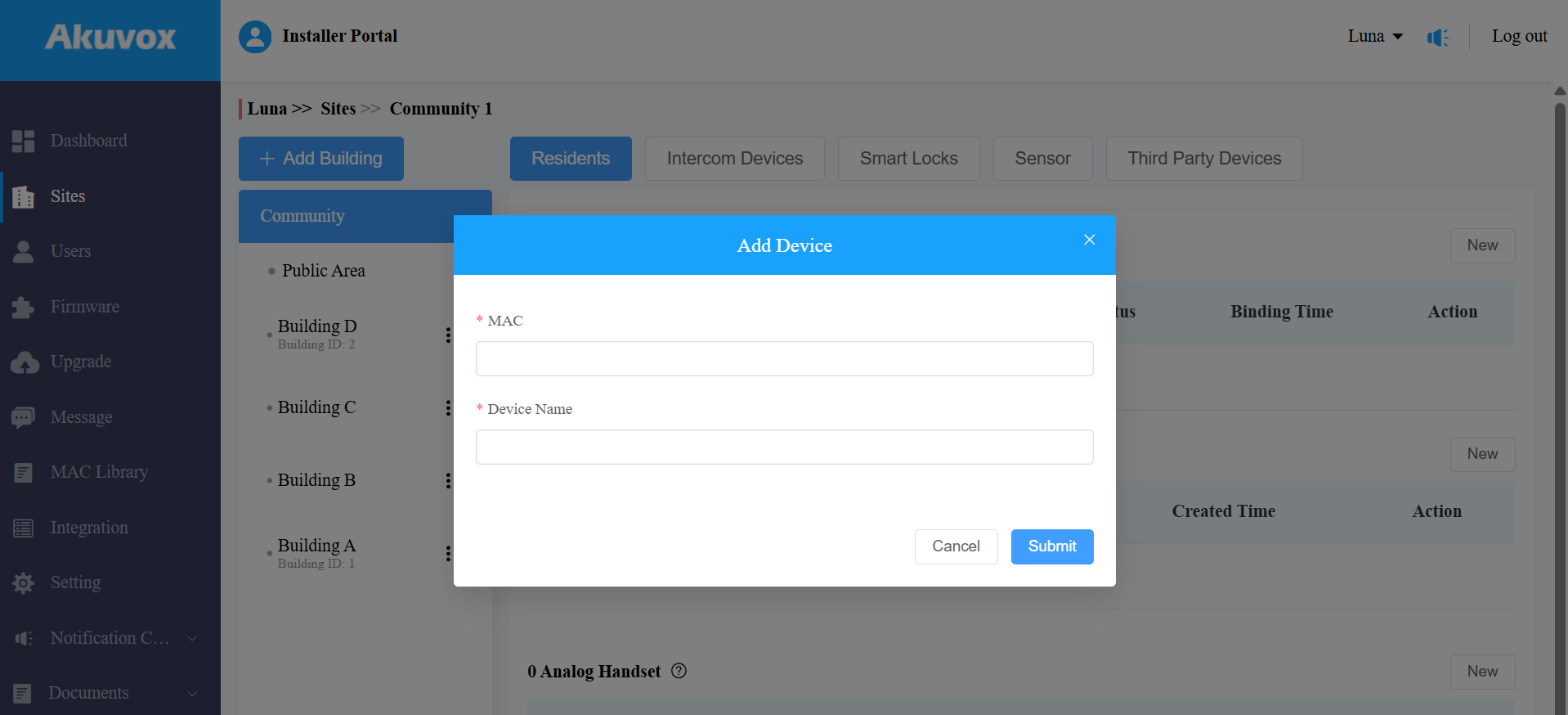
Submit the settings.
Configure Sensor Detection Call Alert
Once the MR01 is added to the apartment, you can configure the Sensor Detection Call Alert. This feature allows configured numbers to receive a call alert when a fall or bed-exit event occurs.
Note
This is a premium feature that requires payment.
Click
 in the upper-right corner under the apartment settings.
Enable the feature.
Enable the desired Alarm Type.
Select the correct Country/Region. This determines the phone number country code.
Enter up to 3 phone numbers that will receive the call simultaneously.
SMS notifications will be sent to these numbers when the alarm is triggered.
The call alert provides details including the alarm type, building name, apartment number, and community name.
If no one answers, the call will be repeated for 3 rounds.
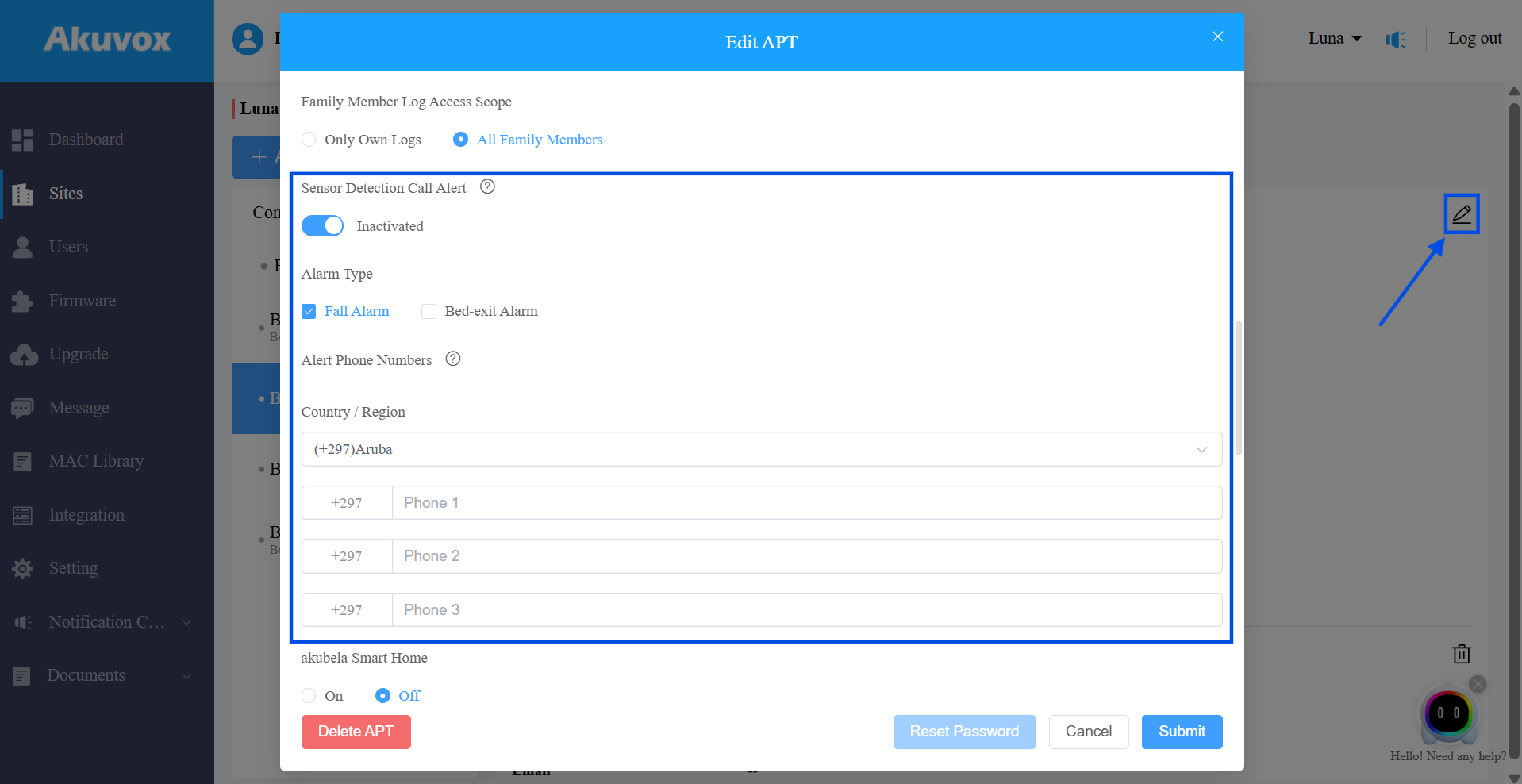
Submit the settings.