The local contact information is used to initiate SIP or IP calls to other intercom devices.
Add Local Contacts
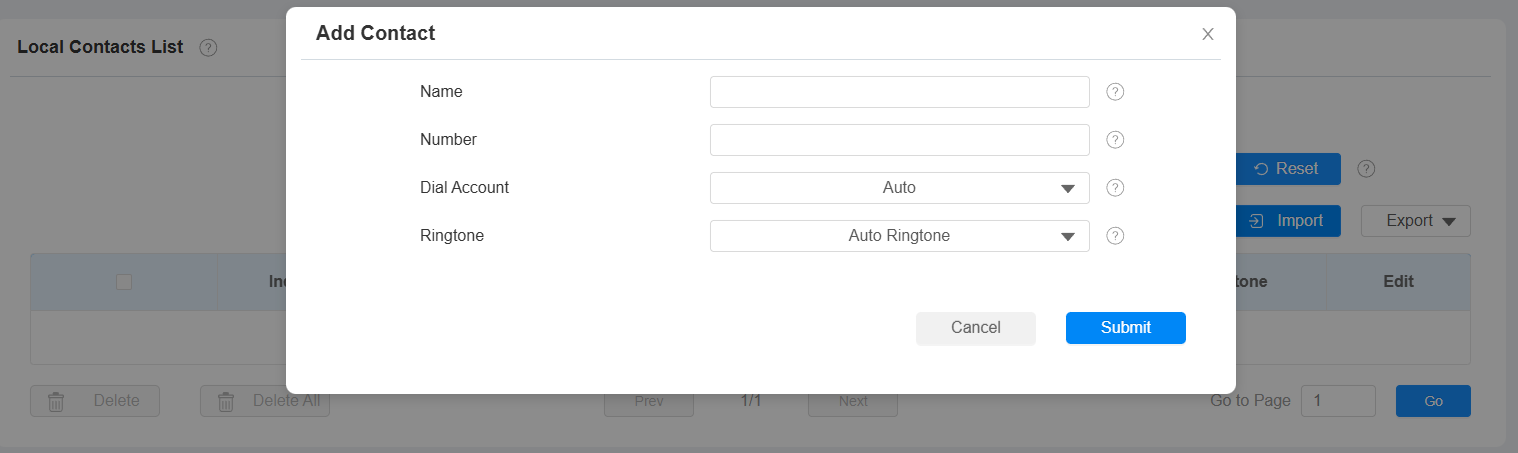
You can add, edit, and search local contacts on the device's web interface. To add contacts, go to Contacts > Local Contacts > Local Contacts List interface, then click +Add. You can add up to 500 contacts.
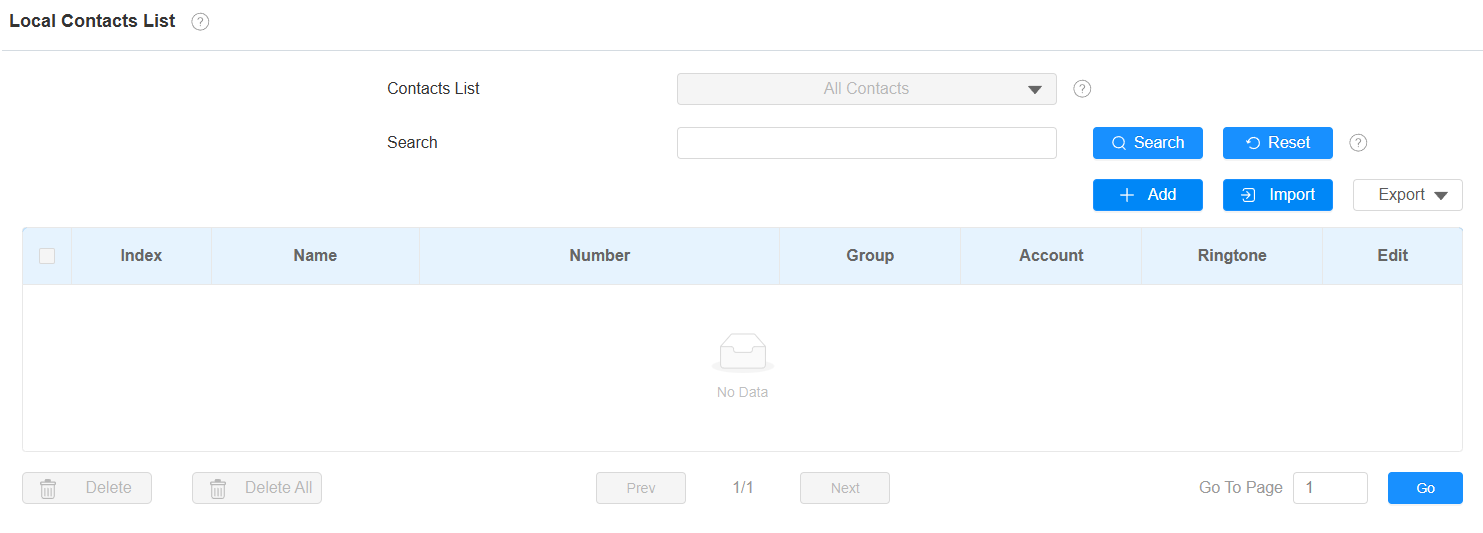
Contacts List: All Contacts displays all the contacts in the contact list.
Search: Search for a contact by its name or number.
Name: The contact's name to distinguish it from others.
Number: The SIP or IP number of the contact.
Dial Account: The account to make the call, Account 1 or Account 2.
Ringtone: The ringtone for the incoming call from the contact.
Import and Export Contacts
You can import and export contacts in batches. The file should be in .xml or .csv format.
To import or export contacts, go to Contacts > Local Contacts > Local Contacts List interface.

Contact List Display
To set up contact display, go to the Contacts > Local Contacts > Contacts List Settings interface.

Contacts Sort By:
Default: The local contacts will be displayed before those from SmartPlus, SDMC, etc.
ASCII Code: The contacts will be displayed in order based on the first letter of the contact names.
Created Time: The contacts will be displayed by their created time.
Show Local Contacts Only: If enabled, only the local contacts will be displayed. If disabled, all the contacts from SmartPlus Cloud, SDMC, and so on will be displayed.