The Akuvox MR03 radar sensor can work with the Akuvox EP10 wireless controller to provide an emergency call function. When a user presses the EP10, the MR03 triggers an emergency call to the configured contacts and plays an alarm sound locally, allowing designated contacts to respond to the emergency promptly.
Before You Start
Before configuring the emergency call:
Make sure you are using an MR03 model with a built-in LoRa module and an EP10 with a matching frequency band.
The MR03 and EP10 must both support the same LoRa frequency band (433MHz or 869MHz) to enable wireless communication.
Make sure you can access the MR03 web interface.
If you want to call an intercom device by IP address, make sure the device and MR03 are on the same local network.
If you want to call a phone number, make sure the MR03 is connected to the Akuvox SmartPlus Cloud and the corresponding cloud calling service is enabled.
Step 1: Pair with EP10
Navigate to the MR03’s IP address in a browser. Log in with the username and password (admin/admin by default).
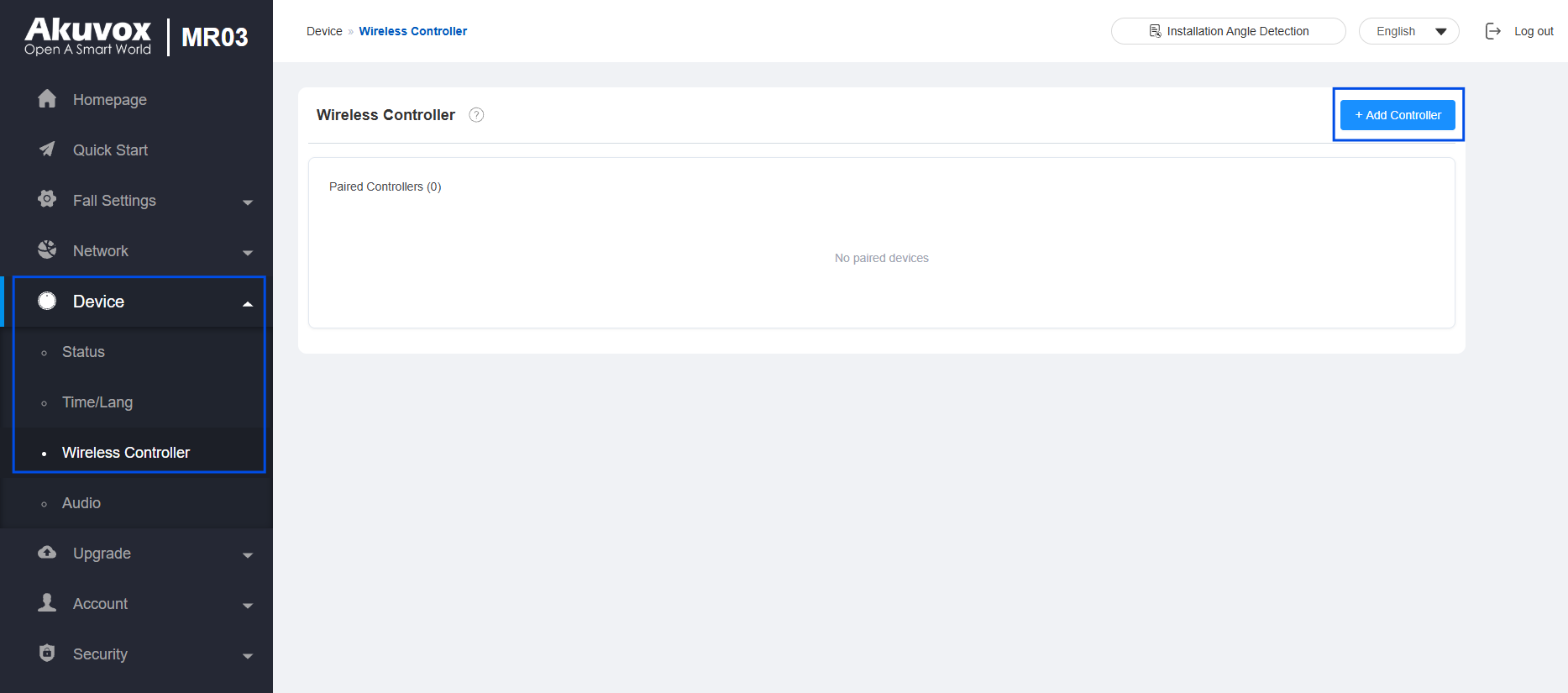
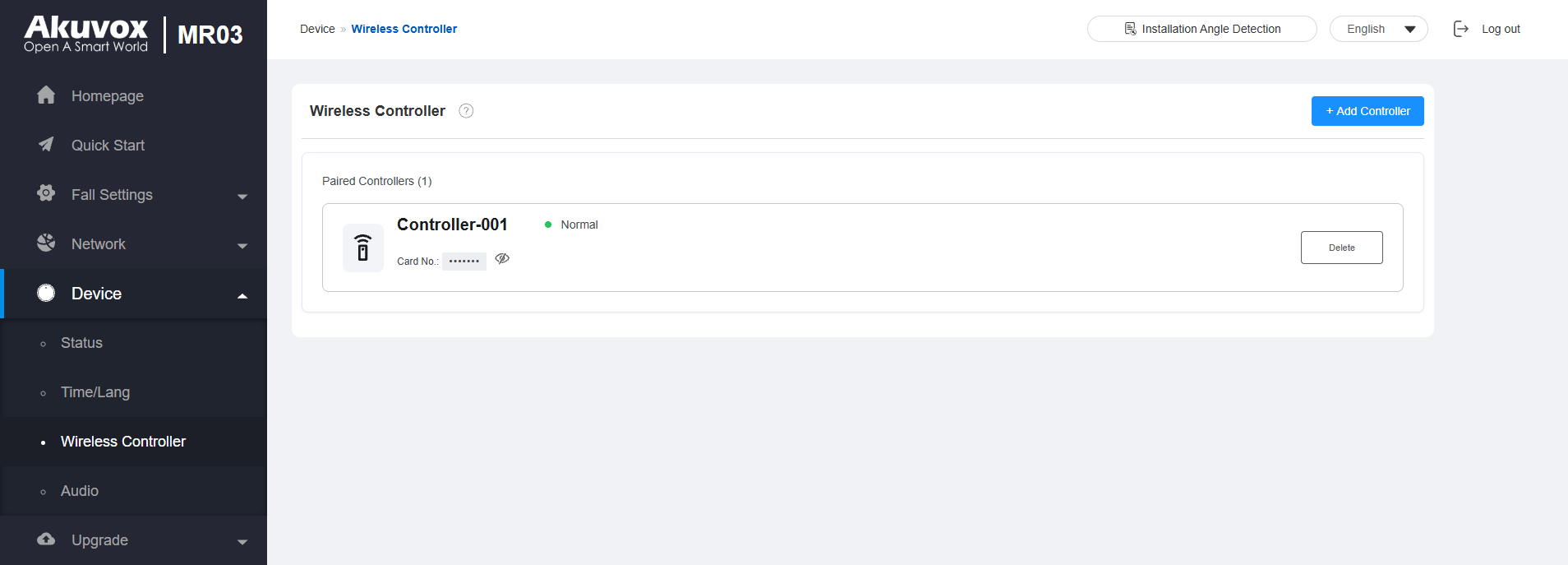
Go to Device > Wireless Controller.
Click +Add Controller.
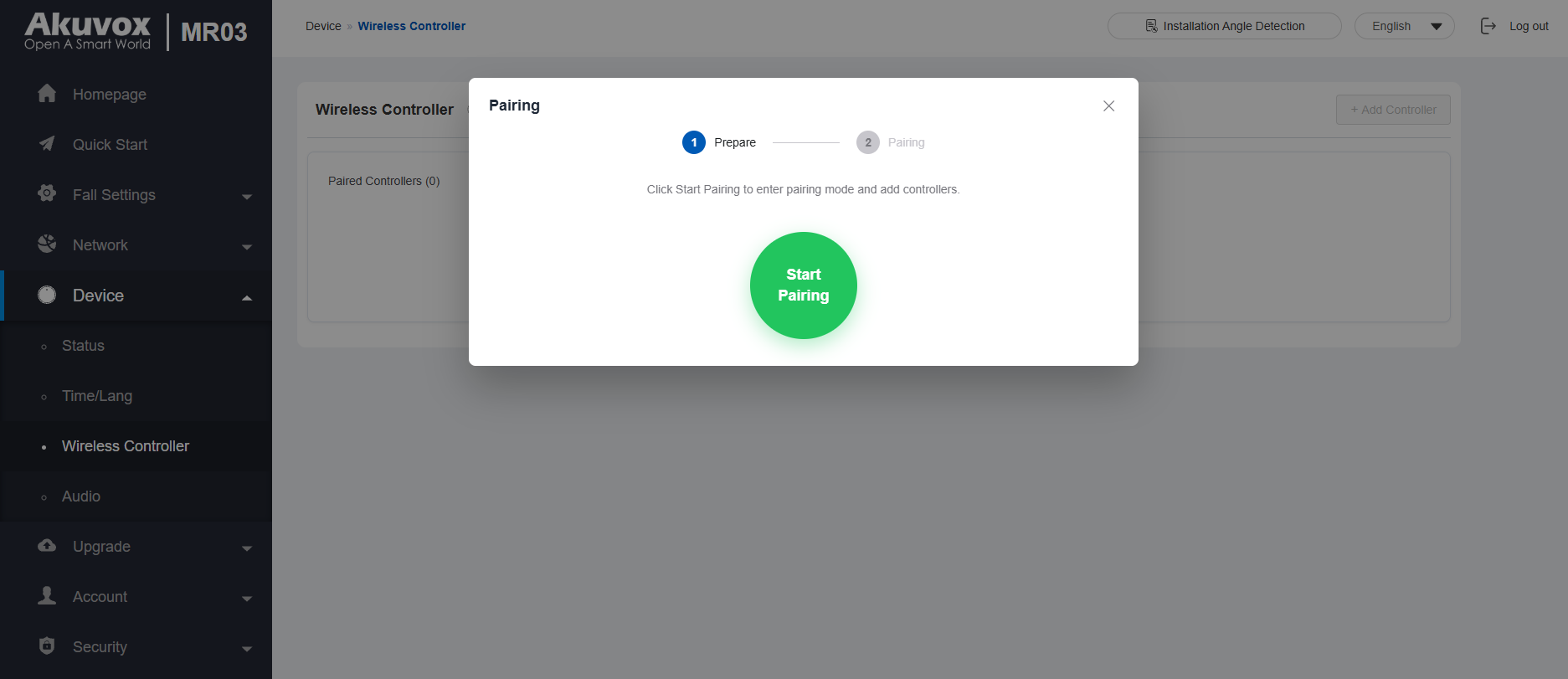
Click Start Pairing.
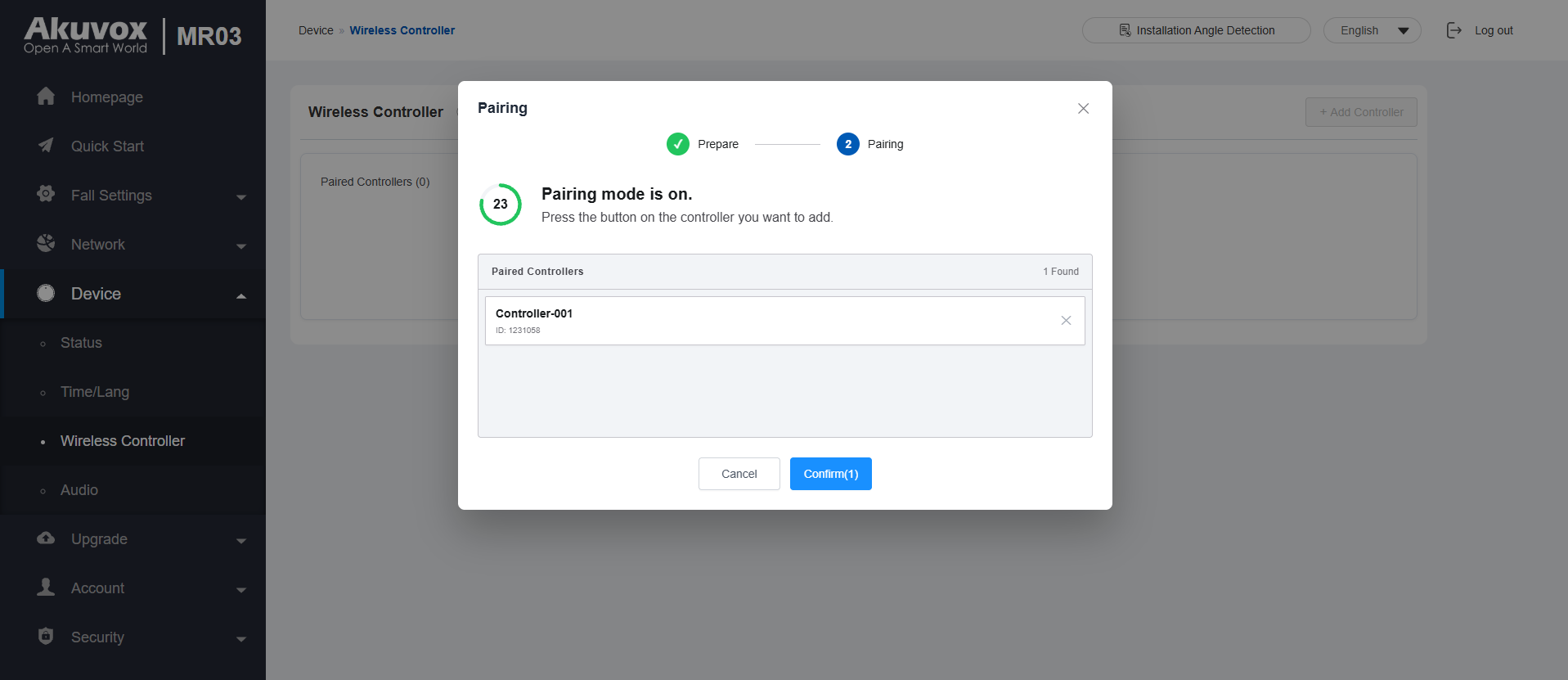
Press the EP10 once to enter pairing mode. Its indicator light flashes green once.
When the MR03 detects the EP10, the controller appears in the pairing list.
Click Confirm to add the controller.
The paired EP10 is displayed in the Wireless Controller list.
Step 2: Configure Call Alarm
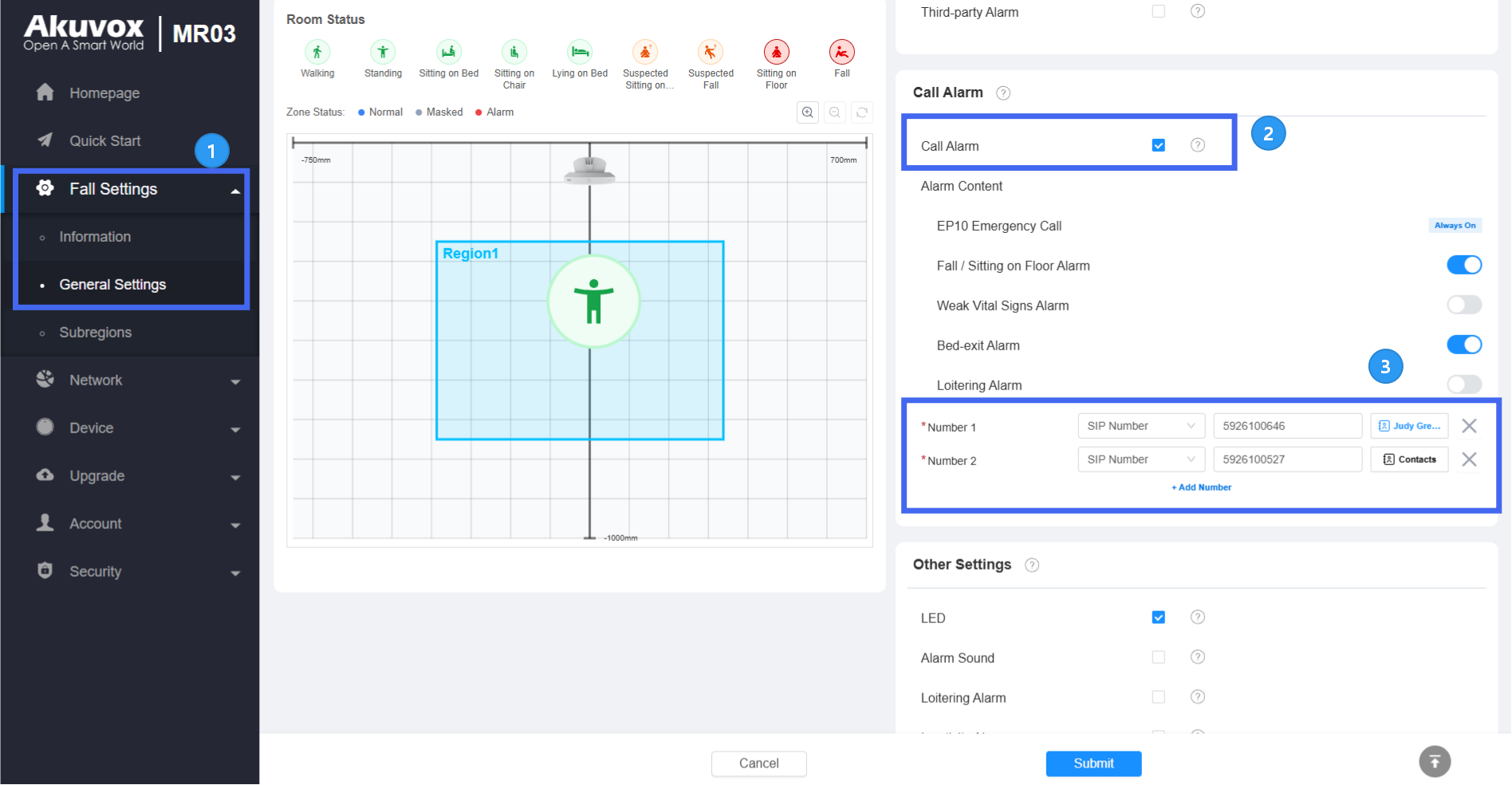
Go to Fall Settings > General Settings > Call Alarm.
Enable Call Alarm. EP10 Emergency Call is enabled by default, allowing the paired EP10 to trigger a call from the MR03 when the EP10 is pressed.
Select the number type.
SIP Number: Use a SIP number as the call destination.
Device IP Address: Use the IP address of an intercom device as the call destination.
Enter the number manually or select a contact from the Contacts list. Up to 5 numbers can be configured.
When the MR03 is deployed on the SmartPlus Cloud, available cloud contacts are displayed in the list.
When the MR03 is deployed on-premises, intercom devices on the same local network are displayed in the list.
Click Submit.
Note
For on-premises deployment, add the MR03 to the called device's contact list. Otherwise, the call may fail.
To call a phone number, the MR03 must be connected to the Akuvox SmartPlus Cloud, and the corresponding cloud calling service must be enabled. See the relevant guide for details.
Verify the Configuration
After completing the configuration:
Press the EP10 once.
Verify that the MR03 initiates calls to the configured contacts.
Answer the call from any one of the contacts.
Verify that the calls to the other contacts stop.
Verify that the MR03 plays an alarm sound.
Note
When an emergency call is triggered by the EP10, the MR03 plays an alarm sound but does not control the LED light.
Check Alarm Logs
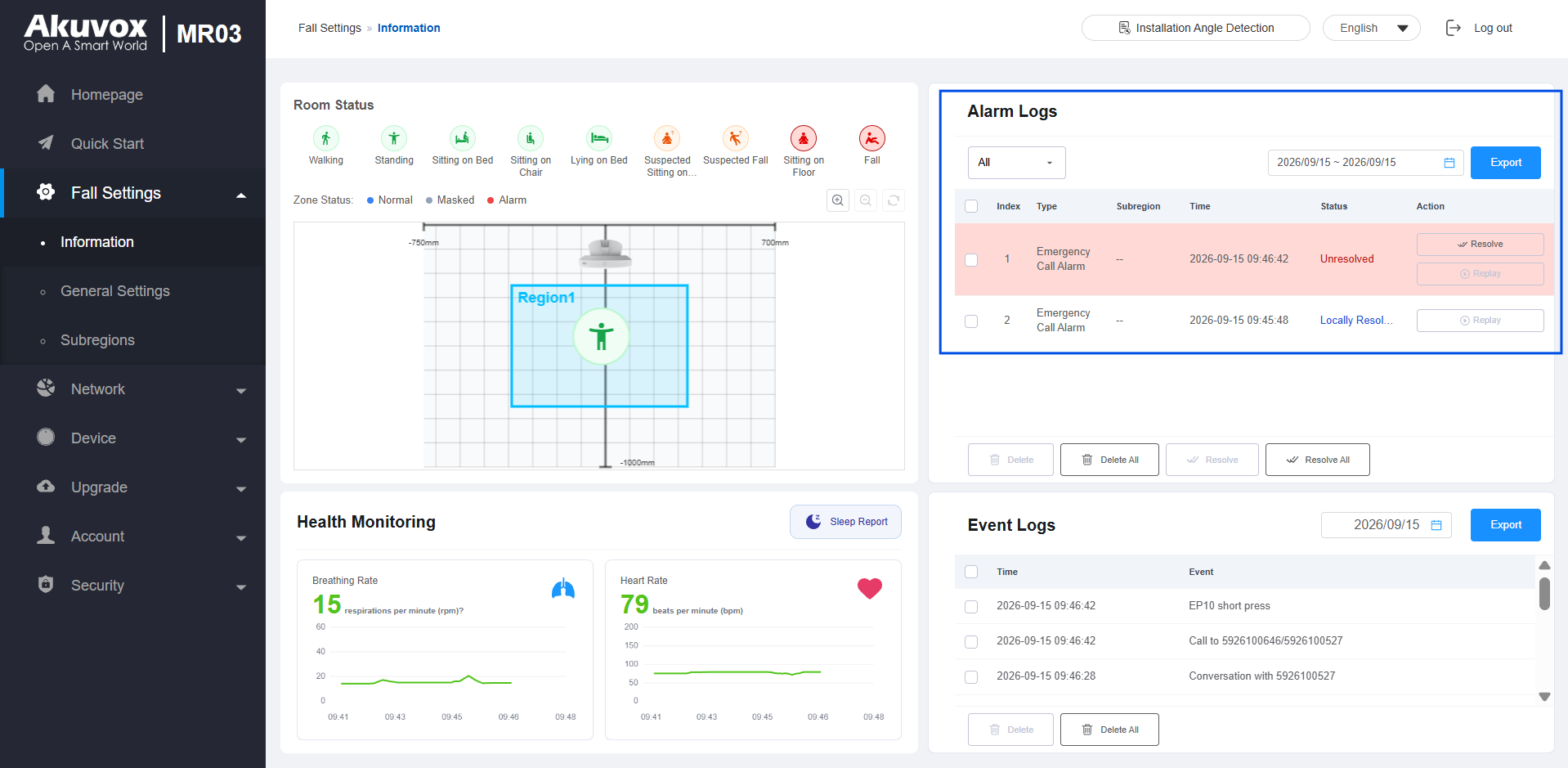
You can view the emergency call alarm in Fall Settings > Information on the MR03 web interface.
After attending to the user and resolving the emergency, click Resolve on the MR03 web interface to clear the alarm.