Documentation Index

Fetch the complete documentation index at: https://knowledge.akuvox.com/llms.txt

Use this file to discover all available pages before exploring further.

How to enable SmartPlus notification on iPhone?

Prev Next
This content is currently unavailable in German. You are viewing the default (English) version.

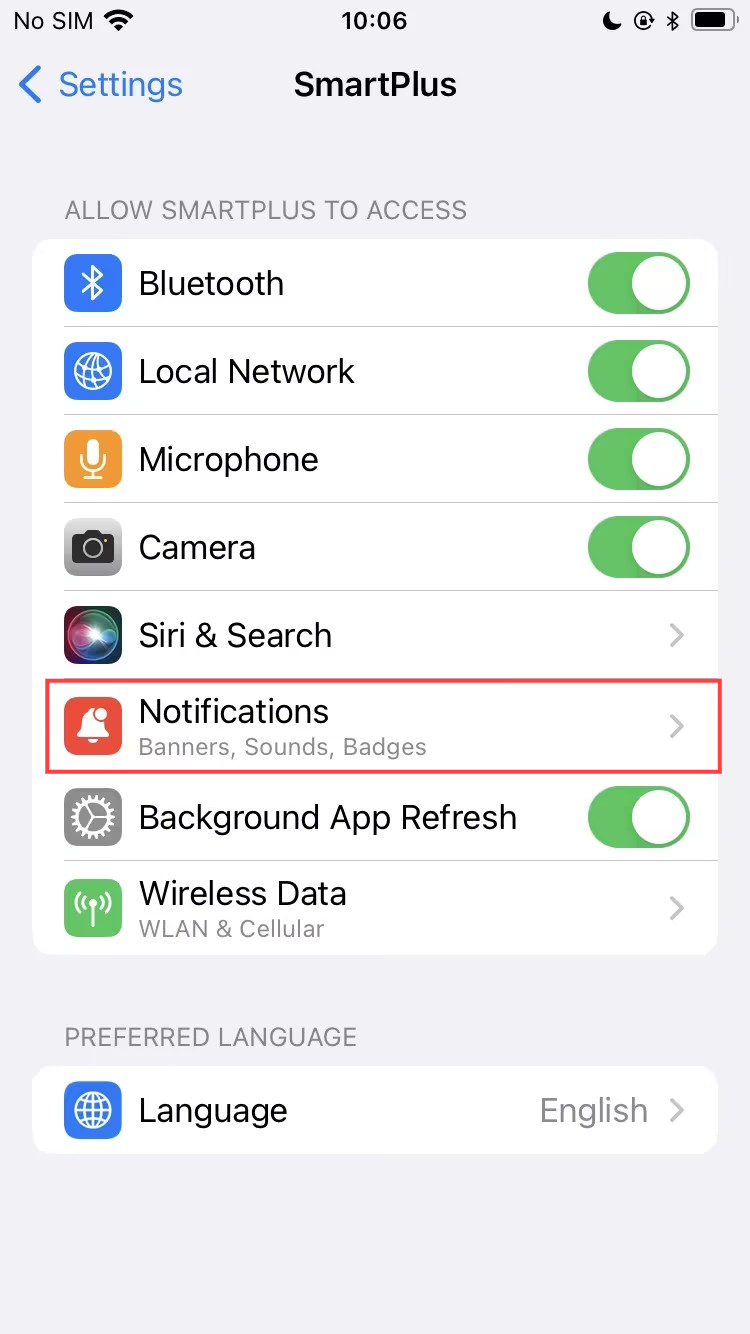
iOS notification permission is managed by the system and must be enabled in your iPhone settings.

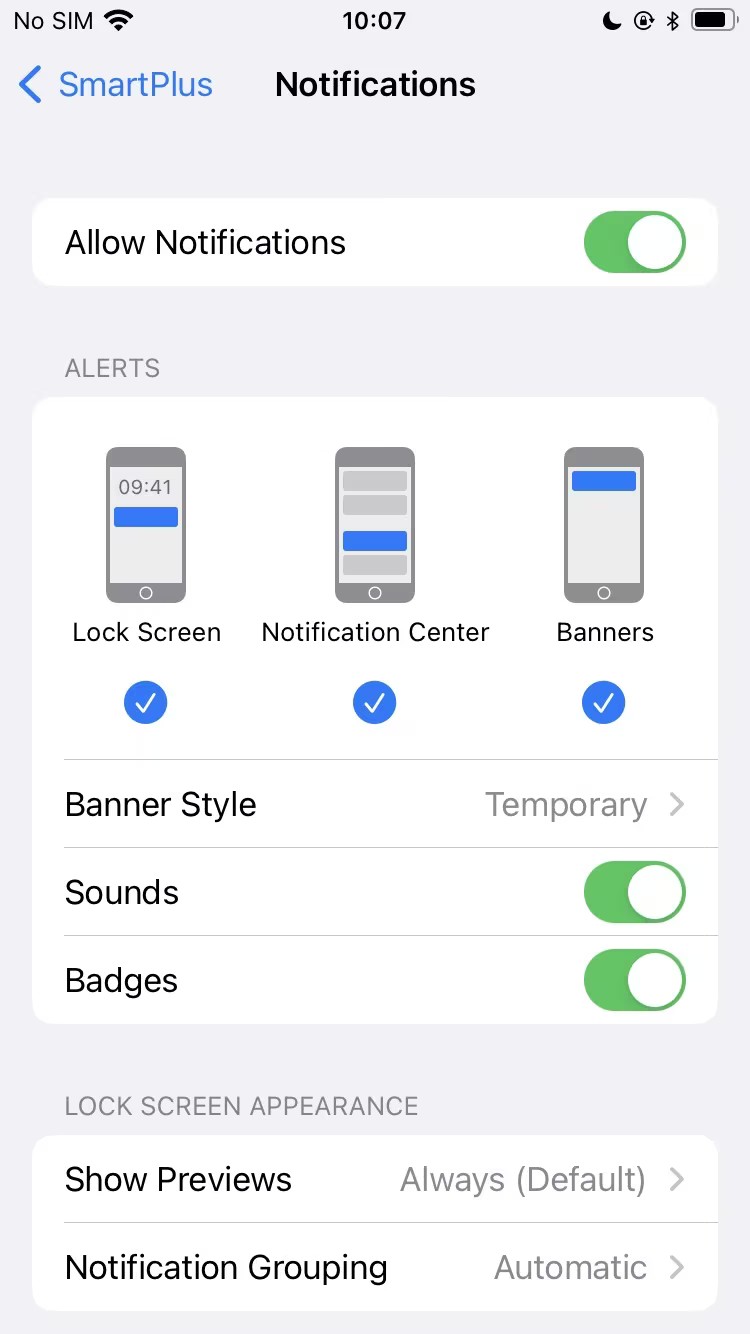
  1. Go to Settings > SmartPlus > Notifications.

  2. Turn on Allow Notifications.

It is also recommended to enable Banners, Sounds, and Badges to ensure you receive alerts properly.