Akuvox-Innenmonitore können über den HDMI-Anschluss oder die API mit dem Hikvision, Uniview und IVSEC NVR integriert werden. Das Gerät kann automatisch die Liste der NVR-Videoüberwachung abrufen und unterstützt die NVR-Wiedergabe zu bestimmten Zeiten.
Kompatible Modelle und Mindest-Firmware-Versionen nach Marke NVR
Hikvision NVR
X937: 937.30.13.122
S567: 567.30.13.804
S567G: 567.29.14.905
Uniview NVR
X937: 937.30.14.209
S567: 567.30.114.303
S567G: 567.29.14.905
IVSEC NVR
X937: 937.30.14.804
S567: 567.30.114.903
S567G: 567.29.14.905
NUR das X937 unterstützt das Anschließen des NVR über den HDMI-Anschluss.
Dieser Artikel nimmt X937 als Beispiel.
Bevor du anfängst
Stellen Sie sicher:
X937 und der NVR sind im selben lokalen Netzwerk (LAN).
X937 und der NVR sind korrekt über HDMI angeschlossen, wenn das HDMI verwendet wird.
Das NVR ist korrekt konfiguriert und zugänglich.
Die Kameras von Drittanbietern sind mit dem NVR verbunden.
Fügen Sie das NVR hinzu
Du kannst den NVR automatisch oder manuell hinzufügen.
Methode 1: Hinzufügen per Auto-Scan
Tippe auf die Einstellungen > Advance > NVR auf dem Gerätebildschirm. Das Standardpasswort ist 123456, um auf die erweiterten Einstellungen zuzugreifen.
Tippen Sie,
 um den NVR automatisch zu scannen.
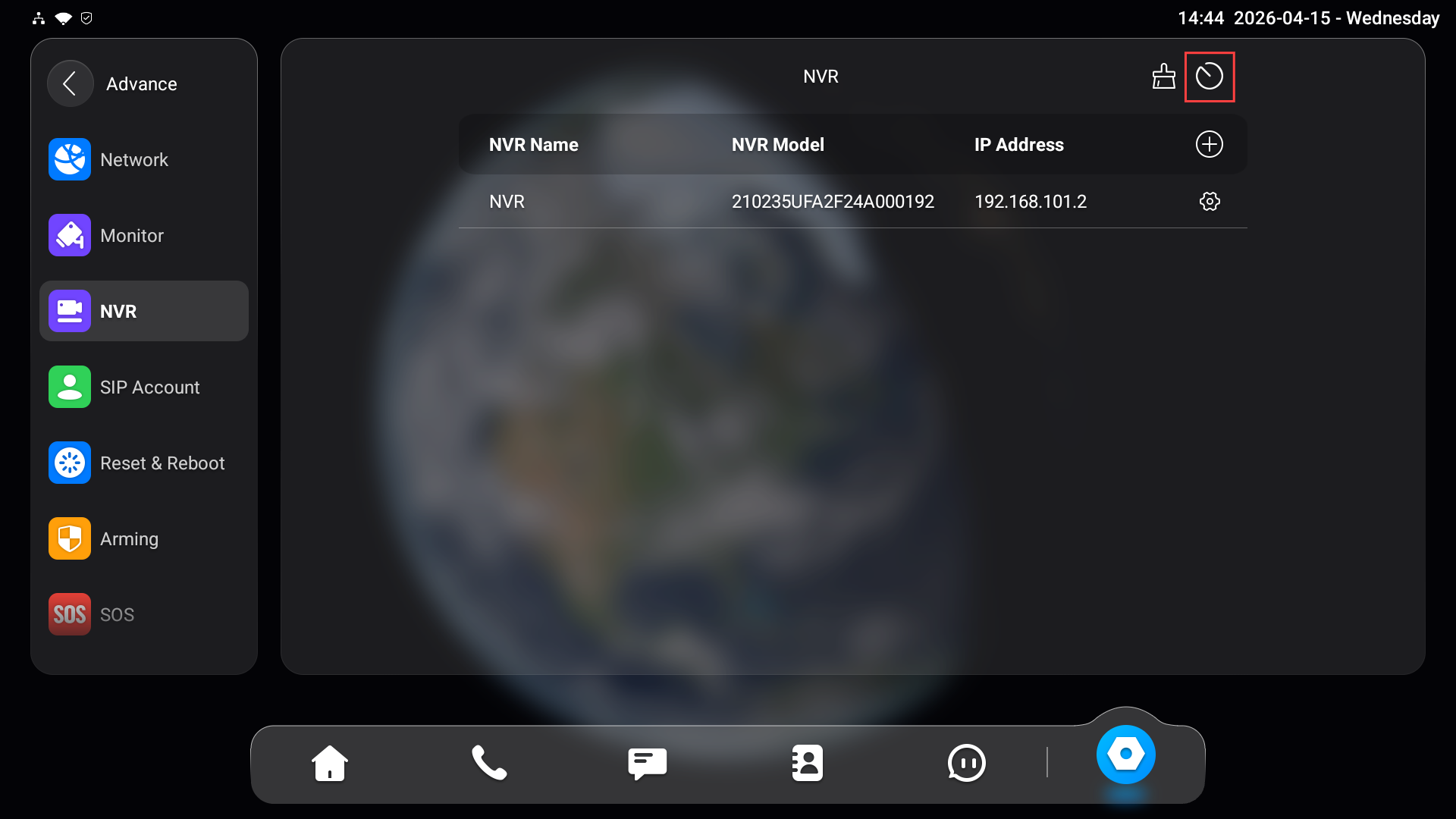
Nach dem Scannen:
Die erkannten NVR-Geräte werden angezeigt.
Wählen Sie den Ziel-NVR aus.
Geben Sie Benutzername und Passwort ein.
Wenn kein Gerät gefunden wird:
Stelle sicher, dass beide Geräte im selben Netzwerk sind.
Überprüfe, ob der NVR eingeschaltet und erreichbar ist.
Methode 2: Manuell hinzufügen
Tippen Sie auf den Einstellungen > Advance > NVR auf dem Gerätebildschirm. Das Standardpasswort ist 123456, um auf die erweiterten Einstellungen zuzugreifen.
Klopf
 .
. Gib den Namen, die IP-Adresse, den Benutzernamen und das Passwort des NVR ein. Bitte überprüfen Sie diese Informationen im Backend des NVR.
.png)
Tippe auf Speichern.
Verwaltung des hinzugefügten NVR
Nach dem Hinzufügen des NVR können Sie die Einstellungen anpassen oder die IPC-Parameter anpassen.
NVR-Informationen bearbeiten
Tippen
 Sie auf das Ziel-NVR.
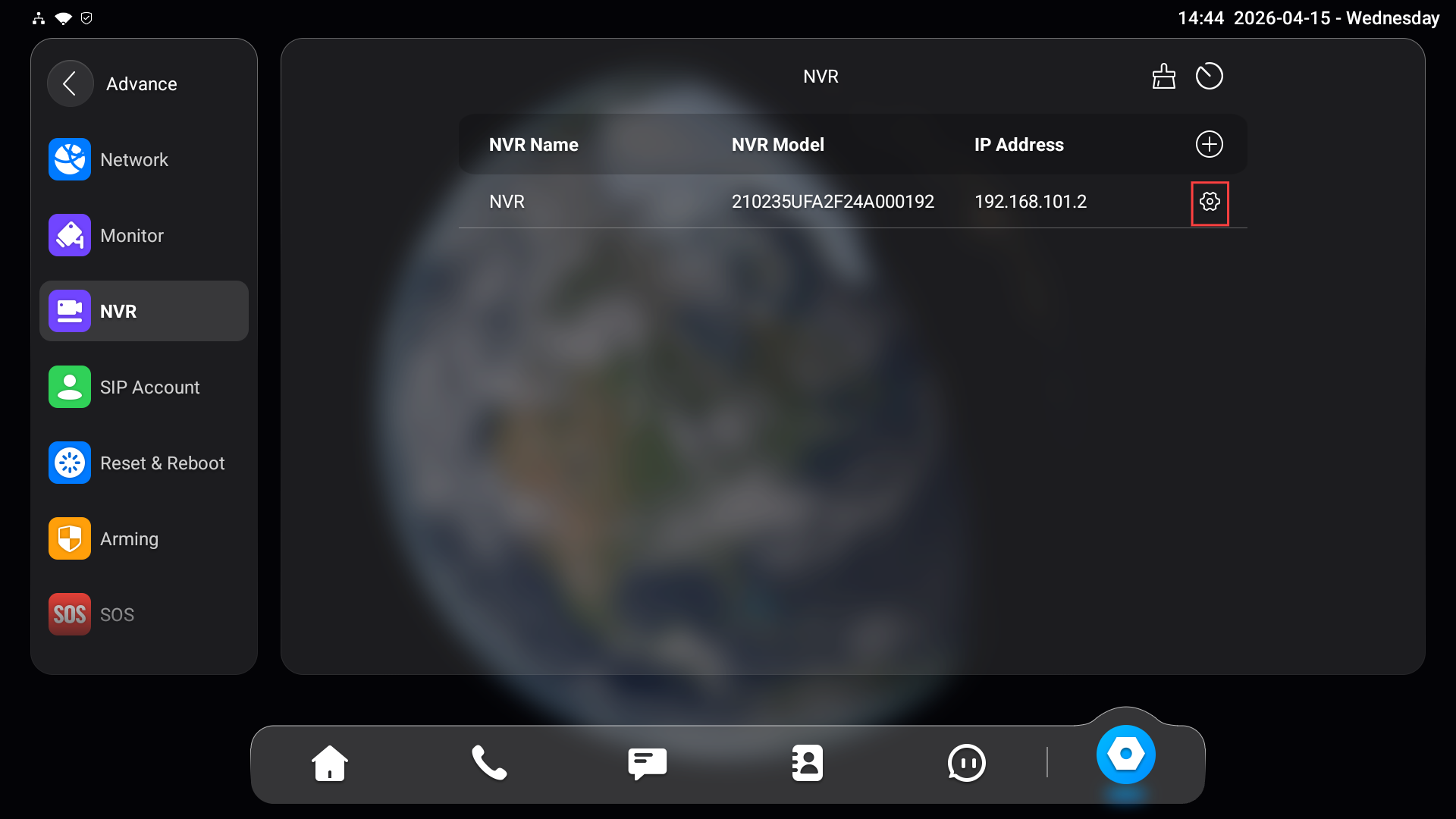
Du kannst den Namen, die IP-Adresse, den Benutzernamen und das Passwort aktualisieren.
Änderungen treten nach dem Speichern in Kraft. Stelle sicher, dass die aktualisierten Informationen mit der NVR-Konfiguration übereinstimmen.
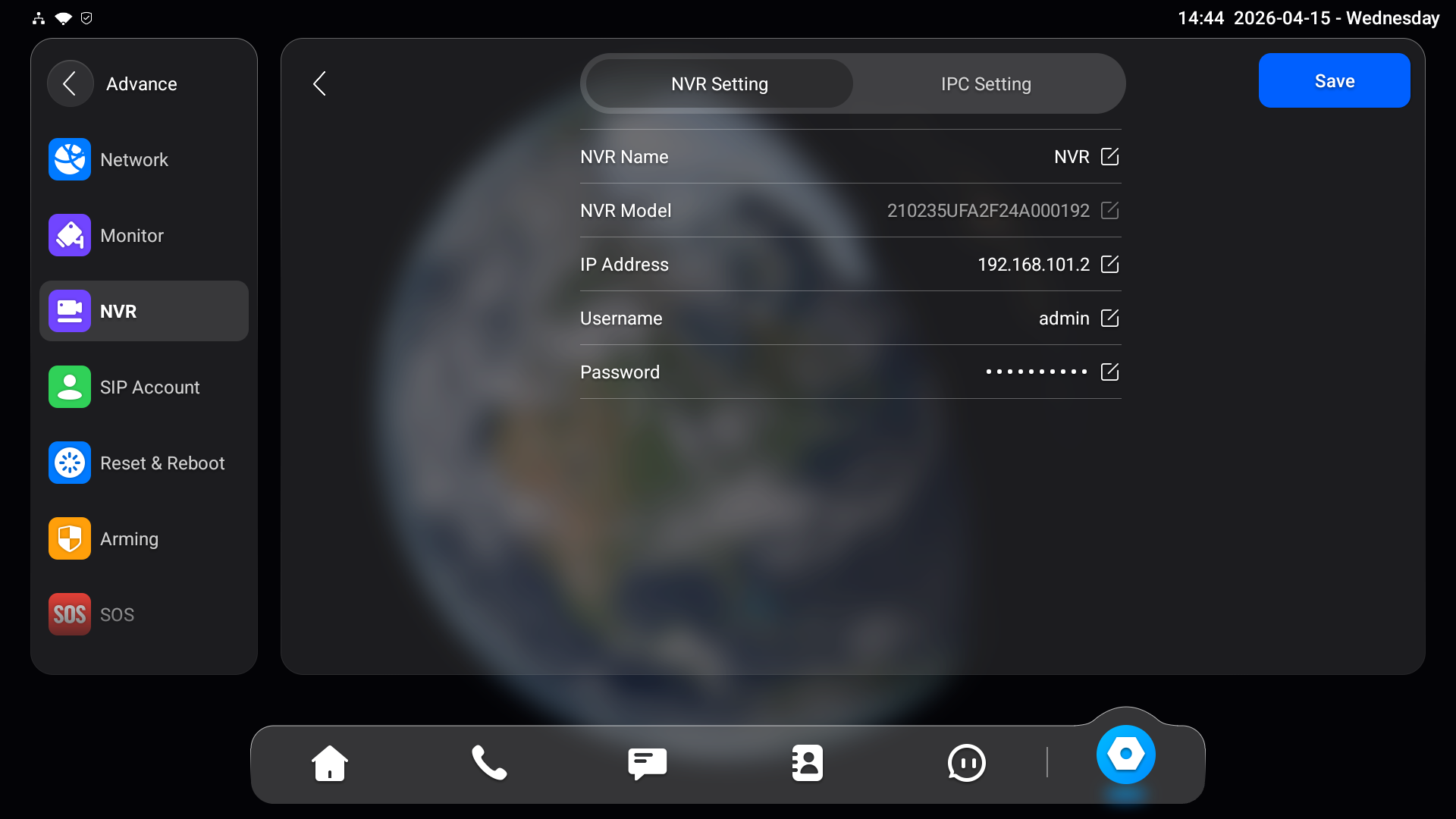
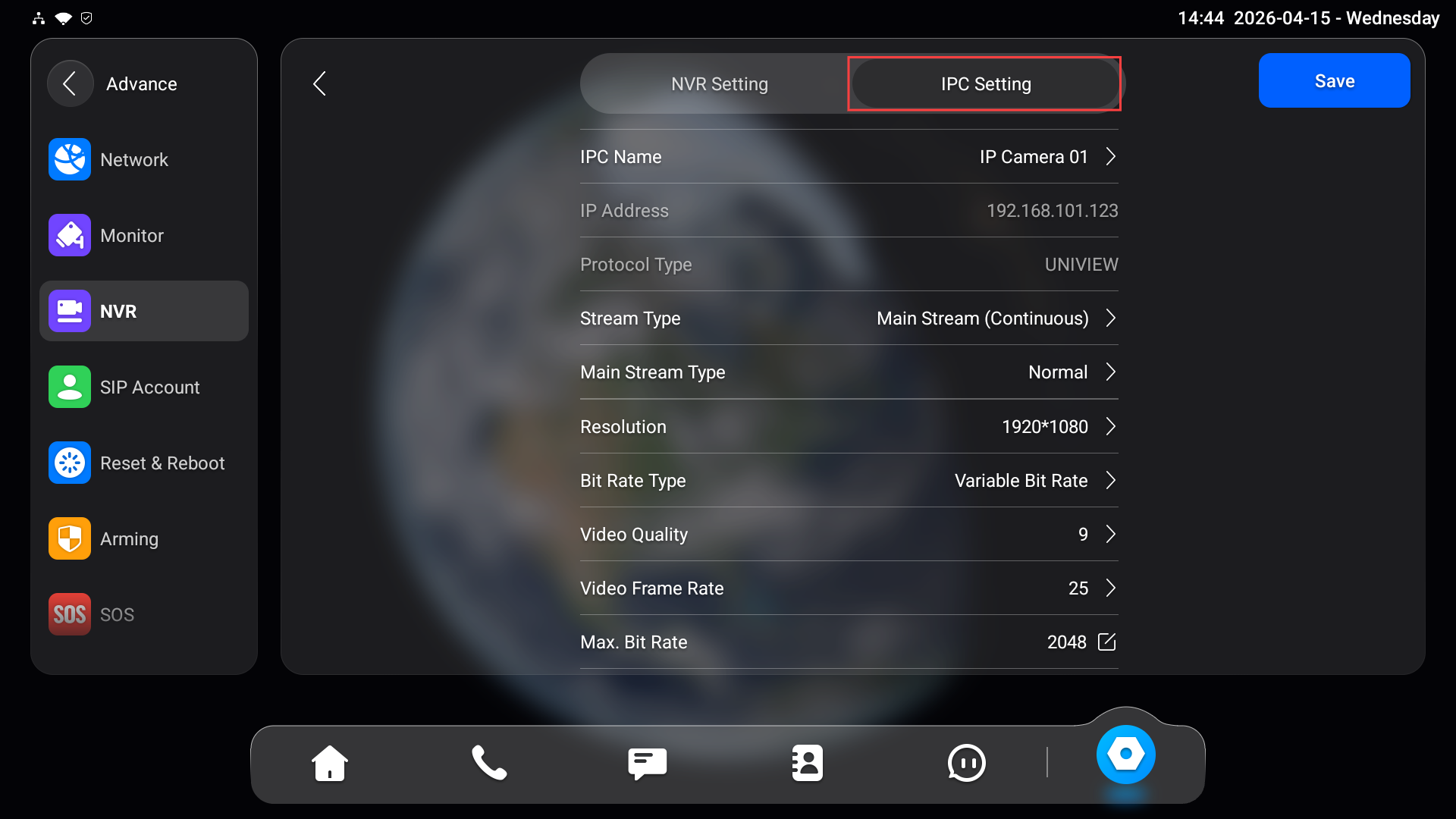
Konfigurieren Sie IPC-Parameter
Nachdem das NVR erfolgreich hinzugefügt wurde, erhält der Innenmonitor die Kameraliste vom NVR.
Sie können:
Sehen Sie sich die Liste der angeschlossenen Kameras an.
Kamerabezogene Parameter ändern (sofern unterstützt), wie zum Beispiel:
Kanalname
Stream-Einstellungen
Weitere konfigurierbare Attribute, die vom NVR bereitgestellt werden
Tippen
Sie auf das Ziel-NVR.
Tippe auf IPC-Einstellung.
Live-Video ansehen
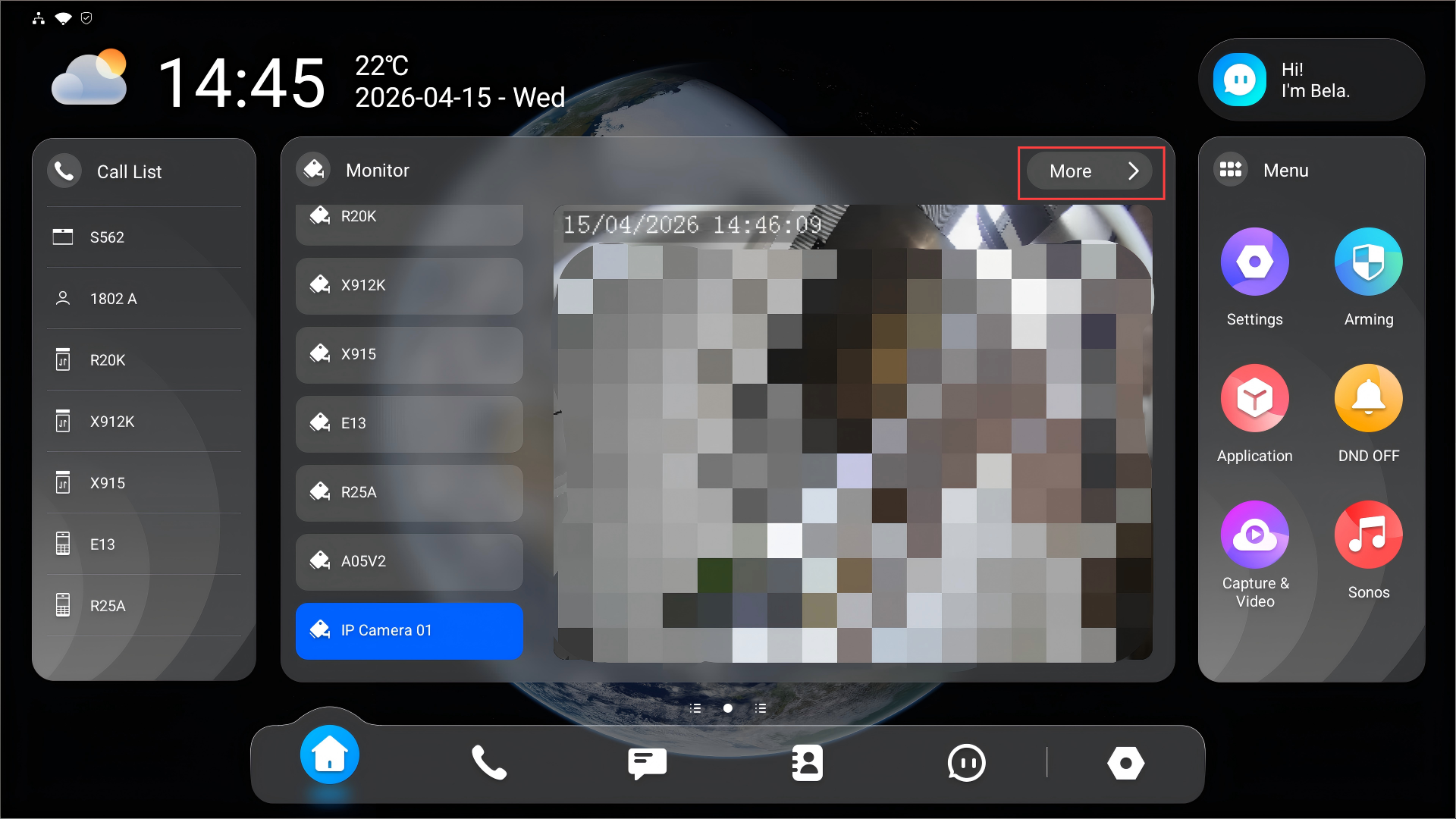
Nach dem Hinzufügen des NVR können Sie Echtzeit-Videostreams von angeschlossenen Kameras ansehen.
Tippen Sie auf Mehr auf dem Startbildschirm, um in den Überwachungsbildschirm zu gelangen.
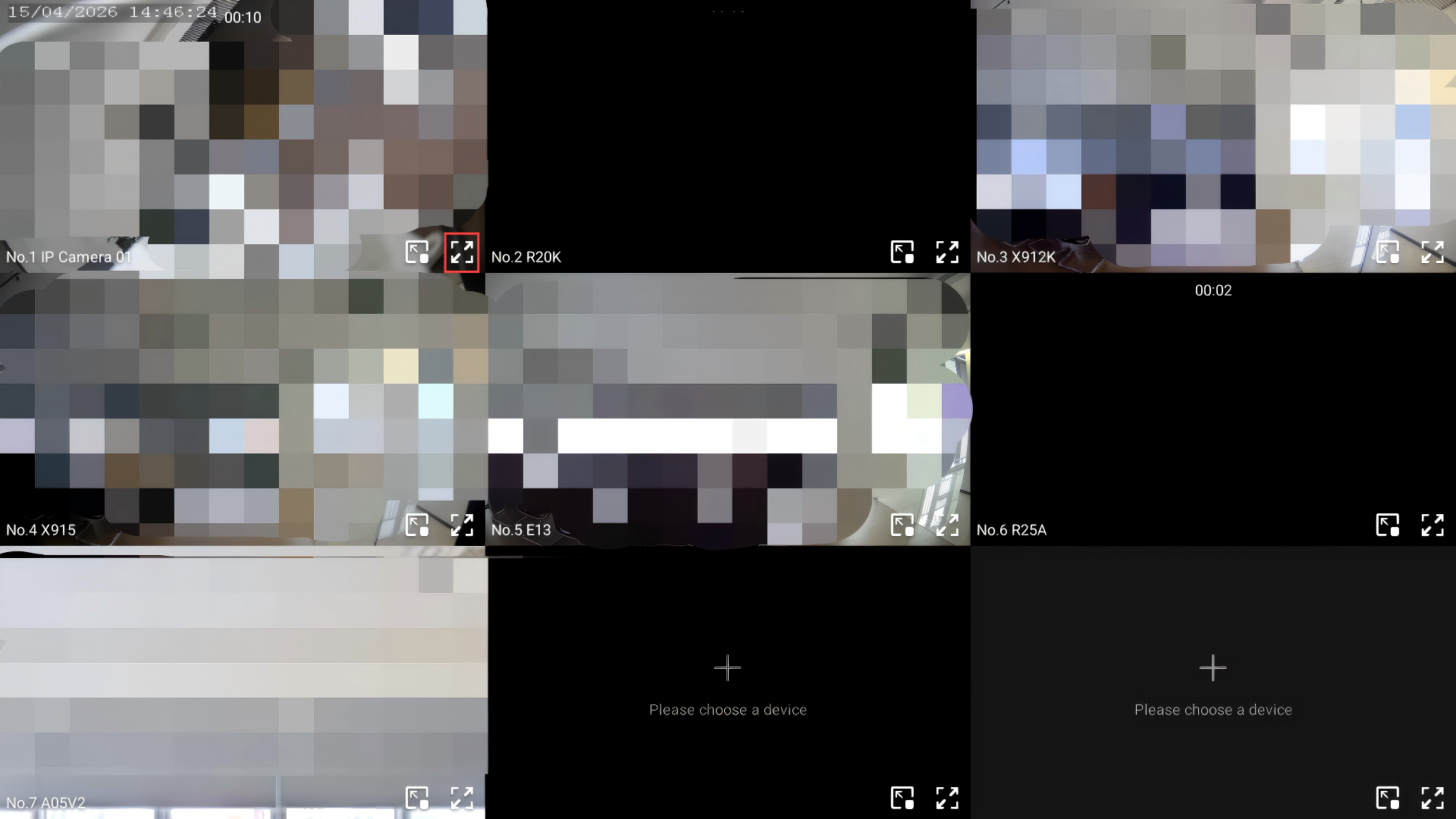
Wählen Sie den IPC-Kanal aus, indem Sie tippen
 .
.
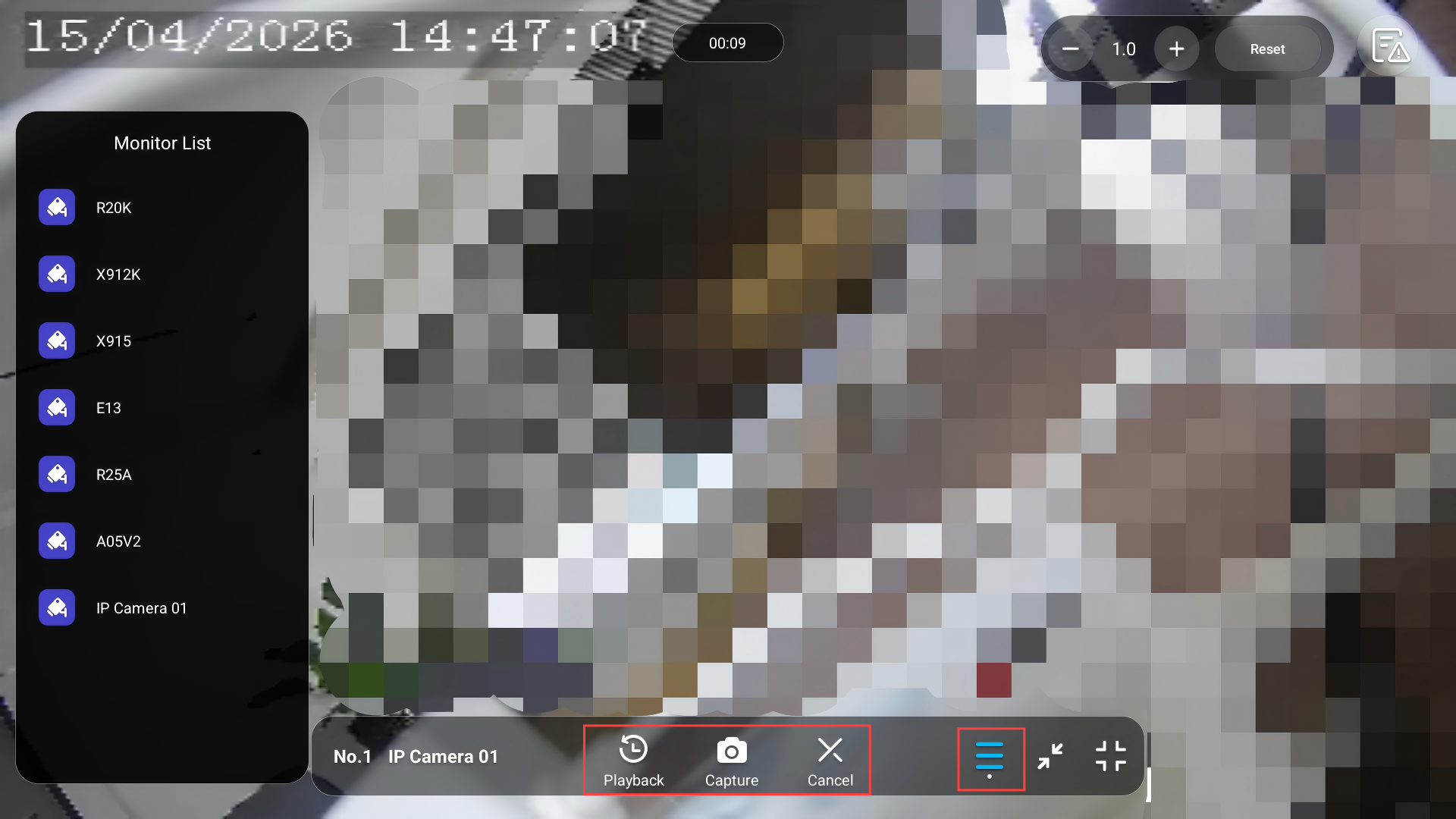
Während der Überwachung können Sie:
Tippen, um zwischen den Überwachungskanälen
 zu wechseln.
Tippe auf Wiedergabe, um die Wiedergabe anzusehen.
Tippe auf Capture, um einen Screenshot zu machen.
Tippen Sie auf Abbrechen, um die Überwachung zu beenden.
Überprüfen Sie synchronisierte Alarmprotokolle
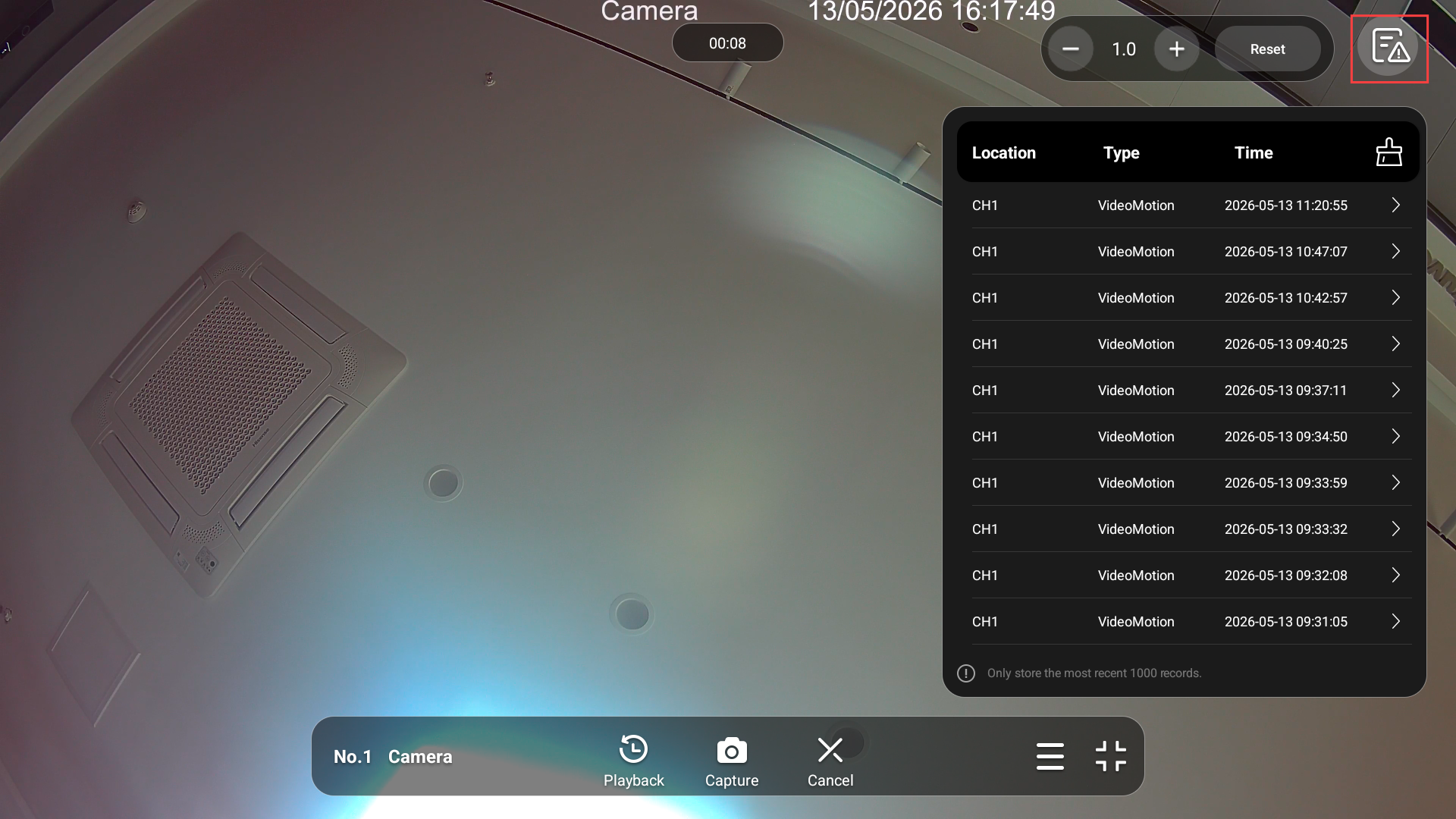
Der Alarm vom NVR von Drittanbietern kann mit dem Innenmonitor synchronisiert werden.
Tippen  Sie oben rechts und tippen Sie auf ein Protokoll, um die Wiedergabe anzusehen.
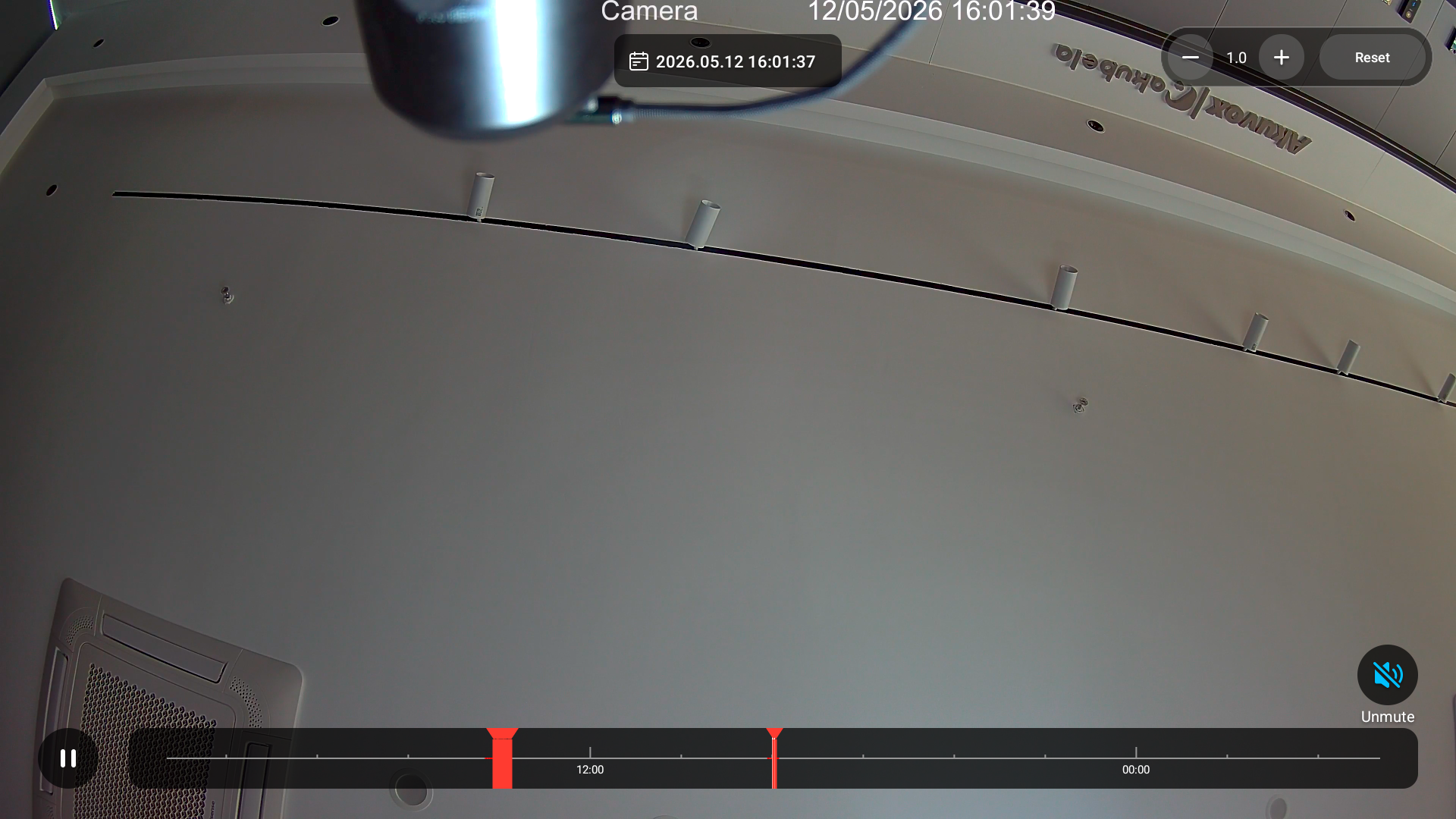
Auf der Wiedergabezeitleiste tippen Sie auf ein beliebiges rotes Segment, um zum entsprechenden alarmausgelösten Moment zu springen.
HDMI-Modus (nur x937)
Wenn das Gerät per HDMI verbunden ist, kannst du das HDMI-Symbol auf dem Startbildschirm anzeigen, um schnellen Zugriff zu erhalten.
Anmerkung
NUR X937 mit der Firmware-Version 937.30.13.903 oder höher unterstützt diese Funktion.
Tippen Sie auf Einstellungen > Erweitern > benutzerdefinierten Startbildschirm.
Wählen Sie den gewünschten Bereich aus, um das HDMI-Eingangssymbol anzuzeigen.
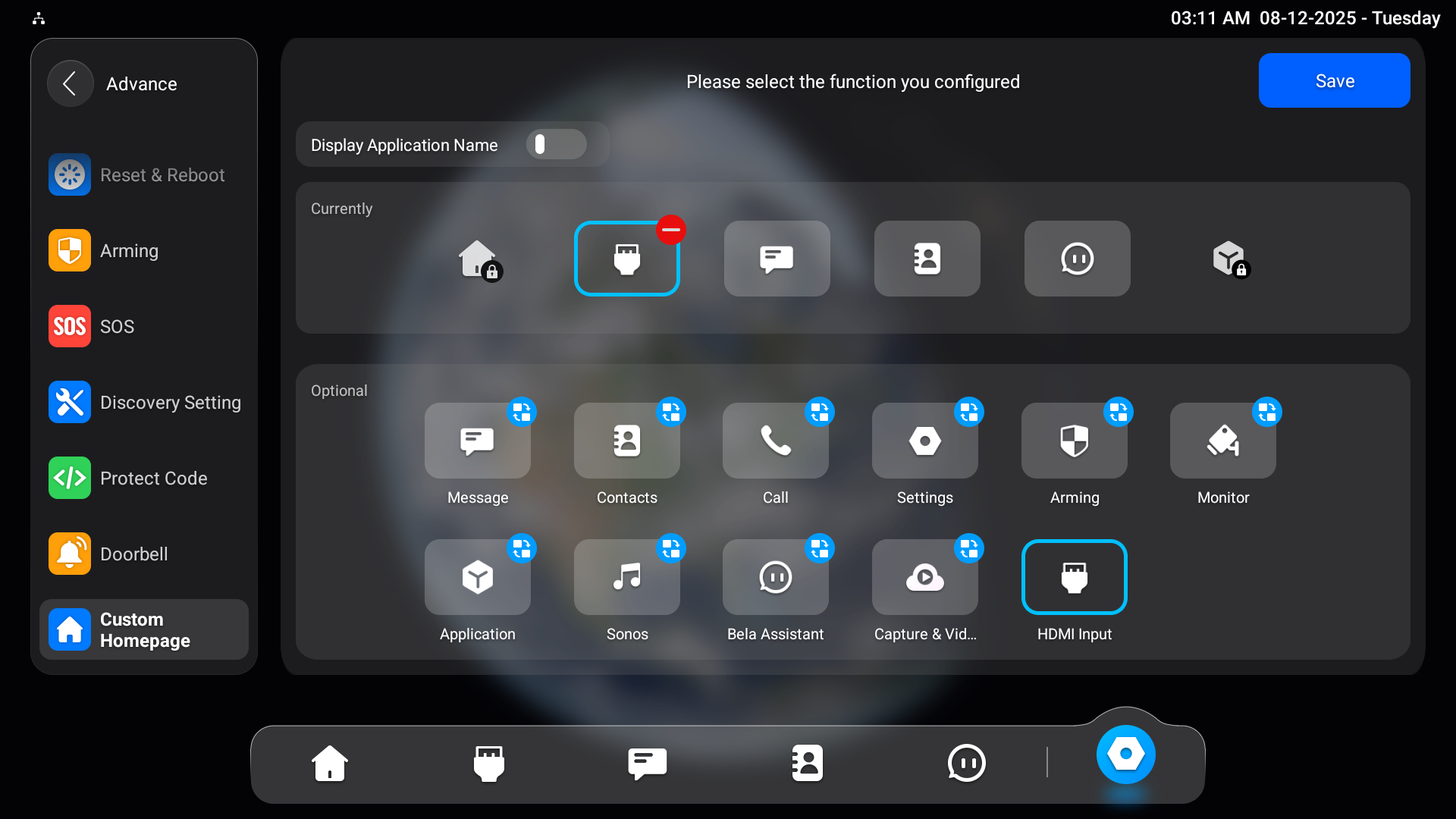
Tippe auf Speichern.
Sehen Sie sich das Live-Video an
Tippe auf das HDMI-Eingangssymbol auf dem Startbildschirm.
Wenn das X937 über HDMI mit dem NVR verbunden ist, tippe auf Switch to HDMI , um das NVR-Display auf den Innenmonitor zu projizieren.
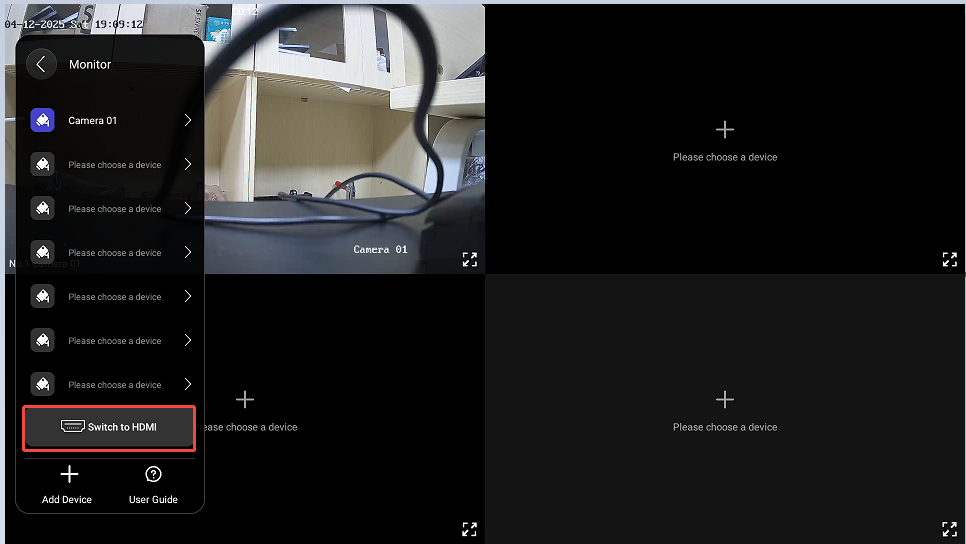
Dann kannst du auf eine bestimmte Kamera tippen, um den Live-Stream zu vergrößern.
Während Sie den Stream ansehen, können Sie:
Tippen Sie auf Wiedergabe, um das von der Kamera aufgenommene Video anzusehen.
Tippe auf Capture, um einen Screenshot zu machen.
Tippen Sie auf Abbrechen, um die Überwachung zu beenden.
Tippen Sie,
um andere Überwachungskanäle auszuwählen.
Sehen Sie sich die aufgenommenen Videos an
Du kannst Videos von IP-Kameras überprüfen.
Tippen Sie auf die Einstellungen > > benutzerdefinierten Startbildschirm voranschreiten.
Wählen Sie den gewünschten Bereich aus, um den Tab Aufnahme & Video anzuzeigen.
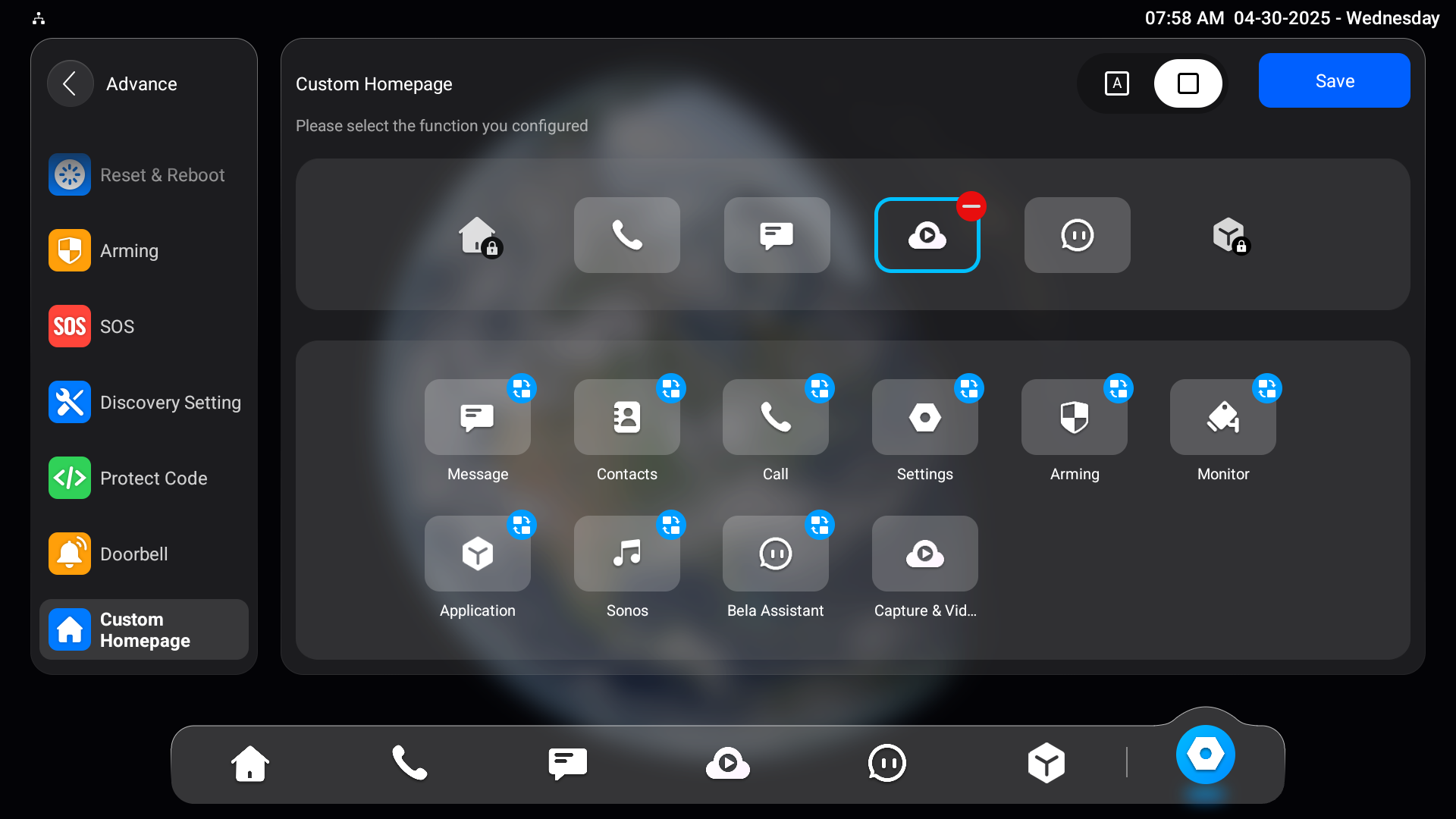
Tippen Sie auf Aufnahme & Videos auf dem Startbildschirm.
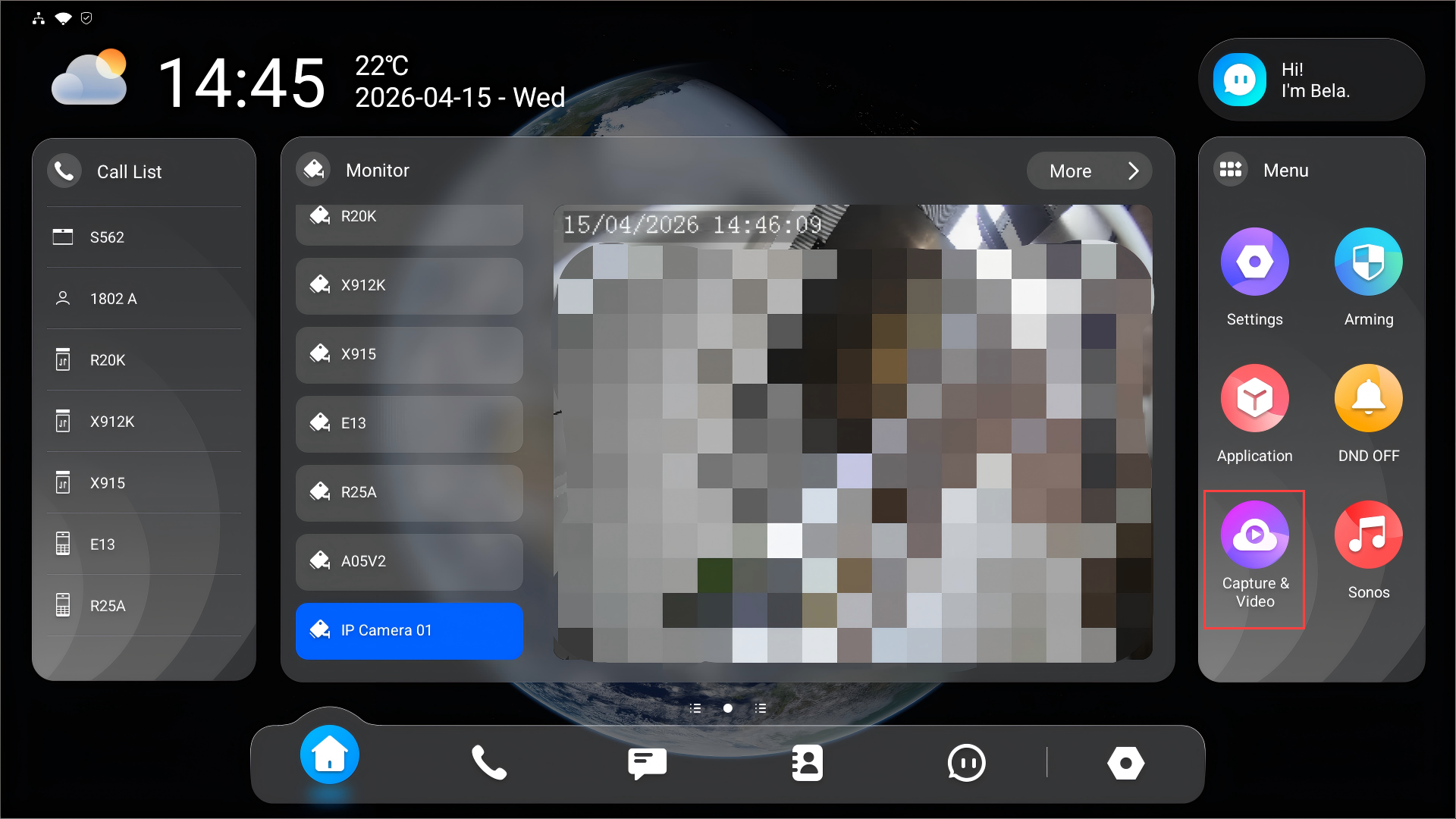
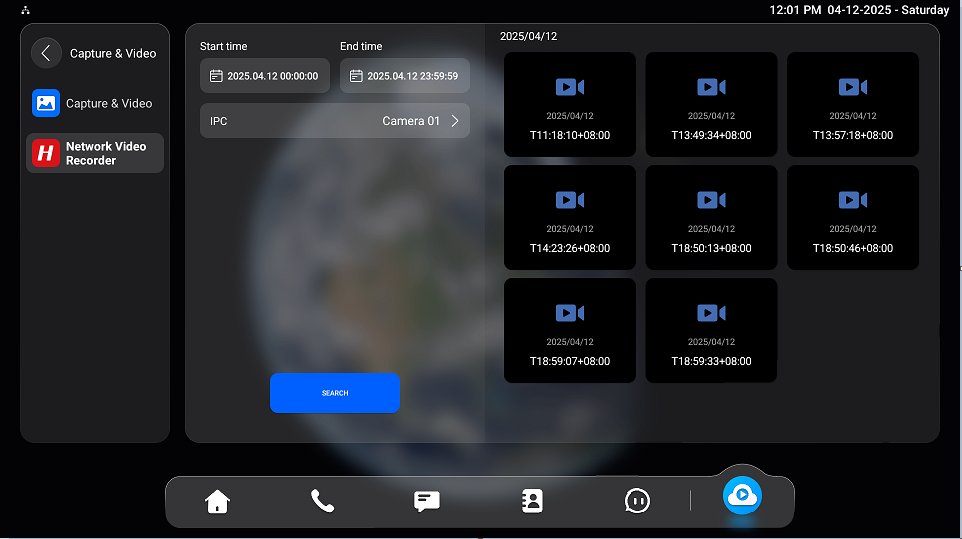
Sie können Videos suchen, indem Sie die Uhrzeit eingeben und die Kamera auswählen.
Tippe auf ein bestimmtes Video, um es anzusehen.