Door Logs
Um verschiedene Arten von Türzugangsgeschichten zu durchsuchen und einzusehen, überprüfen Sie einfach die Türprotokolle auf der Weboberfläche des Geräts.
Check door logs on the web Status > Access Log interface. The device can store 100,000 door logs.
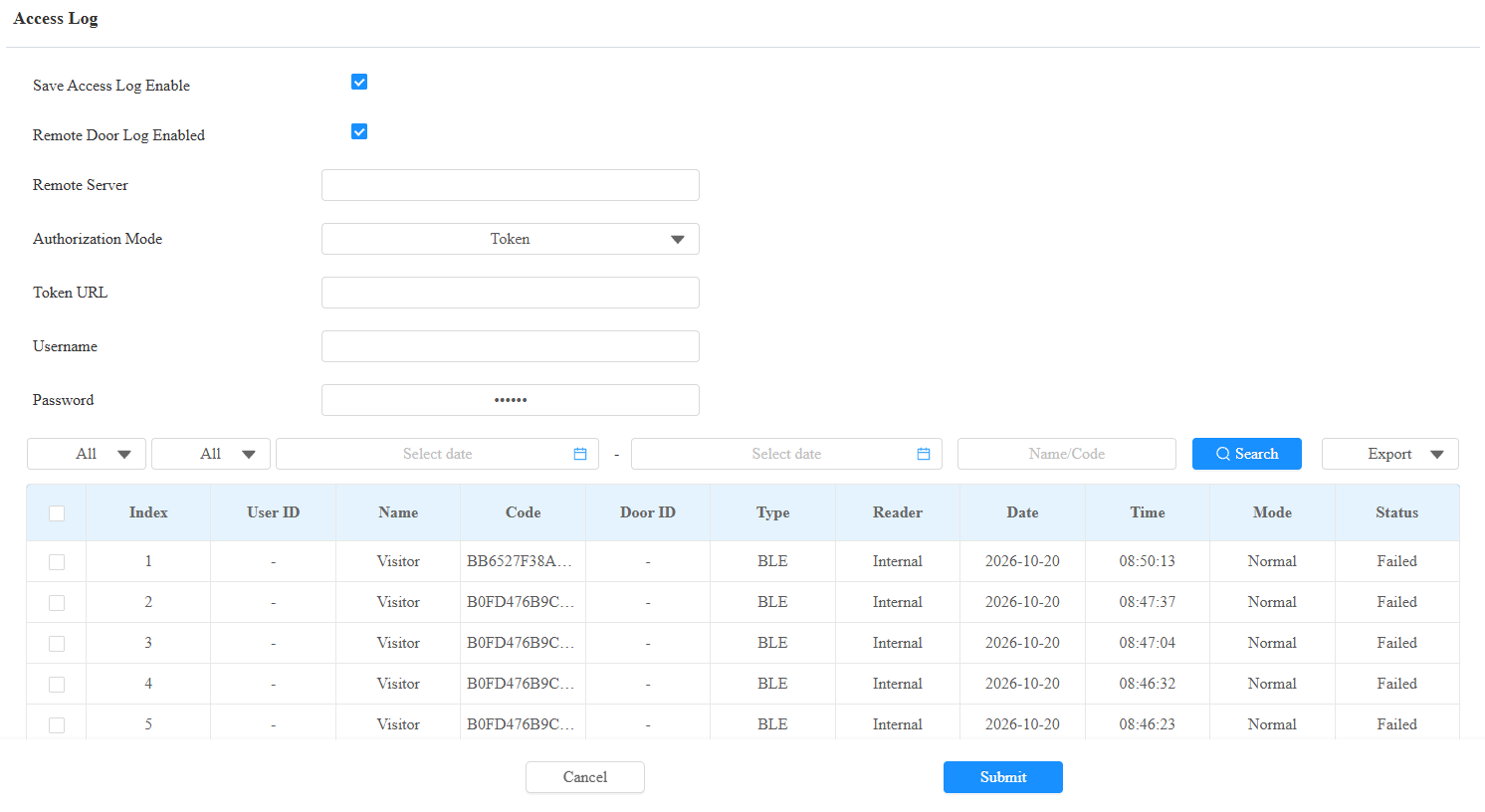
Save Access Log: Decide whether to save the door-opening records.
Remote Door Log Enabled: Disabled by default. When enabled, the device can send access records in real time to the designated remote server.
Remote Server: The URL or IP address of the server. URLs must begin with
http://,https://, orftp://. The following characters are not permitted:&,%,',=,!,$,?, Chinese characters, or consecutive special characters such as--or@@.Authorization Mode: Specify the authentication method used when connecting to the remote server.
None: No authentication. The connection is unencrypted. Username and Password fields are hidden.
Basic(default): HTTP Basic authentication. Username and Password fields are displayed and required.
Digest: HTTP Digest authentication. Username and Password fields are displayed and required.
Token: HTTP Token authentication. Token URL, Username, and Password fields are displayed and required.
Status: Success and Failed options represent successful door accesses and failed door accesses, respectively.
Time: Select the specific period of the door logs you want to search, check, or export.
Name/Code: Search the log by the username or the PIN code.
Door ID: Display the door name.
Type: Display the access type, such as QR code.
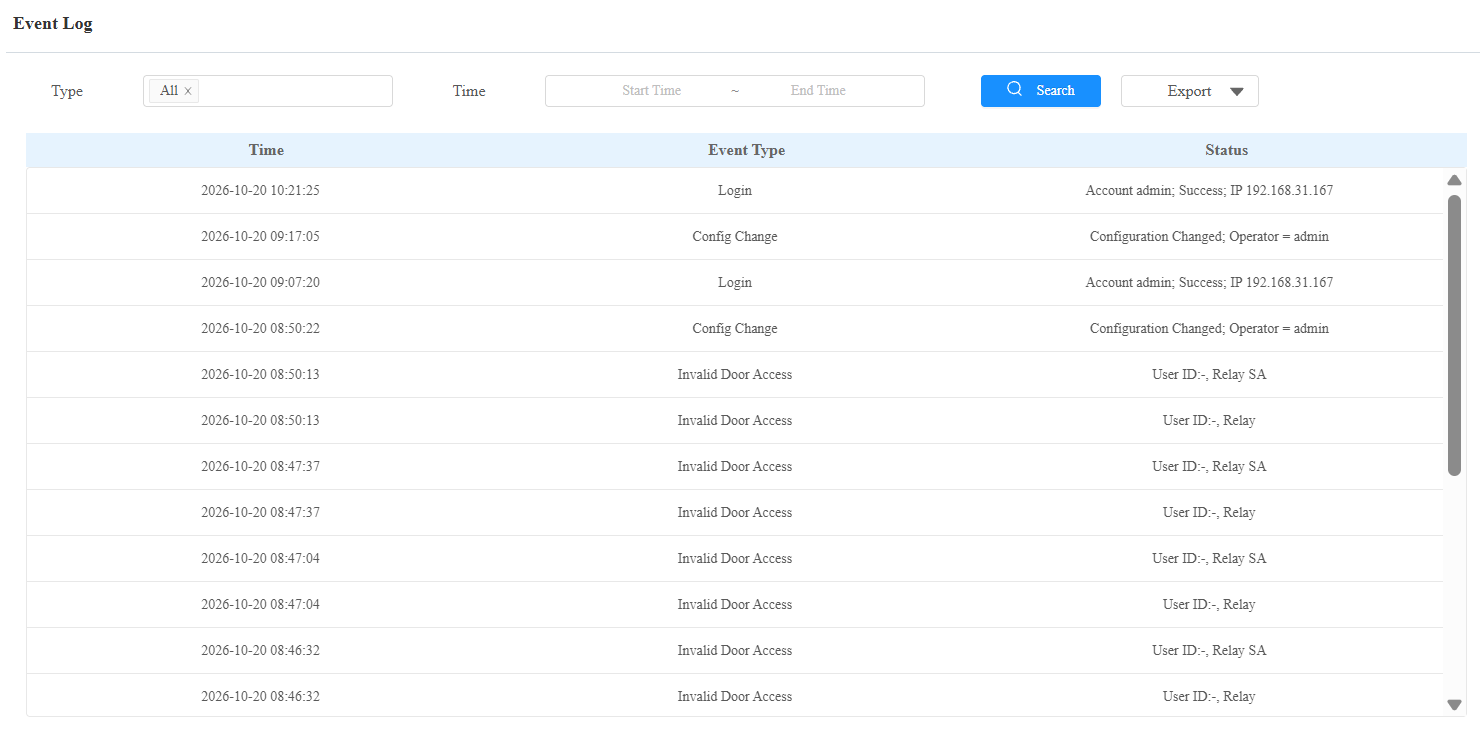
Event Logs
Die Ereignisprotokolle zeichnen die wichtigsten Ereignisse wie die Statusänderung der Eingabe, das Relais, den Tamper-Alarm usw. auf. Dies hilft, den Status und die Änderungen des Geräts zu verfolgen.
You can check the event logs on the Status > Event Log interface. The device supports up to 100,000 logs, which can be exported in CSV format.