3.1 Product Dimensions
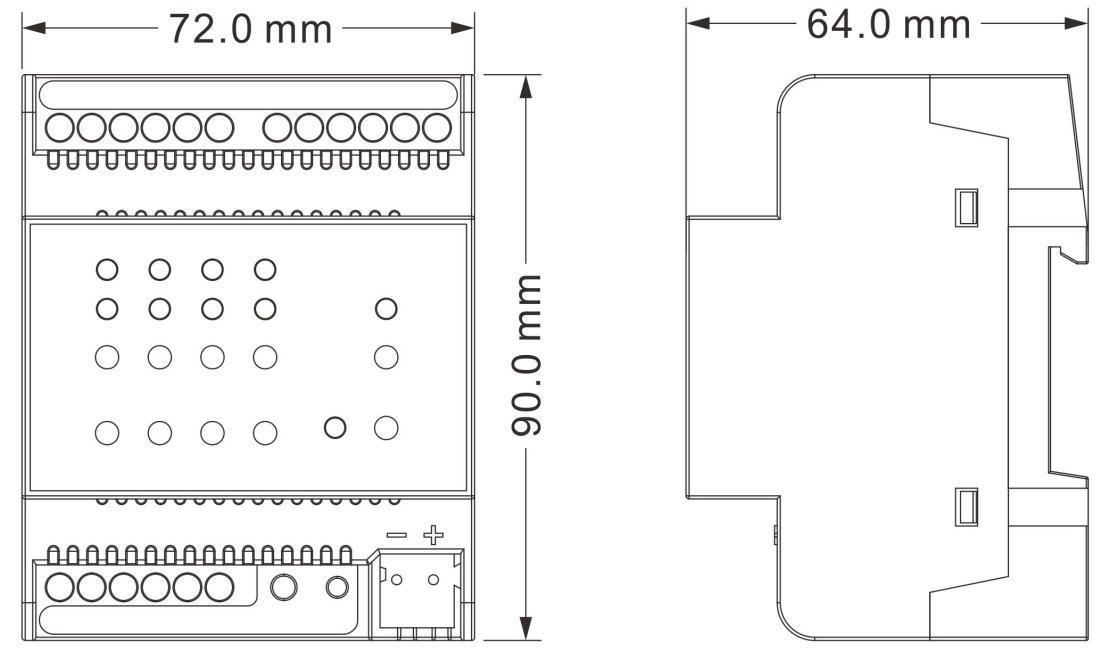
Fig.3.1 Product Dimensions
3.2 Operating Elements
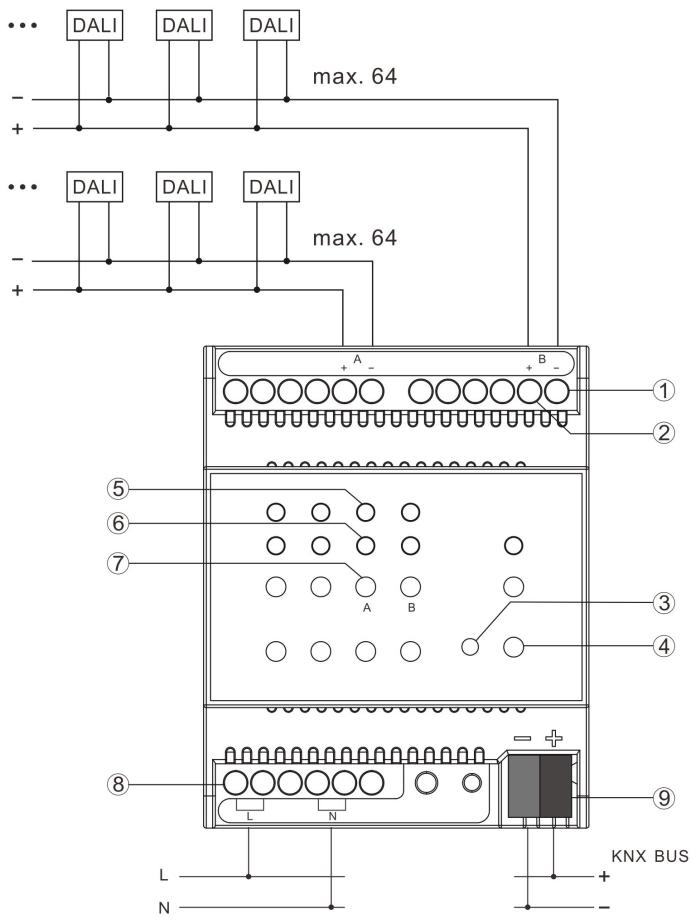
Fig.3.2 Operating Elements
①DALI output negative terminal
②DALI output positive terminal
③LED indicator
Red LED on: Indicates physical address programming in progress
Green LED flashing: Indicates the application layer is operating normally
④Programming button
TIP:
To restore factory settings:
Press and hold the programming button for 4 seconds, then release. Repeat this operation 4 times within intervals of less than 3 seconds.
⑤LED (Tele.):
Fast flashing: DALI bus is being initialized
Flashing during communication: Telegrams are being received on the DALI bus
Steady on: DALI bus initialization completed
⑥LED (Status)
ON: The entire channel is switched ON.
OFF: The entire channel is switched OFF.
(This applies only to control indication of Channel Buttons A/B and broadcast switch control of the channel.)
Flashing: Indicates that the DALI gateway is initializing its configuration.
⑦Test/Set button
Short press (< 5 s): Toggle all DALI devices ON/OFF on the current channel to test unconnected devices.
Long press (> 5 s): Reinitialize all devices on the DALI bus, initialize only devices without a DALI address, or perform no action - depending on the parameter setting “Test/Set button function via long press (>5s)” in Section 5.3.
⑧230VAC auxiliary power input terminal
⑨KNX bus connection terminal