What is Akuvox SmartPlus?
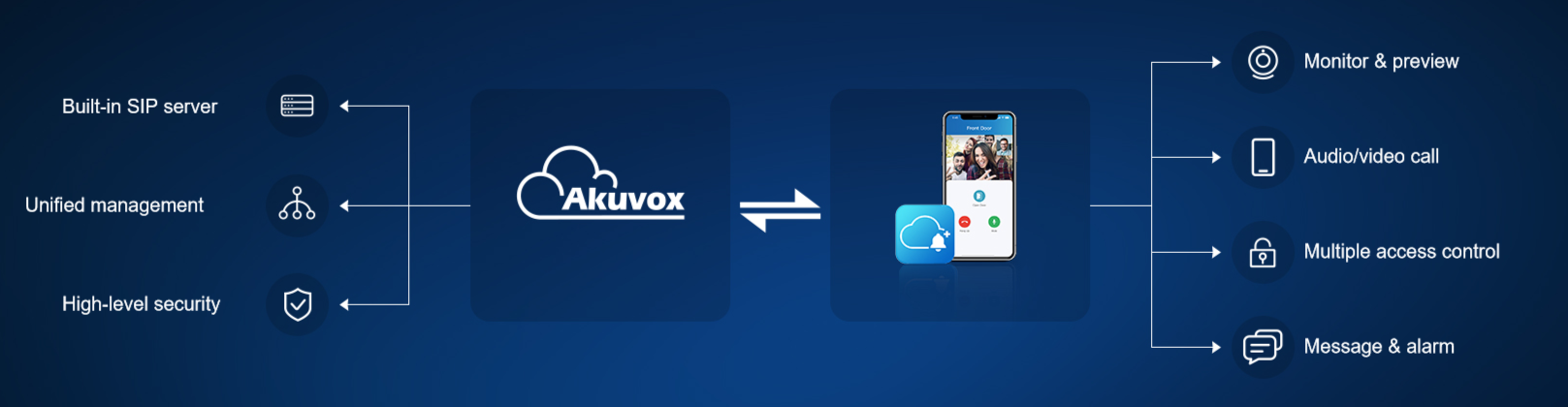
Akuvox SmartPlus is a smart cloud-based intercom service. It allows Akuvox's intercom and access control devices to link, communicate, and interact intelligently with one another without any geographical restrictions, making buildings smarter and more secure.
To put it simply, it is a management platform that enables you to manage residents and devices remotely without accessing the devices.
What Can You Do as an Installer?
Account management | Device management | Project management | Service management (If permission granted by your distirbutor) |
• Manage resident accounts • Manage PM accounts • Add family members | • Manage MAC addresses • Add & configure devices • Remote management • Firmware upgrades | • Create projects • Manage buildings & apts • View project info | • Activate SmartPlus • Renew SmartPlus |
How to Obtain my SmartPlus Account?
Your account is created by your distributor. Contact them for login credentials.
Community Project Workflow
1 | Get to know the installer cloud platformGet familiarized with the installer web portal. ▶ Video: [Installer]Quick Guide to Installer SmartPlus Cloud |
2 | Create a community projectSet up a new project in the portal and fill in project details (name, address, etc.). ▶ Video: [Installer]Create a Community Project on the SmartPlus Cloud |
3 | Create buildings and add apartmentsDefine the building structure within the project, then add the corresponding apartments or units. ▶ Video: [Installer]Create Buildings and Add Apartments to a Community Project |
4 | Add residents to apartmentsCreate resident accounts for each apartment. ▶ Video: [Installer]Add Residents to an Apartment on the SmartPlus Cloud |
5 | Add family member accountsCreate family member accounts for each apartment. ▶ Video: [Installer]Add Family Member Accounts for Community Projects |
6 | Add and configure intercom devicesBind devices to the project and apply configuration parameters. ▶ Video: [Installer]Step-by-Step: Community Project Intercom Device Setup |
7 | Manage devices remotelyMonitor device status, push updated settings, and upgrade firmware — all without visiting the site. ▶ Video: [Installer]Remote Management of Intercom Devices in Community Projects |
8 | Add property manager accountsCreate a property manager (PM) account for the community and configure their access level. ▶ Video: [Installer]Add Property Managers for Community Projects |
Single-Family House Project Workflow
1 | Create a single-family house projectSelect the Single-Family project type — designed for standalone residential properties. ▶ Video: [Installer]Create a Single-Family House Project on the SmartPlus Cloud |
2 | Add family member accountsAdd any additional family members for the project. ▶ Video: [Installer]Add Family Member Accounts for Single-Family House Projects |
3 | Add and configure intercom devicesComplete the device binding and configuration for the property. ▶ Video: [Installer]Step-by-Step: Single-Family Intercom Device Setup on the SmartPlus Cloud |
4 | Manage devices remotelyPush config changes through the portal — same as community projects. ▶ Video: [Installer]Remote Management of Intercom Devices in a Single-Family House Project |
Common Tasks(For both project types)
1 | Manage MAC libraryMaintain the device MAC address library for easy device tracking. ▶ Video: [Installer]Manage MAC Library on the SmartPlus Cloud |
2 | Upgrade device firmwarePush firmware updates to all devices centrally — no on-site visits required ▶ Video: [Installer]Upgrade Device Firmware on Akuvox SmartPlus Cloud |