IP Call Configuration
Una llamada IP es una llamada directa entre dos dispositivos de intercomunicación que utilizan sus direcciones IP, sin servidor ni PBX. Las llamadas IP funcionan cuando los dispositivos están en la misma red.
Enable or disable the direct IP call function on the Intercom > Call Feature > Direct IP interface.
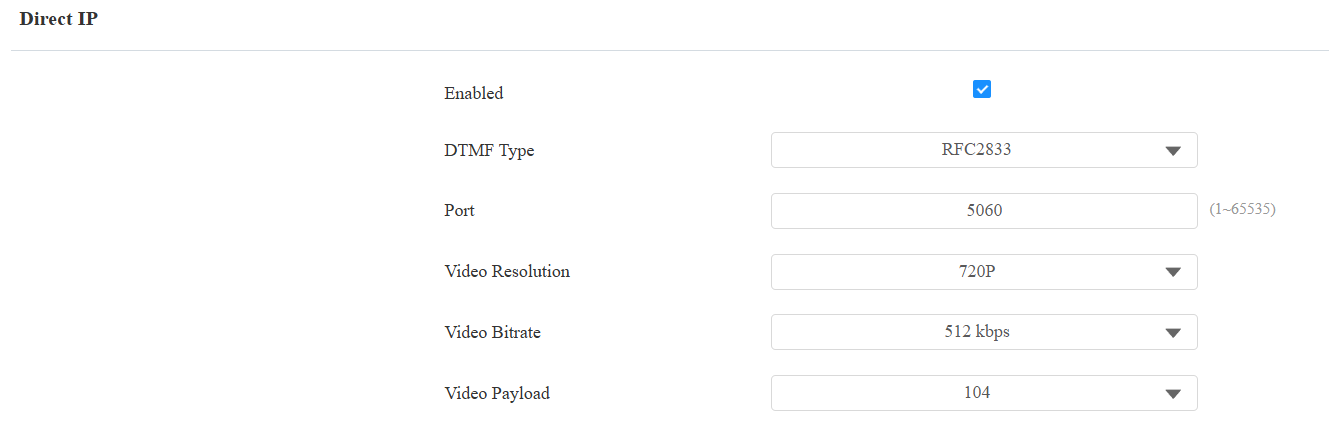
Port: Set the port for direct IP calls. The default is 5060, with a range from 1-65535. If you enter a value within this range other than 5060, ensure consistency with the corresponding device for data transmission.
SIP Call Configuration
El Protocolo de Inicio de Sesión (SIP) es un protocolo de transmisión de señalización utilizado para iniciar, mantener y terminar llamadas.
Una llamada SIP utiliza SIP para enviar y recibir datos entre dispositivos SIP, y puede utilizar internet o una red local para ofrecer una comunicación de alta calidad y segura. Iniciar una llamada SIP requiere una cuenta SIP, una dirección SIP para cada dispositivo y configurar los ajustes SIP en los dispositivos.
SIP Account Registration
Cada dispositivo necesita una cuenta SIP para realizar y recibir llamadas SIP.
Los dispositivos de intercomunicación Akuvox soportan la configuración de dos cuentas SIP, que pueden registrarse en dos servidores independientes.
Haz clic aquí para ver el ejemplo de registro de cuenta SIP.
Register the SIP account on the Intercom > Account interface.
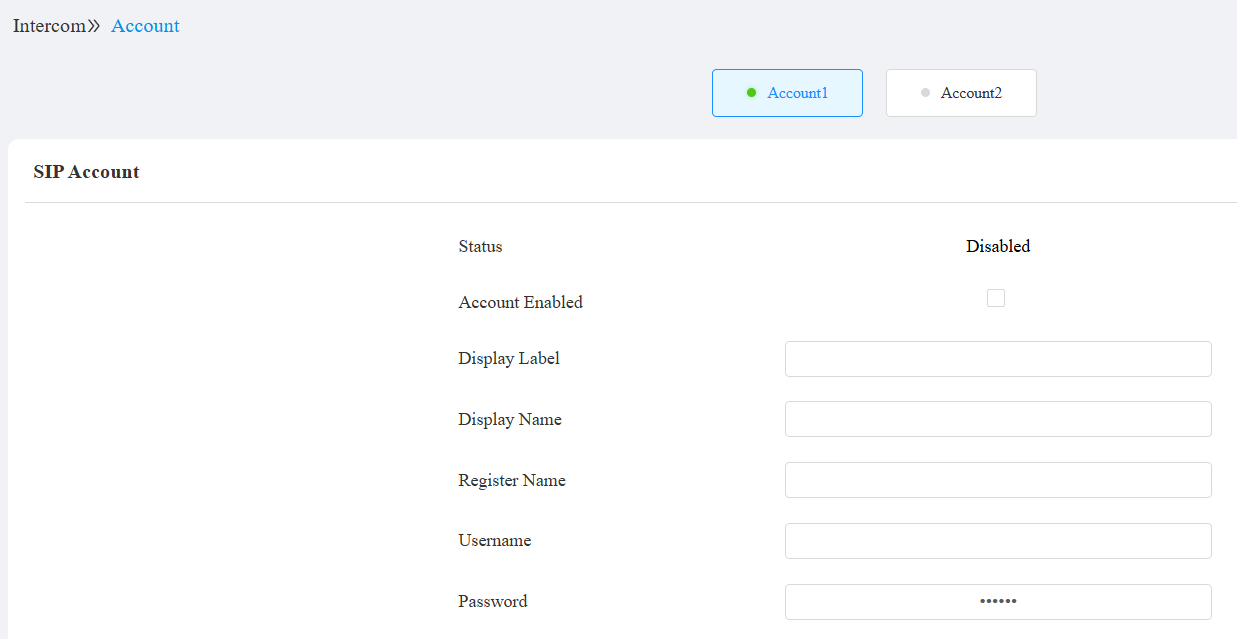
Account 1/Account 2: The device supports 2 SIP accounts.
- Account 1 is the default account for call processing. Also, it will be utilized when the Akuvox SmartPlus cloud service is activated.
- The system switches to Account 2 if Account 1 is not registered.
Status: Indicate whether the SIP account is registered or not.
Display Label: The label of the device.
Display Name: The designation for Account 1 or 2 is to be shown on the calling device’s screen.
Register Name: Same as the username from the PBX server.
Username: Same as the username from the PBX server for authentication.
Password: Same as the password from the PBX server for authentication.
Note
To add the device to the cloud, select its Device Type as Door Phone. Selecting Access Control will disable all the device’s intercom features.
When the device is connected to the SmartPlus Cloud, the display label, register name, and username will show its SIP number.
SIP Server Configuration
Los servidores SIP permiten a los dispositivos establecer y gestionar sesiones de llamada con otros dispositivos de intercomunicación utilizando el protocolo SIP. Pueden ser servidores de terceros o PBX integrado en un monitor interior Akuvos.
To set it up, go to the web Intercom > Account interface.
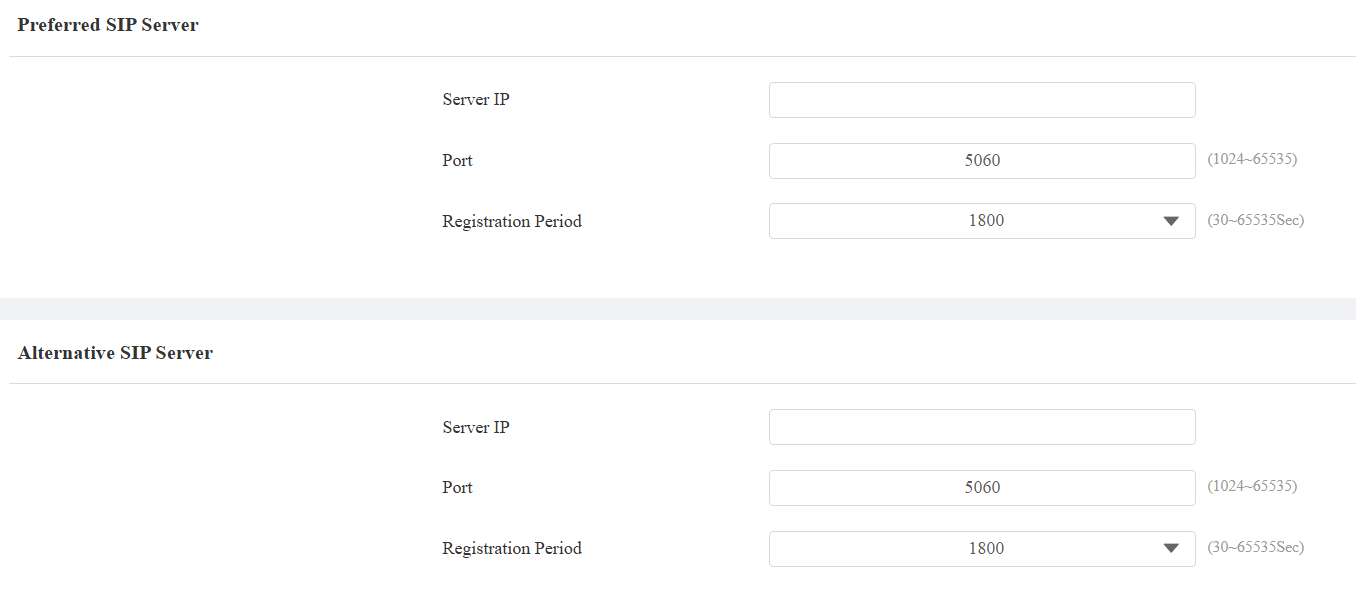
Server IP: Enter the server’s IP address or its domain name.
Port: Specify the SIP server port for data transmission.
Registration Period: Define the time limit for SIP account registration. Automatic re-registration will initiate if the account registration fails within this specified period.
SIP Account Selection
The Dial Type feature decides the default account to make SIP calls. It applies to calls by pressing the contacts and entering the SIP numbers on the device’s keypad.
You can select the default account on the Intercom > Call Feature > Dial Type interface.

Mode:
Auto: The device will use the registered account to make SIP calls. If both are registered, Account 1 will be used by default.
Account 1: Calls can only be made to Account 1’s contacts.
Account 2: Calls can only be made to Account 2’s contacts.
Outbound Proxy Server
Se utiliza un servidor proxy saliente para recibir todos los mensajes de solicitud que inician y enrutarlos al servidor SIP designado para establecer una sesión de llamada mediante transmisión de datos basada en puertos.
To set it up, go to the Intercom > Account > Outbound Proxy Server interface.
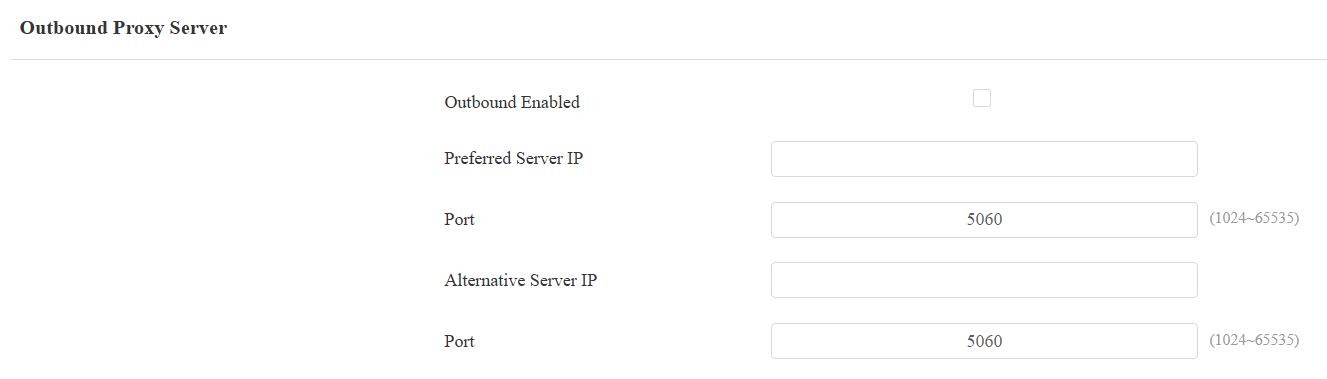
Preferred Server IP: Enter the SIP proxy server’s IP address.
Port: Set the port for establishing a call session via the outbound proxy server.
Alternative Server IP: Enter the SIP proxy IP address to be used when the main proxy server malfunctions.
Port: Set the proxy port for establishing a call session via the backup outbound proxy server.
Data Transmission Type
Los dispositivos de intercomunicación Akuvox soportan cuatro protocolos de transmisión de datos: Protocolo de Datagramas de Usuario (UDP), Protocolo de Control de Transmisión (TCP), Seguridad de la Capa de Transporte (TLS) y DNS-SRV.
Select the data transmission type on the Intercom > Account > Transport Type interface.

UDP: An unreliable but very efficient transport layer protocol. It is the default transport protocol.
TCP: A less efficient but reliable transport layer protocol.
TLS: An encrypted and secure transport layer protocol. Select this option if you wish to encrypt the SIP messages for enhanced security or if the other party’s server uses TLS. To use it, you need to upload certificates for authentication.
DNS-SRV: A DNS service record defines the location of servers. This record includes the hostname and port number of the server, as well as the priority and weight values that determine the order and frequency of using the server.
SIP Hacking Prevention
La escucha telefónica por Internet es un ataque de red que permite a partes no autorizadas interceptar y acceder al contenido de las sesiones de comunicación entre usuarios de intercomunicador. Esto puede exponer información sensible y confidencial a los atacantes. La protección contra SIP hacking es una técnica que protege las llamadas SIP para que no sean comprometidas en Internet.
Enable SIP hacking prevention on the Intercom > Account > Call interface.
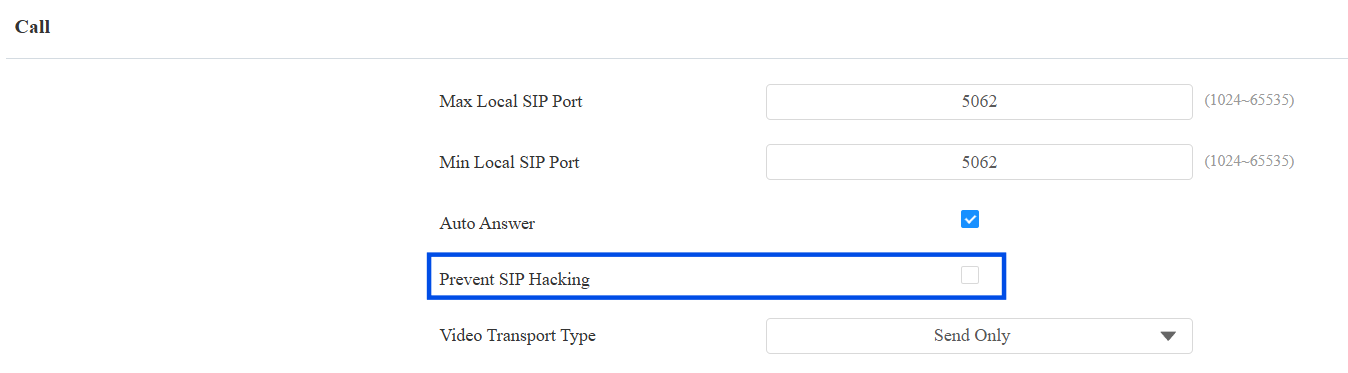
Prevent SIP Hacking: Activate this feature to only receive calls from contacts in the whitelist. This protects users’ private and secret information from potential hackers during SIP calls.