Language
To select the device language, go to Device Setting > Time/Lang > LCD Language interface.
The device’s LCD supports the following languages:
English, Simplified Chinese, Traditional Chinese, Czech, Portuguese, Spanish, Italian, Dutch, French, German, Hebrew, Polish, and Arabic.

You can switch the device's web language in the upper-right corner.
The device web supports the following languages:
English, Simplified Chinese, Traditional Chinese, Czech, Portuguese, Spanish, Italian, Dutch, French, German, Hebrew, Polish, and Arabic.
Custom Language
Puedes personalizar los nombres de configuración y los mensajes de texto en el dispositivo y en su portal web, como la advertencia de error de nombre de archivo.
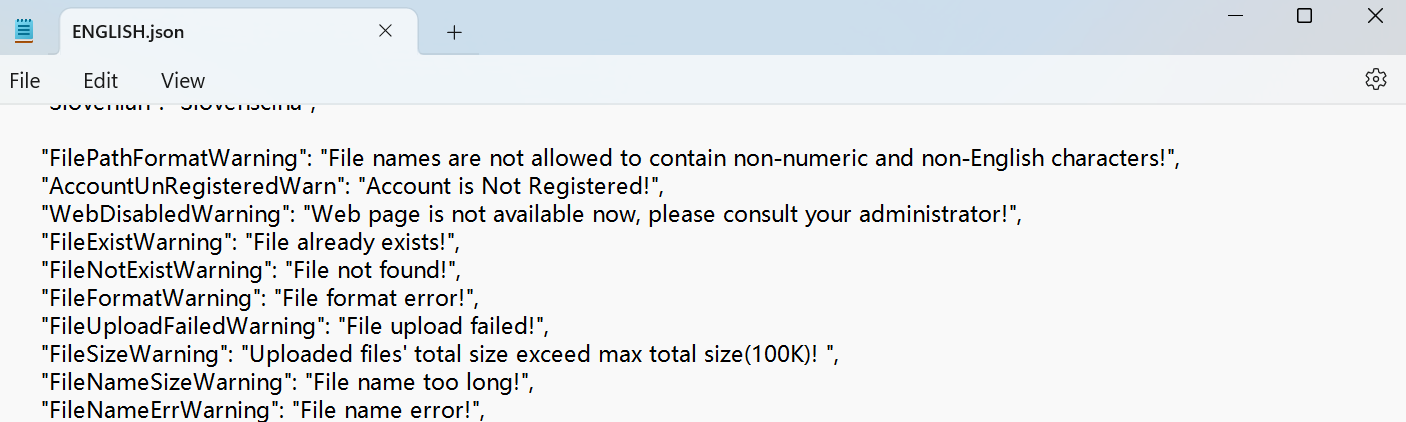
Exporta el archivo .json para editarlo. Puedes editarlo con el bloc de notas de tu ordenador.
Importa el archivo .json y su tamaño debería ser menor que 1 MB.
Ejemplo de archivo:
Set it up on the Device Setting > Time/Lang > Custom Language interface.

Time
La configuración de tiempo en la interfaz web permite configurar la dirección del servidor NTP para la sincronización automática de fecha y hora. Una vez seleccionada una zona horaria, el dispositivo notificará al servidor NTP la zona horaria elegida, permitiéndole sincronizar la configuración de la zona horaria en tu dispositivo.
To set it up, go to Device Setting > Time/Lang > Time interface.
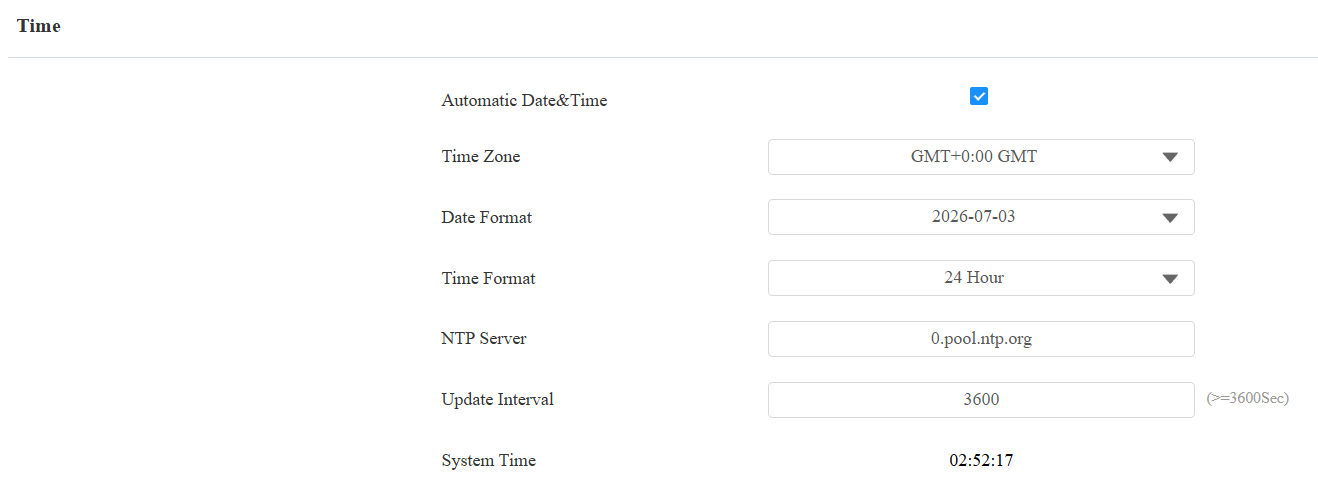
Automatic Date&Time: The automatic date is switched on by default, which allows the date & time to be automatically set up and synchronized with the default time zone and the Network Time Protocol(NTP) server. You can also set it up manually by switching off the automatic date and entering the time and date.
NTP Server: The NTP server address for updating the time. The default NTP server address is 0.pool.ntp.org.
Update Interval: Set the time update interval. For example, if you set it to 3600 seconds, the device will send a request to the NTP server for the time update every 3600 seconds.
System Time: Display the current device time.