Modify Device Web Interface Password
Change the web password on the web System > Security > Web Password Modify interface.
Selecciona Administradorpara la cuenta de administrador y Usuariopara la cuenta de usuario. Haz clic en la pestaña Cambiar contraseña para cambiar la contraseña.

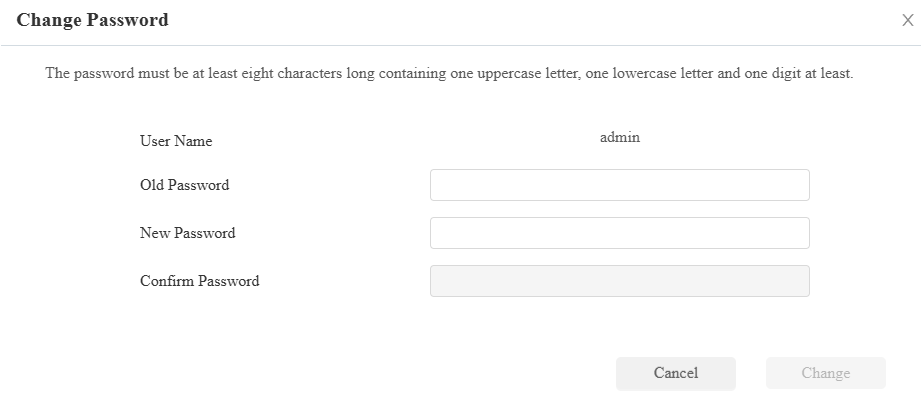
You can enable/disable the user account on the Account Status section. The default password for the user account is user.

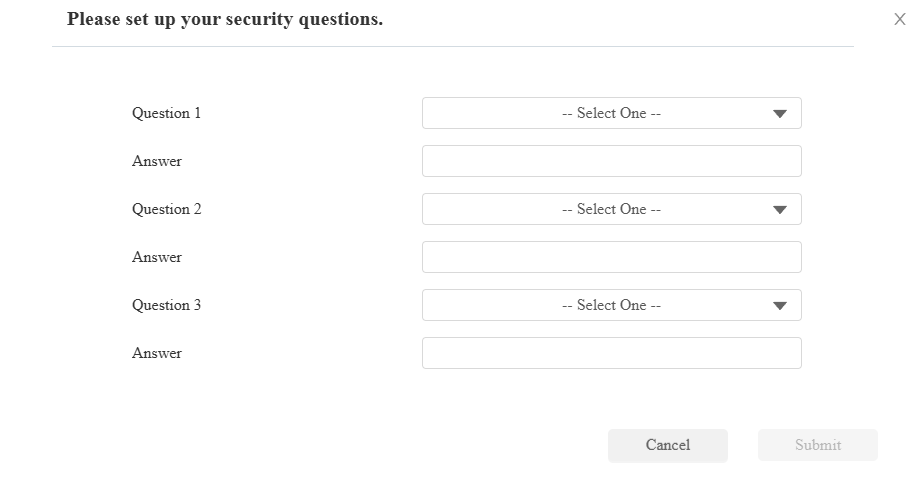
Modify Security Questions
Las preguntas de seguridad te permiten restablecer la contraseña web si la olvidas. Después de configurar las preguntas de seguridad, puedes hacer clic en "Olvidar contraseña" en la interfaz de inicio de sesión, introducir las respuestas y aparecerá una ventana para restablecer contraseña.
Si no configuras las preguntas de seguridad, al hacer clic en "Responder preguntas de seguridad" te indicará "Por favor, contacta con tu proveedor de servicio".
Set it up on the System > Security interface. Click Modify Security Question.
You need to first enter the right password for verification and then set up the security questions.