Language Setting
You can select the web language in the upper right corner. Currently, the A094 supports English and Simplified Chinese.

Time Setting
Les réglages d’heure de l’interface web permettent de configurer l’adresse du serveur NTP pour une synchronisation automatique de l’heure et de la date. Une fois un fuseau horaire sélectionné, l’appareil notifiera le serveur NTP du fuseau horaire choisi, lui permettant de synchroniser les réglages du fuseau horaire sur votre appareil.
To set it up, navigate to the web Setting > Time > NTP interface.
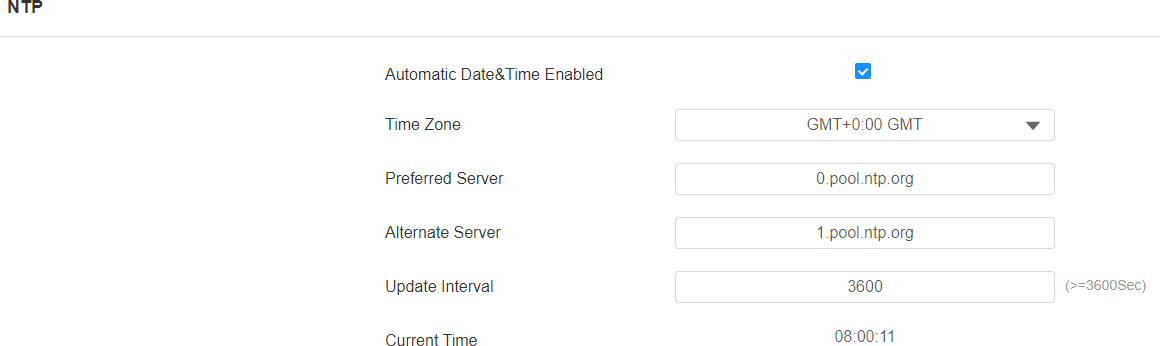
Automatic Date&Time Enabled: Set whether the device updates the time automatically via the Network Time Protocol(NTP) server.
Time Zone: Select the time zone.
Primary/Alternate Server: Enter the primary NTP server address for updating the time. The default NTP server address is 0.pool.ntp.org. The alternate server is for backup.
Update Interval: Set the time update interval. For example, if you set it as 3600s, the device will send a request to the NTP server for the time update every 3600 seconds.
Current Time: Display the current device time.