Journaux d’appels
Pour vérifier les appels — y compris les appels téléphoniques, reçus et manqués — dans une période donnée, vous pouvez consulter le journal d’appels sur l’interface web de l’appareil. Si besoin, vous pouvez aussi exporter le journal d’appels depuis l’appareil.
Vérifiez les journaux d’appels sur l’interface Statut > Journal d’appel . L’appareil prend en charge 200 journaux d’appels, qui peuvent être exportés au format CSV.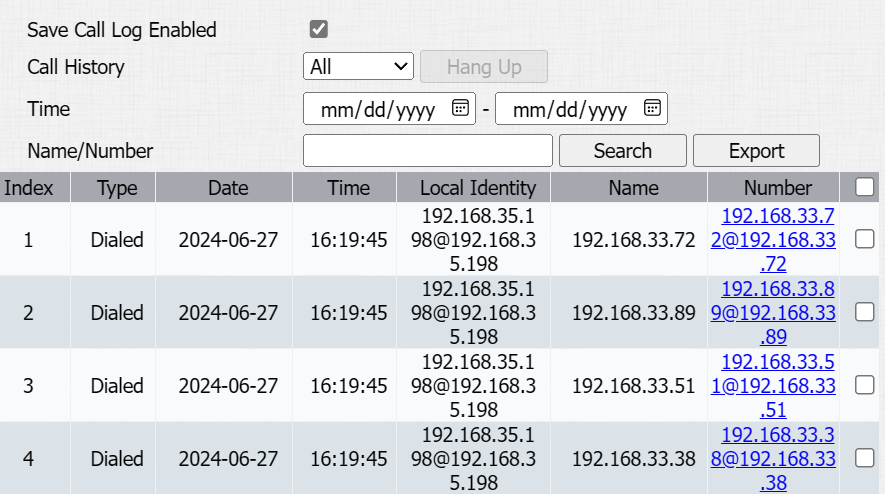
Historique des appels : Il existe quatre types spécifiques de journaux d’appels : Tous, Composés, Reçus et Manqués.
Heure : Recherchez dans le journal des appels souhaité en saisissant une certaine période.
Nom/Numéro : Recherchez dans le journal des appels souhaités en entrant le nom et le numéro.
Journaux de porte
Pour rechercher et examiner différents types d’historique d’accès aux portes, il suffit de vérifier les journaux de portes sur l’interface web de l’appareil.
Accédez à l’interface Status > Access Log . L’appareil prend en charge 3 000 journaux de portes, qui peuvent être exportés en format CSV ou XML.
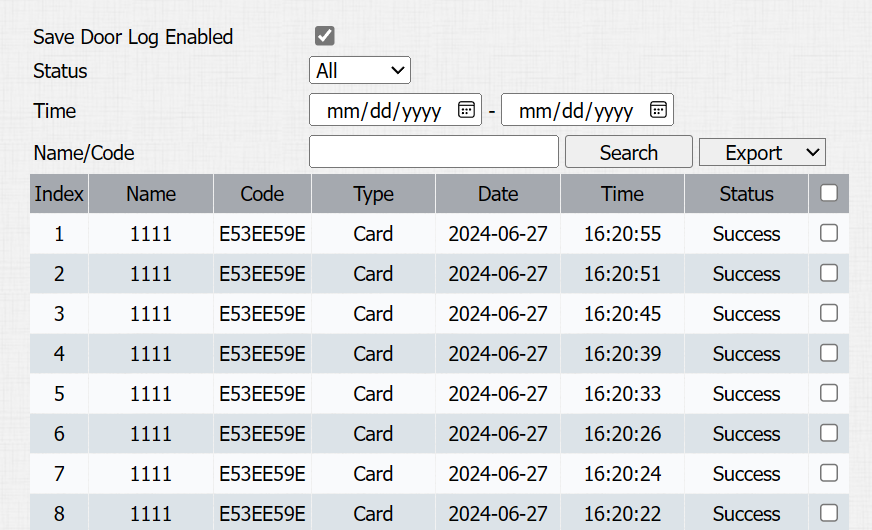
Statut : Afficher tous les dossiers d’ouverture de porte, réussi et échoué.
Heure : Recherchez dans le journal des appels souhaité en saisissant une certaine période.
Nom : Afficher le nom d’utilisateur. Si c’est une clé ou une carte inconnue, elle affichera Inconnue.
Code : Si la porte est ouverte par des cartes RF, le code de la carte sera affiché. Si la porte est ouverte par une commande HTTP, elle sera vide.
Type : Afficher les méthodes d’accès.
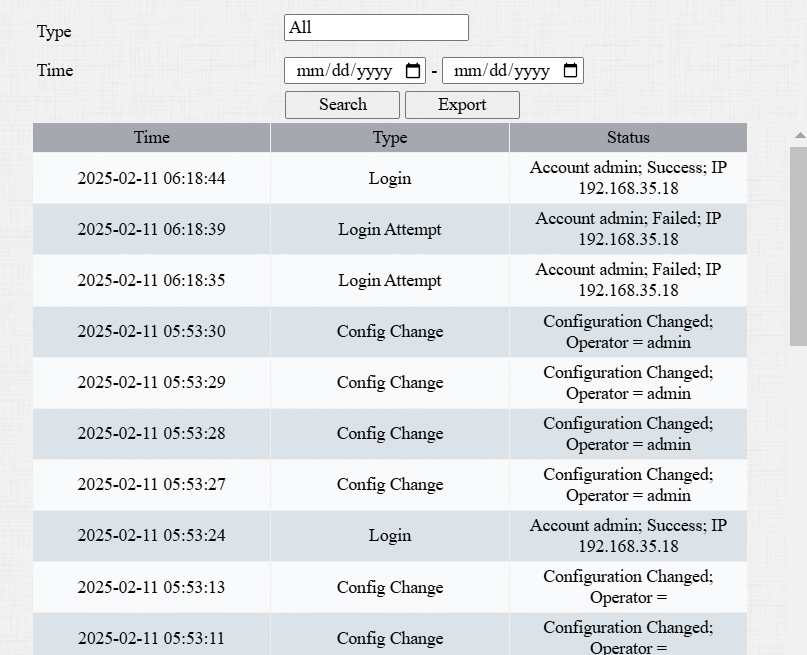
Journaux d’événements
Les journaux d’événements enregistrent les événements clés tels que le changement de statut de l’entrée, le relais, l’alarme de manipulation, etc. Cela aide à suivre l’état et les changements de l’appareil.
Vous pouvez consulter les journaux d’événements sur l’interface Status > Journal d’événements . L’appareil prend en charge jusqu’à 100 000 journaux, qui peuvent être exportés au format CSV.