Modifying Device Web Interface Password
To change the default web password on web Security > Basic interface.
Sélectionnez Adminpour le compte administrateur et Utilisateurpour le compte utilisateur. Cliquez sur l’onglet Modifier le mot de passe pour changer le mot de passe.
You can also disable User account permission to log in on the web.

Modifying Device System Password
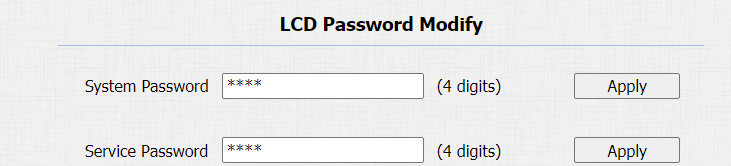
You can modify both device system password and service (setting) password on the web or on the device. On the web, navigate to Security > Basic > LCD Password Modify, and change the passwords if needed. The default system password is *2396#, and the default service (setting) password is 3888.
To set or modify the system and service passwords on the device, press the system password (which is *2396# by default), select Admin Access, and select Set Admin Password, then set the system password. Select Set Service Password, then set the service password. You can delete the passwords if needed.
Configure Web Interface Automatic Logout
Vous pouvez configurer le timing automatique de la déconnexion de l’interface web, nécessitant une reconnexion en saisissant le nom d’utilisateur et les mots de passe pour des raisons de sécurité ou de commodité.
To do the configuration on the web Security > Basic > Session Time Out interface.

Parameters Set-up:
- Session Time Out Value: the range is from 60 to 14400 sec. If there is no operation over time, you need to log in to the website again.