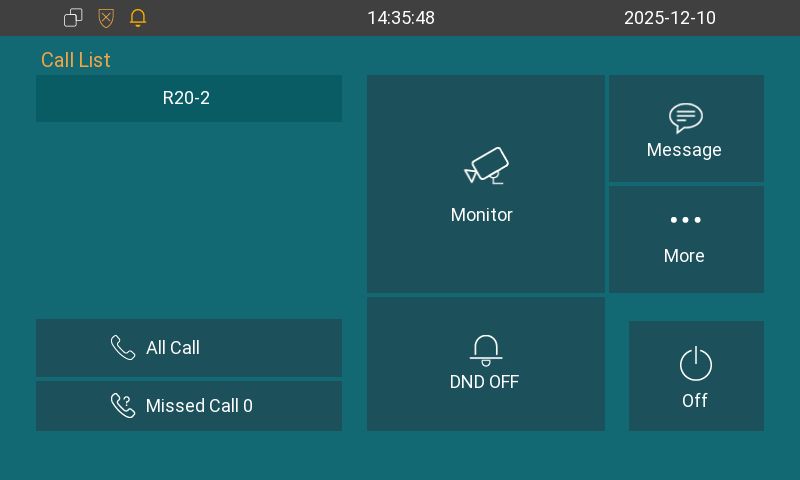
Once you finish the initial setup, you will see the device’s home screen.
The left call list displays contacts. Tap the desired contact to call.
Tap All Call to make a multicast audio call.
Tap Missed Call to check call logs.
Tap Monitor to view the live feed from the door phone.
Tap DND OFF/ON to turn off/on the DND feature.
Tap Message to manage messages.
Tap More to access more settings.
Tap Off to turn off the screen.