This article explains the differences between DHCP and Static IP modes and provides instructions on how to switch between them on an Akuvox door phone.
DHCP vs. Static IP
Advantages of DHCP
DHCP (Dynamic Host Configuration Protocol) automatically assigns IP addresses to devices on the network.
Efficient IP management
IP addresses are dynamically assigned and released when no longer in use, maximizing IP resource utilization.
Simplified deployment
No manual configuration is required, reducing installation time and human error.
Improved network flexibility
Ideal for environments where devices are frequently added or removed.
Advantages of Static IP
A Static IP address is manually assigned and remains unchanged.
Better stability for fixed installations
The IP address does not change, ensuring consistent connectivity.
Easier remote access and maintenance
Installers can reliably access the device remotely using a fixed IP address.
Recommended for port forwarding or advanced network setups
Required when configuring NAT rules or remote access via router.
Before You Start
Before changing the network mode, ensure the following:
The device is properly connected to the network.
You can access the device’s web interface.
The default login credentials(case-sensitive) are:
Username: admin
Password: admin
Configuration Steps
Use the device IP to log in to its web interface.
Navigate to the Network > Basic interface.
Select the network mode. If Static IP is selected, manually enter the network information: IP Address, Subnet Mask, Default Gateway, and Preferred/Alternative DNS Server.
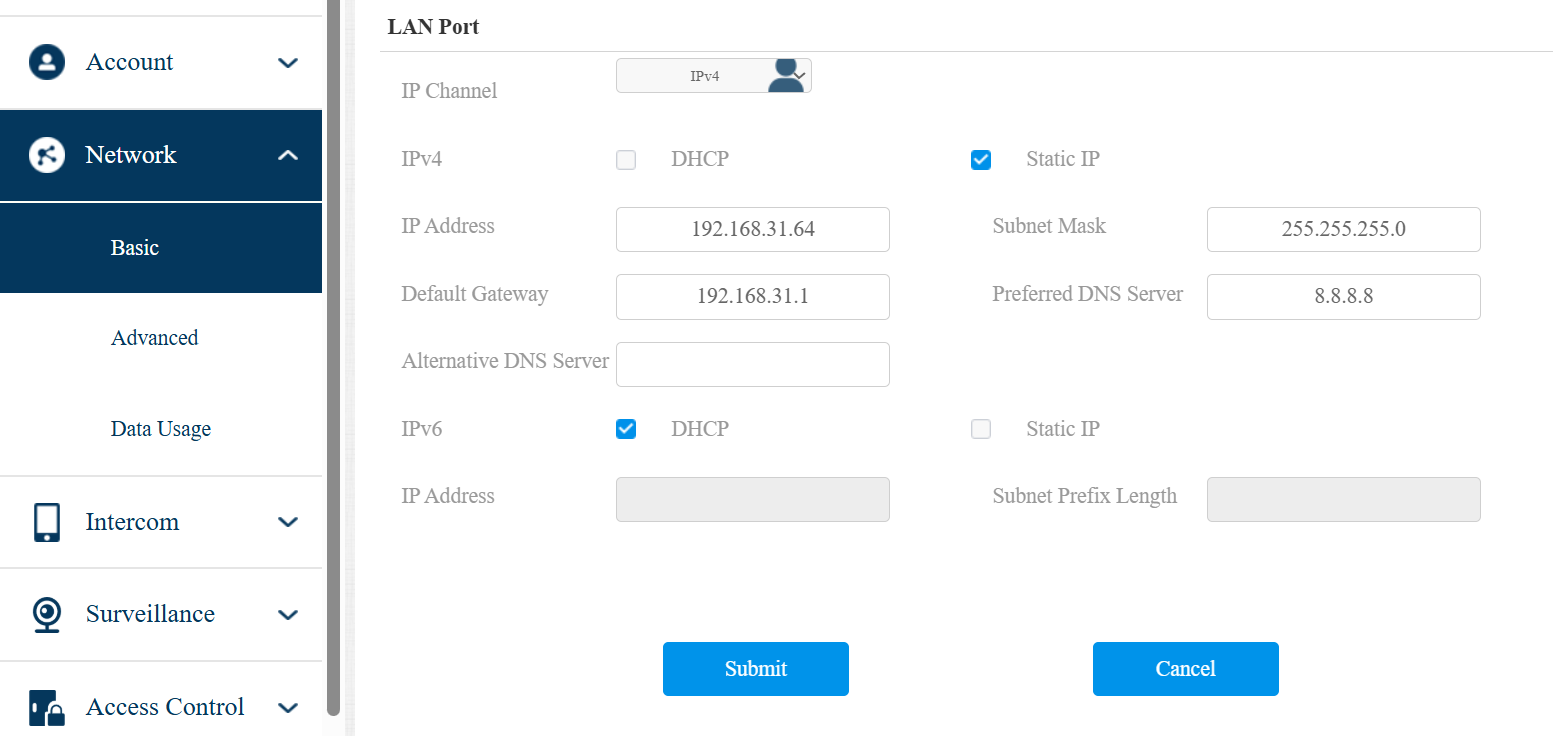
Submit the setting.
Note
Make sure the IP address you enter is available within the same network segment to avoid IP conflicts.