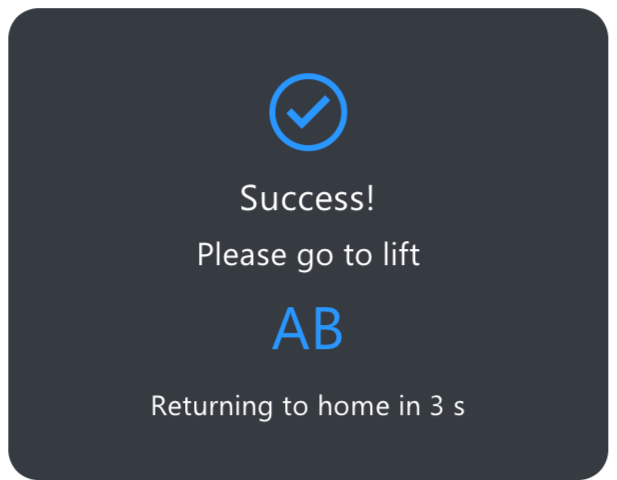
The Akuvox device supports integration with Fujitec lift control systems. After configuration, users can use the credentials registered on the door phone to call the lift and access their authorized destination floors.
Compatible model and version(or higher)
S535: 535.30.10.266
Set up Lift Control
Use the device’s IP to log in to its web interface. The default username and password are admin.
Navigate to the Device > Lift Control interface.
Select Fujitec in the Lift Control List dropdown menu.
Enter the Server IP and Index provided by the Fujitec system.
Configure the Time Out, which defines the timeout period for sending requests to the Fujitec lift system.
Set the starting floor by selecting Floor Starts From.
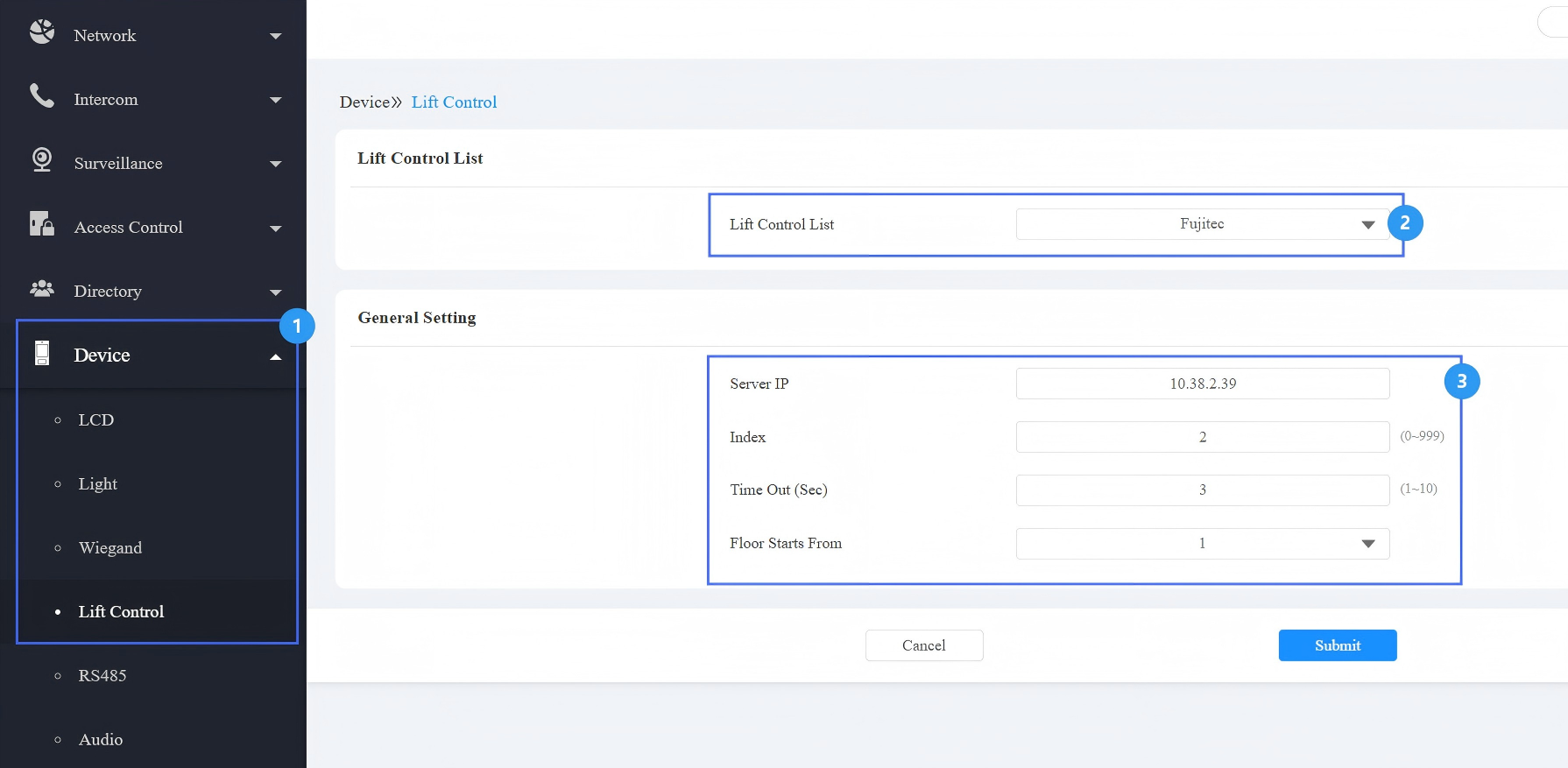
Submit the setting.
Assign Credentials to Users
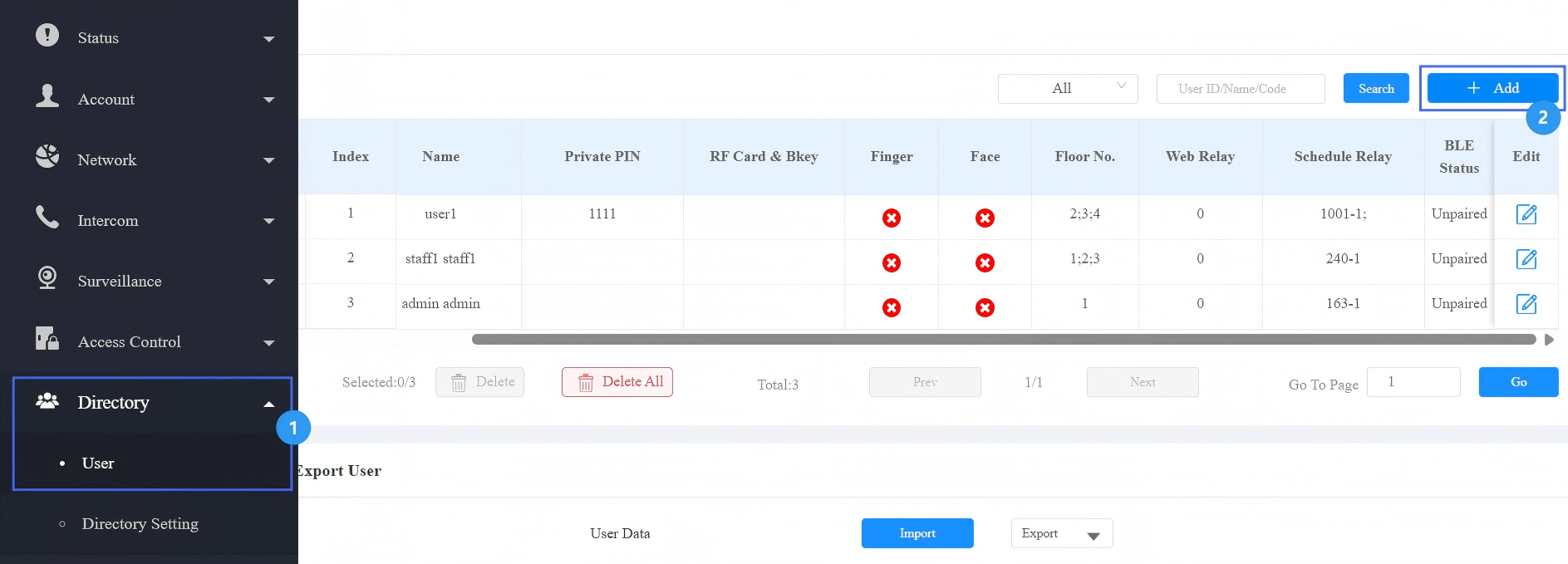
Go to the Directory > User interface.
Click Add or
 to set up access methods for a new or an existing user.
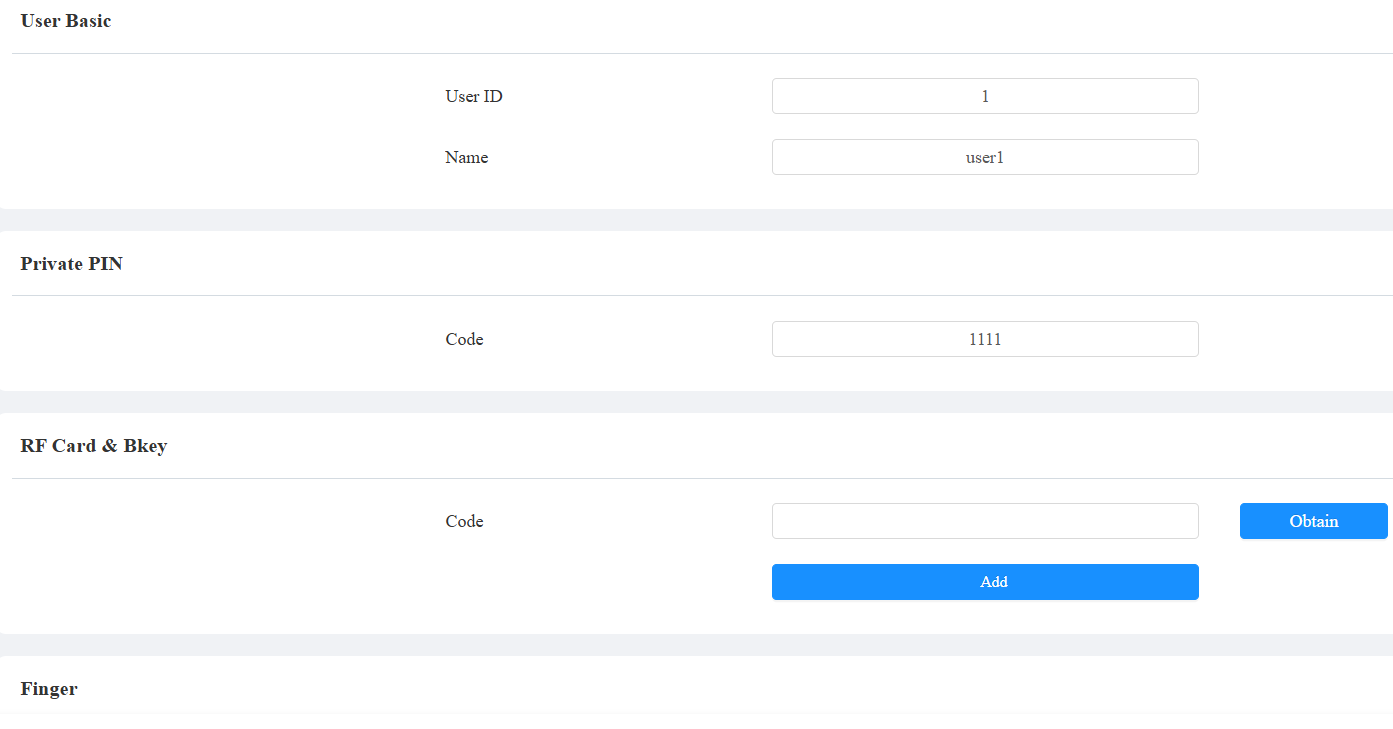
Enter the username and set up desired credentials.
Scroll to the Access Setting section and choose the accessible floor(s).
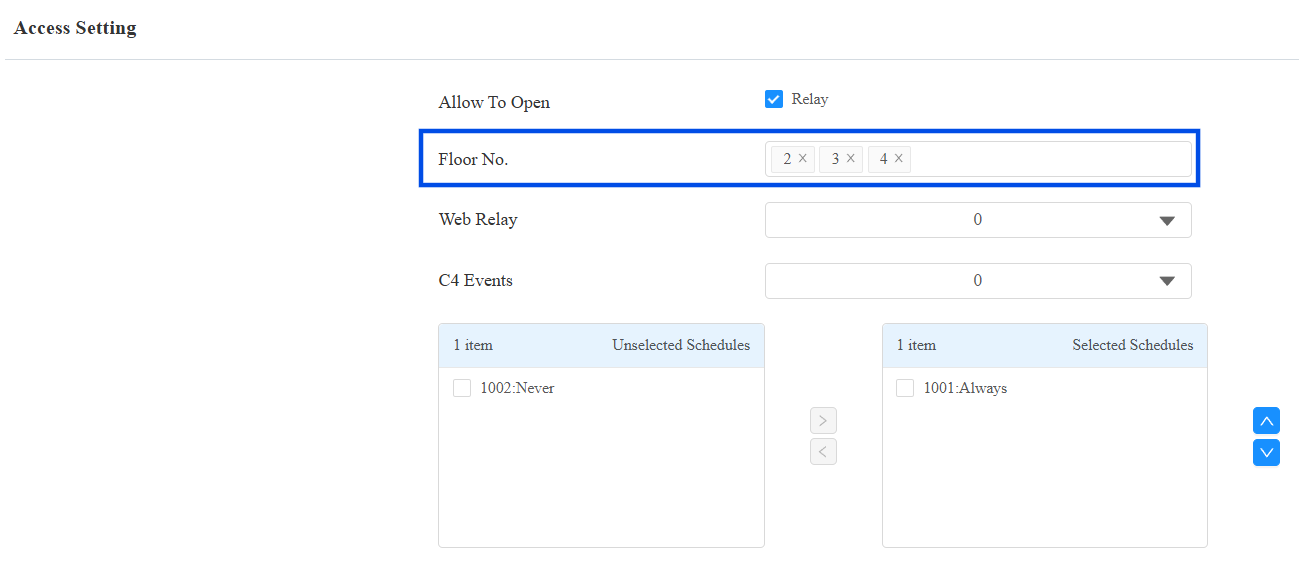
Submit the setting.
When a user presents their credential(RF cards, fingerprints, Bluetooth, etc) on the door phone:
The door phone displays the designated lift to take.
The authorized floor buttons are automatically unlocked on the Fujitec lift panel.