LED Setting on Card Reader Area
You can enable or disable the LED lighting on the card reader area. You can also set a specific time to turn on the light.
To set it up, go to Device > Light interface.
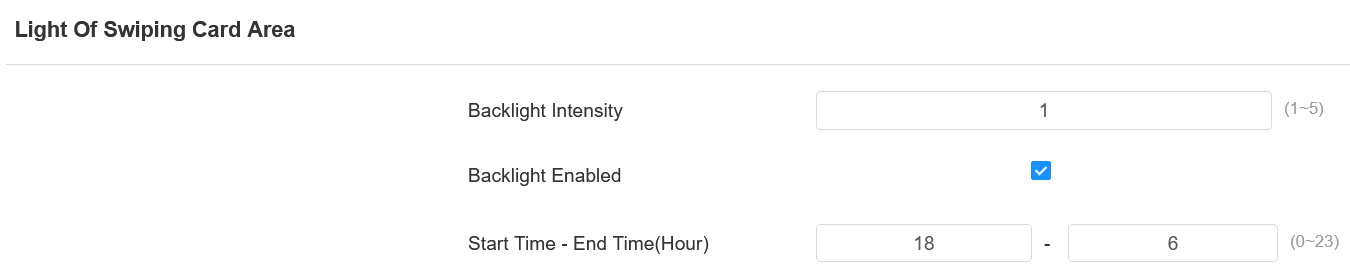
Backlight Intensity: Adjust the backlight intensity; the bigger the value, the brighter the backlight.
Start Time - End Time (Hour): Select the time span for the LED lighting to be valid, e.g., if the time span is from 18-22, it means the LED light will stay on during the time span from 6:00 pm to 10:00 pm in one day (24 hours).
Light Blink Control
You can disable all light blinking effects for a scheduled time, including network connection, door opening, and TOF trigger indications.
To set it up, go to Device > Light interface.
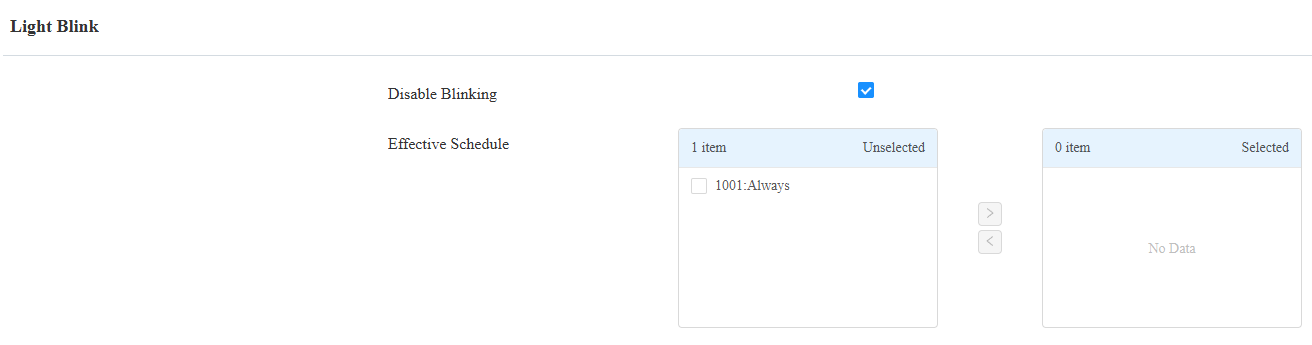
Disable Blinking: The feature is disabled by default.
Effective Schedule: Apply the schedule to the feature by moving it from the left to the right box.