Access Logs
You can search and check door logs on the device web Status > Access Log interface. You can export the access logs in a CSV or XML file.
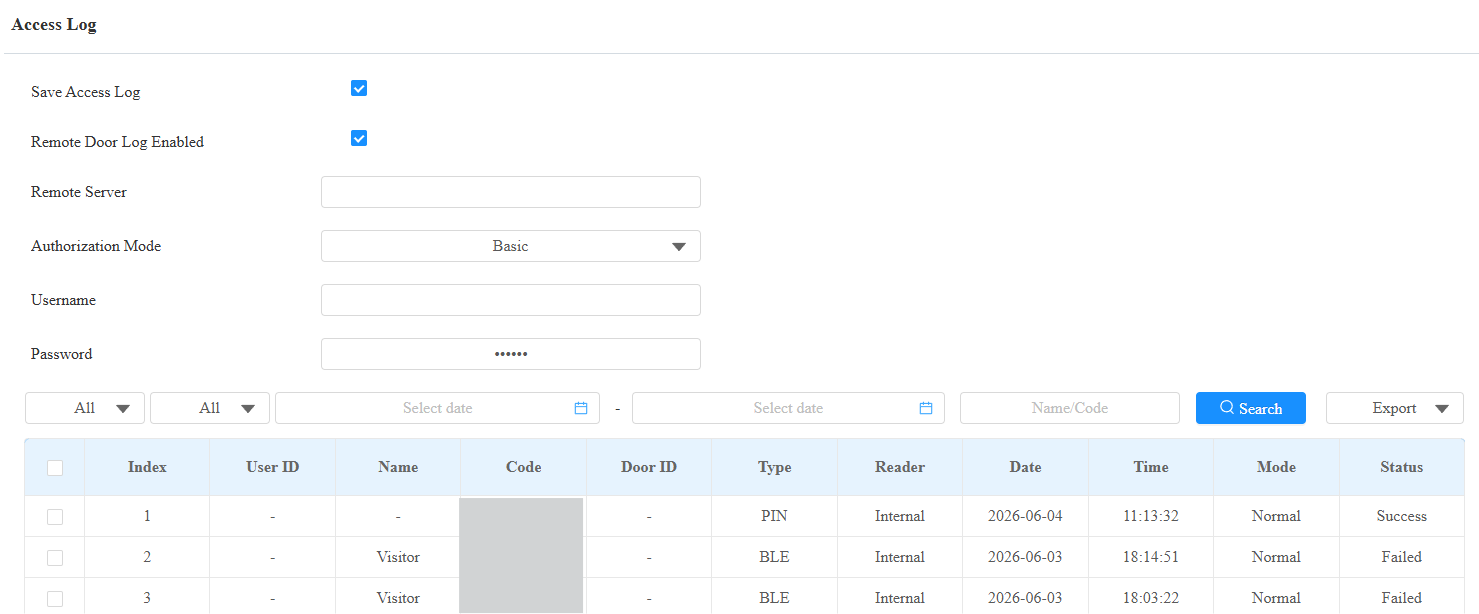
Save Access Log: Decide whether to save the door-opening records.
Remote Door Log Enabled: Disabled by default. When enabled, the device can send access records in real time to the designated remote server.
Remote Server: The URL or IP address of the server. URLs must begin with
http://,https://, orftp://. The following characters are not permitted:&,%,',=,!,$,?, Chinese characters, or consecutive special characters such as--or@@.Authorization Mode: Specify the authentication method used when connecting to the remote server.
None: No authentication. The connection is unencrypted. Username and Password fields are hidden.
Basic(default): HTTP Basic authentication. Username and Password fields are displayed and required.
Digest: HTTP Digest authentication. Username and Password fields are displayed and required.
Username: The username credential used for authentication. Applies when Authentication Mode is set to Basic or Digest.
Password: The password credential used for authentication. Applies when Authentication Mode is set to Basic or Digest.
Status: Success and Failed options represent successful door accesses and failed door accesses, respectively.
Time: Select the specific period of the door logs you want to search, check, or export.
Name/Code: Search the log by the username or the PIN code.
Door ID: Display the door name.
Type: Display the access type, such as QR code.
Event Logs
The event logs record the key events such as the status change of input, relay, tamper alarm, etc. This helps track the status and changes of the device.
Check event logs on the Status > Event Log interface. You can export the event logs in a CSV file.
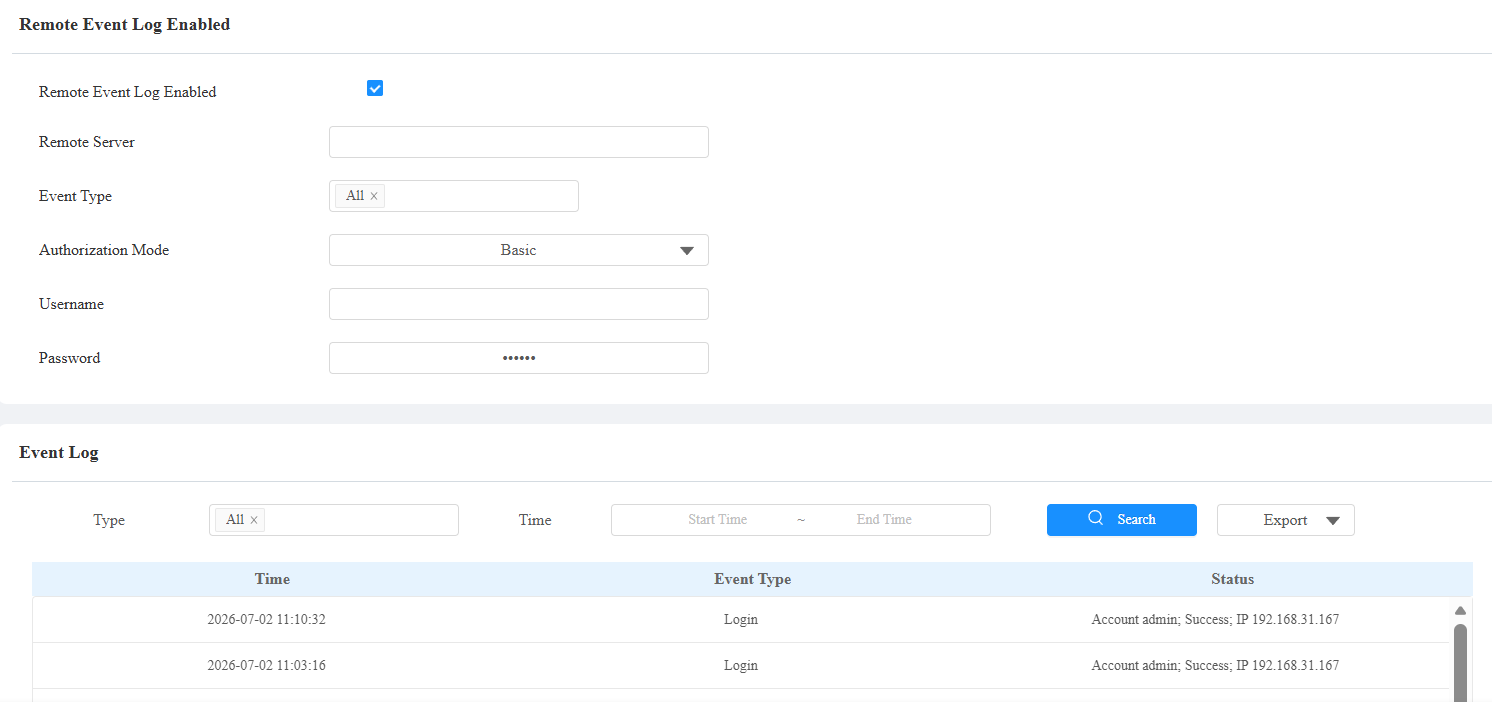
Remote Event Log Enabled: Disabled by default. When enabled, the device can send access records in real time to the designated remote server.
Remote Server: The URL or IP address of the server. URLs must begin with
http://,https://, orftp://. The following characters are not permitted:&,%,',=,!,$,?, Chinese characters, or consecutive special characters such as--or@@.Event Type: Select the event types to report to the remote server.
Authorization Mode: Specify the authentication method used when connecting to the remote server.
None: No authentication. The connection is unencrypted. Username and Password fields are hidden.
Basic(default): HTTP Basic authentication. Username and Password fields are displayed and required.
Digest: HTTP Digest authentication. Username and Password fields are displayed and required.
Username: The username credential used for authentication. Applies when Authentication Mode is set to Basic or Digest.
Password: The password credential used for authentication. Applies when Authentication Mode is set to Basic or Digest.