The A08 reads user credentials to identify the mailbox number and communicates with the corresponding Akuvox EC33 unit to activate the relay and open the mailbox.
To set up this feature, go to the Device > Lift Control interface. Select Akuvox in the Lift Control List.
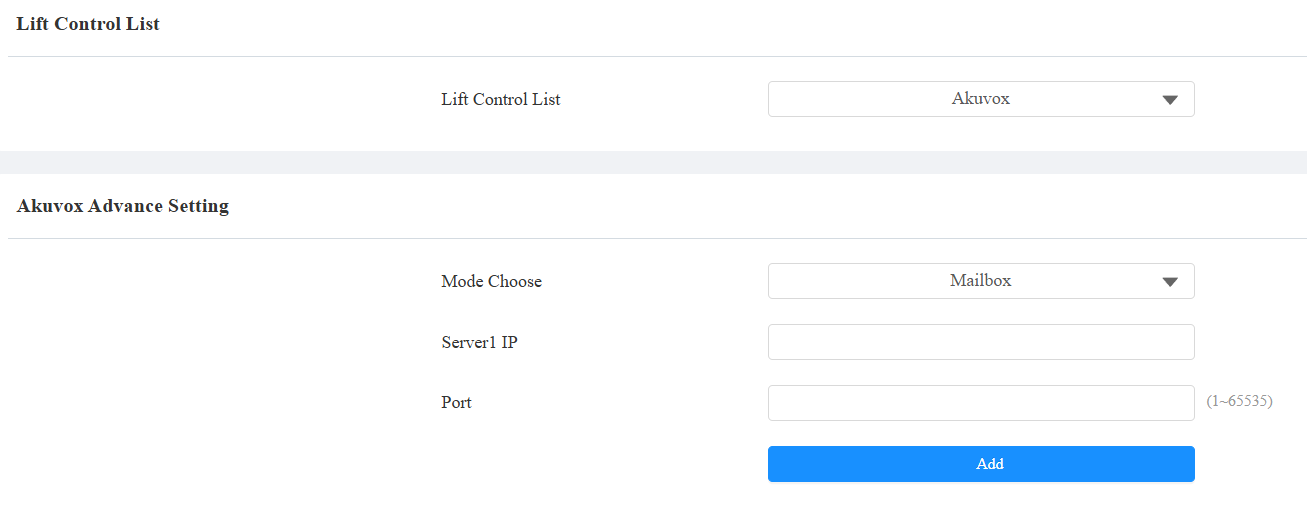
Mode Choose: Specify the scenario where the EC33 is used, lift control, or mailbox.
Server1 IP: The IP address of EC33. You can click Add to add up to 5 server IPs.
Port: The port number of EC33.
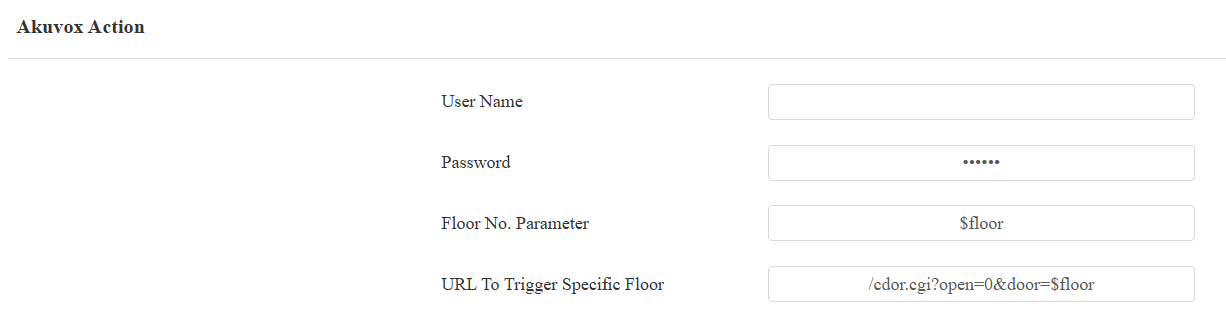
User Name: The username of the EC33 for the authentication.Password: The password of the EC33 for the authentication.
Floor NO. Parameter: Enter the floor number parameter provided by Akuvox. The default parameter string is “$floor”. You can define your parameter string if needed.
URL To Trigger Specific Floor: Enter the Akuvox lift control URL for triggering a specific floor. The URL is /cdor.cgi?open=0&door=$floor, but the string “$floor” at the end must be identical to the parameter string you defined.
Note
Click here to view the detailed guidance on setting up the mailbox feature.