Symptom
A download error message similar to “Application program and device are from different manufacturers” is shown.
Cause
The manufacturer IDs of HyPanel’s flush mounted module and the database do not match.
Solution
Ensure no other devices on the bus are in the programming mode.
Check the manufacturer ID of the database to be downloaded.
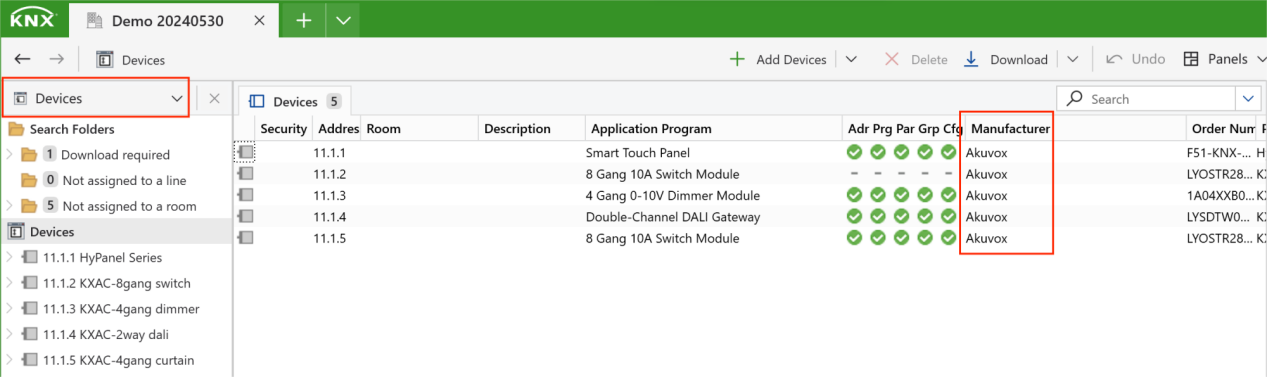
Verify if the flush mounted module’s manufacturer ID of match the database’s ID.
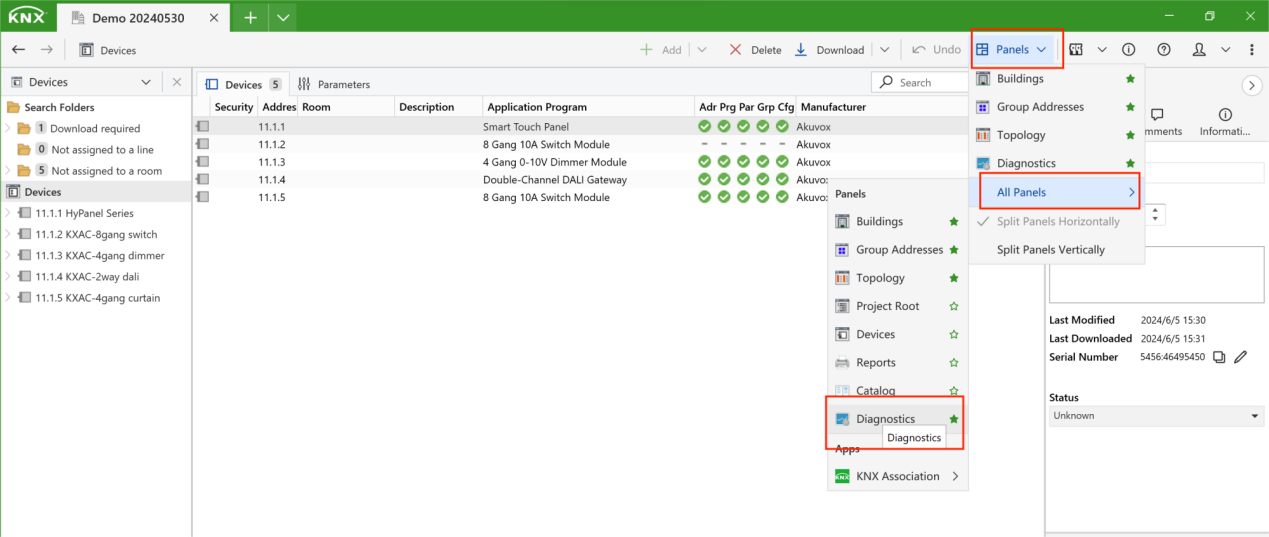
Open the Diagnostics panel by clicking Panels > All Panels > Diagnostics.
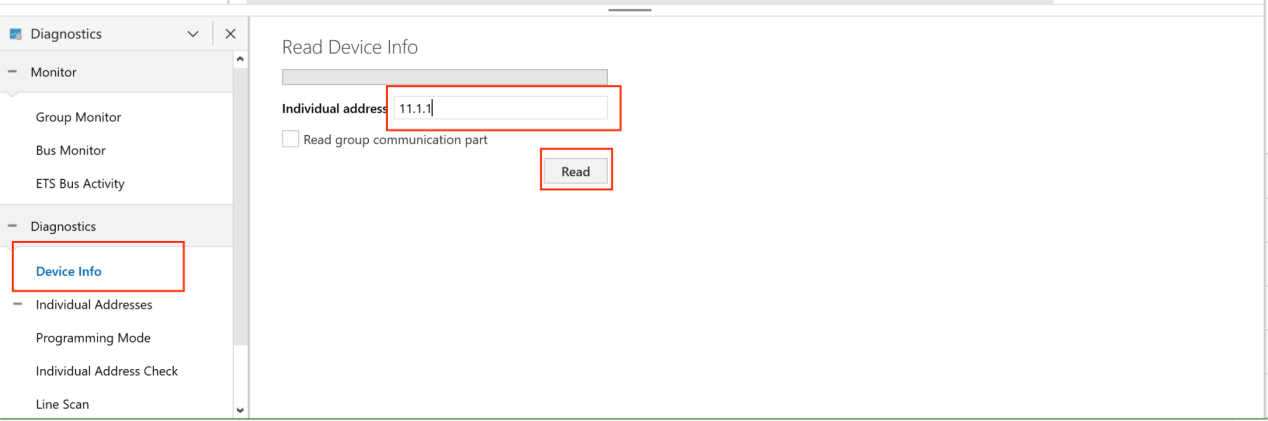
b. Click Device Info, enter the device’s address, and click Read.
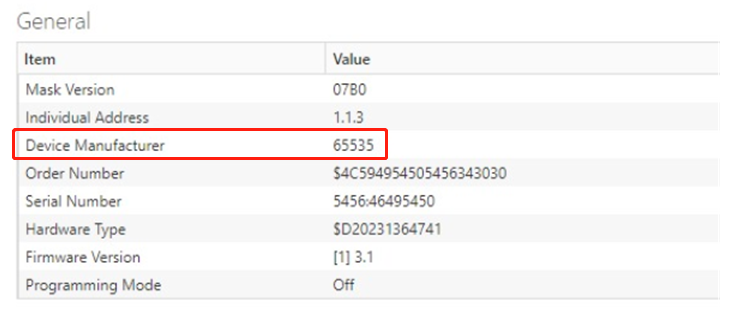
c. Confirm if the device’s manufacturer matches the database’s.
Note
If the device manufacturer value is 65535, the flush mounted module is probably faulty. Please contact technical support for assistance.
If the problem continues, there could be an issue with the HyPanel’s built-in database. Please contact your service provider for a warranty replacement.