Bluetooth door opening allows residents to unlock doors using the SmartPlus App. Depending on the device model and configuration, Bluetooth door opening supports the following modes:
Shake: Users unlock the door by shaking their phones near the door phone.
Hands-free: Users unlock the door automatically when approaching the door phone.
Tap as Card: Users unlock the door by placing their phones near the Bluetooth module area of the door phone.
Note
Supported Shake Mode Models
S539, S538, S535, S532, R29C, X915 V2, X916, X912, X910, E12 V2, E16 V2/V3, E18C, A03, A05, A08, A15 and WR01.
Supported Hands-Free Models
S538, S535, X915 V2, X912, X910, S532, A03, A08, A15 and WR01.
E16V2 with version 216.30.12.19 or higher.
Supported Tap as Card Models
S535, S532, X912, X910, A03, A05V2, A08, and A15.
Devices with a ToF Module
X912, S539, S538, A08, and A03.
Shake to Open
Select Shake as the unlock mode in the SmartPlus App.
In this mode, users can unlock the door by shaking their phones near the door phone.
Shake mode is not affected by the Hands-Free setting on the device. As long as Shake mode is selected in the SmartPlus App, users can unlock the door by shaking their phones.
Hands-Free Opening
Select Hands-Free as the unlock mode in the SmartPlus App.
In this mode, users can unlock the door automatically when approaching the door phone. The actual behavior depends on both the device configuration and hardware capabilities.
ToF Module | Hands-Free Enabled on Device | Result |
Yes | Yes | The door opens automatically when the user approaches the device. |
Yes | No | The user must wave a hand near the device to open the door. |
No | Yes | The door opens automatically when the user approaches the device. |
No | No | Bluetooth door opening cannot be triggered. |
[Optional]Set Trigger Distance for Hands-free Mode
The Hands-Free trigger distance can be configured on supported devices.
Take X912 as an example.
Navigate to the device IP in a browser. Log in with the username and password(admin/admin by default).
Go to the Access Control > BLE interface.
Enable the BLE function and Hands-Free mode.
Select the trigger distance: Within 1 Meter, Within 2 Meters, and Within 3 Meters. The trigger distance is 3 meters maximum.
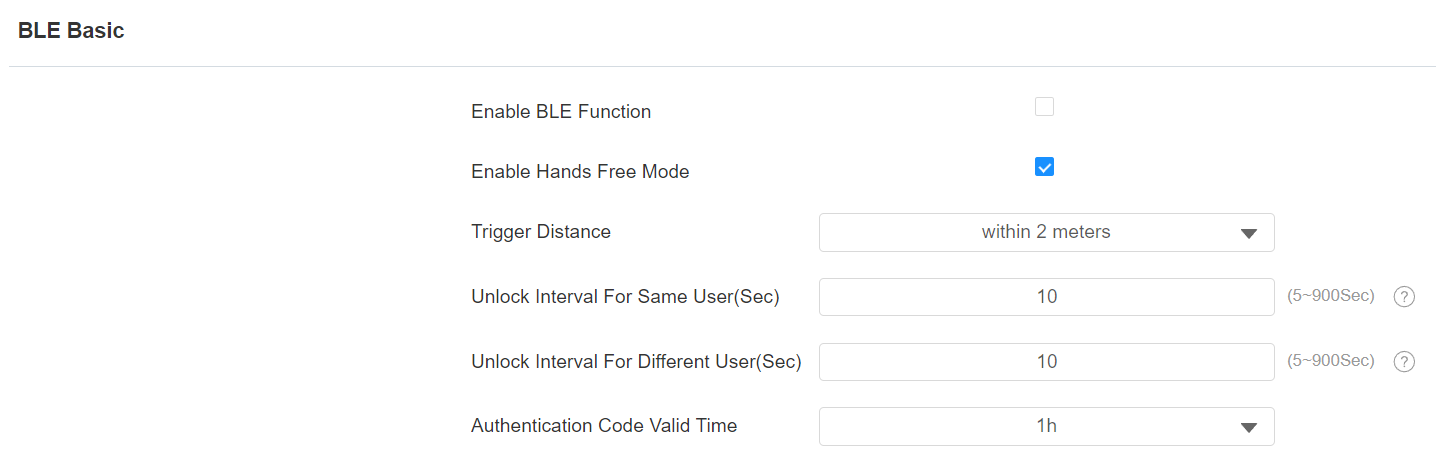
Click Submit.
Tip
Hands-Free opening performance may be affected by:
The Bluetooth signal strength of mobile phones.
The presence of an obstacle between the mobile phone and the device.
The texture of bags or pockets where the phone is placed.
If the door fails to open, try holding the phone in a different position to reduce interference.
Tap as Card
Select Tap as Card as the unlock mode in the SmartPlus App.
In this mode, users can unlock the door by placing their phones near the Bluetooth module area of the door phone, similar to using a physical access card.
Note
ONLY the following device models with specific firmware versions or higher support this mode:
A03: 103.30.10.19
A05V2: 205.30.11.155
A08: 108.30.1.102
X912: 912.30.10.210
X910: 2910.30.10.240
S532: 532.30.1.42
S535: 535.30.10.233
SmartPlus App version 6.71.0.9 for Android system and version 6.71.4 for iOS system support this mode.
Take X912 as an example.
Use the device’s IP to log into its web interface with the username and password. The default is admin.
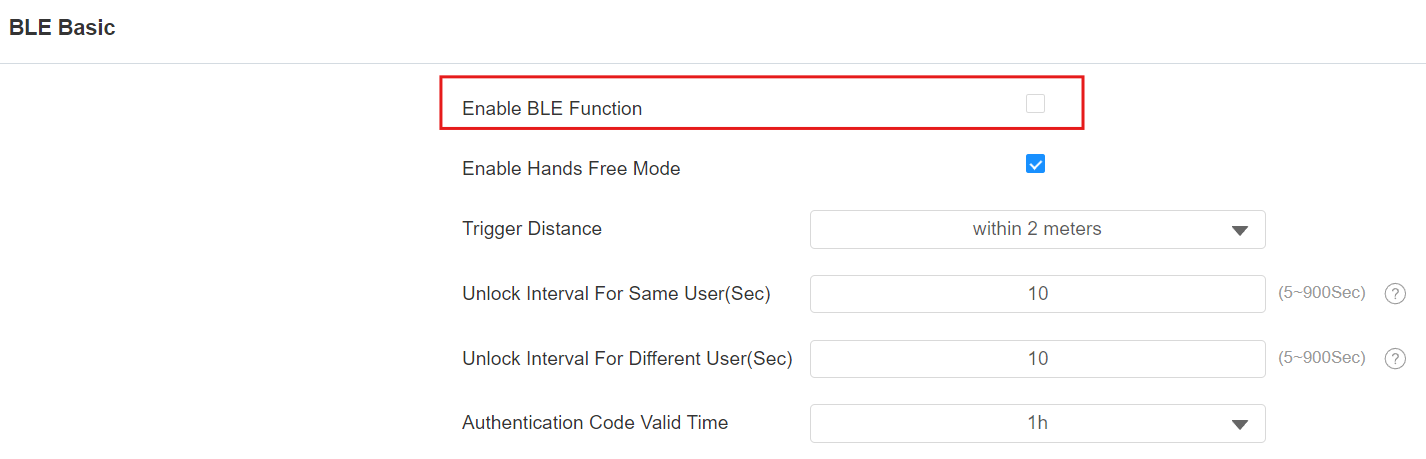
Go to the Access Control > BLE interface.
Enable the BLE function. Whether the Hands-Free mode is enabled does not affect the Tap as Card function.
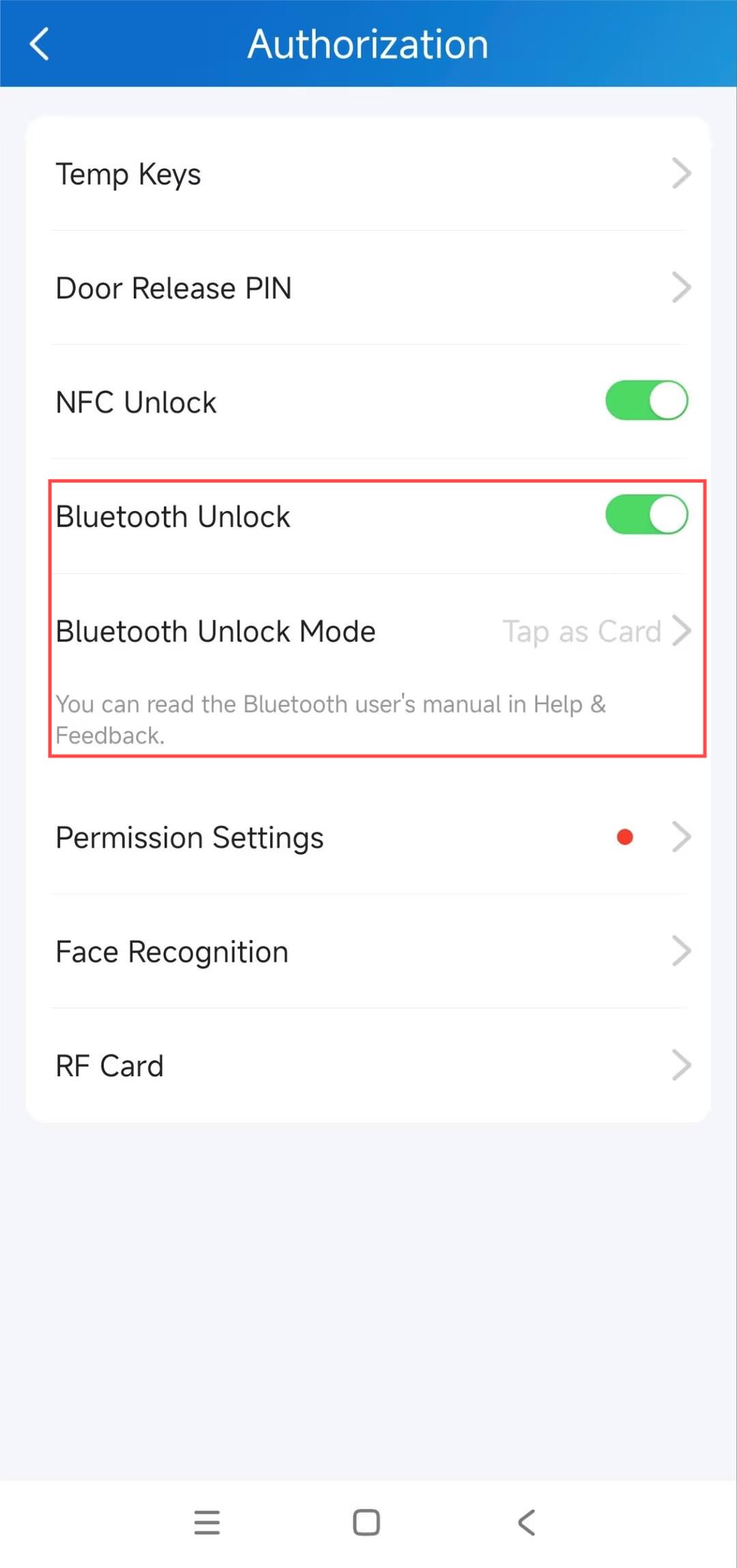
On the SmartPlus App, tap Me > Authorization.
Enable Bluetooth Unlock and select Tap as Card as the unlock mode.
Tip
To ensure successful unlocking, it is recommended to grant permissions to the SmartPlus App through Permission Settings.
The door will be opened when users place their mobile phones near the door phone’s Bluetooth module.
Tip
Click here to view the Bluetooth module location of different models.
Watch the Video Guide
[Video]Open the Door via Bluetooth
This video demonstrates the configuration and user experience of Bluetooth door opening, including Shake and Hands-Free modes.