The X910 door phone supports the package detection function, which allows users to be notified when their packages arrive and are taken away. It detects the package through the auxiliary camera at the bottom.
You can set up this feature on the device’s web interface or on the cloud when it is deployed on the SmartPlus Cloud.
On the Web Interface
Use the device’s IP to log into its web interface. The initial username and password are admin.
Click Surveillance > Package.
Enable the function. To view the live stream, you need to enter the username and password set on the Surveillance > RTSP interface.
Select the desired action(s) that occur when package detection happens.
FTP: Send a screenshot to the preconfigured FTP server.
Email: Send a screenshot to the preconfigured Email address.
SIP Call: Call the preset number upon the trigger.
HTTP: When triggered, the HTTP message can be captured and displayed in the corresponding packets. To utilize this feature, enable the HTTP and enter the URL.
HTTP URL: The format is http://HTTP server’s IP/Message content.
Execute Relay: Choose the relay to be opened.

Click Submit.
On the SmartPlus Cloud
Property managers, community residents, and single-house project users can turn on/off the package detection feature.
For Property Managers
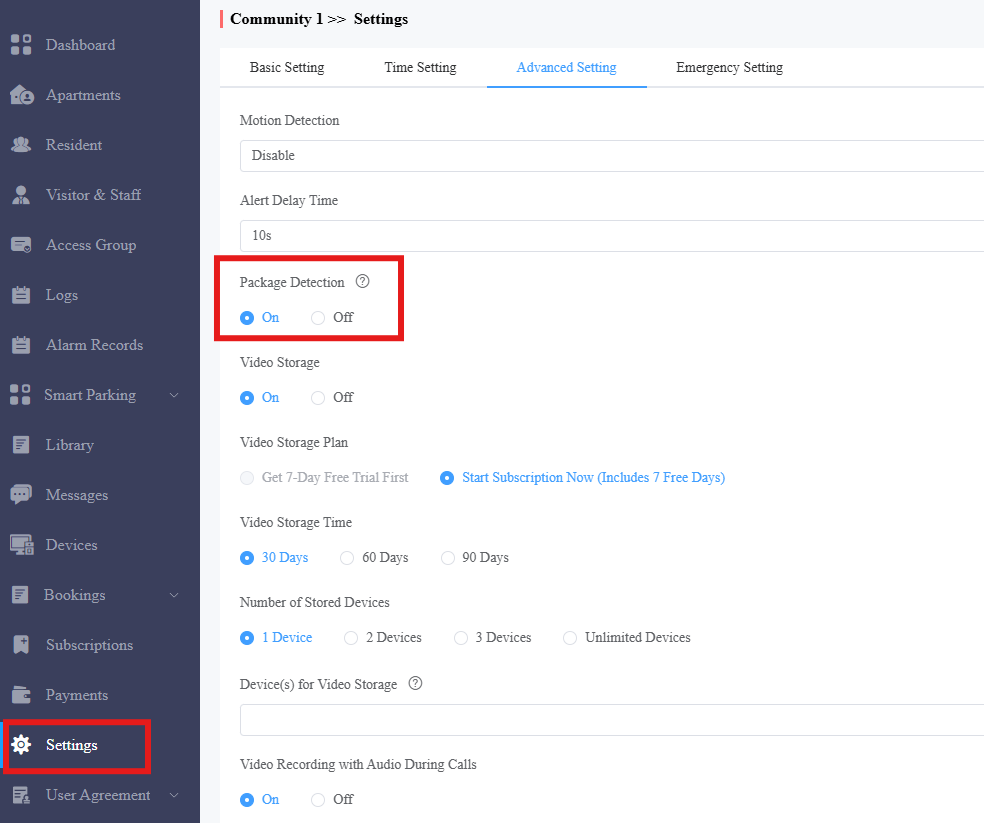
Log in to the SmartPlus Cloud platform with a property manager account.
Click Settings > Advanced Settings.
Enable Package Detection.
You can receive package detection notifications with the SmartPlus App when the door phone is used in public areas.
Tap Me > Settings > Advanced Settings.
Enable Detection Alert.

For End Users
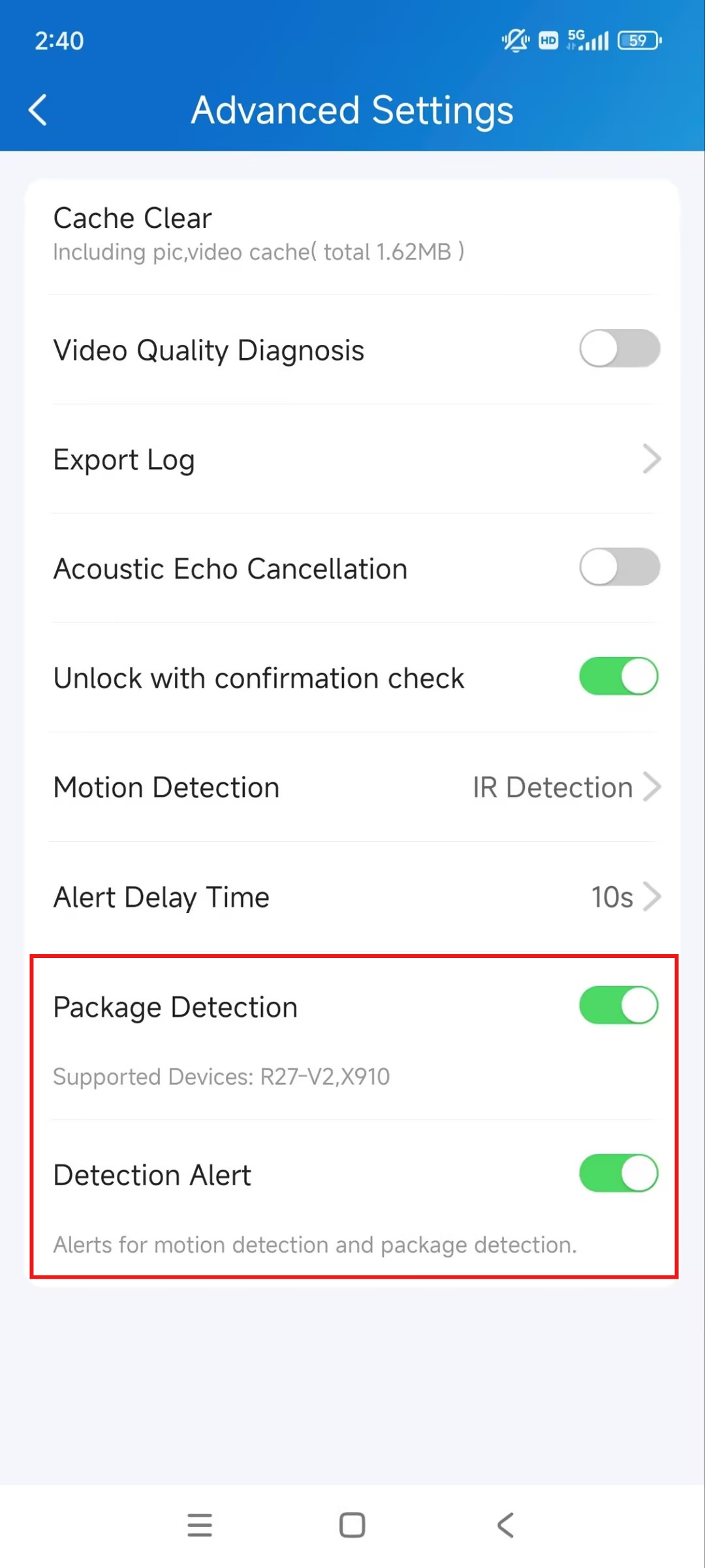
You can enable the package detection function with the family master account.
Tap Me > Settings > Advanced Settings.
Enable Package Detection.
Enable Detection Alert. This decides whether to send notifications to you when package detection happens.