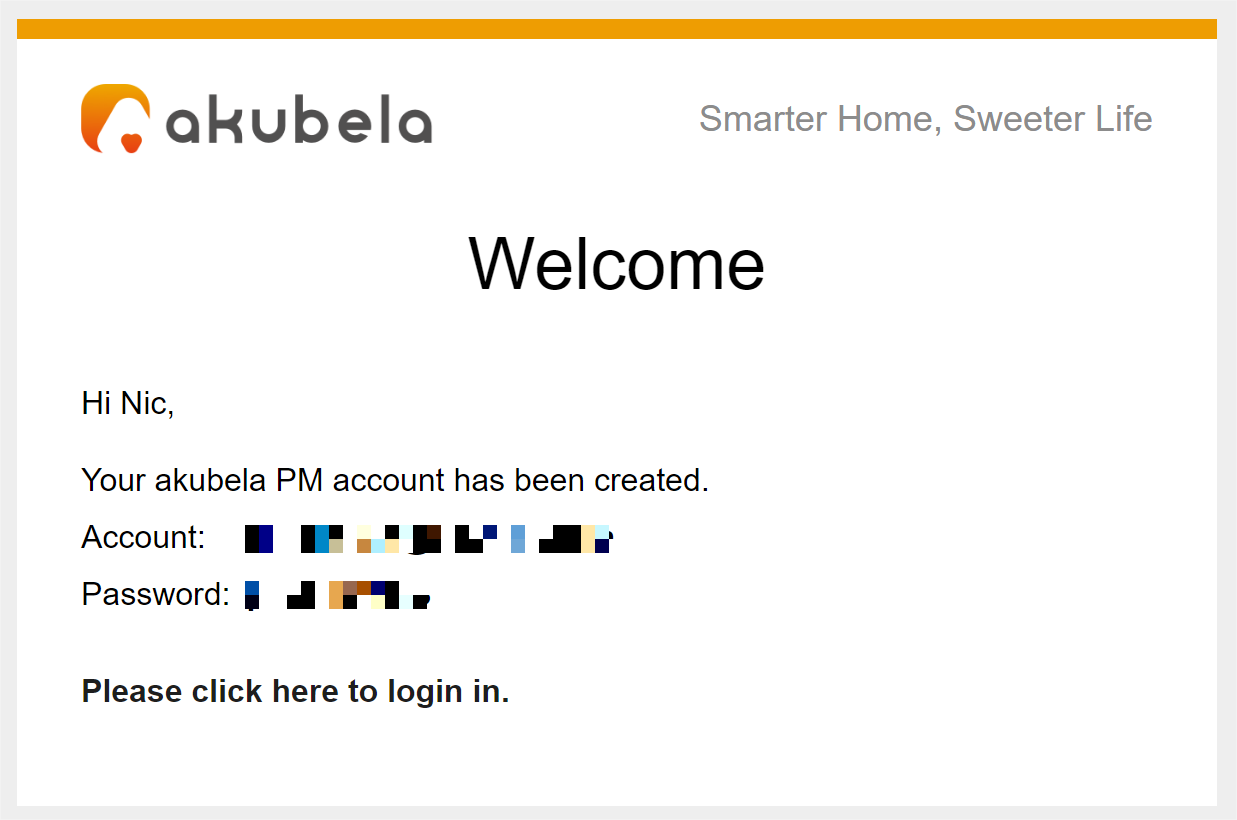
Property manager accounts must first be created on the akubela Cloud Platform and linked to specific community projects before gaining access to the PM Platform.
NOTE:
One property manager can be linked with multiple community projects, and a single project can be managed by multiple property managers.
Log in to the akubela Cloud Platform with the installer account. Select the appropriate login portal for your region.
Create and link property manager accounts.
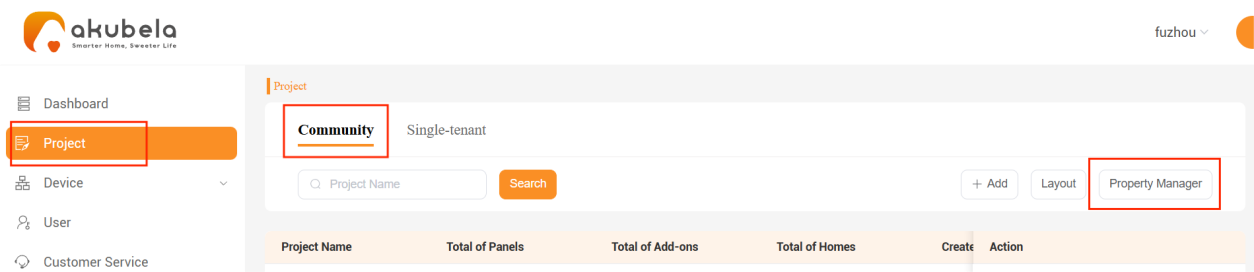
Go to Project > Community > Property Manager.
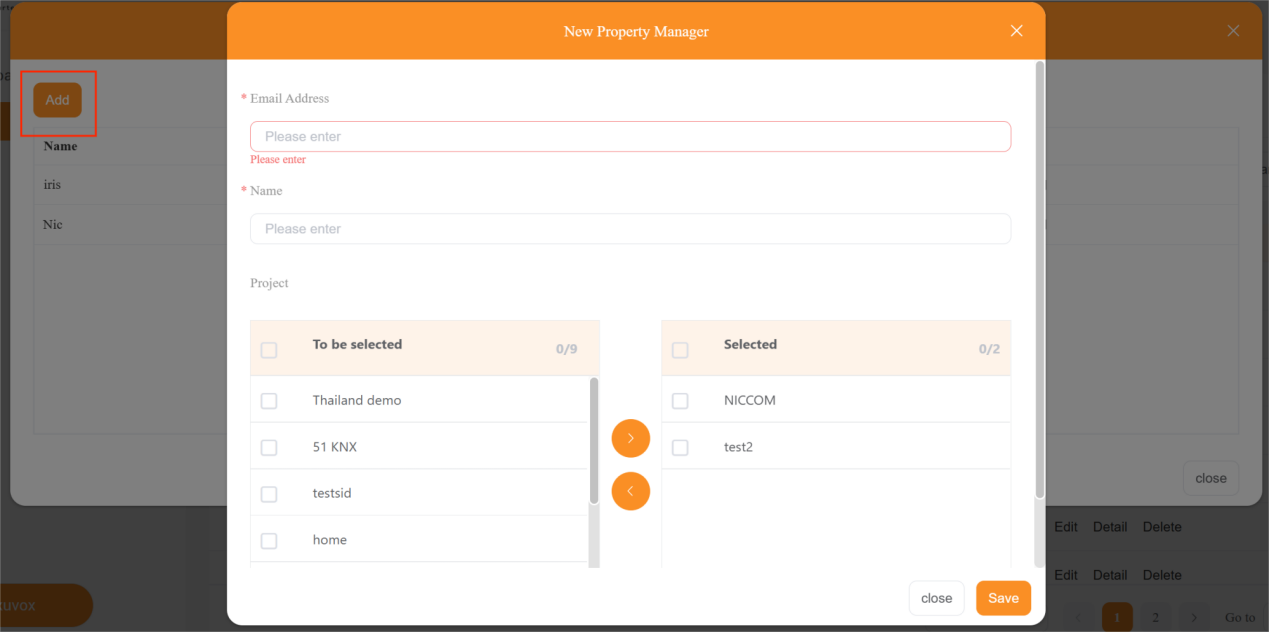
Click Add, enter the property manager’s email and name, and then assign the specific projects by moving them to the right box.
Click Save to complete the setup.
TIP:
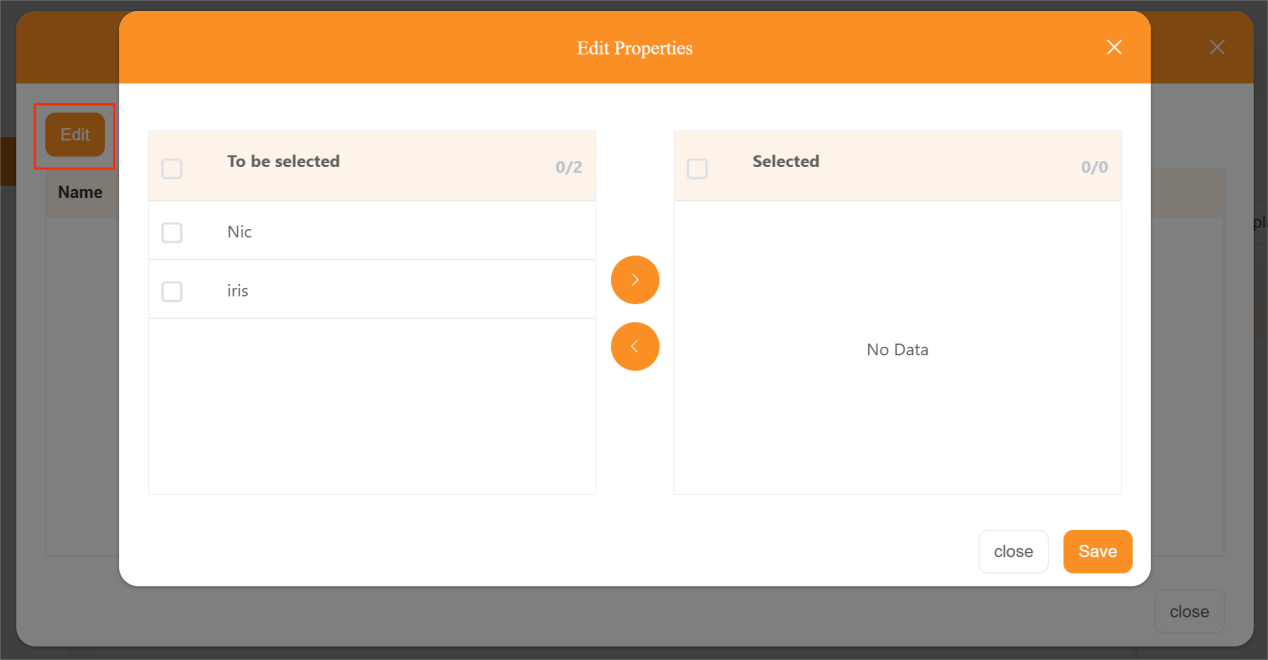
To link additional projects to a property manager, click
in the Property Manager field, and then click Edit to select the desired manager.
Once completed, these property manager(s) will receive a welcome email containing their account credentials and the login portal.