Akuvox indoor monitor provides you with various types of ringtones and volume configurations. You can configure them on the device directly or on the web interface.
Configure Volume on the Device
You can adjust the microphone volume, speaker volume, keypad volume, and AD volume on the device.
To set up the volumes on the device Setting > Sound screen.
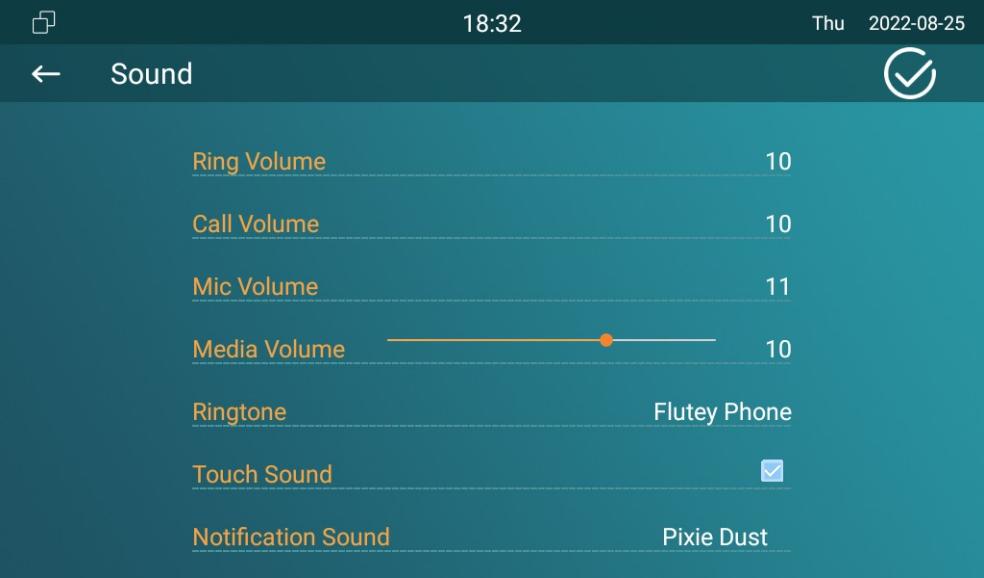
Parameter Set-up:
- Ring Volume: adjust the incoming call ringtone volume.
- Call Volume: adjust the speaker volume during the call.
- Mic Volume: adjust the volume of your voice to be heard.
- Media Volume: adjust the volume for the video screen saver.
- Ringtone: select ringtone for incoming calls.
- Touch Sound: adjust the icon tapping sound.
- Notification Sound: select the ringtone for the incoming message.
- Doorbell Ringtone: select the ringtone for doorbell.
Configure Volume on the Web Interface
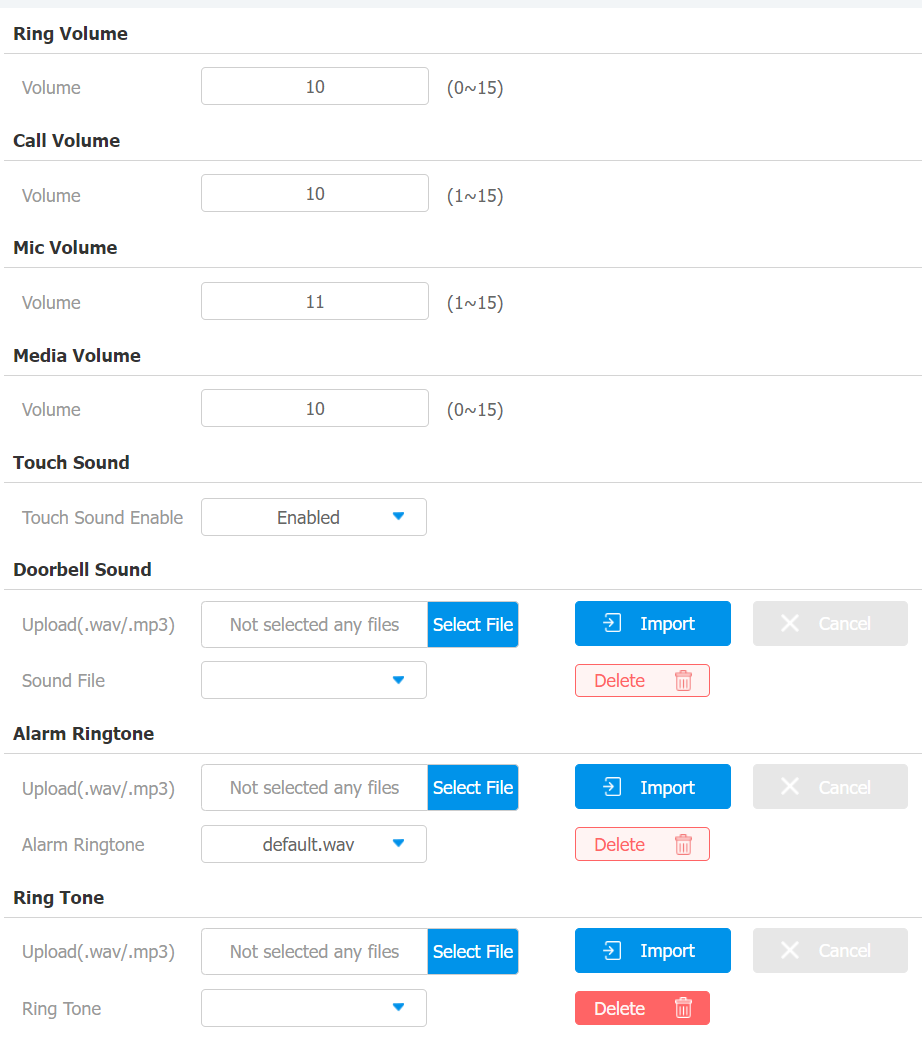
On the web interface, you can set the tamper alarm volume, mic volume, etc.
Go to Phone > Audio interface.
Note
- Doorbell sound files and Alarm ringtone files to be uploaded must be .WAV or MP3 format.