Info
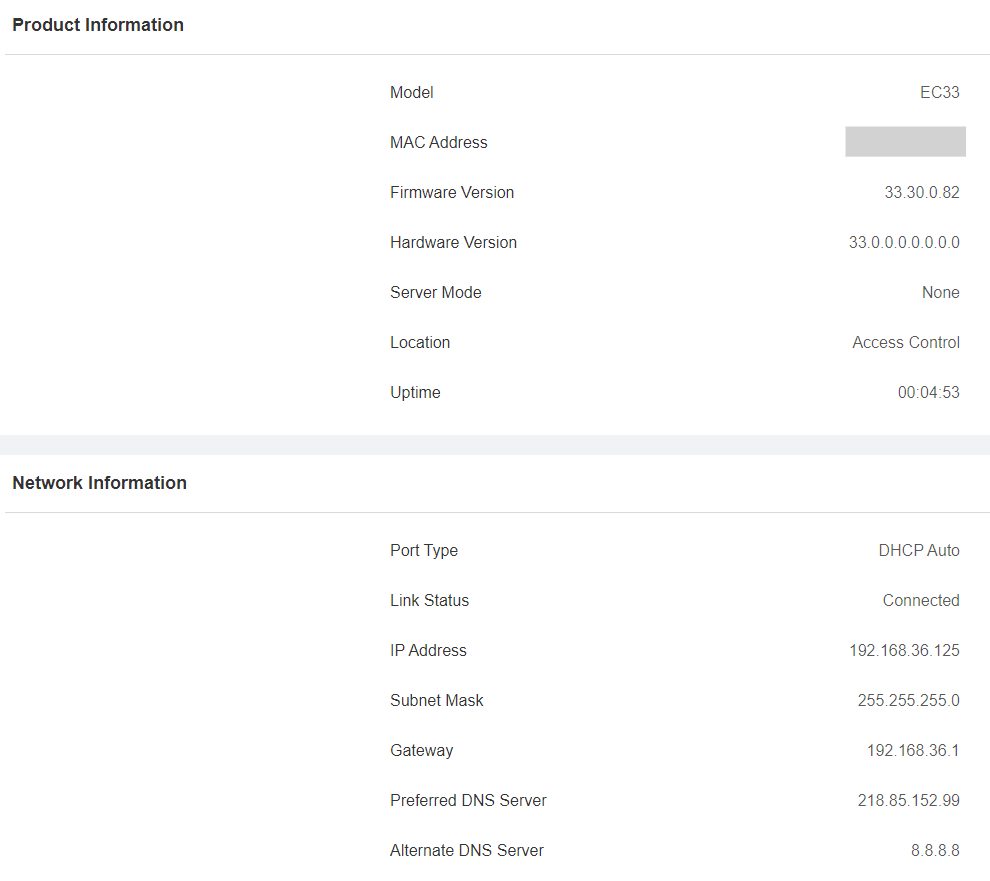
This submenu displays the device's basic information and network settings.
Navigate to the web Status> Info interface.
Alarm Log
The alarm log can store up to 100,000 logged alarm events. Every event contains time and date, event type, and alarm status. You can search for and delete the alarm event by date.
Navigate to the web Status > Alarm Log interface.
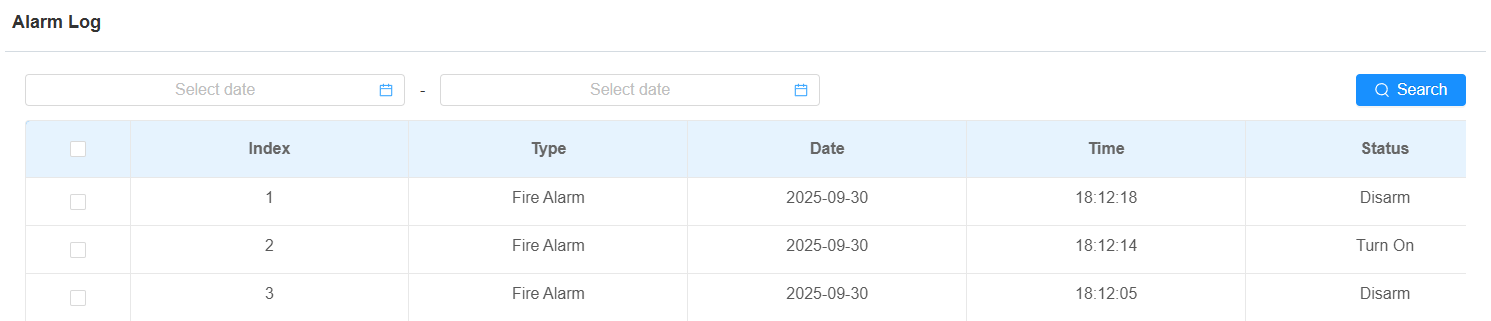
Type: Indicate alarm type. Currently, only with the fire alarm type.
Status: Display the alarm status indicating if the alarm is on (Turn On) or off (Disarm).
Note
The logged event of a day is from 00:00:00 to 23:59:59 by default.
Access Log
The access log displays up to 100,000 access records on applied cards and HTTP commands. Each record includes time and date, user information, card number, and so on.
Navigate to the web Status> Access Log interface.
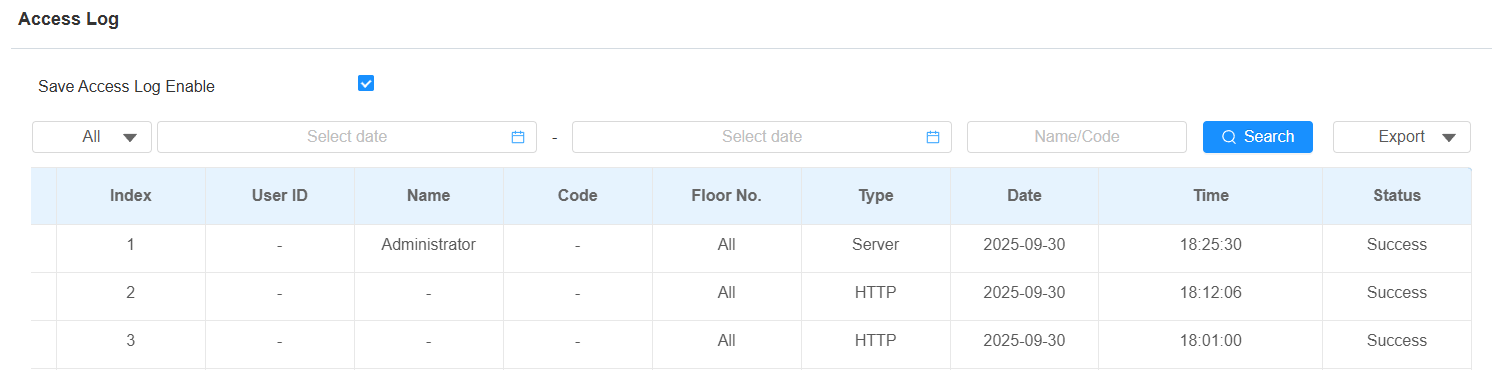
Save Access Log Enable: If enabled, the access log can be synchronized to the SmartPlus Cloud. If disabled, the access event will not be logged.
Name: Display the name of the users for the access.
Code: Display the access card number.
Floor No.: Display the floor number where the door(s) are opened.
Type: Display access method applied.
Status: Display the door-opening result, success or failure.