Reboot
Reboot the device on the System > Upgrade interface.
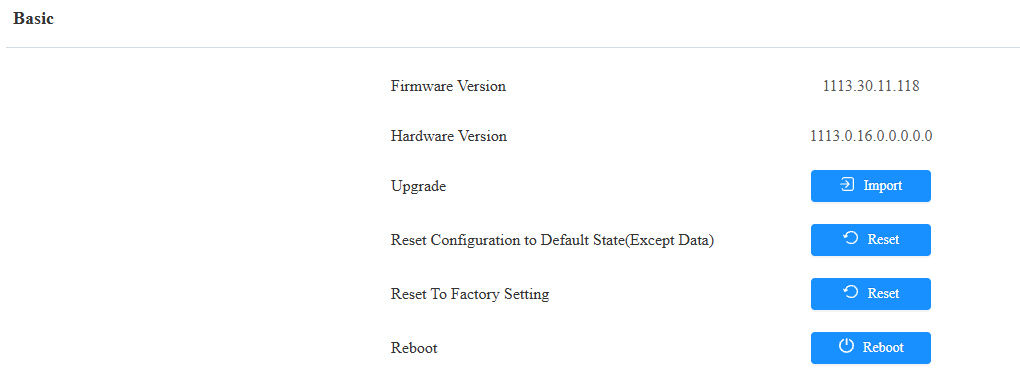
You can set up the reboot schedule on the web System > Auto Provisioning > Reboot Schedule interface.
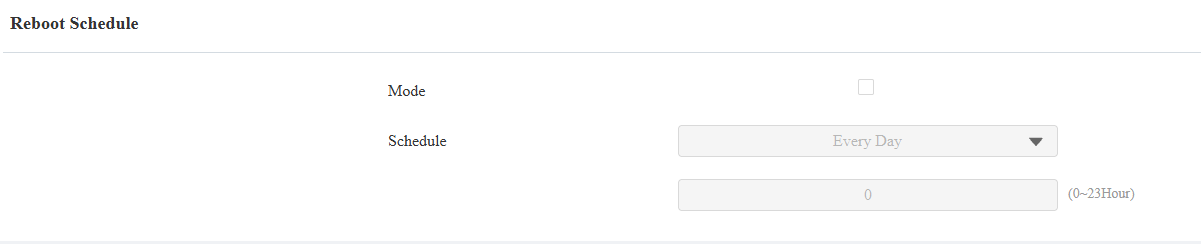
You can also reboot the device via a physical button on its back.
Press the button and hold it for about 6 seconds.
The backlight of the card reader area will light up, and the device will reboot.
Reset
The device provides two reset options:
Reset Configuration to Default State(Except Data): Retain the user data, such as the RF cards, schedules, and door logs.
Reset to Factory Setting: Reset all data to the factory default.
Reset the device on the web System > Upgrade interface.
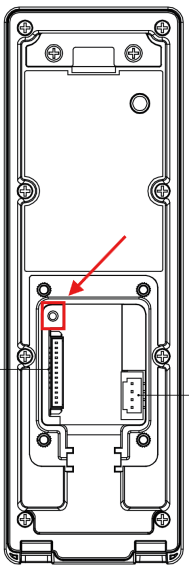
You can also reset the device via a physical button on its back.
Press the button and hold it for about 15 seconds.
The backlight of the card reader area will light up, and the device will go into factory reset and reboot.