Reboot
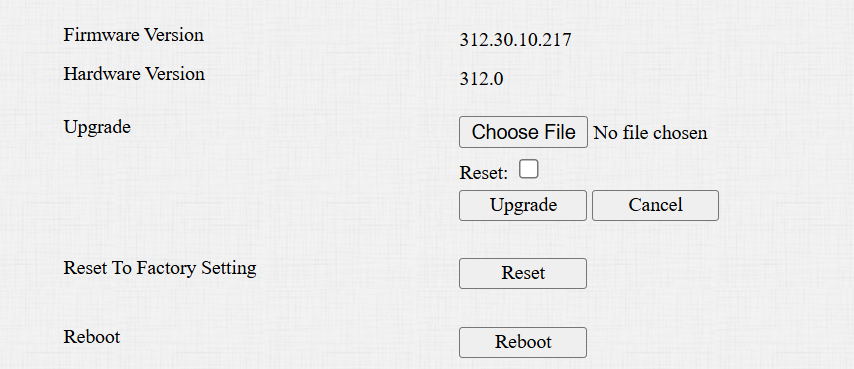
If you want to restart the device system, you can operate it on the device web. Moreover, you can set up a schedule for the device to be restarted.
Navigate to the System > Upgrade interface.
 To set up the schedule, go to the System > Auto Provisioning interface.

Reset
Reset the device on the web System > Upgrade interface.
Tip
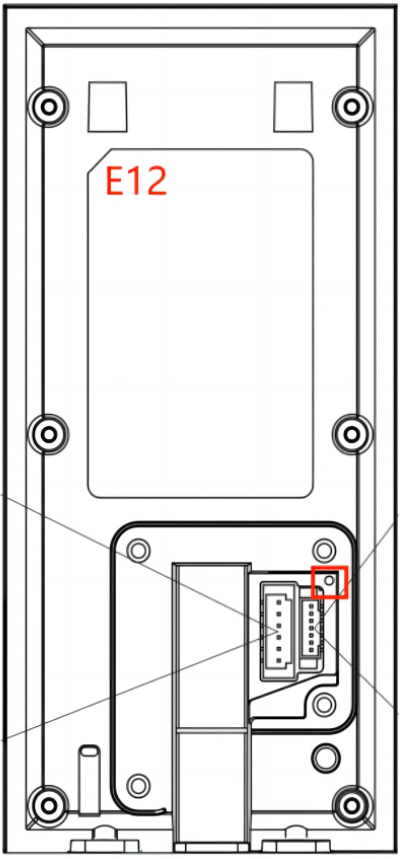
The device can be reset by a physical button.
Remove the back cover of the device and power it on.
Insert a PIN into the hole and hold it the reset button for about 10 seconds.
The LED light, fill light, and card reader’s light will all light up, and the device goes into factory reset and reboot. After rebooting, the LED light remains blue.