Reboot
Reboot on the Device
If you want to reboot the system setting of the device, you can operate it directly on the device setting screen or on the device web interface.
Reboot it on the More > Settings screen.
(1).bmp)
Reboot on the Web Interface
You can reboot the device on its web interface and set a reboot schedule.
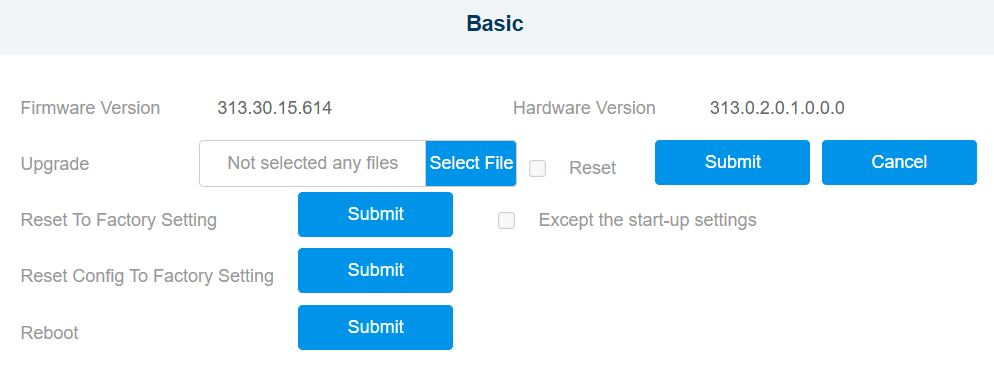
Go to the web Upgrade > Basic interface.
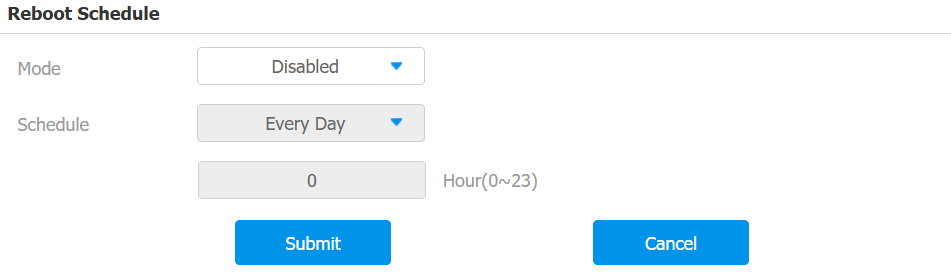
To set up the device restart schedule, go to the Upgrade > Advanced > Reboot Schedule interface.
Reset
Reset on the Device
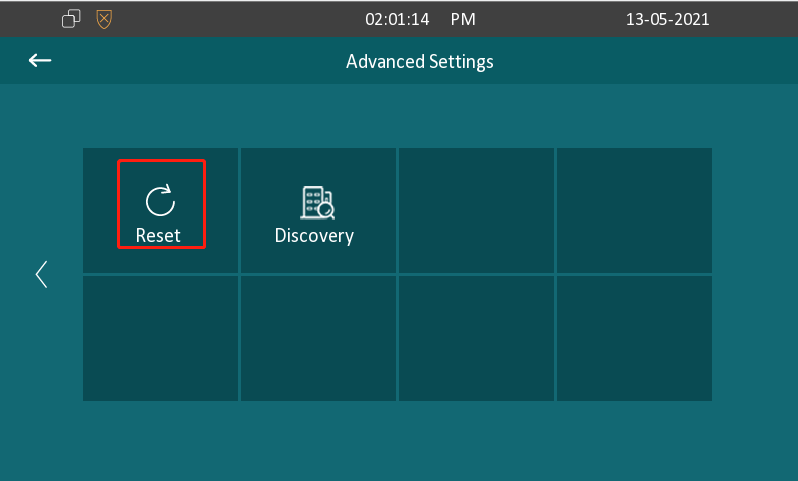
Navigate to More > Settings > Advance > Reset screen.
Reset on the Web Interface
Reset the device on the web Upgrade > Basic interface.
The device provides two reset options:
Reset to Factory Setting: Reset all data to the factory default.
Reset Config To Factory Setting: Retain the user data, such as the RF cards, face data, schedules, and call logs.
Check Except the start-up settings if you do not want to reset the initial settings, such as time and language.