Reboot
Reboot Device from Web Interface
You can restart the device by going to Upgrade > Basic web interface.

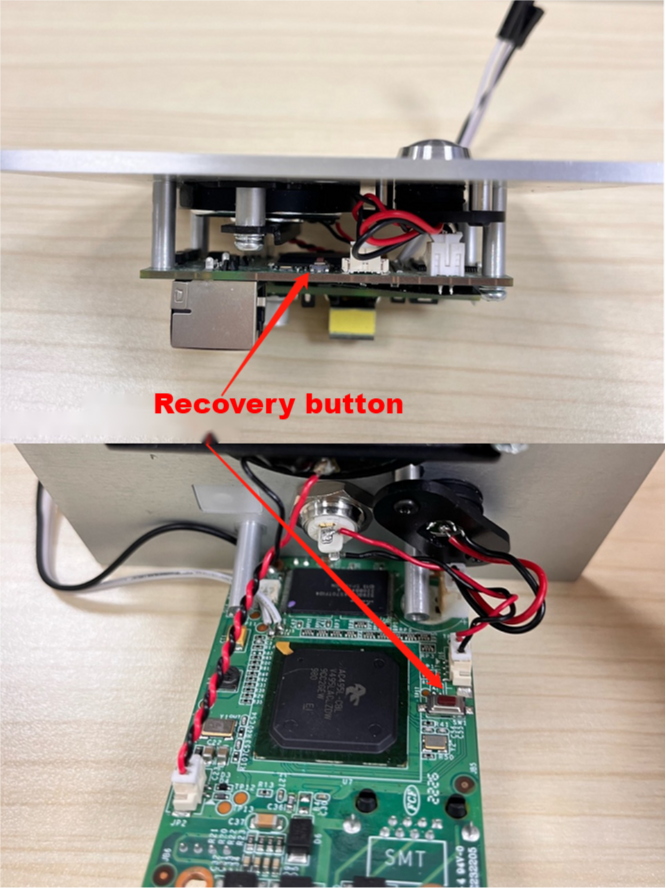
Reboot Device by the Recovery Button
The device reset can also be done by long pressing the physical recovery button until the indicator light turns white and flashes.
Factory Reset
To reset the device system to the factory setting, go to the web Upgrade > Basic.
