After configuring the firewall rules, verify whether the devices can successfully connect to Akuvox Cloud Service.
Verify Cloud Connectivity
On a computer connected to the same network as the device, open a web browser.
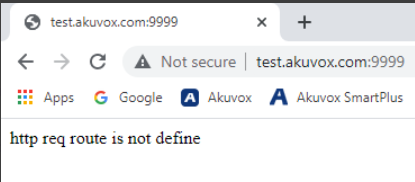
Enter http://test.akuvox.com:9999/
Check the returned result.
If the result is as shown below, the cloud connection is configured correctly.
Verify RPS Connectivity
Open a web browser on the same network.
Enter https://rps.akuvox.com/v3.2/redirect?user=
Check the returned result.
If the returned value is as shown below, the RPS connection is working correctly.
