Albert is a voice assistant from Akuvox. It can help you with intercom calls, door opening, arming modes, and other functions. As for the door access control, you can choose which relay to activate by this voice assistant.
To set it up, go to the device Settings > Voice Assistant screen.
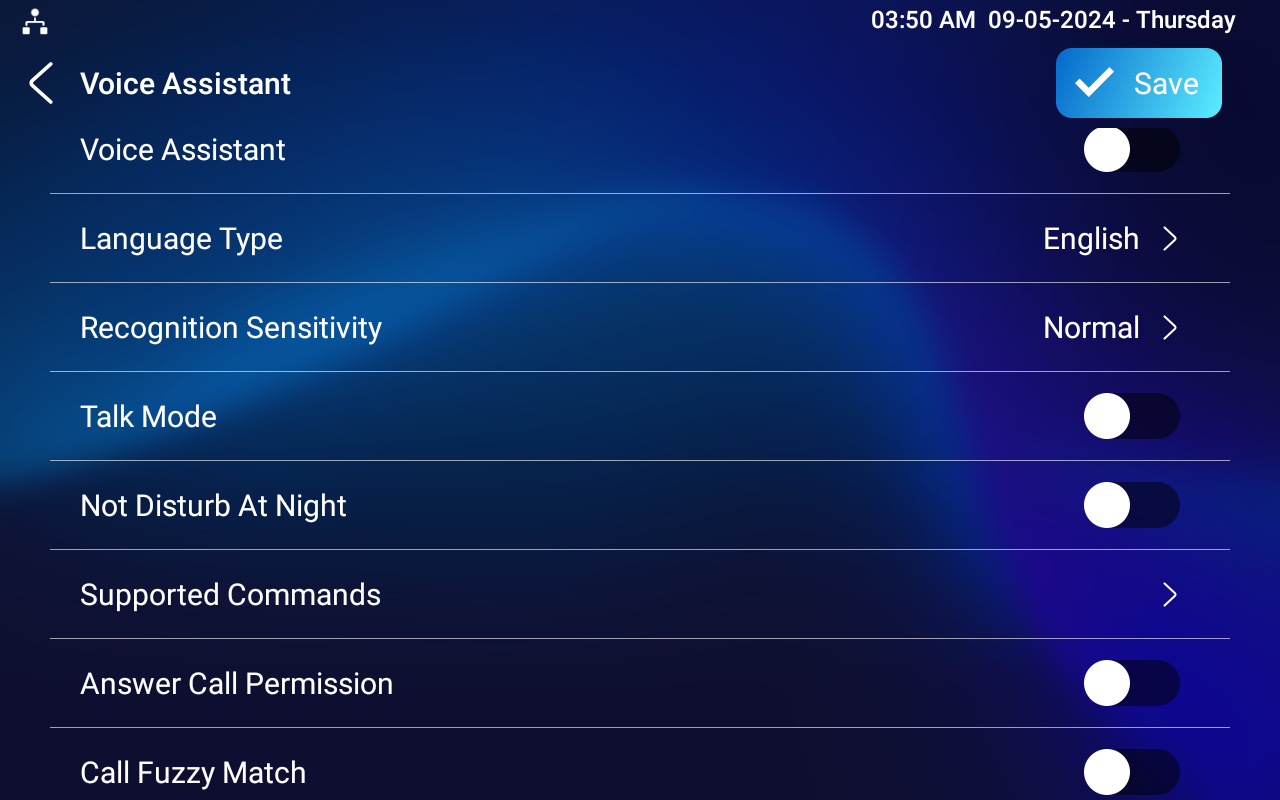
Language Type: Select the language. Currently, only English and Chinese are supported.
Recognition Sensitivity: Adjust the voice assistance recognition sensitivity among Low, Normal, and High.
Talk Mode: When Talk Mode is enabled, the voice assistant will stay on to receive the voice commands for 30 seconds without calling Albert again to wake up the voice assistant. When disabled, the voice assistant will wake up for each voice command.
Not Disturb At Night: This function is applied when users want the voice assistant to stay silent while carrying out what it is made to do according to the voice commands.
Supported Commands: Tap to check the supported commands. Enable or disable the command(s).
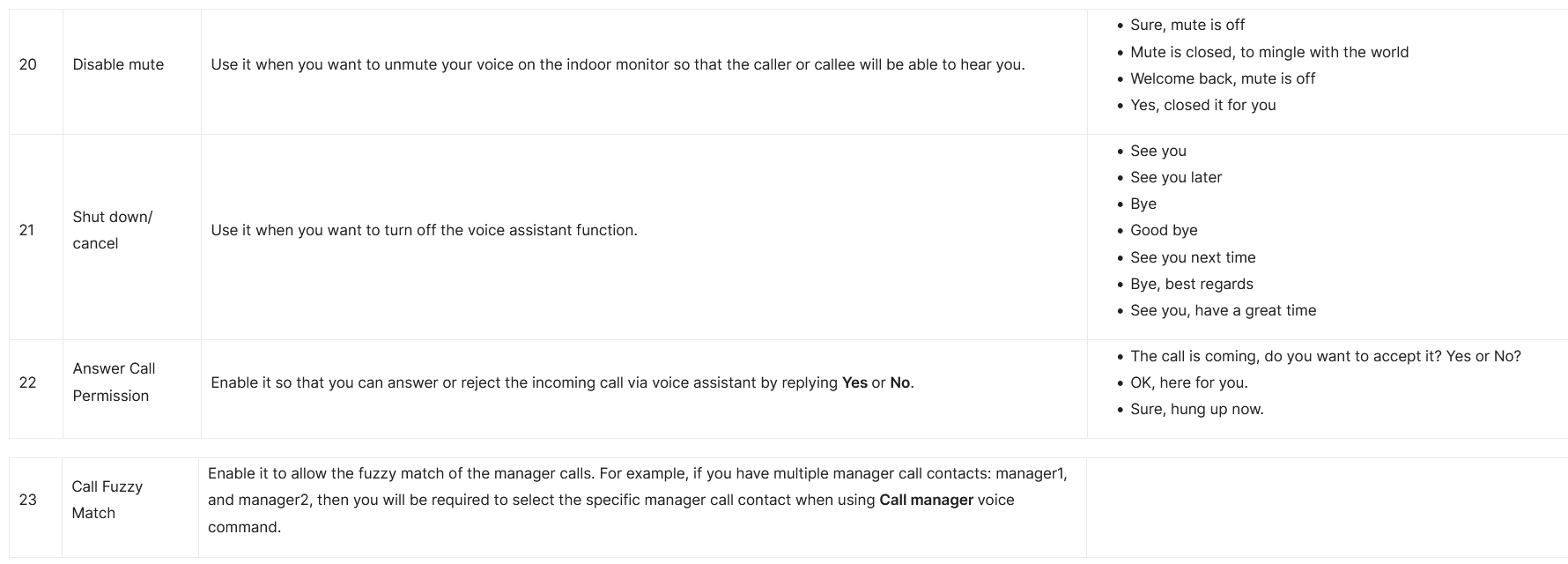
Answer Call Permission: Enable it to answer or reject the incoming call via voice assistant by replying "Yes" or "No".
Call Fuzzy Match: Enable it to allow fuzzy matching of the contact name, for example, if users have Tom and Tomy in their contacts, then Tomy will also appear when they call Tom, and they are required to select the right contact manually.
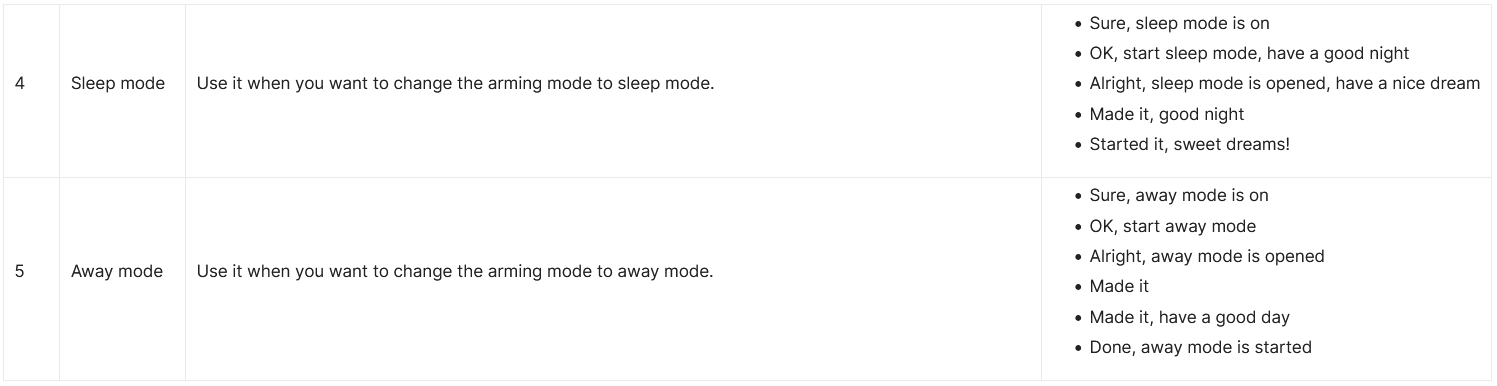
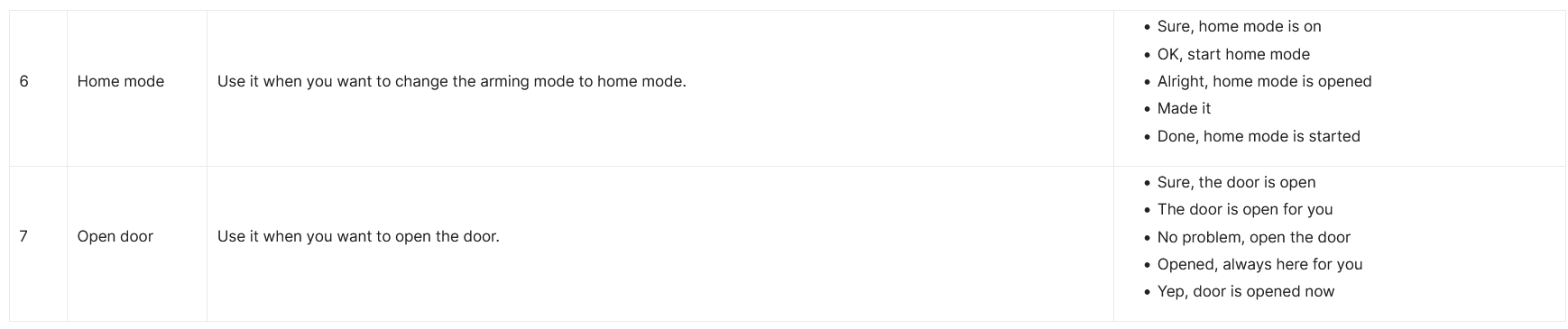
Please see the voice command details below: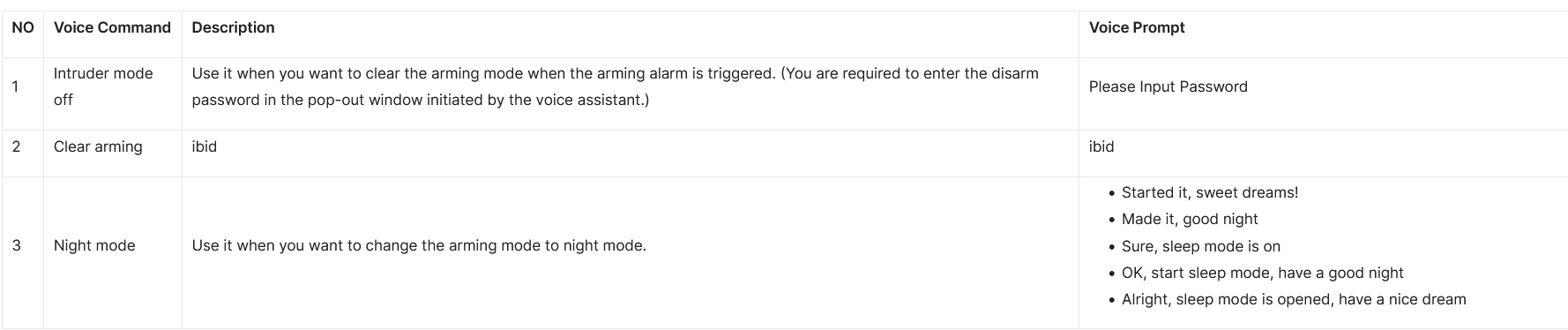
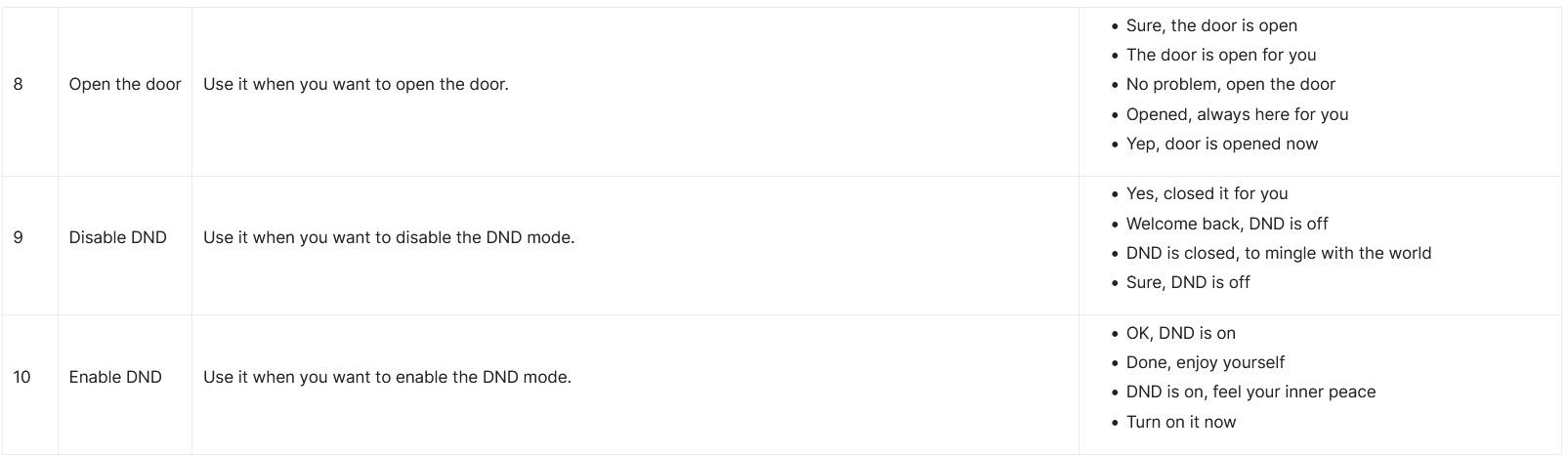
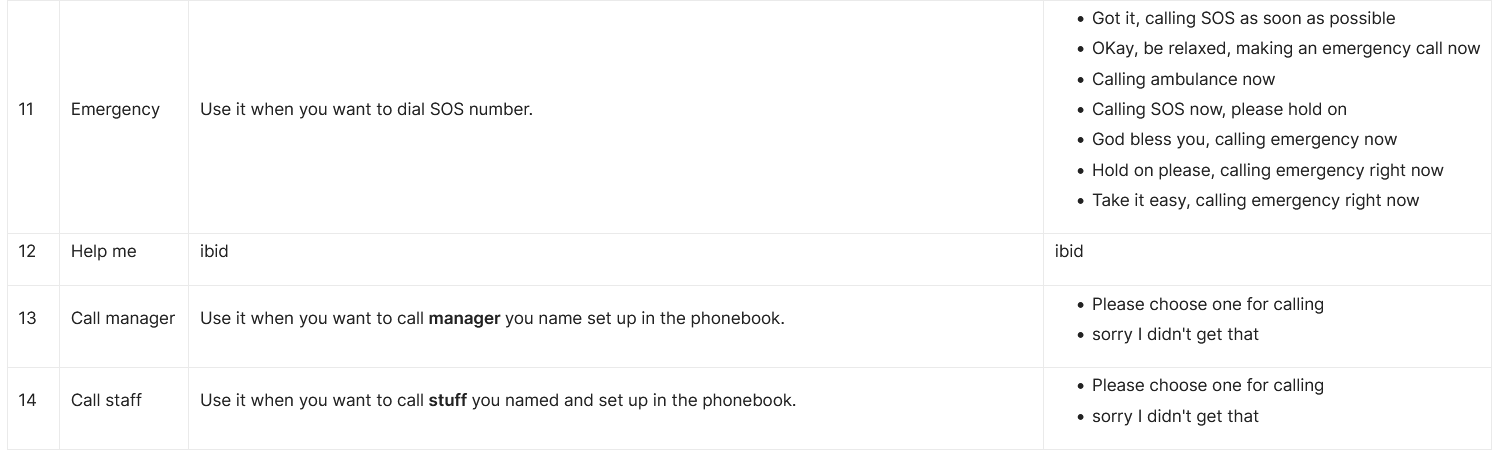
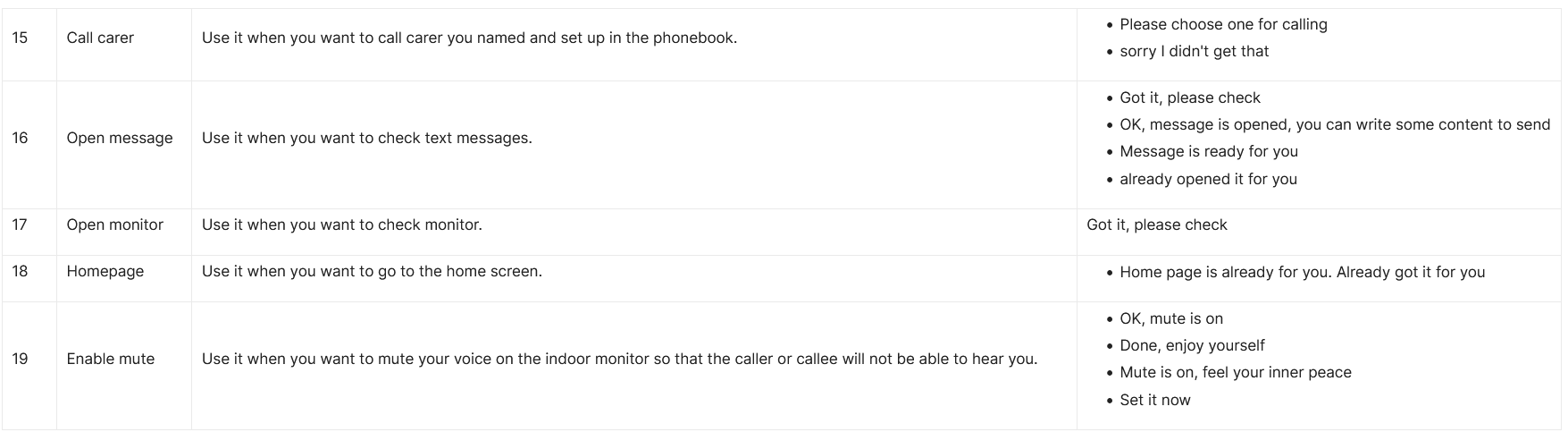
To enable the voice assistant and set the voice assistant-controlled relay, go to the web Settings > Voice Assistant interface.

Unlock Type: Select the relay type triggered by the voice command.