The local contact information is used to initiate SIP or IP calls to other intercom devices. You can group the contact information to facilitate group calls. Moreover, you can add the camera URL of the target device, allowing users to view its live stream during a call or a call preview.
On the Device
You can add, edit, and delete contacts on the device's Contacts > Local Contacts screen directly.
Add Local Contact
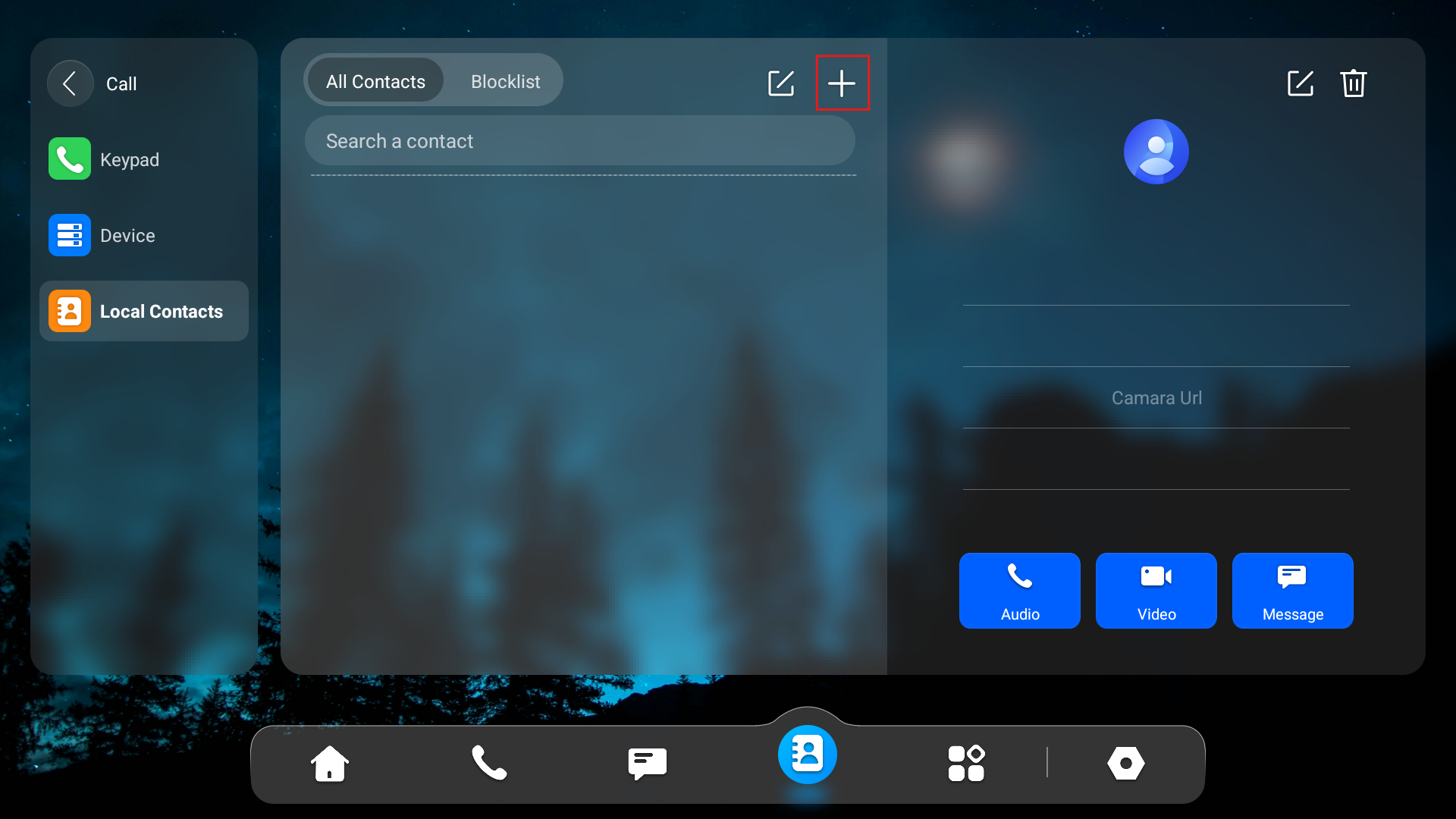
Tap the Add icon to add a contact. You can add 3,000 local contacts or more.
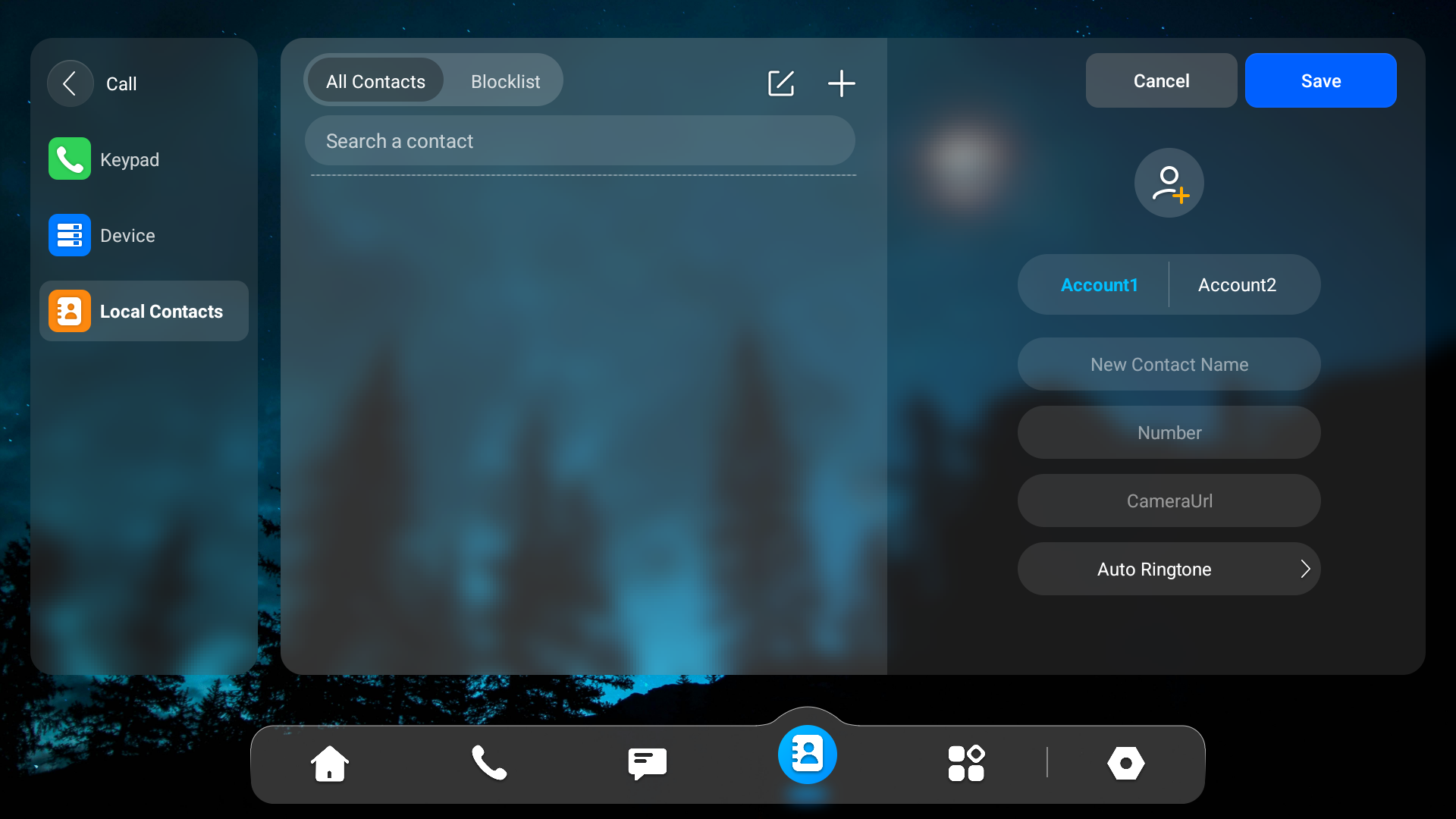
Account: The account to make the call, Account 1 or Account 2.
New Contact Name: Name the contact to distinguish it from others.
Number: The IP or SIP number.
CameraUrl: The RTSP URL for video preview.
Auto Ringtone: The ringtone for incoming calls.
Note
Akuvox devices' RTSP URL format is rtsp://device IP/live/ch00_0. If you use a third-party device, please confirm the URL format with the service provider.
Edit Contact
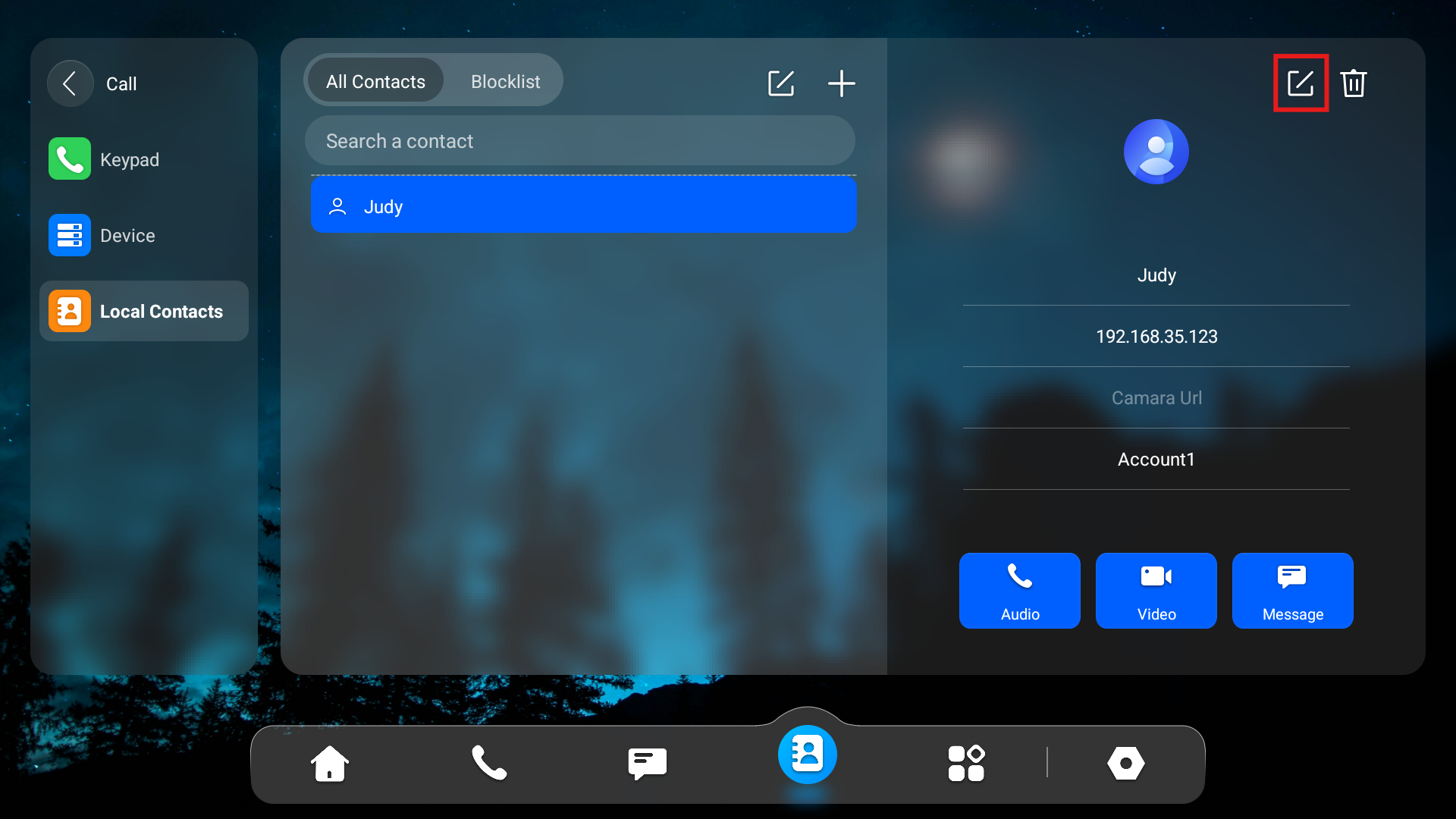
You can check and edit the existing contacts in the contacts list. Tap the contact and tap the Edit icon.
Blocklist Contacts
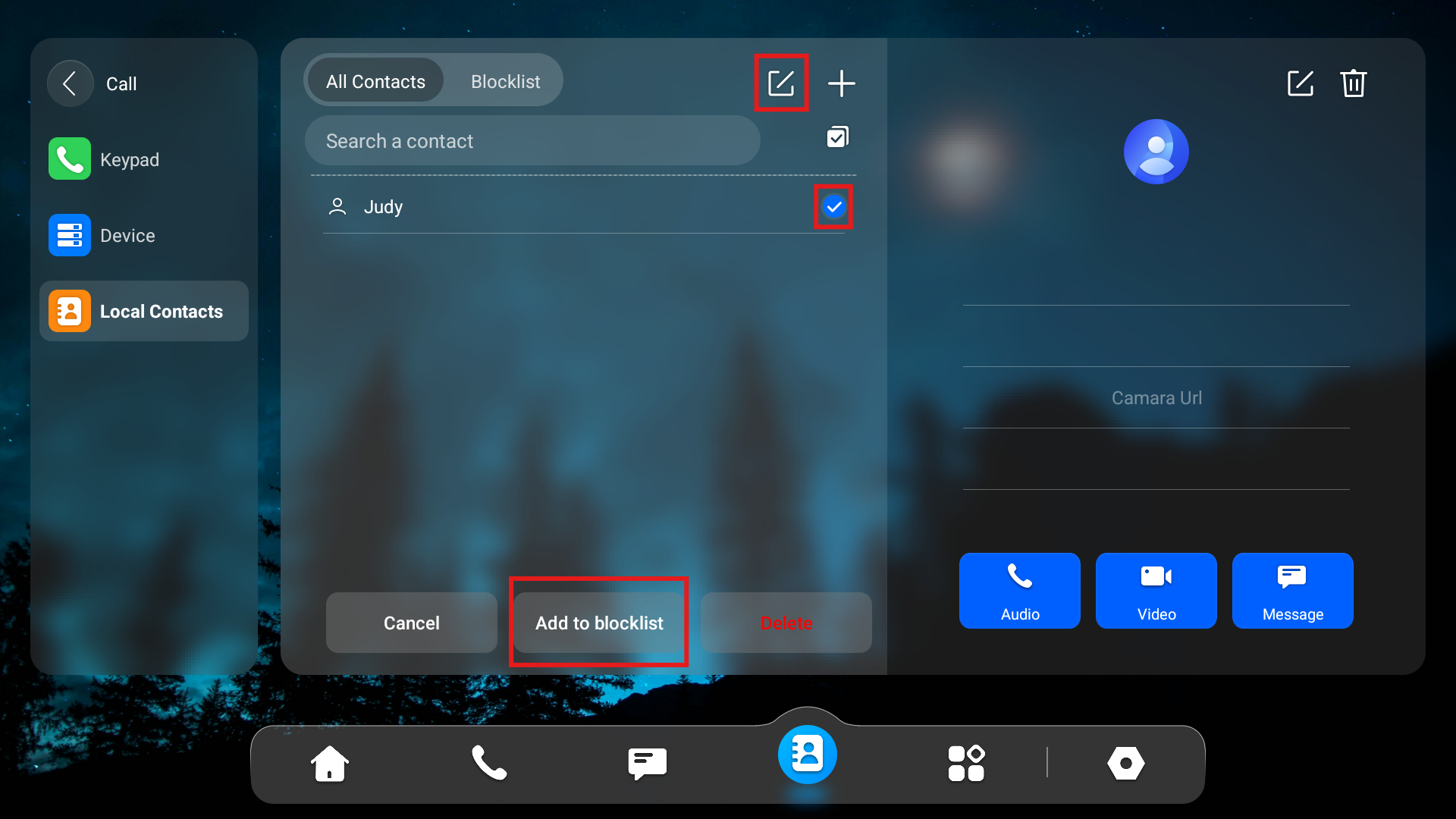
You can choose from the contact list the contact you want to add to the block list.
Incoming calls from the contacts in the blocklist will be rejected. Press the Edit icon, select the contact, and press Add To blocklist.
Note
You can delete contacts regardless of whether it is in blocklist.
On the Web Interface
Add Local Contacts
You can add, edit, and search local contacts on the device's web interface.
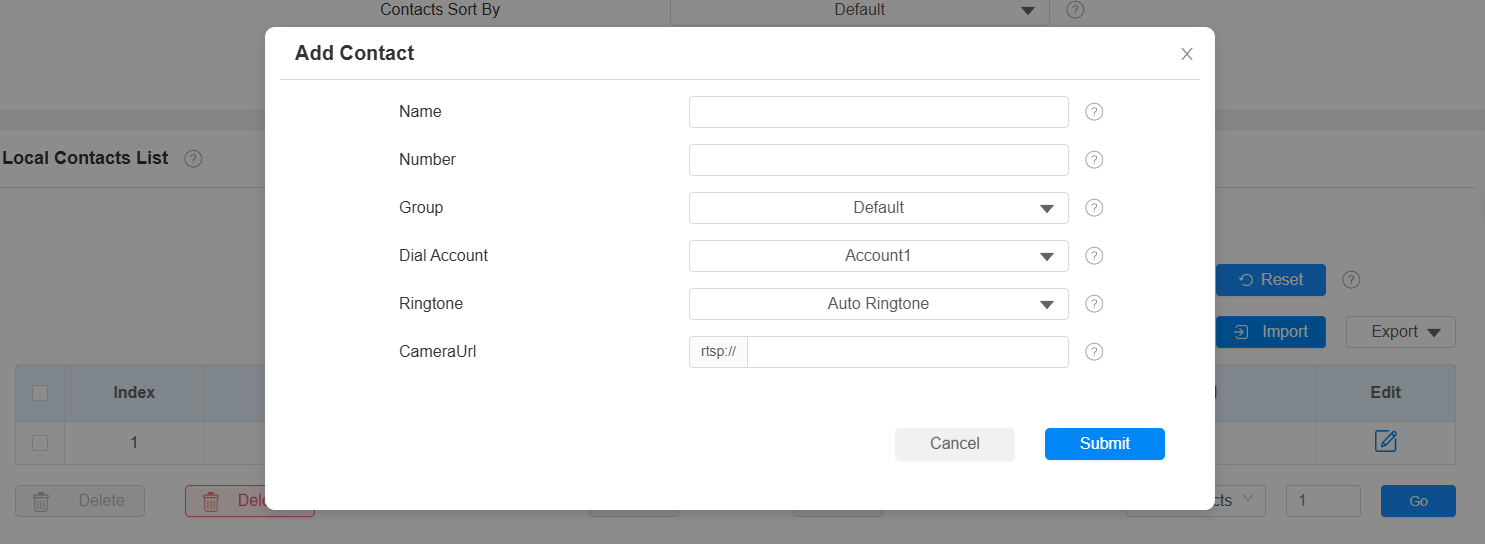
To add contacts, go to Contacts > Local Contacts > Local Contacts List interface, then click +Add. You can add 3,000 local contacts or more.
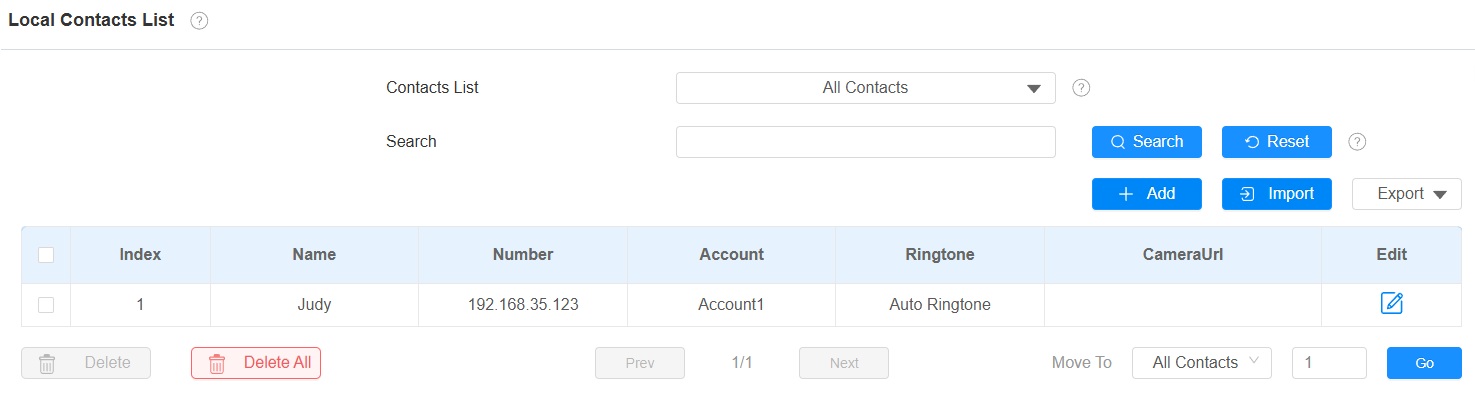
Contacts List: All Contacts displays all the contacts in the contact list. Blocklist displays the contacts in the blocklist.
Search: Search for a contact by its name or number.
Name: The contact's name to distinguish it from others.
Number: The SIP or IP number of the contact.
Group: Calls from contacts in the Blocklist will be rejected.
Dial Account: The account to make the call, Account 1 or Account 2.
Ringtone: The ringtone for the incoming call from the contact.
CameraUrl: The RTSP URL for video preview. Akuvox devices' RTSP URL format is rtsp://device IP/live/ch00_0. If you use a third-party device, please confirm the URL format with the service provider.
Note
If you want to remove the contact from the blocklist on the web interface, you can change the group to Default when editing the contact.
Import and Export Contacts
You can import and export contacts in batches. The file should be in .xml or .csv format.
To import or export contacts, go to Contacts > Local Contacts > Local Contacts List interface.

Contact List Display
Set it up on the web Contacts > Local Contacts > Contacts List Setting interface.

Contacts Sort By:
Default: The local contacts will be displayed before those from SmartPlus, SDMC, etc.
ASCII Code: The contacts will be displayed in order based on the first letter of the contact names.
Created Time: The contacts will be displayed by their created time.
Show Local Contacts Only: If enabled, only the local contacts will be displayed. If disabled, all the contacts from SmartPlus Cloud, SDMC, and so on will be displayed.