Akuvox devices can be integrated with the Genetec server to achieve video and audio calls, and door opening via DTMF code.
Compatible Models
R29 and R20 series with the latest firmware versions.
Tested server: Sipelia.
Before You Start
Make sure:
You have installed the Genetec Security Center and its core module Sipelia™.
Devices are installed properly and powered on.
Take R29 with version 29.30.10.412 as an example.
Sipelia™ Configuration
SIP Server Setup for SIP Call
You need to go through the SIP server configuration on Sipelia™ for making SIP calls on the Akuvox door phone.
Click on each step to view the detailed instructions provided by Genetec.
Enable the TLS option. It is enabled by default.
Add the SIP intercom(Akuvox door phone).
DTMF Code Setup for Unlocking
Create DTMF sequence. Define the name, digits, and description.
Akuvox Intercom Configuration
SIP Account Registration
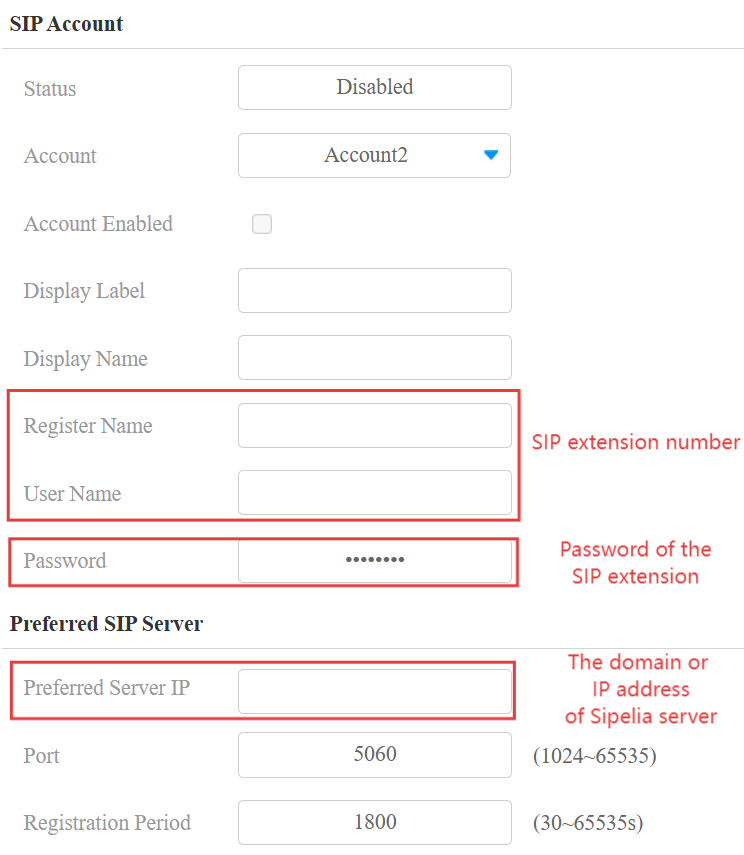
Customize the display label and display name.
Enter the domain or IP address of the Sipelia Server.
Find the IP address of the Sipelia Server in Config Tool > Network view > Properties.
Enter the port that is configured. The default is 5060.
Enter the SIP extension that is assigned to the door phone in Security Center.
Enter the password for the SIP extension.
Check Account Enabled.
Click Submit.
When registration succeeds, the Status will change to Registered.
DTMF Code Setup
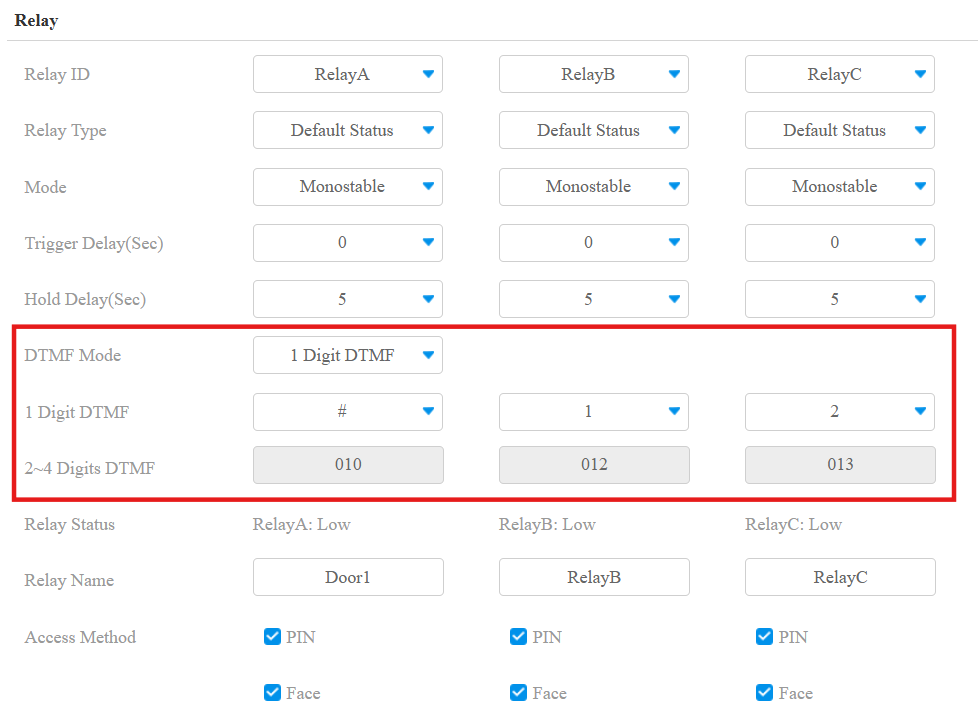
Go to the Access Control > Relay interface.
Select the DTMF mode and set the DTMF code to the same as that on the Sipelia server.
Click Submit.