This function requires Key Button to be enabled in Advanced Setting in advance. If not enabled, the menu bar will not be displayed on the left.
The Key Button Setting parameter interface, as shown in Figure 5.7.1, configures the type of buttons and the specific linked cards.
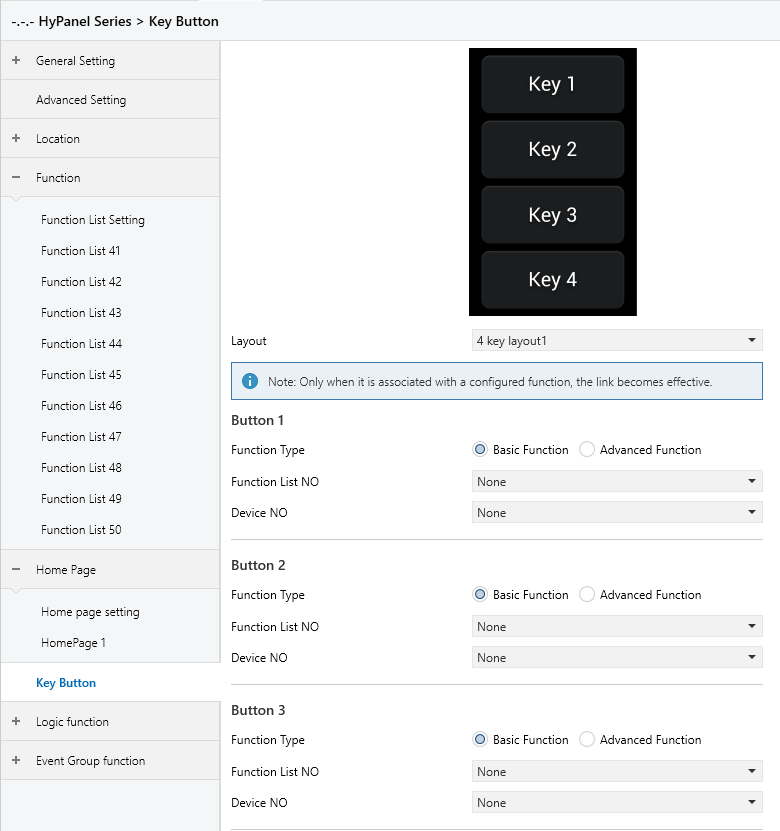
Figure 5.7.1 “Key Button” Interface
Layout
Sets the key layout type for the HyPanel device.
Options:
2 key layout
4 key layout1
4 key layout2
6 key layout1
6 key layout2
Customize
After selecting a layout type, a corresponding thumbnail is displayed above (except when “Customize” is selected), and configuration options for the number of keys appear below based on the selected layout.
Function Type
Sets the type of the linked card.
Options:
Basic Function
Advanced Function
Users can select the device type to be linked as required.
When Basic Function is selected for Function Type the following parameters are visible:
- Function List NO
Sets the Function List page for Basic Function. Users can choose based on the actual devices to be linked.
- Device NO
Sets the device serial number for Basic Function. Users can select based on the actual devices to be linked.
For example, for device Function2-3, “Function List NO” should be set to “Function List2”, and “Device NO” should be set to “Function3”.
NOTE:
If the associated “Function List NO” or “Device NO” does not exist, the corresponding position on the home page will be displayed as empty.
When Advanced Function is selected for Function Type the following parameters are visible:
- Function List NO advanced
Sets the Function List page for Advanced Function. Users can choose based on the actual devices to be linked.
For example, for device Function42-1, “Function List NO advanced” should be set to “Function List42”.
NOTE:
If the associated “Function List NO advanced” does not exist, the corresponding position on the home page will be displayed as empty.
5.7.1 Customize
When “Customize” is selected for Layout, the custom configuration interface is displayed.
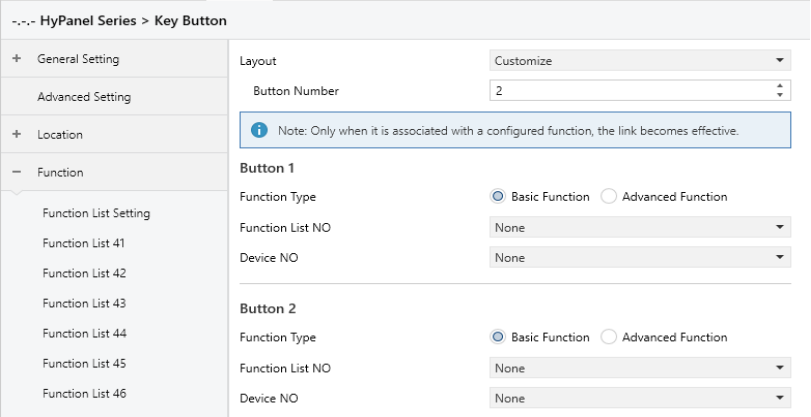
Figure 5.7.2 “Customize” Interface
Button number
Specifies the actual number of buttons when selecting a custom button layout.
Options: 0...10
The corresponding button configuration will be generated below based on the entered number of buttons.
NOTE:
If the number of buttons is set to 0, no specific button configuration will be displayed below.