Symptom
akubela products or the manufacturer “akubela“ cannot be found in the online catalog.
Possible Causes
This issue may be caused by:
Limitations in the online catalog settings.
An outdated master data version.
Solution
Check & update online catalog settings
Click
 > Settings to go to the ETS6’s Settings screen.

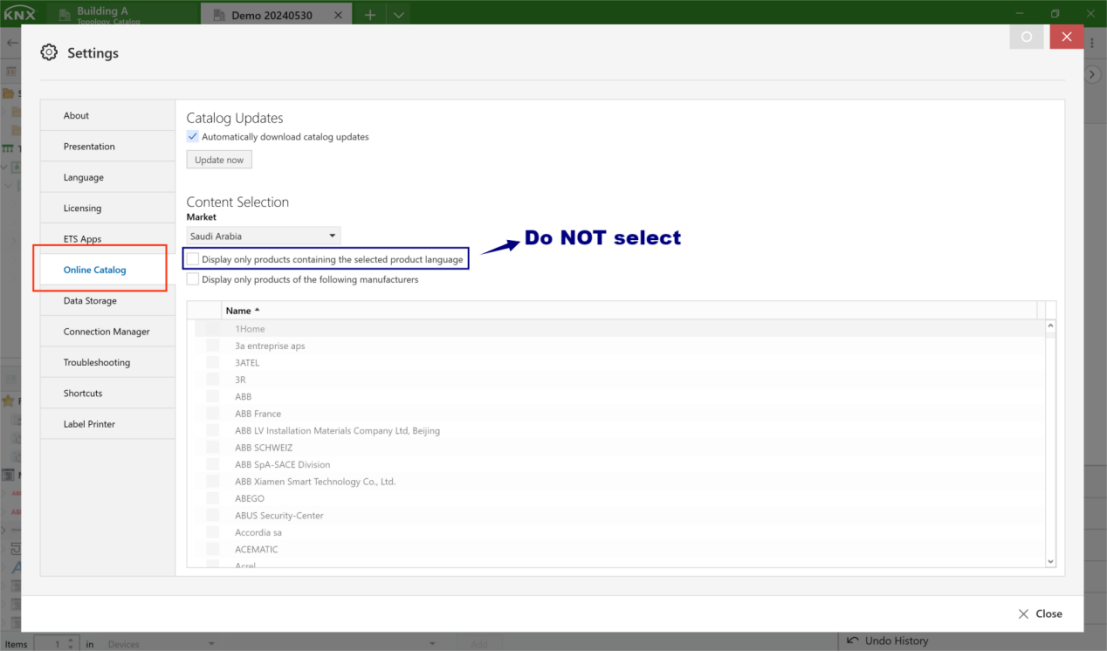
b. Click Online Catalog and ensure the option “Display only products containing the selected product language” is NOT selected.
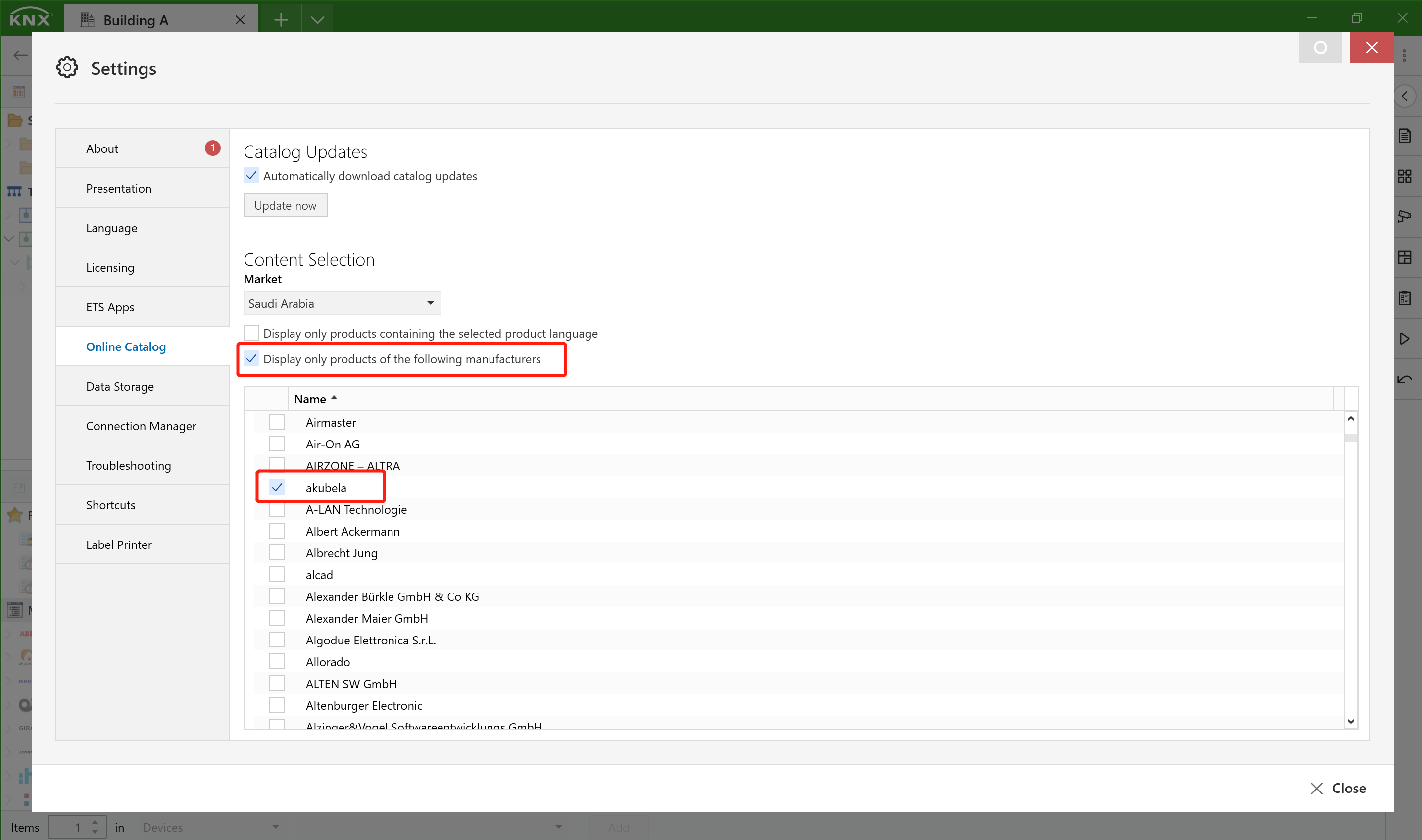
c. Check the boxes of the options “Display only products of the following manufacturers” and “akubela”. Close the Settings screen.
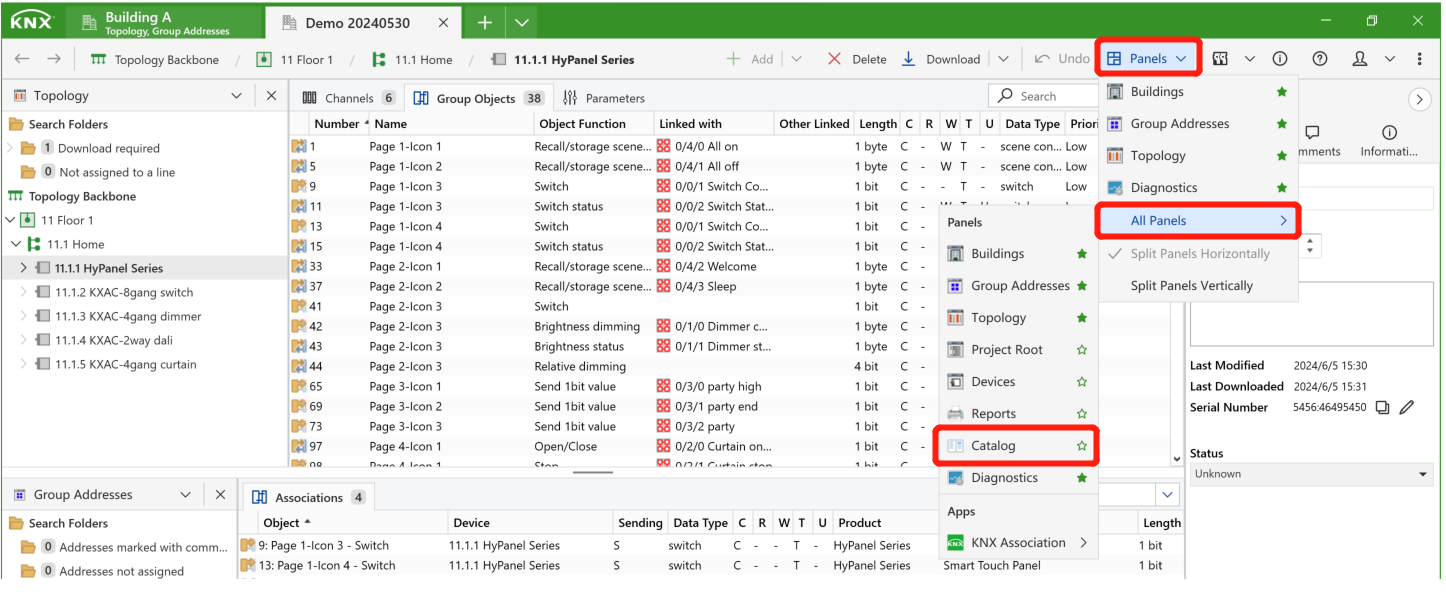
d. Click Panels > All Panels > Catalog to open the catalog panel.
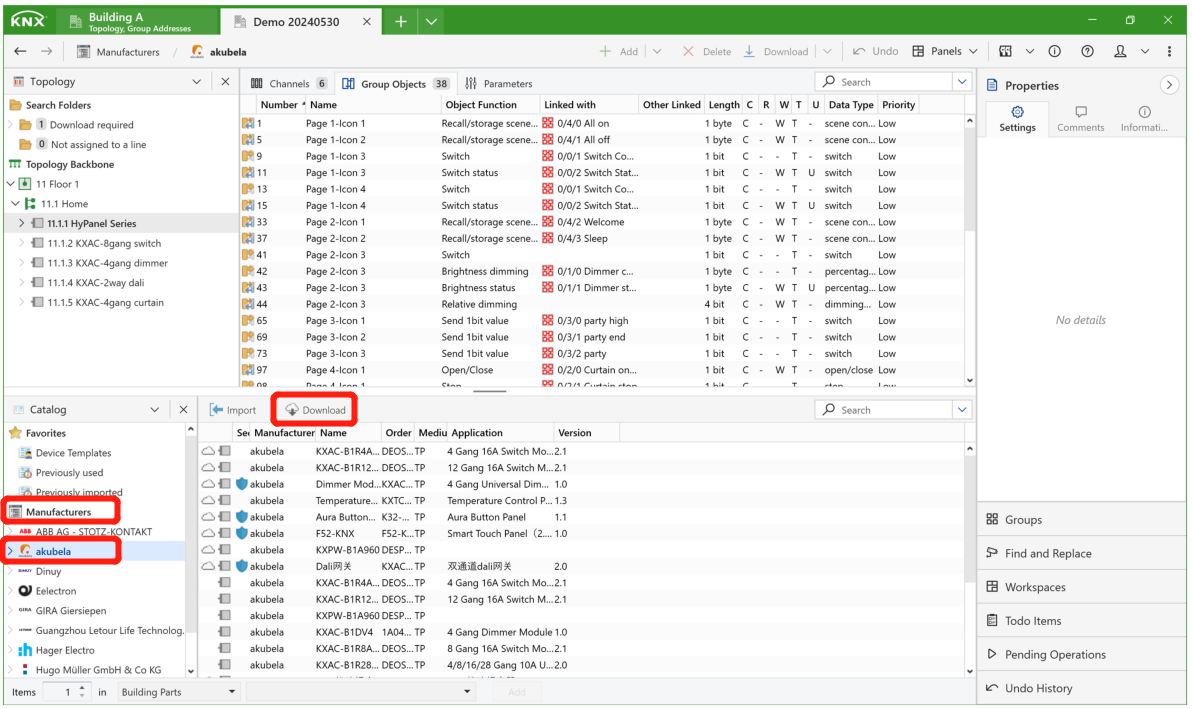
e. Find and click on “akubela” in the Manufacturers list, and then click Download.
If the above solution does not work, perform an update.
Click
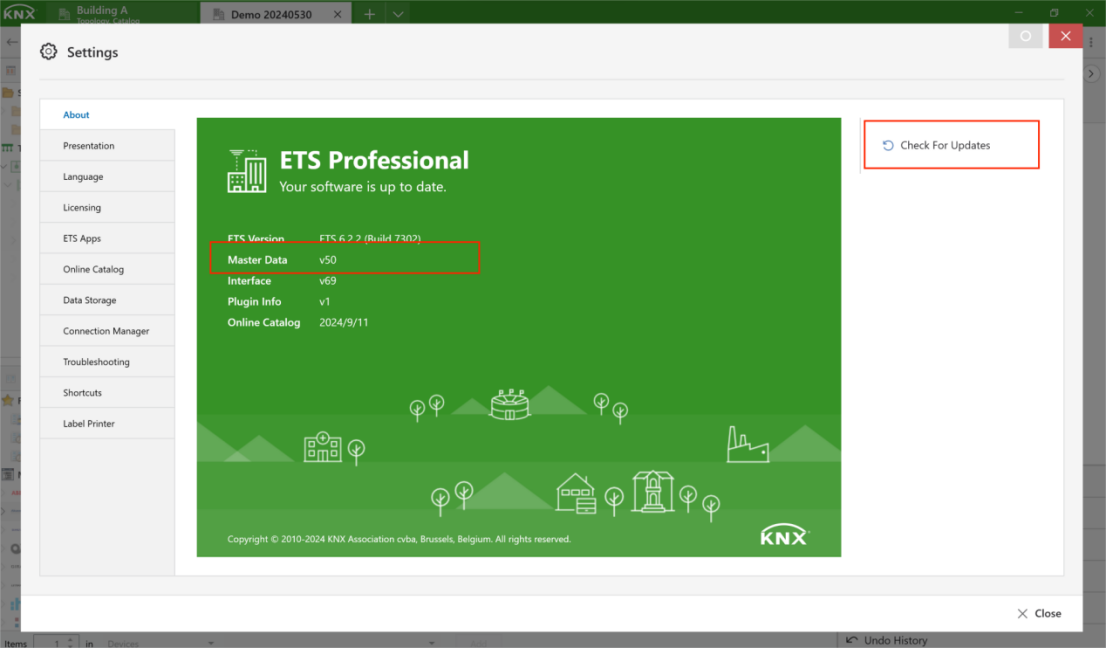
 > Settings > Check For Updates.
Ensure the Master Data version is higher than v47.