You can set the alarm duration and trigger relay on the Fall Settings > General Settings > Other Settings interface.
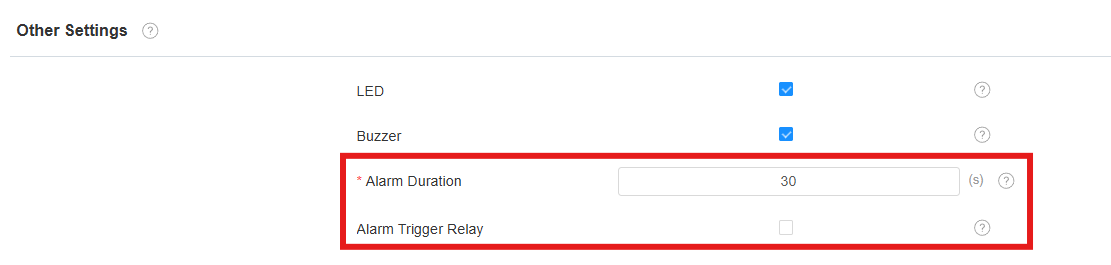
Alarm Duration: The duration for which the alarm will sound(0 to 1800 seconds).
After reaching this time, the alarm sound will automatically stop, and it does not apply to the indicator light.
It is available only when the Buzzer is enabled.
The default value is 30 seconds.
Alarm Trigger Relay: Determine whether to trigger the relay when an alarm occurs. This feature is off by default.
When enabled, the relay will be automatically triggered when an alarm occurs.
Relay Hold Delay Time: Available when Alarm Trigger Relay is enabled. The duration for which the relay will hold after being triggered.
The default value is 3 seconds, meaning the relay will automatically turn off after 3 seconds.
The selectable range is from 1 to 60 seconds, or you can choose Auto.
Auto indicates that the relay will automatically turn off only after the alarm is cleared locally (e.g., when a person stands up from the fall detection area, returns to bed, or when the device button/web page is used to clear the alarm).
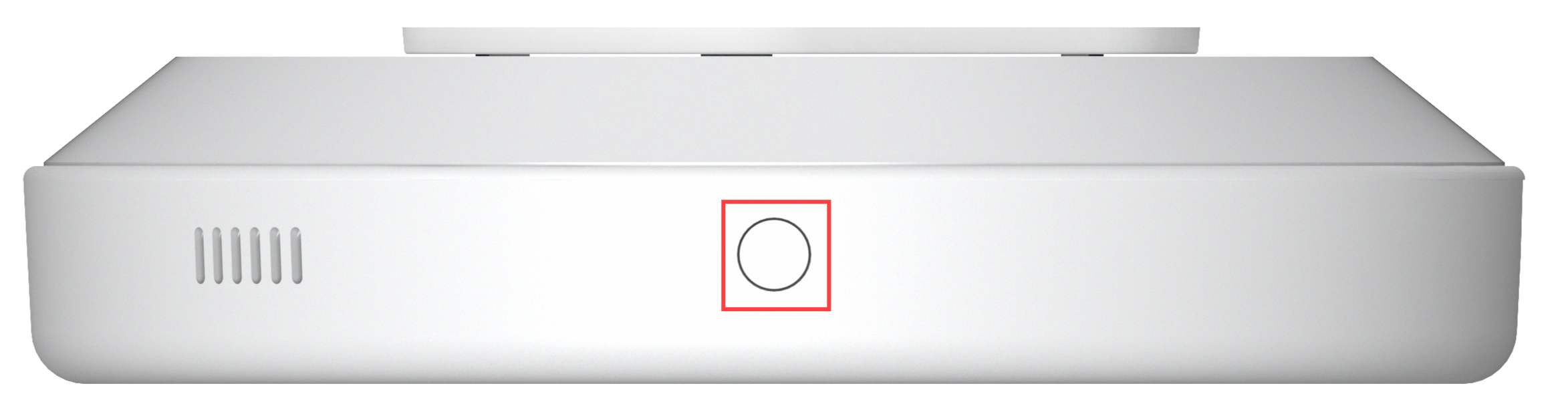
Clear Alarm via a Physical Button
Clear the device alarm by short-pressing the physical button on its top.
Turn on/off Buzzer
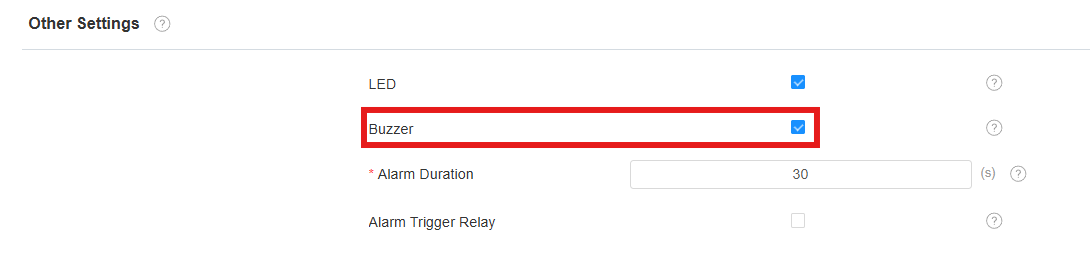
You can turn on/off the buzzer on the Fall Settings > General Settings > Other Settings interface.
If disabled, the device will not sound an alarm.
Send Alarm Notification to Third-Party Server
The device can send detection records and alarm reports to third-party servers.
Set it up on the Fall Settings > General Settings > Alarm Notification interface.
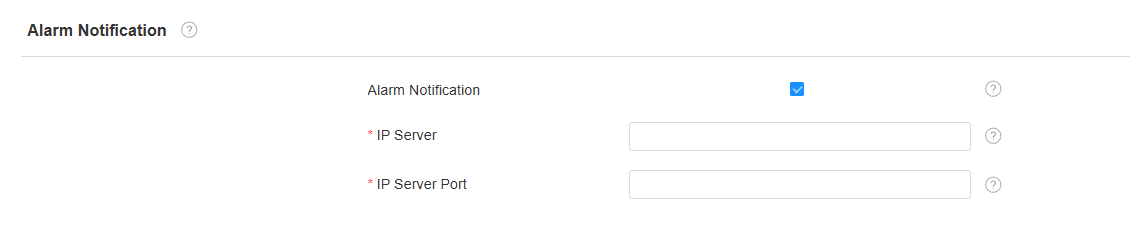
IP Server: Enter the IP address of the third-party server.
IP Server Port: Enter the port number for the third-party server.
Alarm Action
Alarm Action allows the device to send HTTP commands when an event is triggered. It is used to integrate alerts with third-party systems such as nurse call platforms or building management software.
Set it up on the Fall Settings > General Settings > Alarm Action interface.
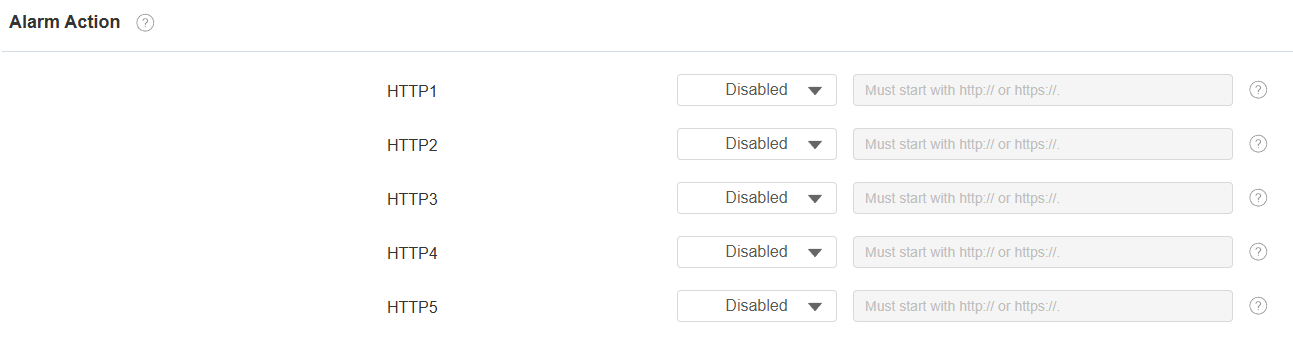
HTTP 1–5 (Alarm Trigger Type): Specify the alarm event type that triggers the corresponding HTTP command. Up to five HTTP actions can be configured.
HTTP 1–5 (URL): Specify the HTTP command sent when the selected alarm event is triggered. Active only when the trigger type is set to Fall, Bed Exit, or In Bed.
Alarm Log
Check the alarm log on the Fall Settings > Information interface. You can select an alarm and click Resolve to resolve it, or click Resolve All to resolve all alarms.
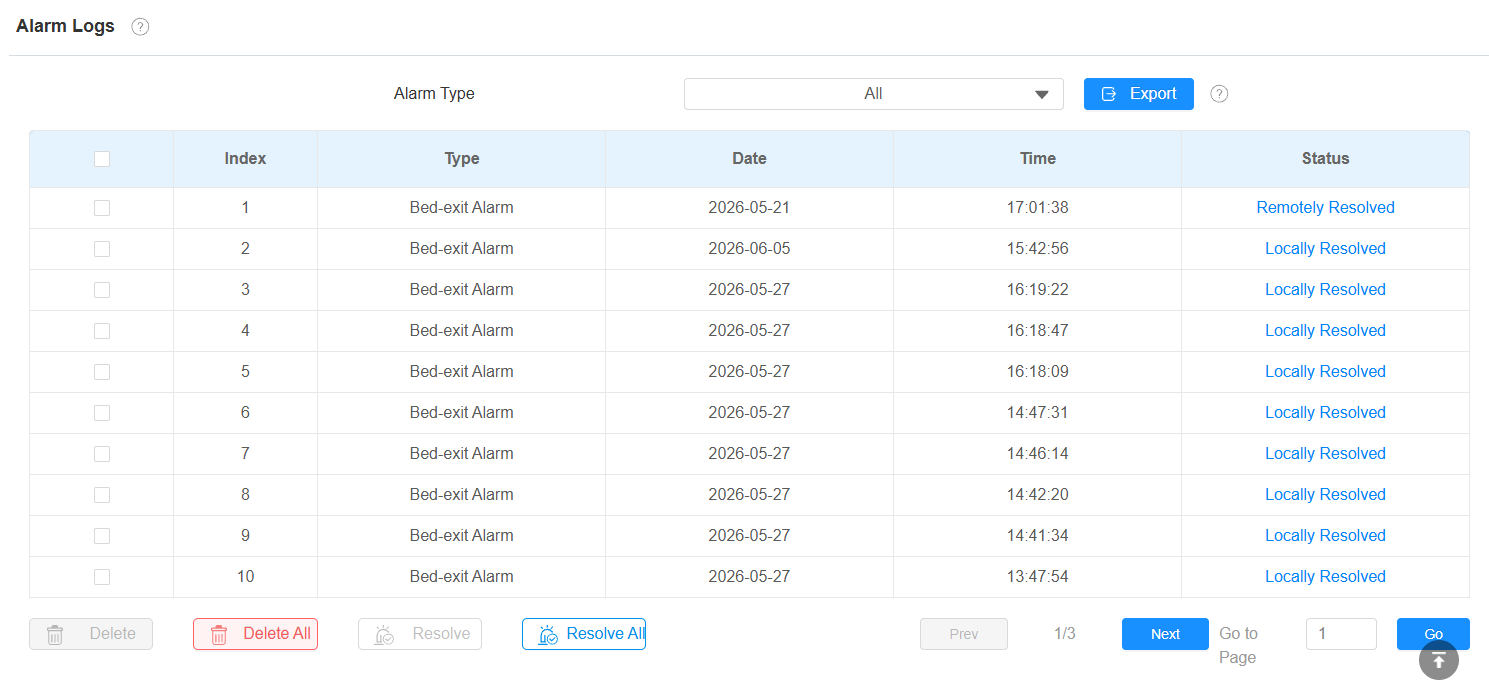
Alarm Status Change
After an alarm is triggered, the device reports the alarm event and changes the alarm status based on the user's current condition.
Remotely Resolved: The alarm has been cleared from the device interface or reported as resolved remotely(e.g., resolved on SDMC, SmartPlus Cloud, etc.), but the detected condition has NOT yet returned to normal. During this period, the indicator light continues flashing red rapidly.
Locally Resolved: The detected condition has returned to normal. For example, the person has stood up from the fall detection area or returned to bed after a bed exit alarm. The indicator light returns to the normal state, and the alarm status changes to Locally Resolved.
The alarm is considered fully cleared only after the detected condition returns to normal.