Manage Subordinate Accounts
Add, Edit, and Delete Accounts
Sub-distributor and installer accounts cannot be managed directly within the akubela Cloud. To add, edit, or delete installer accounts, use the SmartPlus Cloud.
For detailed instructions, refer to this guide.
Grant Upgrade Permissions to Installers
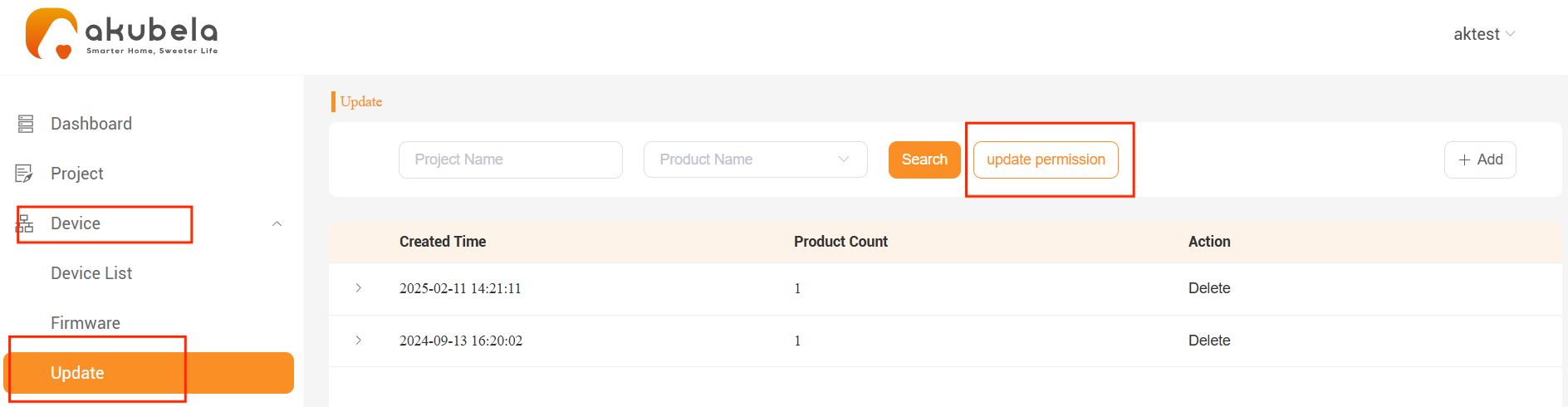
By default, installers are not allowed to perform remote firmware upgrades. You can manually grant specific installers permission to update devices remotely.
Go to Device > Update > Update Permission.
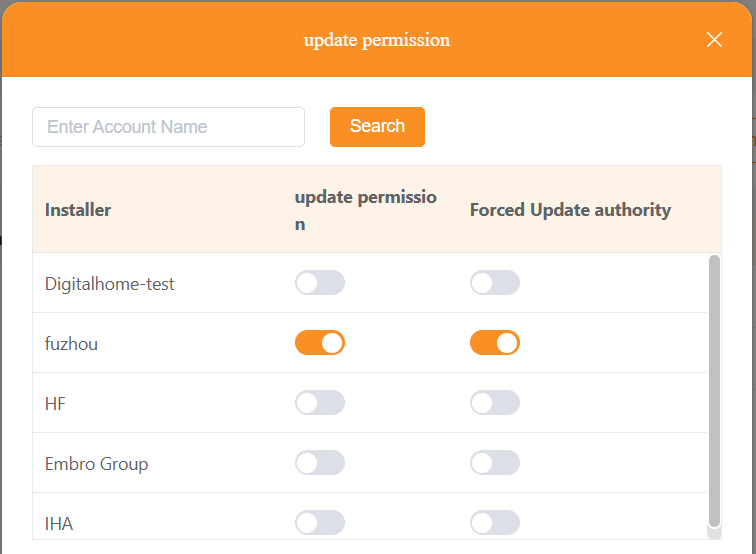
Enable permissions for the designated installer:
Update Permission: Installer can initiate the upgrade, but it requires user approval.
Forced Update Authority: Installer can upgrade devices immediately (except when devices are in a call or alarm state).
View Installer Account List
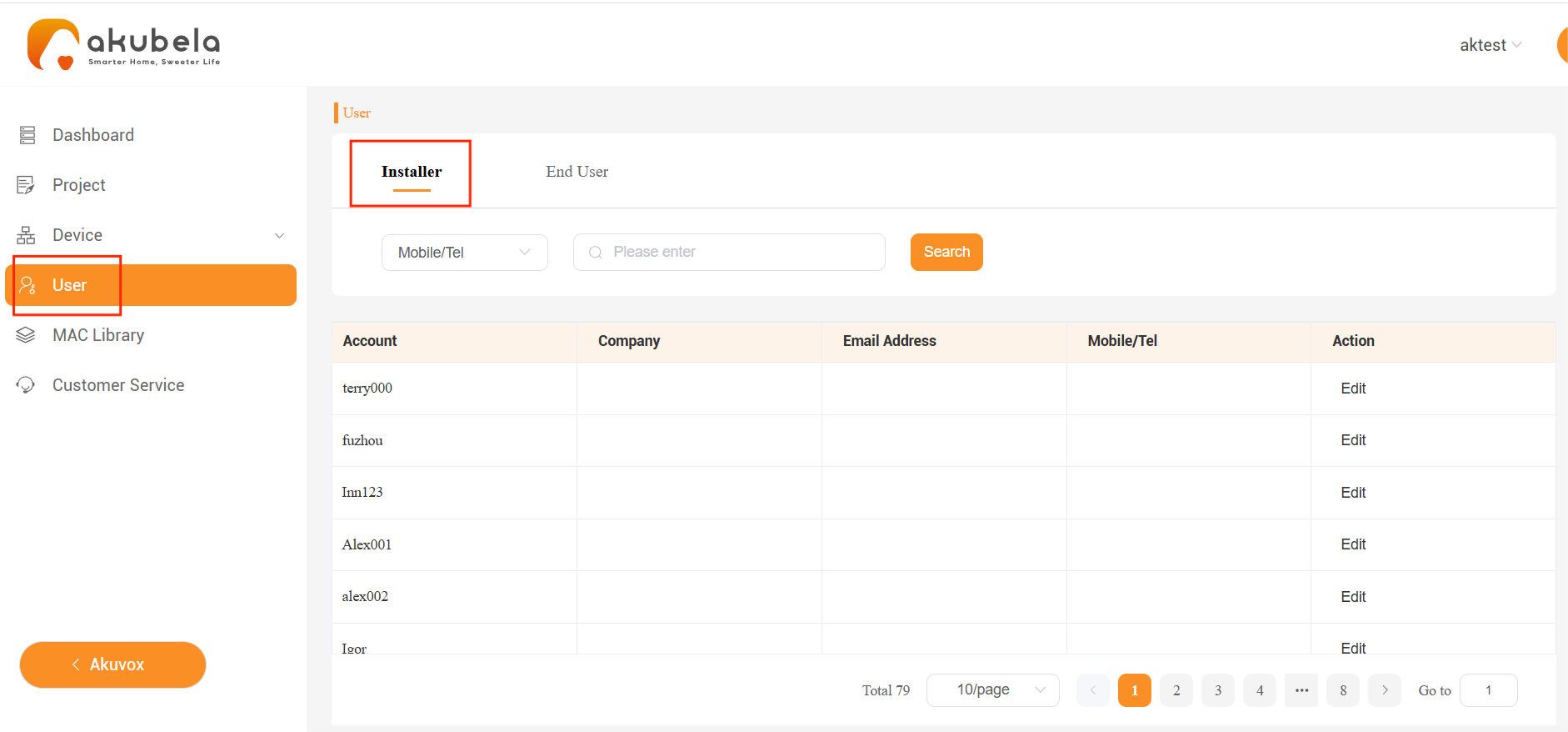
To view all installer accounts under your account, go to User > Installer.
You can use the filter options to search for specific installers.
Manage Family Administrator Accounts
Add Family Administrators for Your Projects
You can add a family administrator account only for projects you have created.
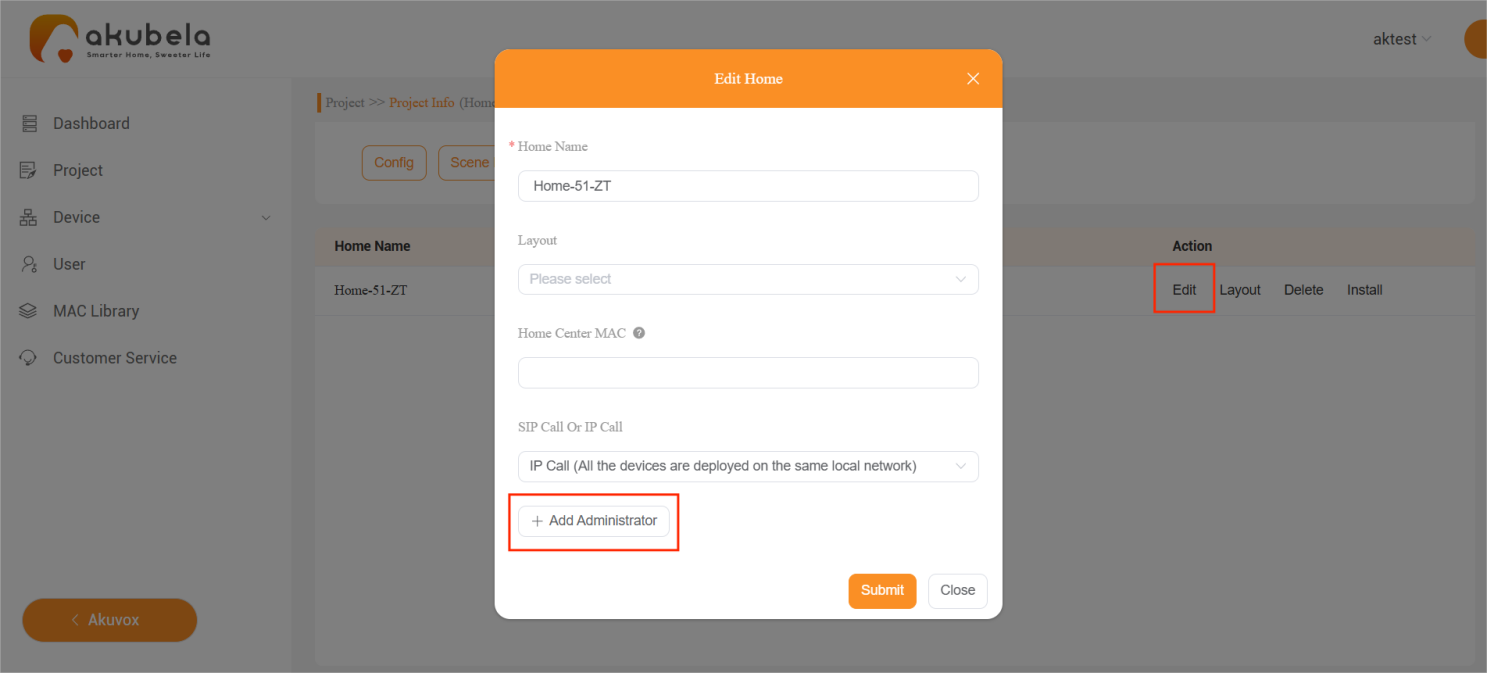
Enter the required information. For community projects, you can also specify which floors the administrator can access.
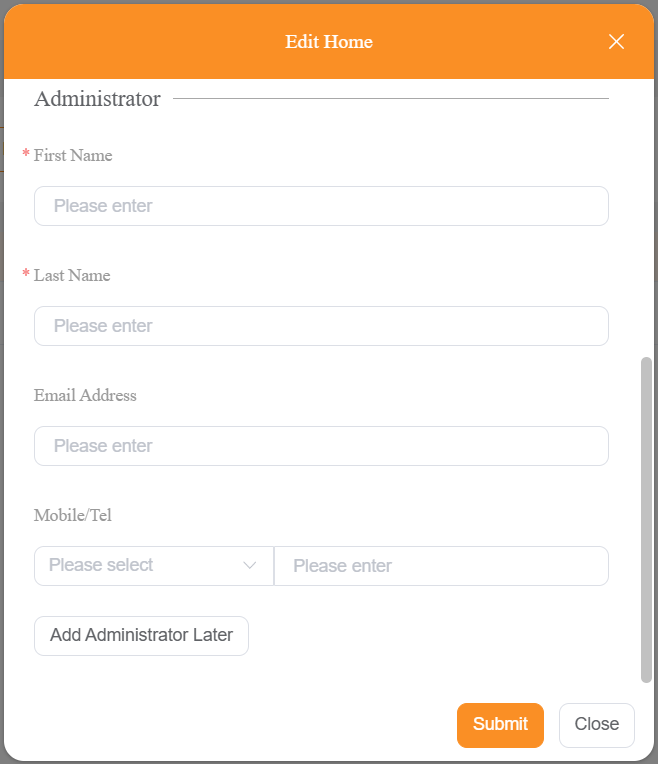
Click Submit. The system will send the login credentials to the registered email address.
Change and Delete Family Administrators
You can also change the administrator for projects you created.
Go to Project > Single-tenant > Detail > Edit.
Scroll down and click Change Administrator or Delete Administrator.
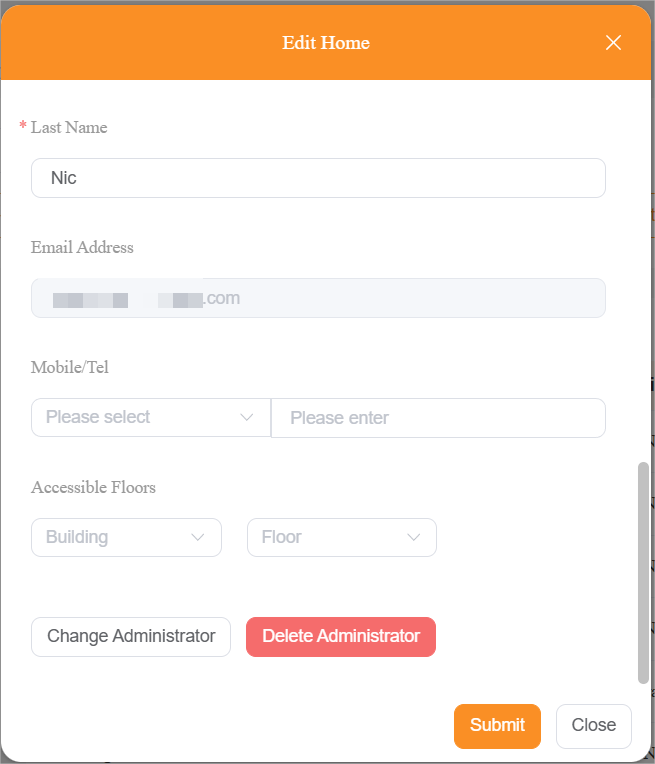
Follow the onscreen instructions to complete the settings.
View Family Administrator List
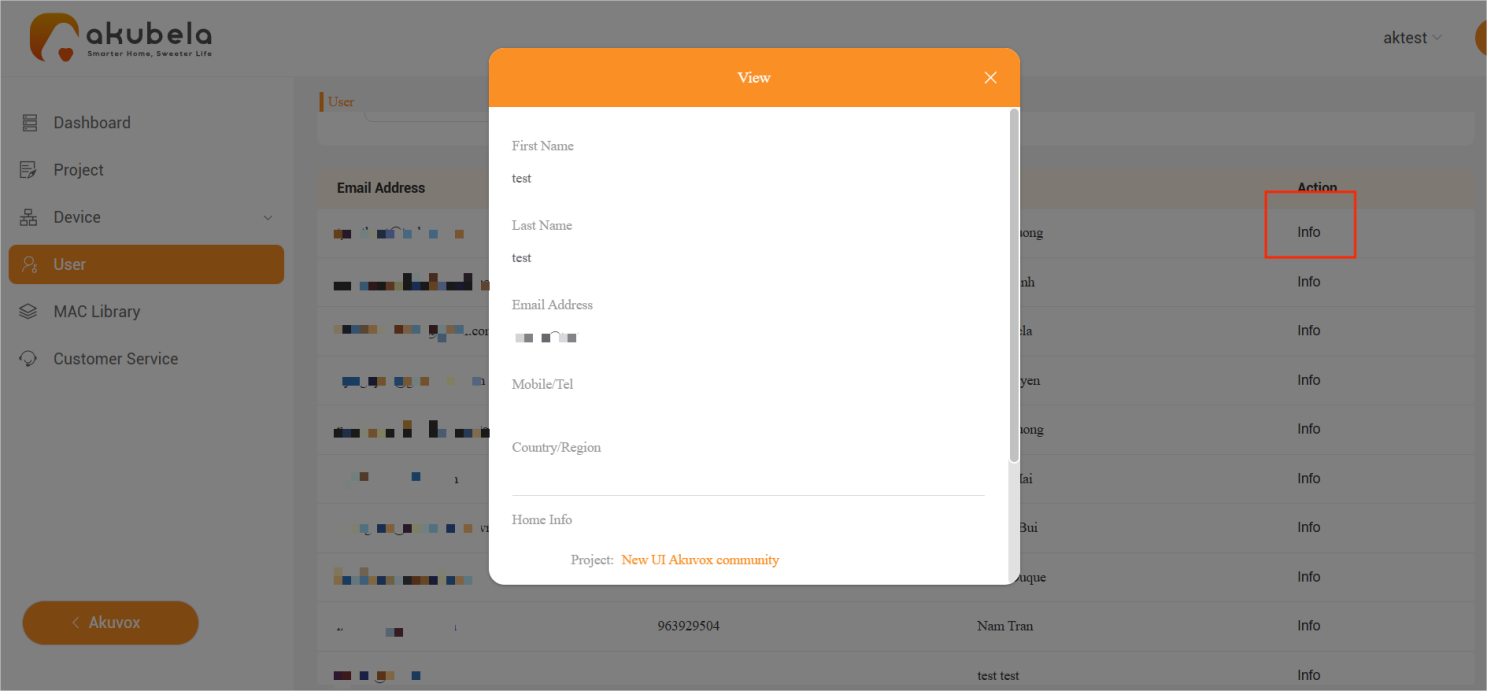
The User > End User interface allows you to view all administrator accounts under your and your installers’ projects. Besides, you can:
Use filters to search for a specific family administrator.
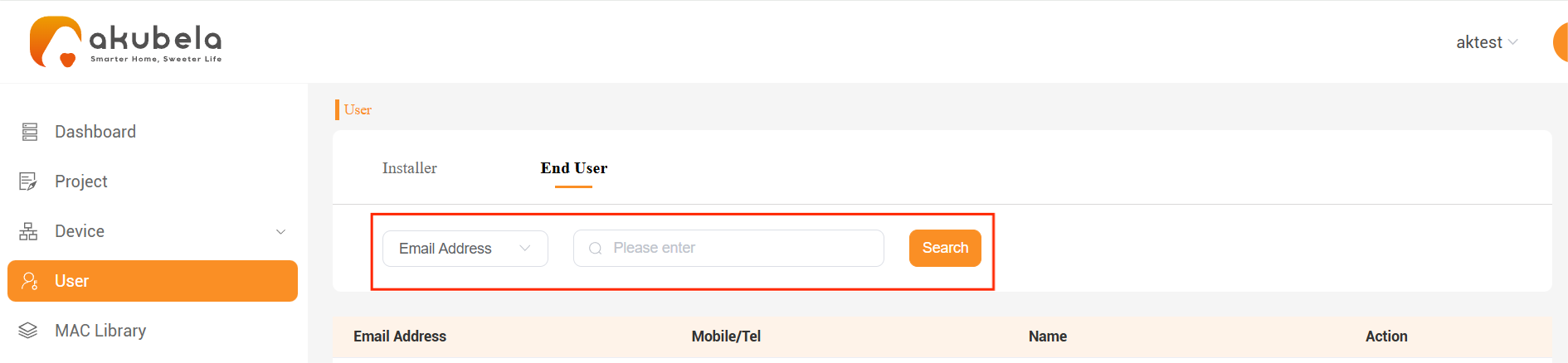
Click Info to view their detailed information.