Audio Codec
يدعم الجهاز أربعة أنواع من الترميزات (PCMU، PCMA، G729، وG722) لترميز وفك تشفير بيانات الصوت أثناء جلسة الاتصال. يختلف كل ترميز من حيث جودة الصوت. يمكنك اختيار الترميز المحدد بعرض النطاق الترددي ومعدلات العينة المختلفة بمرونة حسب بيئة الشبكة الفعلية.
Set it up on the Account > Advanced interface.
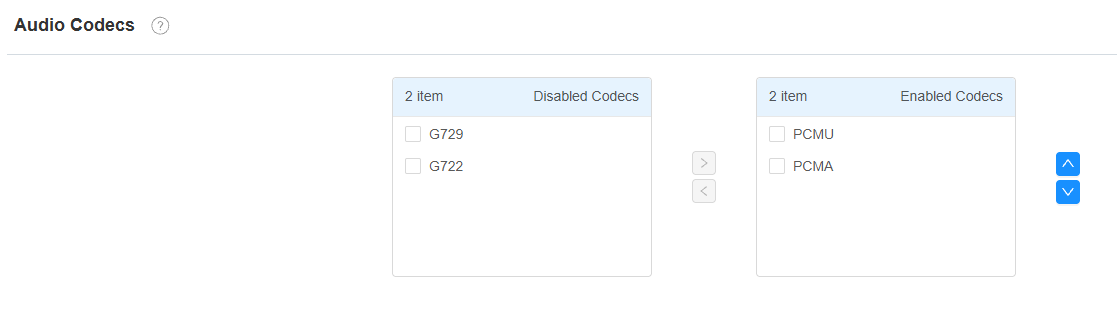
Codec Type | Bandwidth Consumption | Sample Rate |
|---|---|---|
PCMA | 64 kbit/s | 8kHZ |
PCMU | 64 kbit/s | 8kHZ |
G729 | 8 kbit/s | 8kHZ |
G722 | 64 kbit/s | 16kHZ |
Video Codec
The device supports the H264 and H265 codecs.
Set it up on the Account > Advanced interface.
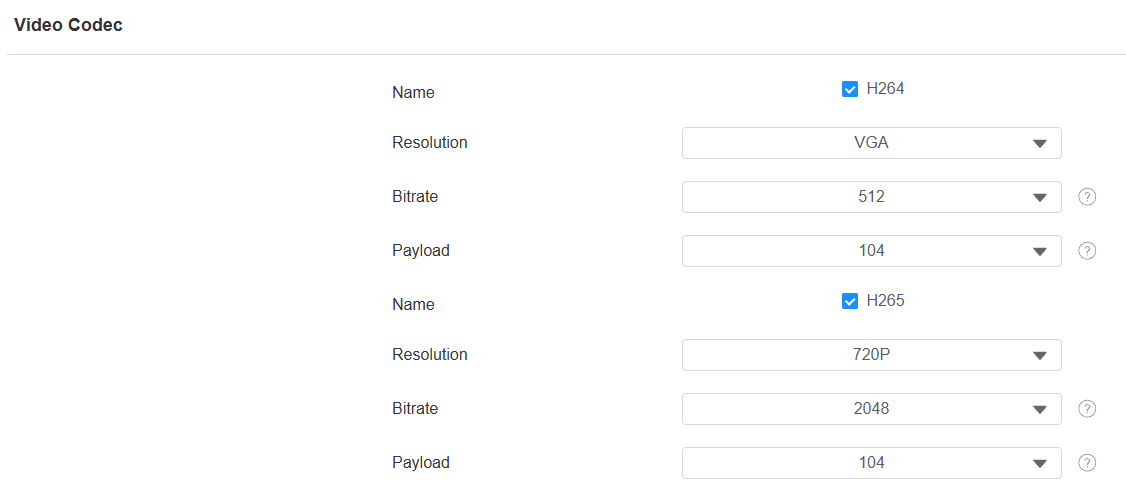
Name: Check to enable the H264/H265 video codec format for the device video stream.
Resolution: Select the resolution from QCIF(176 x 144 pixels) to 720P(720 × 480 pixels).
Bitrate: The video stream bitrate ranges from 128 to 2048 kbps. The greater the bitrate, the more data is transmitted every second, and the clearer the video will be.
Payload: The payload ranges from 90 to 119 for configuring audio/video configuration files. The default is 104.
Stream Settings
You can configure the main stream and sub stream separately to balance image quality, bandwidth consumption, and storage requirements for different usage scenarios, such as high-quality local recording or bandwidth-efficient remote viewing.
Set it up on the Video and Audio > Video interface.
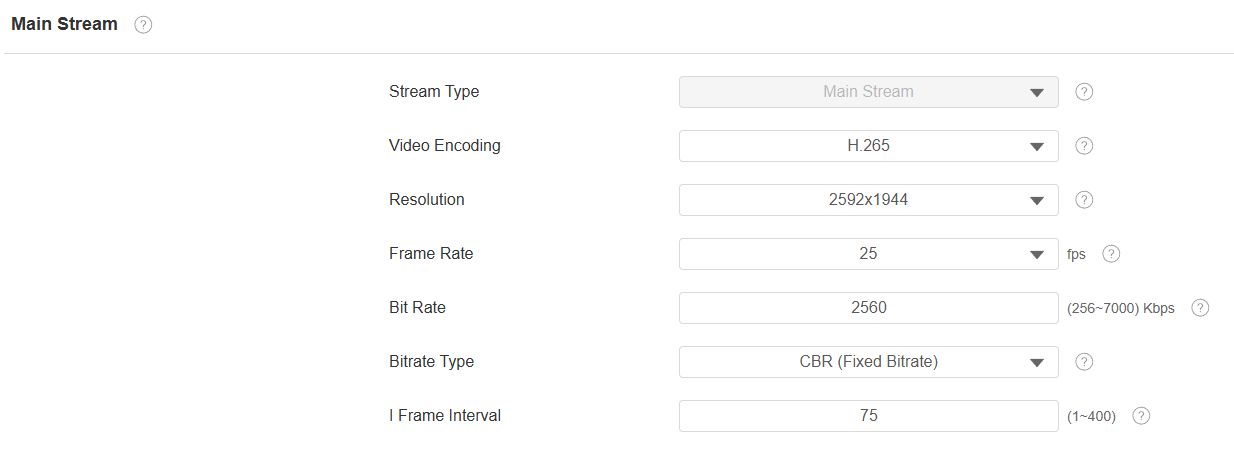
Video Encoding: The compression standard used to encode the stream. H.264 is the default and provides broad compatibility; H.265 provides equivalent image quality at a lower bitrate.
Resolution: The pixel dimensions of the captured video. For the Main Stream, the default is 2592x1944, with 2592x1944, 2560x1440, 1920x1080, and 1280x720 available. Available Sub Stream resolutions: 1280x720 and 720×480.
Frame Rate: The number of video frames captured per second, in fps. Default: 25 fps.
Bit Rate: The data rate used for video transmission, in Kbps. Higher values improve image quality at the cost of increased network bandwidth and transmission load.
Bitrate Type: The method used to control the bitrate during transmission.
Fixed Bitrate (CBR) transmits at the configured bitrate at all times.
Variable Bitrate (VBR) adjusts the bitrate dynamically based on scene complexity, up to the configured upper limit. Default: VBR.
I Frame Interval: The number of frames between each captured keyframe. Range: 1–400. Default: 75 frames, equivalent to 3 seconds at 25 fps. The equivalent time interval scales with the configured frame rate.
Audio Settings
The Audio Configuration provides settings for configuring audio input and output sources, including audio devices, encoding format, and gain levels. These settings allow audio parameters to be adjusted based on deployment requirements.
Set it up on the Video and Audio > Audio interface.
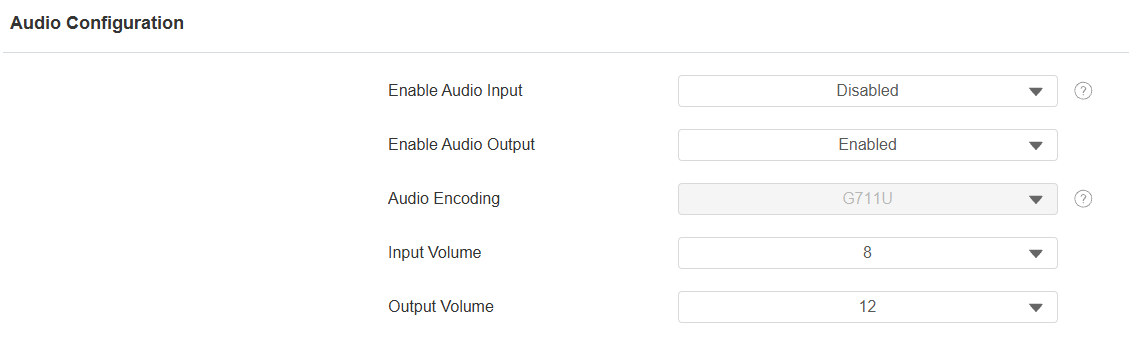
Enable Audio Input: Disabled by default. When enabled, the device microphone can capture audio. Audio may be included in the live stream and received by authorized clients, NVRs, or cloud services. If audio recording is enabled, the captured audio may also be recorded and stored.
Enable Audio Output: Enabled by default. This is a global setting that controls the camera speaker on/off state.
Audio Encoding: The compression format used to encode audio. Options: G711U (default), G711A, AAC, MP2L2.
Input Volume: The gain control level applied to the audio input source. Range: 1–15. Default: 8.
Output Volume: The gain control level applied to audio output. Range: 1–15. Default: 12.