The Akuvox WR01-L can automatically unlock its connected lock when it receives a call from a configured phone number. This feature allows authorized callers to unlock the door by calling the device.
The configuration method depends on whether the device is deployed on-premises or on the SmartPlus Cloud.
Before You Start
Firmware requirement: For devices deployed on the SmartPlus Cloud, ensure the firmware version is 1401.30.11.224 or later.
SIM card: Ensure the device has a SIM card installed and activated. To configure the LTE connection, refer to [Video]Configure LTE Connection on Akuvox WR01-L.
For On-Premise Project
For on-premise deployments, add the authorized caller's phone number to the device's Authorized Phone Number field. Only calls from configured numbers trigger automatic unlocking.
Navigate to the device’s IP address in a browser. Log in with the username and password(admin/admin by default).
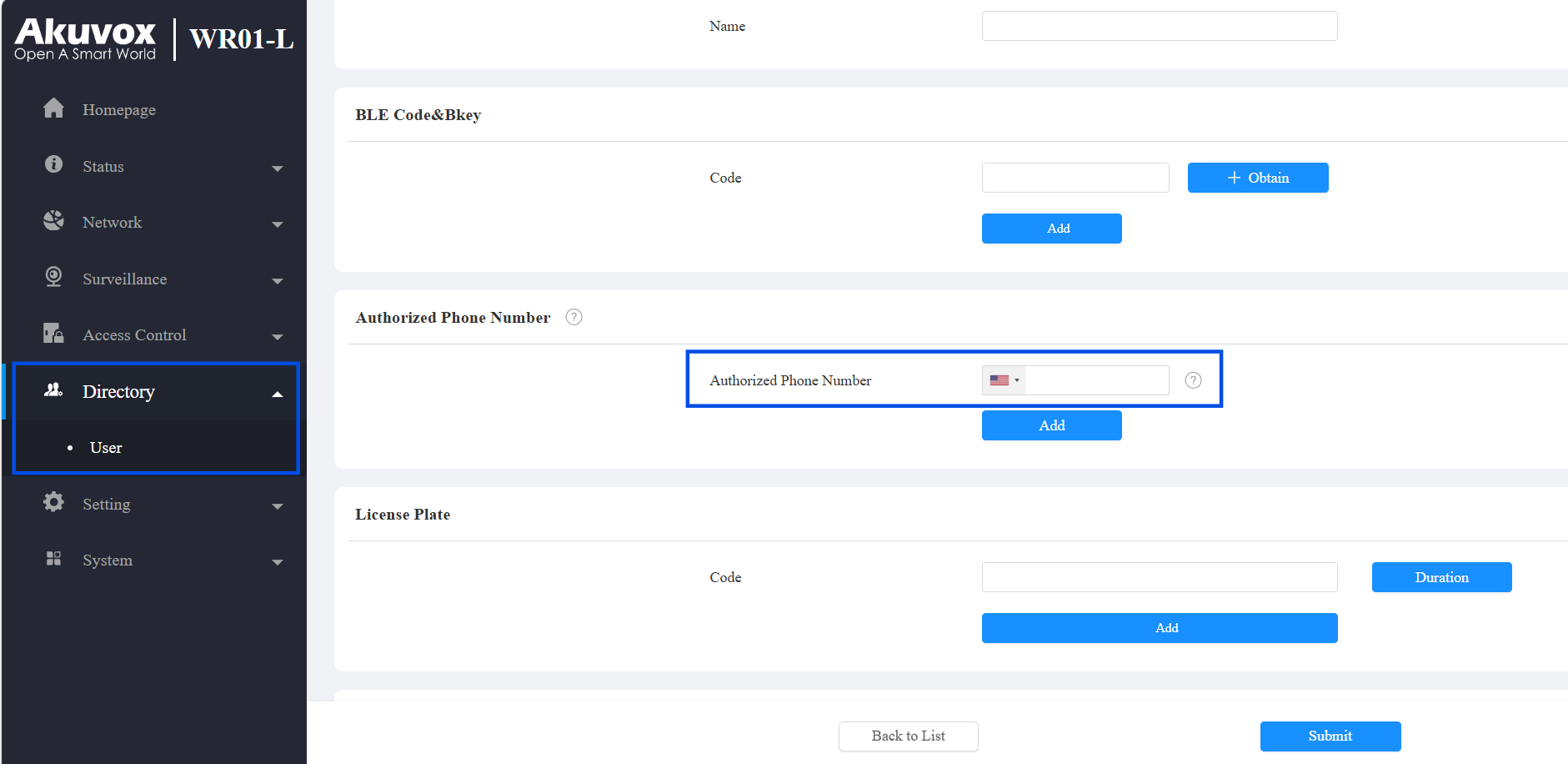
Go to Directory > User.
Click Add to add a new user; or, click
 to modify an existing one.
In the Authorized Phone Number field, enter the phone number authorized to trigger automatic unlocking.
Each user can have a maximum of 5 numbers added.
Note
If the phone number is in the same country as the WR01-L's SIM card, leave the country code blank to avoid call failures.
Click Submit.
For SmartPlus Cloud Projects
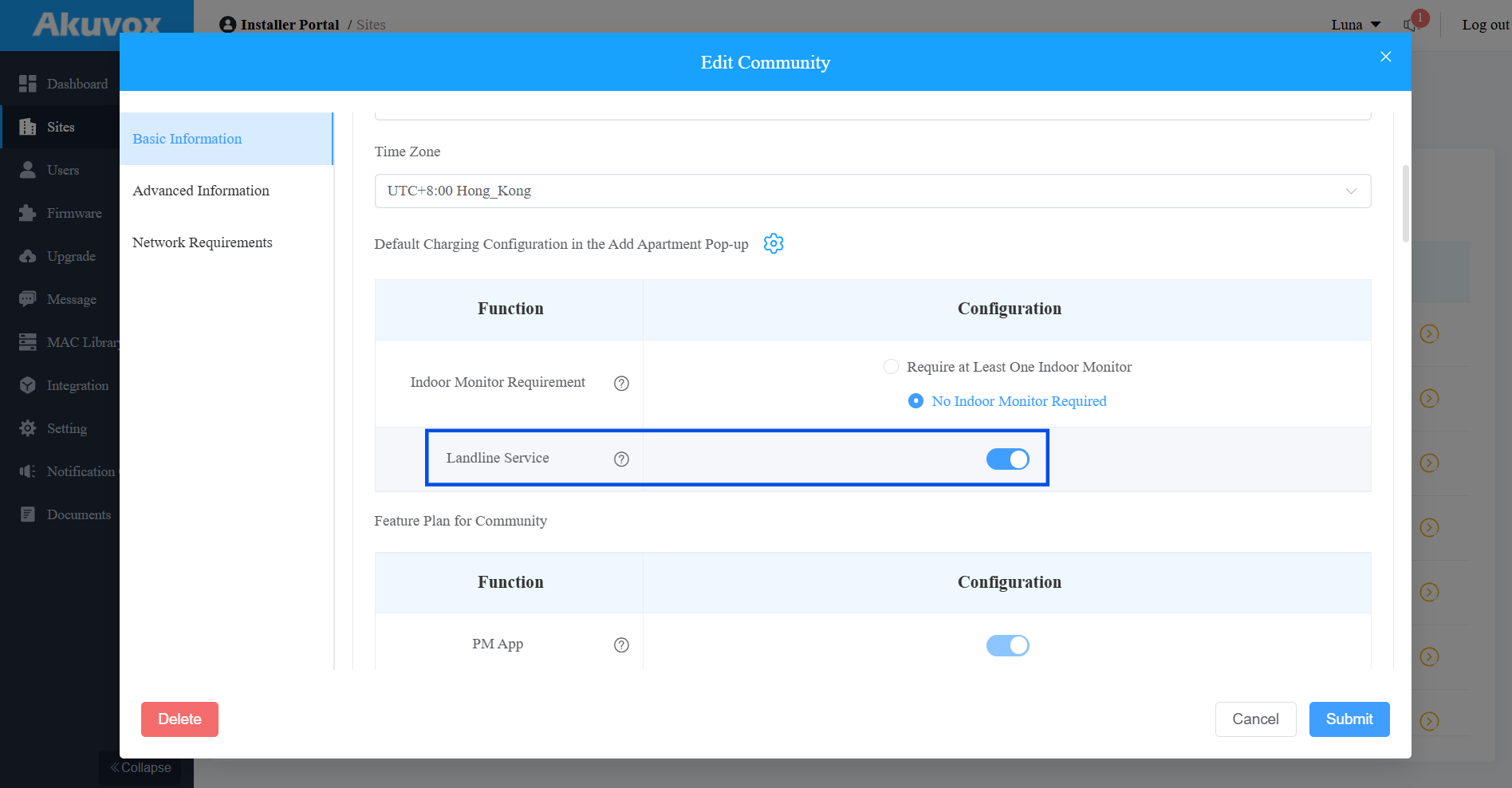
For SmartPlus Cloud deployments, you must enable the Landline Feature for the project before configuring landline numbers. Only incoming calls from configured numbers trigger automatic unlocking.
Community Project
Log in to the cloud with your installer account.
Click
of the target community.Enable the Landline Service.
Clicking
 of the community.
 Click
of the target apartment.
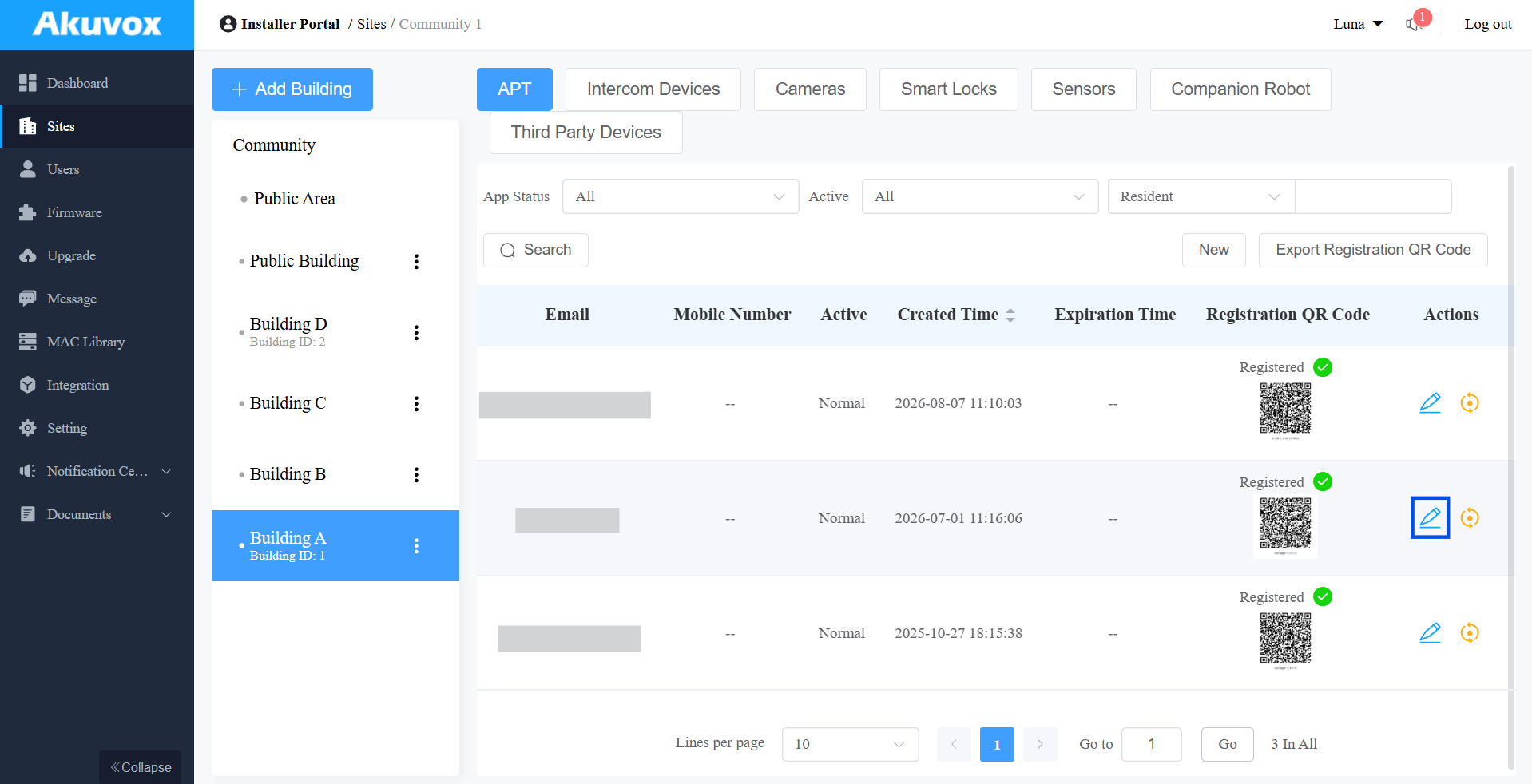
Click
 in the upper-right corner.
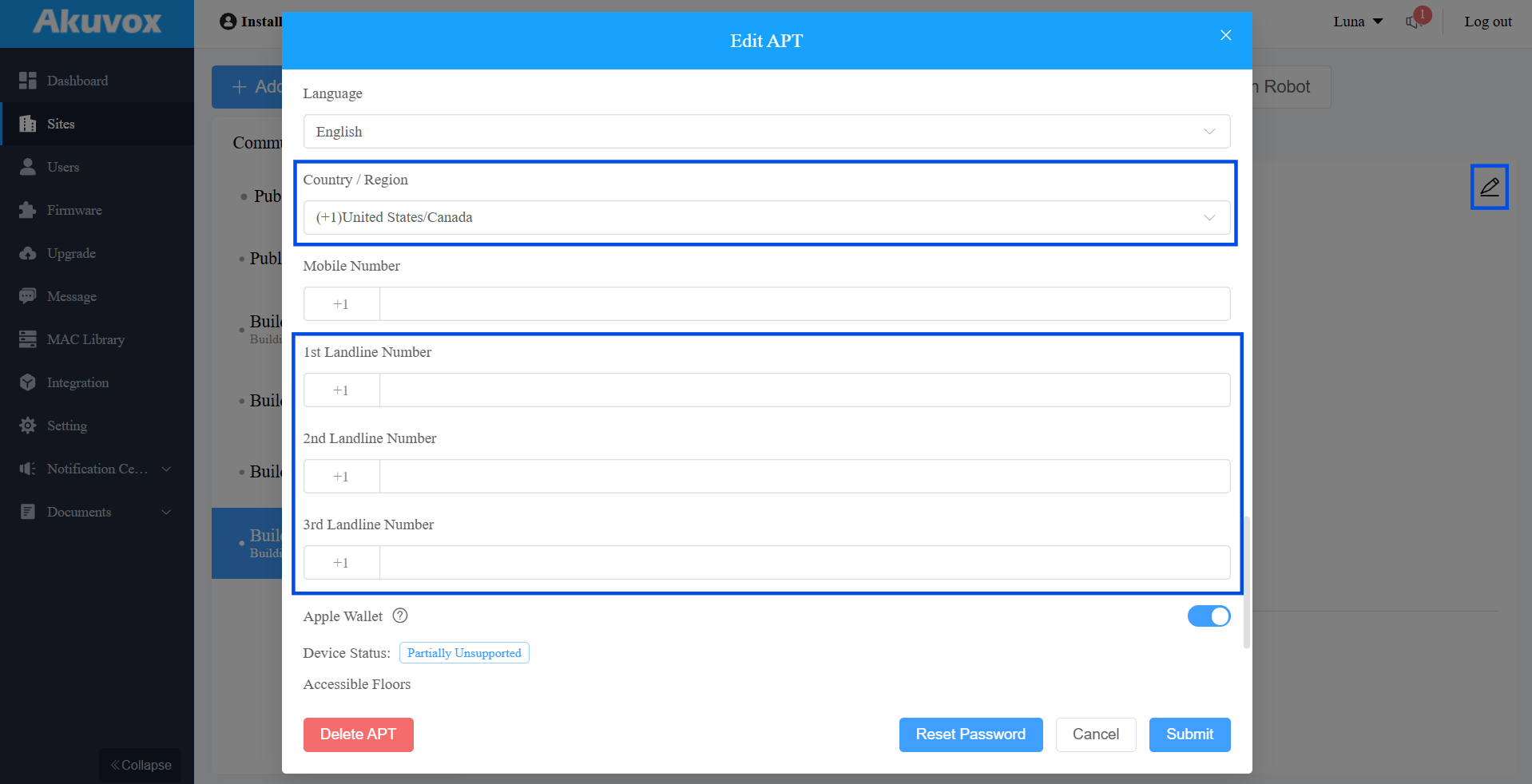
 Select the Country/Region.
Enter the authorized landline number in the Landline Number field.
You can configure up to 3 landline numbers for the family master account.
Click Submit.
Single-Family House Project
Click
of the target project.
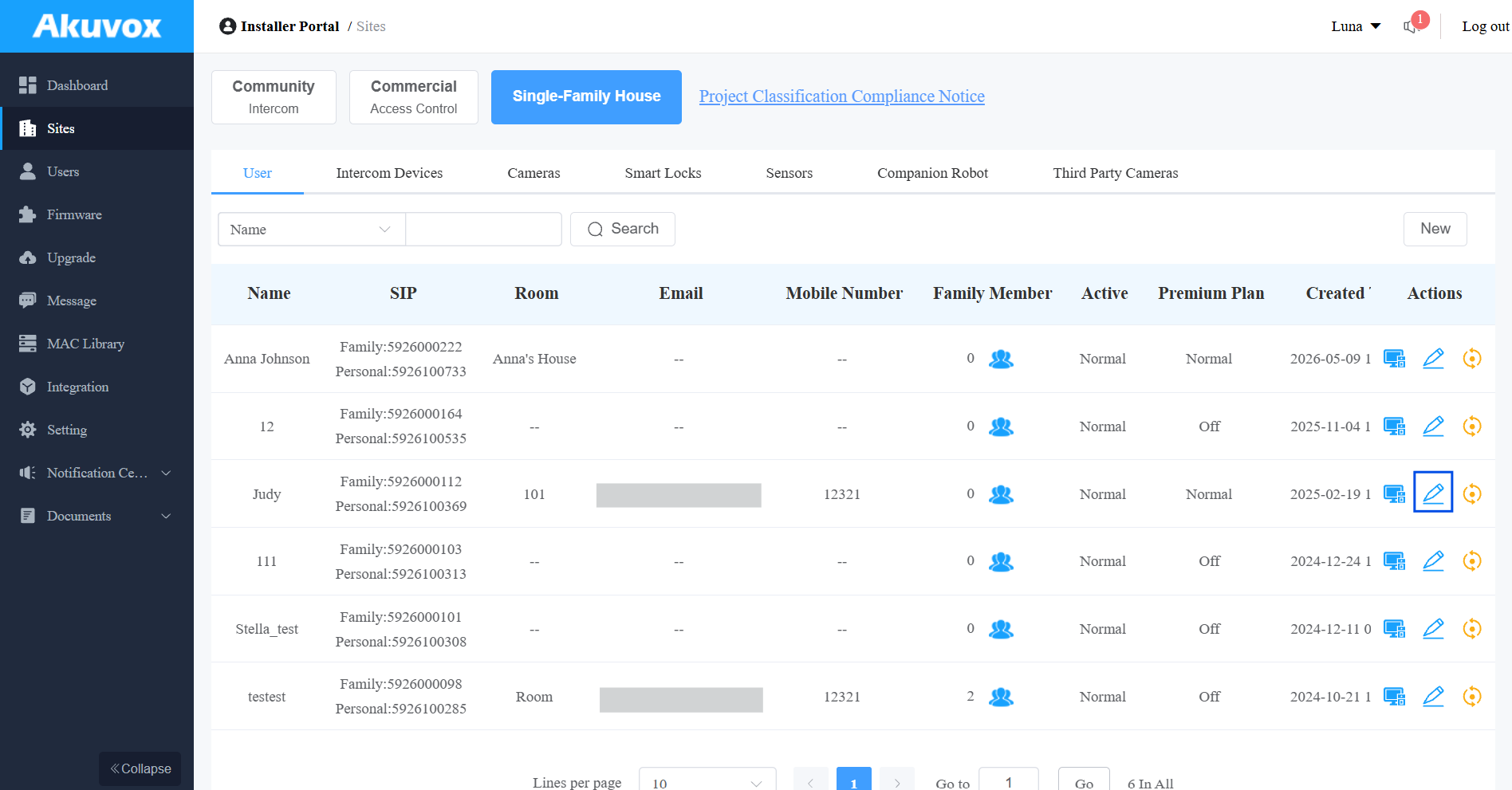
Enable the Landline Service.
Enter the authorized landline number in the Landline Number field.
You can configure up to 3 landline numbers for the family master account.
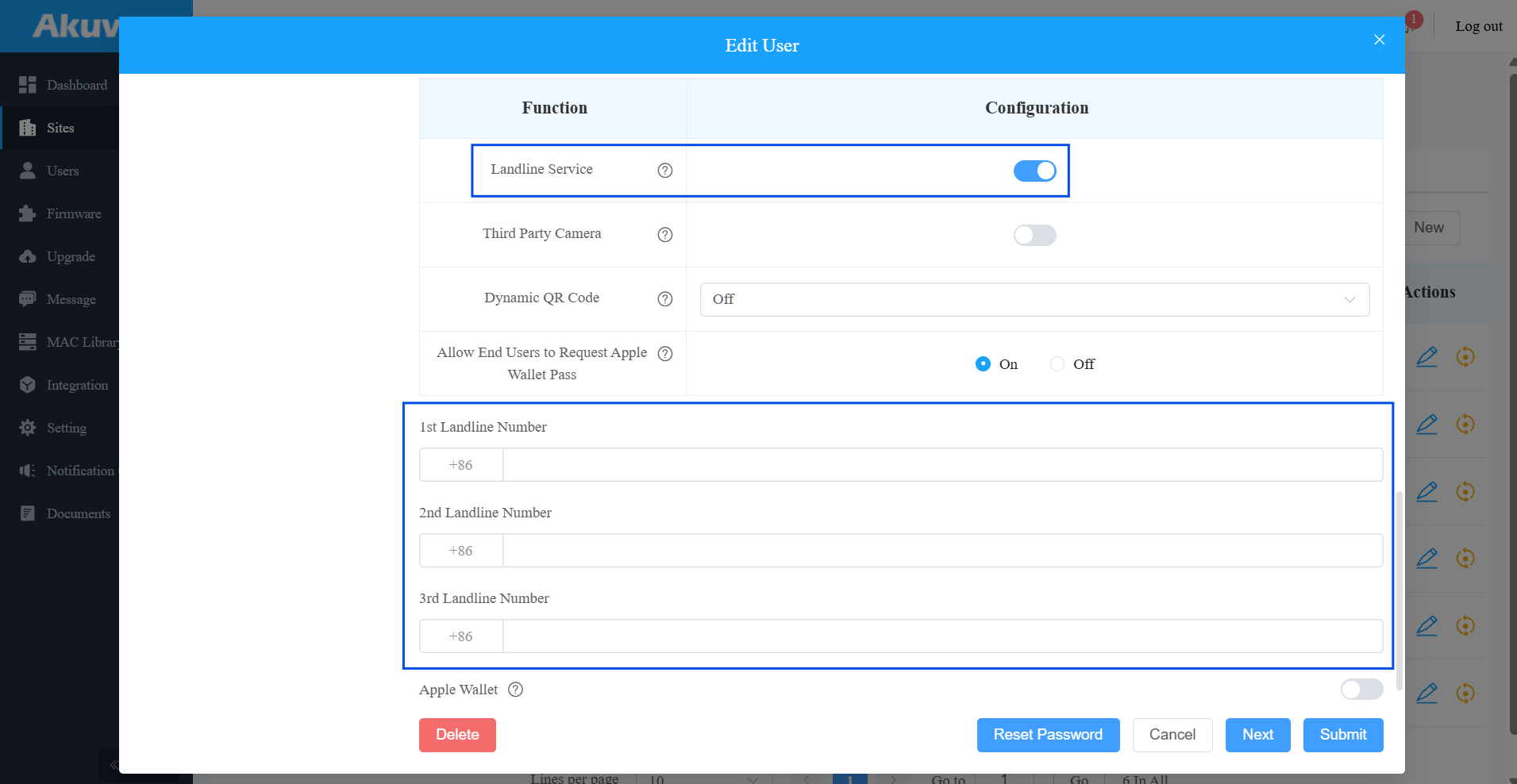
Click Submit.
Verify the Configuration
After saving the configuration, use a configured phone number to call the WR01-L.
Expected result: The connected lock unlocks automatically.
If the lock does not unlock: Confirm that the calling number matches one of the configured numbers and that the device meets the requirements listed in Before You Start.