System Log for Debugging
يمكن استخدام سجلات النظام لأغراض التصحيح.
Set it up on the web System > Maintenance > System Log interface.
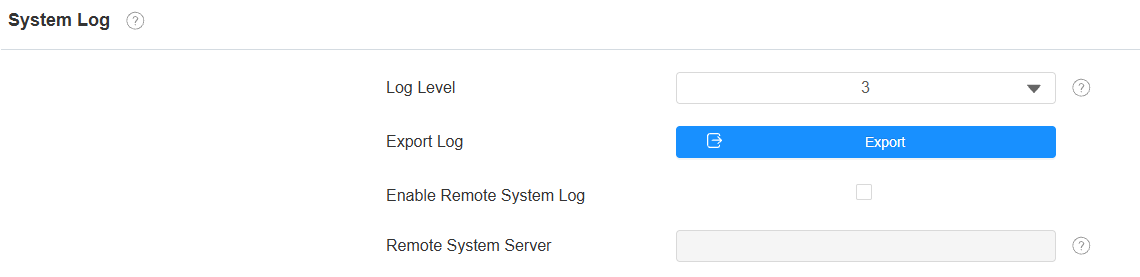
Log Level: Select log levels from 1 to 7 levels. You will be instructed by Akuvox technical staff about the specific log level to be entered for debugging purposes. The default log level is 3. The higher the level is, the more complete the log is.
Export Log: Click the Export tab to export a temporary debug log file to a local PC.
Enable Remote System Log: Set whether a remote server can receive the device log.
PCAP for Debugging
يستخدم PCAP لالتقاط حزمة البيانات التي تدخل وتخرج من الأجهزة لأغراض التصحيح واستكشاف المشكلة.
Set it up on the System > Maintenance > PCAP interface.

PCAP Specific Port: Select the specific ports from 1-65535 so that only the data packets from the specific port can be captured. You can leave the field blank by default.
PCAP: Click the Start tab and Stop tab to capture a certain range of data packets before clicking the Export tab to export the data packets to your Local PC.
PCAP Auto Refresh: If it is enabled, then the PCAP will continue to capture data packets even after the data packets reach their 1M maximum in capacity. If it is disabled, the PCAP will stop data packet capturing when the data packet captured reaches the maximum capturing capacity of 1MB.
Remote Debug Server
عندما يواجه الجهاز مشكلة، يمكنك استخدام خادم التصحيح البعيد للوصول إلى سجل الجهاز عن بعد لأغراض التصحيح.
Set it up on the System > Maintenance > Remote Debug Server interface.
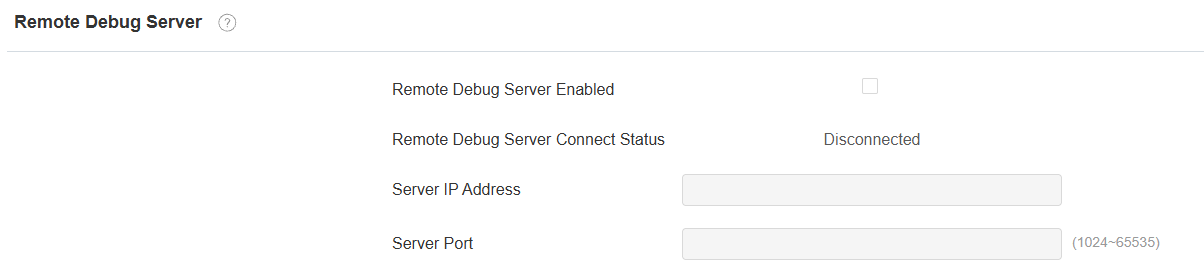
Remote Debug Server Connect Status: Display the connection status between the device and the server.
Server IP Address: Enter the IP address of the server.
Server Port: Enter the server port.
Web Call
The web call feature allows for making calls via the device’s web interface, commonly used for remote call testing purposes.
Make a web call on System > Maintenance > Web Call interface.

Web Call (Ready): Enter the target IP/SIP number to dial out.
Ping
الجهاز يسمح لك بالتحقق من إمكانية الوصول إلى الخادم المستهدف.
Set it up on the System > Maintenance > Ping interface. Click Start to start the detection, and the results will display on the web.
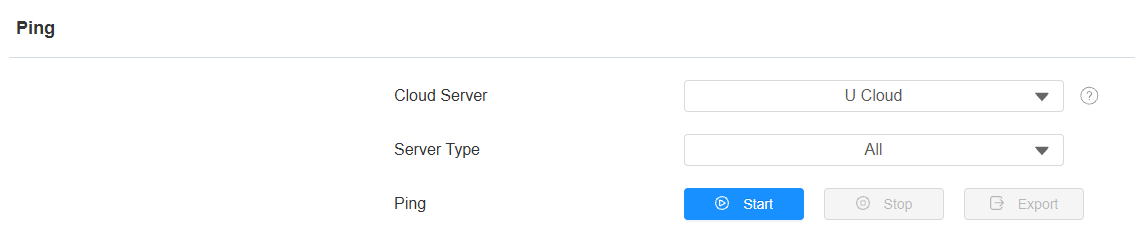
Cloud Server: The server to be verified.
Server Type: The service type includes TCP connection, FTP service, SIP service, etc.