Language
Switch the device's web language in the upper-right corner.
The following languages are supported:
English, Simplified Chinese, Traditional Chinese, Russian, Korean, Portuguese, Spanish, Italian, Dutch, French, German, Polish, Turkish, Japanese, Vietnamese, Czech, Norwegian, Swedish, Ukrainian, and Arabic.
Time
تسمح إعدادات الوقت على واجهة الويب بتكوين عنوان خادم NTP لمزامنة الوقت والتاريخ تلقائيا. بمجرد اختيار منطقة زمنية، سيقوم الجهاز بإبلاغ خادم NTP بالمنطقة الزمنية المختارة، مما يمكنه من مزامنة إعدادات المنطقة الزمنية على جهازك.
Set up time on the Settings > Time interface.
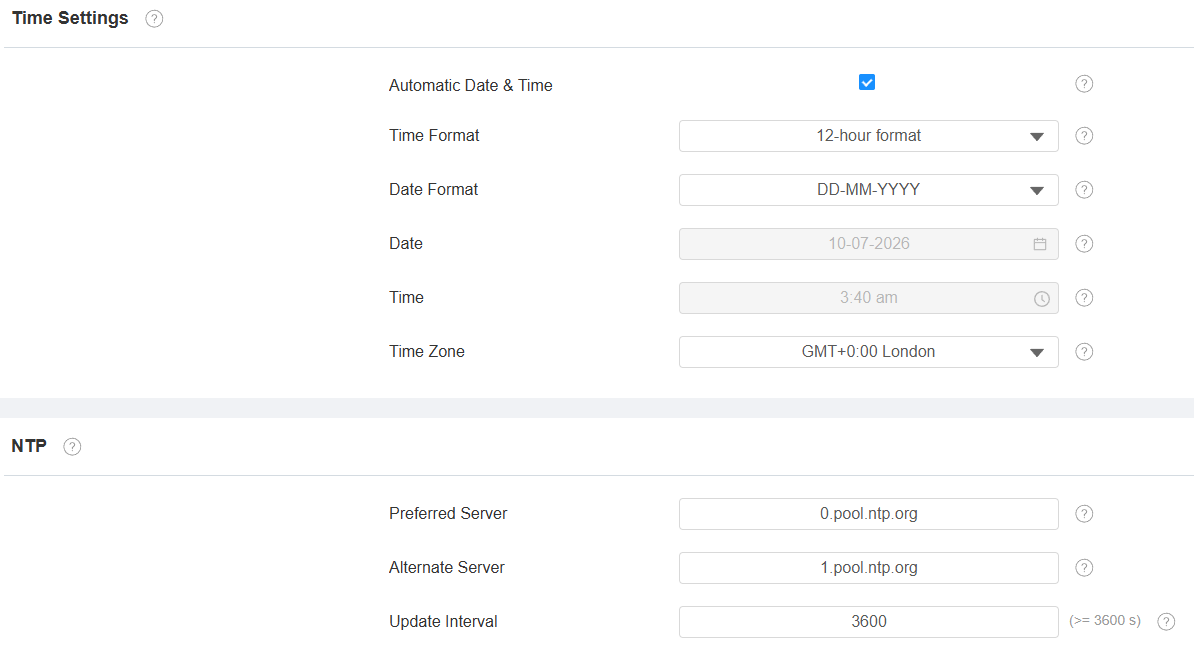
Automatic Date & Time: When enabled, the device’s date and time are automatically set up and synchronized with the default time zone and the NTP server (Network Time Protocol).
Preferred Server: Enter the primary NTP server address for updating the time. The default NTP server address is 0.pool.ntp.org.
Alternate Server: Enter the backup NTP server address when the primary one fails.
Update Interval: The interval between two consecutive NTP requests.
Daylight Saving Time
Daylight Saving Time is the practice of advancing clocks (typically by one hour) during warmer months so that darkness falls at a later clock time. You can modify the time parameters to achieve longer evenings or daytime, especially in summer.
Set it up on the Settings > Time interface.
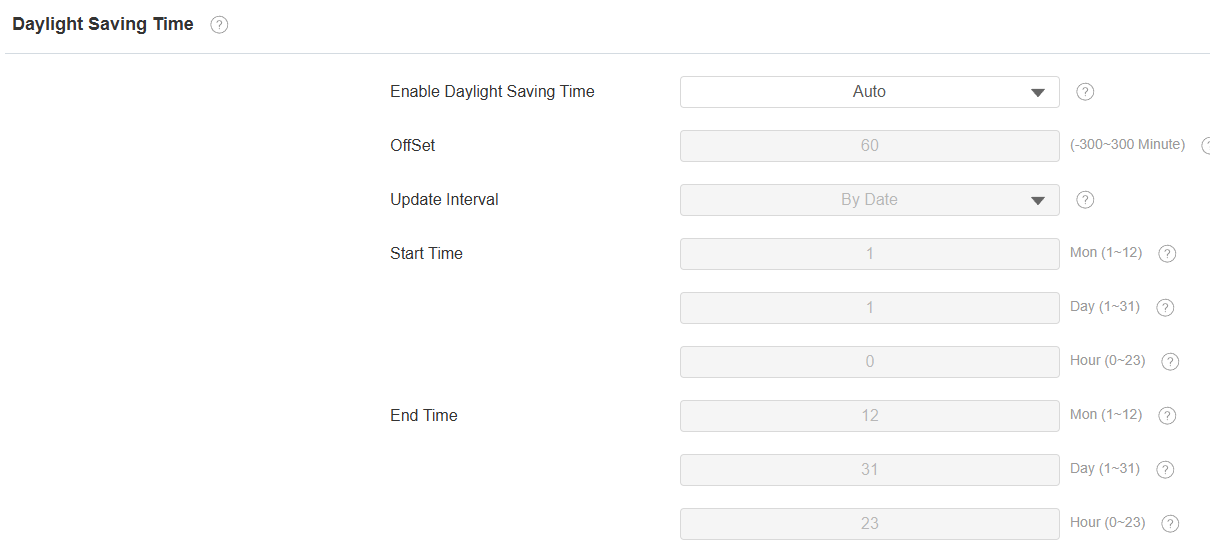
Enable Daylight Saving Time: Enable or disable the feature. Auto means that the device adjusts the daylight saving time automatically.
Offset: 60 minutes by default, setting the clocks an hour ahead of the standard time.
By Date/By Week: By Date sets the date schedule for daylight saving time. By Week sets the schedule for daylight saving time according to the week and month.