Modify Device Web Interface Password
Change the web password on the web System > Security > Web Password Modify interface.
اختر المسؤوللحساب المسؤول والمستخدملحساب المستخدم. انقر على تبويب تغيير كلمة المرور لتغيير كلمة المرور.

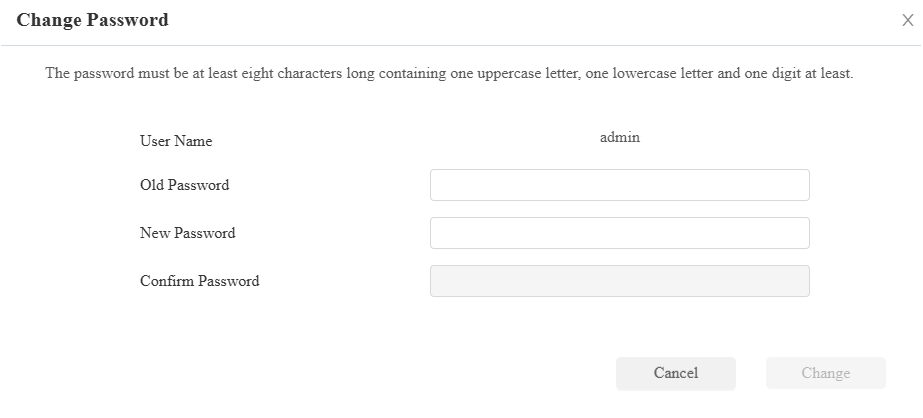
You can enable/disable the user account on the Account Status section. The default password for the user account is user.

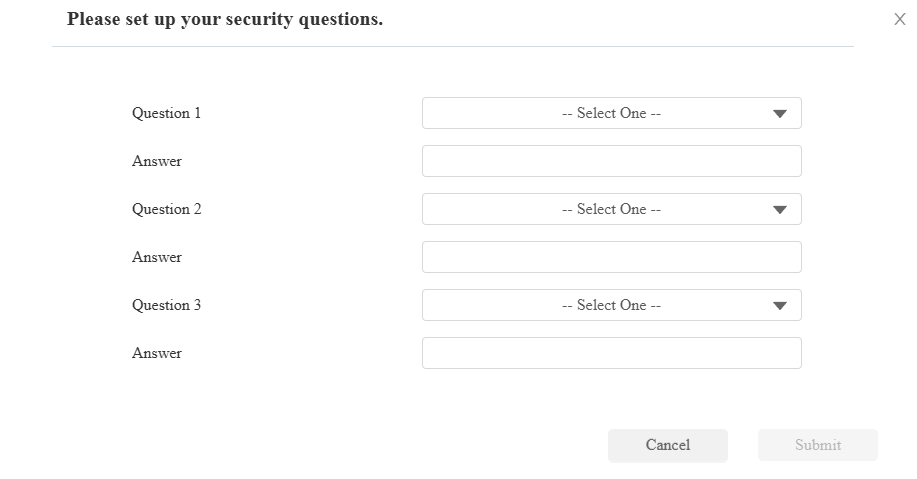
Modify Security Questions
أسئلة الأمان تتيح لك إعادة تعيين كلمة مرور الويب إذا نسيتها. بعد إعداد أسئلة الأمان، يمكنك النقر على "نسيان كلمة المرور" في واجهة تسجيل الدخول، وإدخال الإجابات، وستظهر نافذة إعادة تعيين كلمة المرور.
إذا لم تقم بإعداد أسئلة الأمان، فإن النقر على "الإجابة على أسئلة الأمان" سيطلب منك "يرجى التواصل مع مزود الخدمة الخاص بك".
Set it up on the System > Security interface. Click Modify Security Question.
You need to first enter the right password for verification and then set up the security questions.