Audio Codec
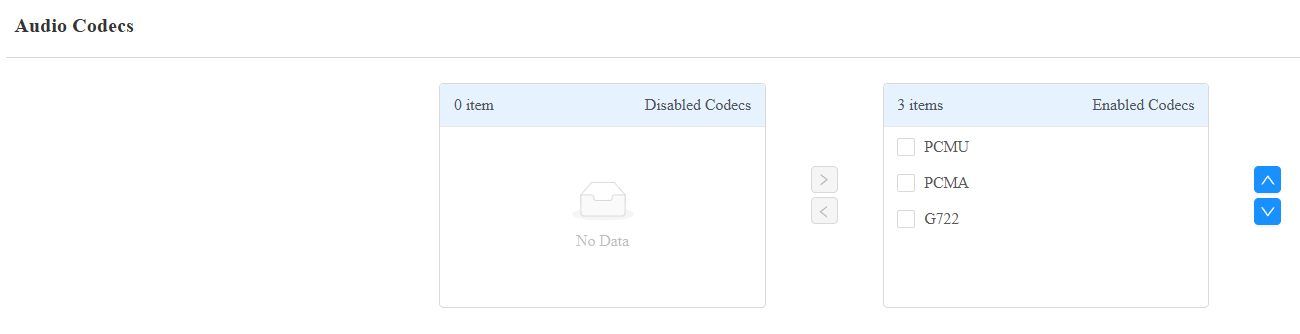
The device supports three types of codecs (PCMU, PCMA, and G722) for encoding and decoding the audio data during the call session. Each type of codec varies in terms of sound quality. PCMU and PCMA are well-suited for traditional telephony and bandwidth-constrained environments, while G722 delivers better audio quality for more modern communication needs.
You can select the specific codec according to the actual network environment.
Set it up on the Intercom > Account interface.
Codec Type | Bandwidth Consumption | Sample Rate |
|---|---|---|
PCMA | 64 kbit/s | 8kHZ |
PCMU | 64 kbit/s | 8kHZ |
G722 | 64 kbit/s | 16kHZ |
Video Codec
The device supports the H264 codec that provides better video quality at a much lower bit rate with different video quality and payload.
Set it up on the web Intercom > Account interface.
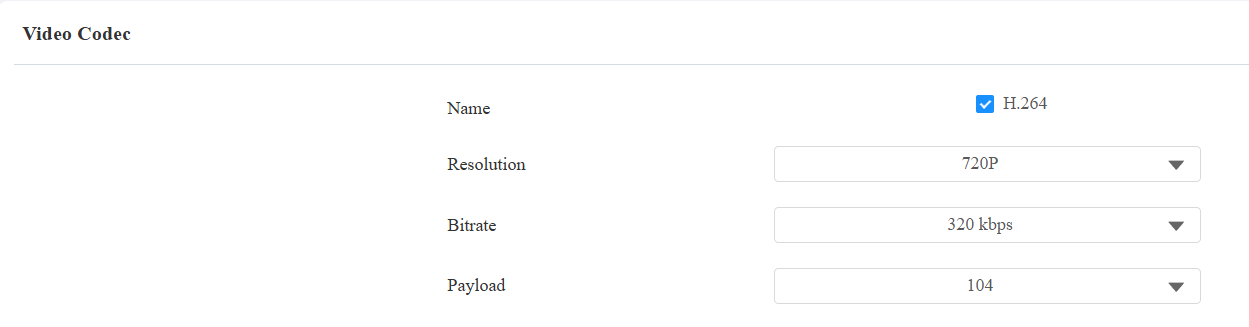
Name: Check to enable the H264 video codec format for the device video stream.
Resolution: Select the resolution from the provided options. The default resolution is 720P(1280×720 pixels).
Bitrate: The video stream bitrate ranges from 128 to 2048 kbps. The greater the bitrate, the more data is transmitted every second, and the clearer the video will be. The default code bitrate is 320.
Payload: The payload ranges from 90 to 119 for configuring audio/video configuration files. The default is 104.
Video Codec for IP Calls
You can select the IP call video quality by selecting the proper codec resolution according to the network condition.
Set it up on the web Intercom > Call Feature > Direct IP interface.
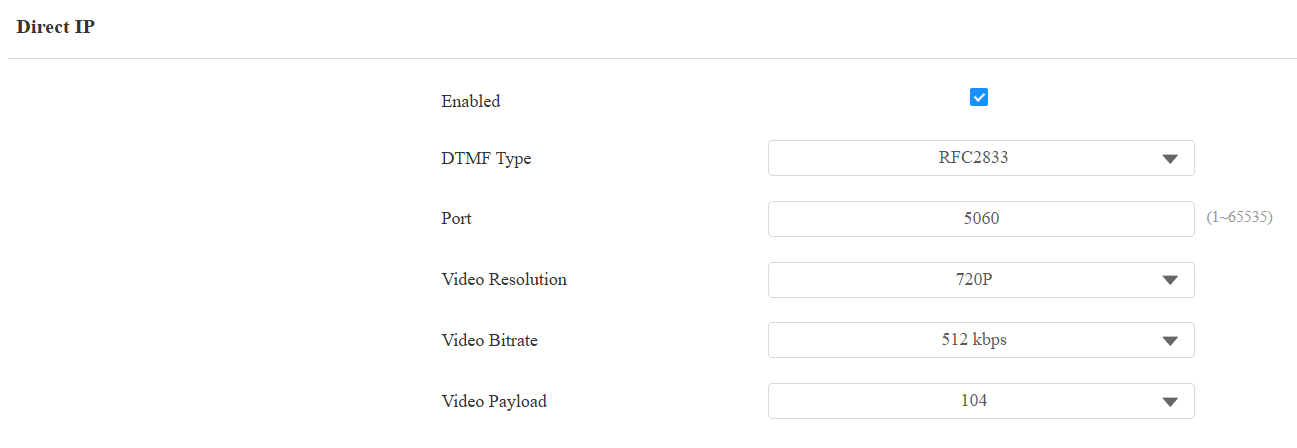
Video Resolution: Select the resolution from the provided options. The default resolution is 720P(1280×720 pixels).
Video Bitrate: The video stream bitrate ranges from 128 to 2048 kbps. The default bitrate is 512.
Video Payload: The payload ranges from 90 to 119 for configuring audio/video configuration files. The default is 104.